1
HOL-HBD-1482
Lab Guidance
Lab Introduction and Overview
Introduction
VMware announced the rebranding of VMware vCloud Hybrid Service to VMware vCloud Air on
Thursday, August 21st. The new name represents VMware’s transformation into a cloud
services provider, and and our plans to extend the vCloud Air beyond Infrastructure as a
Service. The new name has been rolled out in marketing content and documentation, and it
will begin to show up in service UIs, videos, and other assets in the weeks ahead. Some
references to vCloud Hybrid Service remain in the lab manual
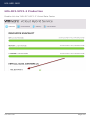
This lab will help build your VMware vCloud® Air™ skills by introducing you to the
Advanced Networking and Security features of vCloud Air. After completing this lab, you
will:
• Have an overview of the vCloud Air networking and security features
• Know how to install, configure, and understand the features of vCloud Connector
in both your local and remote vCloud Air hosted data centers
• Explore a use-case around a multi-tiered architecture that utilizes the isolation
features of vCloud Networking and Security, Firewall, IPSEC VPN, and vCloud Air
hosting
IMPORTANT! Please note that in this lab you are working in a fully selfcontained SIMULATED vCloud Air instance. There is no external access from the
lab environment to the internet. The simulated environment has limited resources
assigned to it, the performance and stability of the lab may not match what you can
expect from the publicly accessible hosted vCloud Air.
Module Overview
The concepts introduced in HOL-HBD-1482 are divided up into three modules. Each
module is independent and can be completed in any order within the allotted time.
Module 1 - Introduction to Networking and Security
Description: In this module we will guide you through the vCloud Air networking
capabilities and the various access rights and roles available.
Duration: 15 minutes
Lab Captain(s): Jason Scanga, Jon Pawlowski and Cabot Harrington
HOL-HBD-1482
Page 3