1
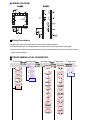
1. When 2nd Output (Cooling) is not selected, CPb、Cti、
Ctd、HYS2 and db parameters are not available.
2. When Pb≠0.0, HYS1 will be skipped.
3. When CPb≠0.0,HYS2 will be skipped.
4. When Pb=0.0,ti、td will be skipped.
5. When CPb=0.0,Cti、Ctd will be skipped.
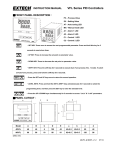
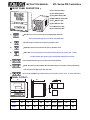
■PARAMETER DESCRIPTION:
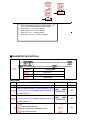
LEVEL Selection
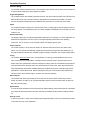
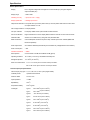
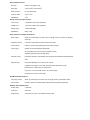
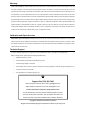
Press
keys for at least 5 seconds to access Soft Level. Use
key to select programming level. Then press
LEVEL
or
key to enter this level.
Description
SoFt Level
PID Level
Option Level
USER LEVEL
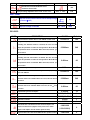
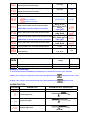
CODE
DESCRIPTION
Set point value of control
Alarm 1 set point value/Timer set value while A1FU is set to
T.on or T. off, the unit can be HH.MM or MM.SS. It depends on
RANGE
LoLt - HiLt
Default
500
-1999 - 9999/
00.00~99.59
10
-1999 - 9999/
00.00~99.59
10
the “P.tnE” parameter.
Alarm 2 set point value/ Timer set value while A2FU is set to
T.on or T. off, the unit can be HH.MM or MM.SS. It depends on
the “P.tnE” parameter.
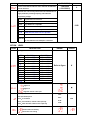
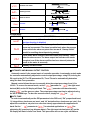
:Auto-tuning is disable
:Standard type auto-tuning.
Autotune PV is compared wit SV during auto tuning.
:Low PV type auto-tuning.
no