1
JM Precision
Introduction
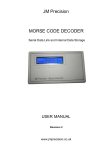
The JM Precision Morse Decoder is used to decode Morse code audio
signals and to display the decoded text along with the actual received
code on a continuously scrolling display.
A direct connection to the unit is not required as it has a built in
microphone and simply needs to be positioned in front of a receiver
which is tuned to a station which is transmitting Morse code.
There are also many on-line resources where Morse recordings can
be downloaded and decoded using this device.
Operation
Battery Insertion
1
Move the power switch to the off position
2
Remove the battery compartment cover located on the rear
of the unit.
3
Remove the old battery if fitted.
4
Connect the new battery and slot it into the battery
compartment
5
Refit the battery compartment cover
Calibration
Before the unit will operate it must be calibrated. This operation is
performed automatically after switching the unit on but should be
repeated when required.
To allow the unit to properly calibrate
1
Tune your radio to a station so that the Morse can be clearly
heard.
2
Switch on the decoder and place it in a location where it will
pick up the audio sounds.
3
Immediately after switching on the decoder will display
‘initialising’ for around two seconds.
www.jmprecision.co.uk