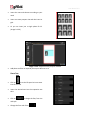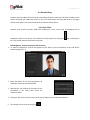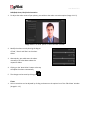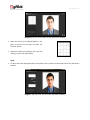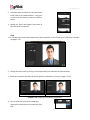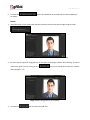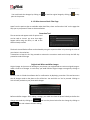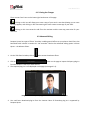
1
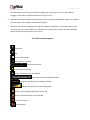
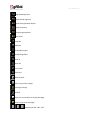
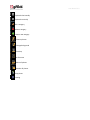
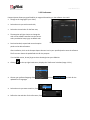
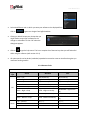
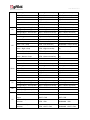
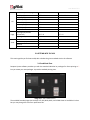
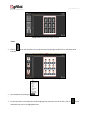
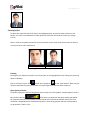
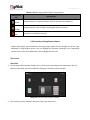
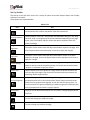
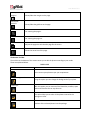
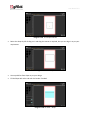
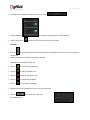
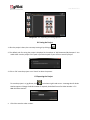
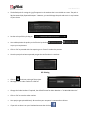
User Manual-4.0 USER MANUAL User Manual-4.0 Passport Xpress User Manual CONTENTS 1.0 Hello 1.1 Introduction 1.2 System Requirement 2.0 Opening Tool Box – Getting Started 2.1 Registration 2.1.1 Online Registration 2.1.2 Offline Registration 2.2 Know Your Software 2.2.1 General Features 2.2.2 Control and Navigation 2.2.3 Preferences 2.2.4 Shortcut Tools 3.0 Getting Into The Job – Using The Software 3.1 Predefined Sizes 3.2 Modifying Sizes 3.2.1 Creating a Size 3.2.2 Editing a Size 3.2.3 Deleting a Size 3.3 Modifying Passport 3.3.1 Create a Passport Size 3.3.2 Edit a Passport Size 3.3.3 Delete a Passport Size 3.3.4 Additional Features 3.4 Create and Use Package 3.4.1 Fast Way of Using Passport Xpress Common Features The Process 3.4.2 Easy Way of Using Passport Xpress 3.4.3 Passport And Beyond The Top Tool Bar The Bottom Tool Bar The Process 4.0 Fine Tuning - Photo Editing User Manual-4.0 4.1 Normal Editing 4.1.1 Basic filters 4.1.2 Other Icons on Basic Filter Page 4.1.3 Saving the changes 4.2 Advanced Editing 5.0 Nuts And Bolts – Customize Packages 5.1 Customize Your Package 5.1.1 Get More 5.1.2 Import 5.1.3 Save and Build 5.1.4 Share 5.1.5 Delete 6.0 Saving, Exporting and Printing 6.1 Saving The Project 6.2 Exporting The Project 6.3 Printing 7.0 Opening Saved Project 8.0 Troubleshoot 9.0 Support User Manual-4.0 Passport Xpress User Manual 1.1 Introduction Passport Xpress is not just a passport photo creating software. It is a Passport and beyond software. The program makes passport packages in no time. You can create mix packages with different photo sizes. This software provides ready packages for all photo sizes. You can also Create Wallet Print, I-Card, Photo Labels, Visiting Cards and Exam IDs. You can put multiple photos in single package. The option of face area will make your work easy as it automatically adjust the photo as well as allows you to do some manual adjustments if needed. This software provides advance features like advance colour correction in which software will automatically adjust the colour of photo and instant retouching is possible with the same. It allows you to change background of all the photos with a single click or use lasso cutting tool for removal or replacement of background. The finished photo can be saved to the hard disk drive or sent for printing or you can send the same on Facebook with Facebook option available in the software. As a result, you get a perfectly finished set of passport photos on one page complete with safe area to make cutting easy. 1.2 System Requirements Mac Systems Mac OS 10.6. Leopard and above Mac Intel, min 1 GHz 1 GB RAM 1 GB free disk space CD/DVD-ROM drive USB Port * Windows System Note: Topics marked with * are for PRO users. Pentium 4, 2.8 GHz Processor and above 1 GB RAM 1 GB free disk space CD/DVD- ROM drive Microsoft Windows XP (service pack 2) / Microsoft Windows 7 / Microsoft Windows 8 USB Port* User Manual-4.0 2.0 OPENING TOOL BOX This section guides you for registration as well as let you know about general features, controls, shortcuts of Passport Xpress. 2.1 Registration Once you have installed the Passport Xpress software on your computer, you need to proceed to Registration. This ensures that all features of the software are made available to you. Registration is very easy and the user-friendliness of the software makes the process quick and simple. The Process On installation of Passport Xpress, the Registration window appears as shown in Image 2.1.1.1. Relevant details such as the Owner Name, Address, City, Country, State, Zip/Pin, Email and Phone or Mobile Number need to be entered; some fields are mandatory (marked by an asterisk *). Fill in the details and proceed as per the instructions in this section. The software enables you to complete the registration process while you are connected to the Internet and also while you are offline. It also allows you to register at a later date. Image 2.1.1.1: The Registration Window. 2.1.1 Online Registration The screen that you first see on starting the registration process (Image 2.1.1.1) needs to be completed as a first step. Here is how: Enter your details in the relevant fields. These are Name, Address, City, Country, State, Zip/Pin, Email and Phone or Mobile number. User Manual-4.0 Fields marked with an asterisk * are mandatory and cannot be left incomplete. In the last field- Serial Number (XXXXX-XXXXX-XXXXX-XXXXX), if you are registering the Professional version (PRO) of the software then the Serial number will be automatically generated in the serial number text box if the dongle is connected. You will also find the serial number inside the software box pack. OR If you are registering the Standard version (STD) of the software then you will get the Serial Number inside the box as well as behind the box pack, enter this Serial Number in the serial number text box. After ensuring that all the fields are filled correctly, click on The message confirming completion of the registration process appears on the screen (Image 2.1.1.2). You are now registered and can use the software. in the lower right-hand corner. Image 2.1.1.2: Successful completion of Online Registration. 2.1.2 Offline Registration If you do not have Internet access on your computer, you can proceed as follows: Enter your details in the relevant fields. These are Name, Address, City, Country, State, Zip/Pin, Email and Phone or Mobile number. Fields marked with an asterisk (*) are mandatory and cannot be left incomplete. User Manual-4.0 In the last field- Serial Number (XXXXX-XXXXX-XXXXX-XXXXX), if you are registering the Professional version (PRO) of the software then the Serial number will be automatically generated in the serial number text box if the dongle is connected. You will also find the serial number inside the software box pack. OR If you are registering the Standard version (STD) of the software then you will get the Serial Number inside the box as well as behind the box pack, enter this Serial Number in the serial number text box. After ensuring that all the fields are filled correctly, click on ‘Register Offline’ at the lower left-hand corner of the page, after which you move on to the next page. The next page (Image 2.1.2.1) has boxes for ‘Serial number’, ‘DgKey’ and ‘Registration Key’. If the serial number (XXXXX-XXXXX-XXXXX-XXXXX) is not automatically generated in the serial number text box and then enter the number provided by the vendor on purchasing the pack or alternatively, found on the software box pack. Image 2.1.2.1: Registering offline. Click on the The DgKey appears on the screen in the appropriate text box. Next, a registration key is required to complete the process. There are three ways of obtaining this key: o button below the serial number text box. Telephone: Call +1-732-543-7676 and the support executive will provide you with the registration key corresponding to your DgKey. User Manual-4.0 o Email: Email us at [email protected] to receive your registration key via Email. o Web: Log on to www.dgflick.com to receive the key. Once you have your registration key, enter it in the corresponding text box. Click on to activate the software. Note: To get a feel of Passport Xpress, You can download the software from our website www.dgflick.com and use as Trial. Some of the features may not be available in trial version. OR Click on the ‘Buy Now’ button to buy the complete version of Passport Xpress. Note: If you are an existing user, fill in details such as your email id and password and the registration key is generated for your use. 2.2 Know Your Software This section gives you a basic understanding of Passport Xpress before you actually start work on the software. Running through this section will enhance your understanding of the various options available and will help you to make optimal use of the software. 2.2.1 General Features Passport Xpress comes with several features, which are discussed in this section: In-built Packages: Passport Xpress provides standard packages – General, ID, Mix, Passport, Stamp and Visa. Create your own Passport Size and Package: Passport Xpress provides you the facility of creating your own Passport Size as well as your own Package. Photo Editing: Passport Xpress has features—Enhance, Change Background and Touchup—for advance photo editing to enhance the quality of the photos. Direct Printing: Passport Xpress provides direct printing of the packages. Multilingual: Passport Xpress is already loaded with multiple languages. Passport Xpress supports Unicode. DgFlick keeps adding to its list of languages that Passport Xpress works on. You could download User Manual-4.0 the latest dictionary, which may include the language you are looking for. Else, you could add the language of your choice to DgFlick’s dictionary for your own use. Available on Windows and Mac: Passport Xpress works on both Mac and Windows systems. The updates for both versions are released simultaneously by DgFlick. Interactive User Interface: Navigation through the software is simplified by user-friendly controls and virtually no training is required before use. Moreover, all control panels are dock able and expandable and can be moved to the position of your choice. 2.2.2 Controls and Navigation Preferences Help Go to the home page Select path for browsing Adjust thumbnail sizes Photo is locked for editing Photo is unlocked and can be modified Change path and browse a different folder Sort photos according to the required parameter Indicates the quality of the photo being used Photo is not of very good quality but can be used Photo is of bad quality but can still be used Photo is unfit for use Arrange objects User Manual-4.0 Page based alignment Object based alignment Equal spacing between objects Equal size photos Group/ungroup photos Edit photo Undo edit Redo edit Show/hide margins Show/hide gridlines Zoom in Zoom out Fit to screen Actual size Save the work Save a copy of the changes Load original image Reset all Helps you to move back to the previous page Helps you go to the next page , , Rotate border 90, 180, 270 User Manual-4.0 Flip border horizontally Flip border vertically Edit a category Delete a category Create a new category Enhance photos Change background Touchup Set face area Select all photos Deselect all photos Swap photo Panning User Manual-4.0 2.2.3 Preferences Passport Xpress allows you great flexibility in usages while working on the software. You could Change to the language of your choice, Select the units you wish to work with, Select the size and color for the face-area, Theme option will give choices to change the color of the software interface into the various colors provided or keep it gray as default color. Dock and undock, expand and move the option panels to the desired location. Image 2.2.3.1: The ‘Preferences’ window. After installation, click on the Passport Xpress shortcut icon in your specified path to start the software. The first screen shows the predefined sizes for the passport. ! For the PRO version, do not forget to insert the dongle into your USB drive. Clicking Choose your preferred language from updated list of languages. Select the units you want to work in, from Define the size and color for the face-area, from on the top right-hand corner, displays the ‘Preferences’ window (Image 2.2.3.1). ; click on to check for the User Manual-4.0 Select the different color in which you want your software to be displayed from click on , to get more designs from Dgflick website. Clicking on OK will accept your choices but you might need to restart your software for the changes to take effect. Click on ‘OK’ when the dialog box appears: Click on to get the help menu. This has a complete list of shortcut keys that you will find useful while using the software (refer section 2.2.4). All option panels can be docked, undocked, expanded or moved to create an interface that gives you maximum working comfort. 2.2.4 Shortcut Tools Shortcut Keys Object Type All Photo Action Windows Move – Left Move – Right Move – Top Move – Bottom Move – Left + Snap Left Arrow key Right Arrow key Top Arrow key Bottom Arrow key CTRL + Left Arrow key Move – Right + Snap CTRL + Right Arrow key Move – Top + Snap CTRL + Top Arrow key Move – Bottom + Snap CTRL + Bottom Arrow key Crop – Zoom In Crop – Zoom Out Crop – Left Pan ALT + '+' ALT + '-' ALT + Left Arrow key Mac Left Arrow key Right Arrow key Top Arrow key Bottom Arrow key COMMAND + Left Arrow key COMMAND + Right Arrow key COMMAND + Top Arrow key COMMAND + Bottom Arrow key ALT + '+' ALT + '-' ALT + Left Arrow key User Manual-4.0 All All Photo All All All Crop – Right Pan Crop – Top Pan Crop – Before Crop – After Crop – Full Screen Crop – Bottom Pan Arrange Object – Bring To Front Arrange Object – Bring Forward Arrange Object – Send to Back Move – Left Move – Right Move – Top Move – Bottom Move – Left + Snap ALT + Right Arrow key ALT + Top Arrow key Page Up Page Down CTRL+SHIFT+F11 ALT + Bottom Arrow key SHIFT + Top Arrow Key SHIFT + Right Arrow key SHIFT + Bottom Arrow key Left Arrow key Right Arrow key Top Arrow key Bottom Arrow key CTRL + Left Arrow key Move – Right + Snap Move – Top + Snap CTRL + Right Arrow key CTRL + Top Arrow key Move – Bottom + Snap Crop – Zoom In Crop – Zoom Out Crop – Left Pan Crop – Right Pan Crop – Top Pan Crop – Before Crop – After Crop – Full Screen Crop – Bottom Pan Arrange Object – Bring To Front Arrange Object – Bring Forward Arrange Object – Send to Back Equal Spacing Horizontally Equal Spacing Vertically Move Selection to Next Object Move Selection to Previous Object Add Next Object to current Selection Add Previous Object to current Selection CTRL + Bottom Arrow key ALT + '+' ALT + '-' ALT + Left Arrow key ALT + Right Arrow key ALT + Top Arrow key Page Up Page Down CTRL+SHIFT+F11 ALT + Bottom Arrow key SHIFT + Top Arrow Key SHIFT + Right Arrow key SHIFT + Bottom Arrow key CTRL + SHIFT + H CTRL + SHIFT + V TAB ALT + Right Arrow key ALT + Top Arrow key Page Up Page Down COMMAND +SHIFT+F11 ALT + Bottom Arrow key SHIFT + Top Arrow Key SHIFT + Right Arrow key SHIFT + Bottom Arrow key Left Arrow key Right Arrow key Top Arrow key Bottom Arrow key COMMAND + Left Arrow key COMMAND + Right Arrow key COMMAND + Top Arrow key COMMAND + Bottom Arrow key ALT + '+' ALT + '-' ALT + Left Arrow key ALT + Right Arrow key ALT + Top Arrow key Page Up Page Down COMMAND +SHIFT+F11 ALT + Bottom Arrow key SHIFT + Top Arrow Key SHIFT + Right Arrow key SHIFT + Bottom Arrow key COMMAND+ SHIFT + H COMMAND + SHIFT + V TAB SHIFT + TAB SHIFT + TAB CTRL + TAB COMMAND + TAB CTRL + SHIFT + TAB COMMAND + SHIFT + TAB User Manual-4.0 All Page View Select All Objects on page Cut Object(s) Copy Object(s) Paste Object(s) Delete Object(s) Undo Object(s) Redo Object(s) Show Photo Information Flip Page composition Horizontally Flip Page composition Vertically Fit to Screen Actual Size (1:1) Zoom In Zoom Out CTRL + A CTRL + X CTRL + C CTRL + V DEL CTRL + Z CTRL + Y CTRL + SHIFT + I COMMAND + A COMMAND + X COMMAND + C COMMAND + V DEL COMMAND + Z COMMAND + Y COMMAND + SHIFT + I ALT + H ALT + V CTRL + F12 CTRL + SHIFT + F12 + - ALT + H ALT + V COMMAND+ F12 COMMAND + SHIFT + F12 + - 3.0 GETTING INTO THE JOB This section guides you for how to add, edit or delete the given standard sizes in the software. 3.1 Predefined Sizes Passport Xpress software provides you with the standard individual or packages for direct printing or * lets you create your own packages. It provides standard printing sizes Image 3.1.1 The Predefine sizes The available Standard page sizes are 6X4, 5X7, 6X8, 8X10, 8X12, and 12X18 these are available in inches but you may change the units from preference tab. User Manual-4.0 3.2 Modifying Sizes * Passport Xpress comes with standard printing sizes, if the size you want to use is not available amongst the provided sizes, you could create your own size and also edit or delete it as per your requirement. 3.2.1 Creating a Size Click on Click on at the lower left-hand corner of the screen to view the ‘Add’, ‘Edit’ and ‘Delete’ options. to ‘Add’ a new size (Image 3.2.1.1) on the ‘Select Product’ window. Image 3.2.1.1: The ‘Select Product’ window with the ‘Add’, ‘Edit’ and ‘Delete’ options. On the next window – ‘Create Page’ (Image 3.2.1.2) – fill in the fields corresponding to: ‘Name’ – the name you want for your new size, ‘Ref. Image’ – the image you want for your new size, clicking on the icon lets you choose the reference image from the path in which you saved it. Fill in the following parameters to create the new size, Width, Height, DPI and Units, Margins (Left, Right, Top and Bottom) to the right of this field User Manual-4.0 Image 3.2.1.2: The ‘Create Page’ window. You could add your comments by clicking on the ‘Comment’ button. Click , on the lower right-hand corner to save the size you created. ! Leaving either the ‘Name’ or the ‘Ref. Image’ field blank will not allow you to save the size. The new size created can be viewed here. Image 3.2.1.3: The Size created. ! At any point during the process, you could click on the back button to go back to the previous window. On clicking this button, you are offered the chance to save/not save your changes or cancel the ‘Back’ command. You could also click on to go back to the home page. 3.2.2 Editing a Size Click on at the lower left-hand corner of the screen to view the ‘Add’, ‘Edit’ and ‘Delete’ options. User Manual-4.0 After selecting the size you wish to modify on the ‘Select Product’ window (Image 3.2.2.1), click on to ‘edit’ the size as per your requirements. Image 3.2.2.1: The ‘Select Product’ window. On the next page – ‘Edit Page’ (Image 3.2.2.2) – you can add your edits to the, o o ‘Name’ – the name you want for your new size, ‘Ref. Image’ – the image you want for your new size, clicking on the icon to the right of this field lets you choose the reference image from the path in which you saved it. You could also edit the parameters. These are: Width, Height, DPI and Units. Margins (Left, Right, Top and Bottom) User Manual-4.0 Image 3.2.2.2: The ‘Edit Page’ window. You could add/edit your comments by clicking on the ‘Comment’ button. Click The changes done get saved. ! At any point during the process, you could click on the back button to go back to the previous window. On clicking this button, you are offered the chance to save/not save your changes or cancel the on the lower right-hand corner to save the changes made. ‘Back’ command. You could also click on to go back to the home page. 3.2.3 Deleting a Size Click on After selecting the size you wish to delete on the ‘Select Product’ window (Image 3.2.3.1), click on to delete it. at the lower left-hand corner of the screen to view the ‘Add’, ‘Edit’ and ‘Delete’ options. User Manual-4.0 Image 3.2.3.1: The ‘Select Product’ window. A dialog box asking if you are sure you want to delete it appears on the screen. Clicking on ‘Yes’ deletes the size; clicking on ‘No’ aborts the operation. Note: Functionality marked with * are available only for Passport Xpress PRO users. 3.3 Modifying Passport* Passport Click on tab on the left panel to create your own passport size.(image 3.3.0.1) Image 3.3.0.1: The Passport tab User Manual-4.0 3.3.1 Creating Passport Size Click on to create your passport size. Image 3.3.1.1: Create Passport Size Window Insert Name for your size, insert width and height and select the desired unit. After inserting the necessary fields click on ‘OK’, your size gets created. 3.3.2 Editing passport size Select the size you want to edit. Click on to edit your passport size.(image 3.3.2.1) Image 3.3.2.1: Editing Passport Size Window Edit Name of your size, edit width and height and select the desired unit. After editing the necessary fields click on ‘OK’, your size gets edited. 3.3.3 Deleting passport size Select the size you want to delete. User Manual-4.0 Click on A dialog box asking ‘if you are sure you want to delete passport size’ will appear on screen. Clicking on ‘Yes’ deletes the size; clicking on ‘No’ aborts the operation. to delete your passport size. 3.3.4 Additional Features to rotate size 90 degree. to rotate size 270 degree. Double click on the created size to insert it on the canvas area. Click on tab to insert the same size for multiple times. Insert the rows and columns according to your need Insert one more passport size and also insert its grid. Image 3.3.3.11: The Grid option User Manual-4.0 3.4 Create and Use Package Once you have modified or created size according to your requirements (section 3.2), it’s time to move on to the actual process. Passport Xpress gives you the option of simply using the readymade packages provided or you could even create your own packages with a combination of ID- card and passport sizes 3.4.1 Fast way of creating Passport using Passport Xpress Passport Xpress is a fast and user-friendly process with an interactive interface. It is supported by wizard to make your task simpler. Passport Xpress gives you the freedom of sorting your photos; additionally you can also swap the inserted photos according to your need. Common Features 1. : This lets you change to the path of your choice to select photos and borders. In most instances, the last 15 paths accessed will be displayed for use and reference, once this option is selected. 2. 3. : Can be used for adjusting thumbnail sizes. : Can be used to reset the changes done. 4. Any change can be undone or redone using and respectively. 5. Ruler – Horizontal and vertical rulers are available to help align photos on the page. The rulers can be seen on the top and left of the page and can be activated by clicking on them. The rulers can then be dragged onto the page and photos can be aligned against them. 6. Photo quality indicator – The quality of photos used must be good to ensure clarity in the final product. Passport Xpress has an in-built ‘quality indicator’ photo quality goes below the required standards. , which warns you whenever the The Process Select Size On the select product window (Image 3.4.1.1), select the size according to your requirement: 4x6, 5x7, 6x8, 8x10, 8x12 and 12x18. The sizes available are displayed in the ‘Select Product’ window. User Manual-4.0 Image 3.4.1.1: The ‘Select Product’ window. The size that you have selected is seen on the top, right-hand corner. Double click on the size or select the size and click size. on the lower, right-hand corner to select the Create Design You are now directed to the Create Design window along with the blank page to insert the packages with the photos and then send it for printing. Image 3.4.1.2: The ‘Create Design’ window. Packages Clicking on These are tab on the left most panels shows the in-built Packages type. User Manual-4.0 General: Contains frame, family photos and wallet packages. By default the imported packages gets saved in General category. General Category in Packages Tab ID: Contains ID card packages. Where ready to use ID card formats are given. ID Category in Packages Tab Mix: Combination of Passport and Photo text. MIX Category in Packages Tab Select the category and double click on the desired package to be inserted (Image 3.4.1.3). User Manual-4.0 Image 3.4.1.3: Desired package inserted. Photo Click on inserted. tab on the left panel to insert photos into the package. Double click on the photo to be Image 3.4.1.4: Photo inserted into the package. Sort the photos by clicking on As we know that in visa photos we need to highlight the maximum area of the face, click on maximum face area in the highlighted area. fit the User Manual-4.0 Zooming In/Out To adjust the maximum area of the face in the highlighted area, we need to zoom in/zoom out the photos. You can use a combination of these options to obtain the desired level of accuracy. (Image 3.4.1.5) How to: Click on the photo you want to work on and then use the scroll wheel of the mouse to zoom in or zoom out as per your requirement. (a) (b) Image 3.4.1.5: (a) zoom in (b) zoom out Panning Panning lets you adjust the specific area of the photo in the highlighted area by moving the photo up, down or sideways. How to: Place the cursor over , which then changes to or the ‘hand symbol’. Now use your mouse to take hold of the photo and move it around to get to the area you wish to work on. Photo Quality Indicator: The quality of photos used must be good to ensure clarity in the final product. Passport Xpress has an inbuilt ‘quality indicator’ , which warns you whenever the photo quality goes below the required standards. Once a photo has been placed into the frame the indicator warns you if the resolution is inappropriate for the desired output size. The warning symbols and their interpretations are presented in Table 3.3.1.6. User Manual-4.0 Table 3.4.1.6: Warning symbols and their interpretations Indicator and color Yellow Orange Red Interpretation The photo quality is not good; however, the final output will be satisfactory. The photo quality is poor and will not yield good results on printing. The photo is unsuitable for printing. 3.4.2 Easy Way of Using Passport Xpress Passport Xpress gives you the freedom of inserting multiple photos into the package. One of the major advantage of using Passport Xpress is you can highlight the face-area according to your requirement and also set the color of the dotted lines, which highlight the face-area. The Process Select Size On the select product window (Image 3.4.2.1), select the size according to your requirement: 4x6, 5x7, 6x8, 8x12 and 12x18. The sizes available are displayed in the Select Product window. Image 3.4.2.1: The ‘Select Product’ window. The size that you have selected is seen on the top, right-hand corner. User Manual-4.0 Double click on the size or select the size and click size. on the lower, right-hand corner to select the Create Design You are now directed to the Create Design window (Image 3.4.2.2) along with the blank page to insert the packages with the photos and then send it for printing. Image 3.4.2.2: The ‘Create Design’ window. Clicking on tab on the left most panels to insert the required package. Image 3.4.2.3: Select required package Select the category and double click on the package to be inserted . User Manual-4.0 Image 3.4.2.4: Insert the package Photo Click on tab on the left panel to insert multiple photos into the package. Select the respective areas to insert multiple photos. Sort the photos by clicking on Border Click on You could select a border from the options, Passport Xpress displays for you on the left panel or you could browse and select a border of your choice from the path in which you have saved it (the previous 15 paths are available here). Select the photo on which the border is to be applied and double click on the border to be inserted. tab on the left panel to select the border that you want for your photo. User Manual-4.0 Image 3.4.2.5: The border applied to the photo. You could change the color of the border to better suit your photo by clicking on the button. There are 18 ready tones available for use. Choose the ready tone you want and double click on it to apply it on the photo border (Image 3.4.2.6) Image 3.4.2.6: Applying a ready tone to the border ! Additional icons on the ‘Create Design’ – Border screen: (i) – to reset the changes. (ii) – to rotate the border 90 degrees. (iii) – to rotate the border 180 degrees. (iv) – to rotate the border 270 degrees. (v) – to flip the border vertically. (vi) – to flip the border horizontally. User Manual-4.0 Presets Click on Click on Colorize option, select the photo and double click on the preset required. (Image 3.4.2.7). tab on the left panel to give colorize or outline effect to the photos. Image 3.4.2.7: The Presets- Colorize Effect Title Click the The empty white field can be used to type in the title you wish to add. You can change the following parameters for the title: (i) Font (ii) Font size (ii) Style (iv) Font Color tab to add or amend a title for your package. User Manual-4.0 Ready presets can be availed from . Change Background Click on the top tool bar or click background of the photo. Select the color of the background to be changed from Adjust the feather and tolerance from Select the new background from on the bottom option bar to change the . Image 3.4.2.8: Background (a) Before and (b) After Click on to save the image with a different name. User Manual-4.0 Touch Up Click on the top tool bar or click on blemishes or marks from the photos. Select a clone point by Alt+Click to define a source point. Adjust the brush size with Adjust the feather and opacity from Click on on the bottom option bar to remove the to save the image with a different name. 3.4.3 Passport and beyond using Passport Xpress Passport Xpress is software that caters to those who require instant results (Fast way of using Passport Xpress – section 3.4.1) and also to those who wish to create their own mix packages. Its tools and options help one to manipulate and edit photos and packages to get the desired output. User Manual-4.0 The Top Tool Bar The tool bar at the top of the screen has a variety of options that makes Passport Xpress user friendly and easy to work with. These options are explained below. able 3.4.3.1 Icon Use <Lock> Can be used to lock or unlock the photos as per the requirement. <Arrange objects> <Page based alignment> The four options in this tool – Send to Back, Send Backward, Bring to Front, Bring Forward – help in moving objects forward and backward depending on the page layout. Click on the object and then choose the option required to move the photo accordingly. This option can be used to move the object around with respect to the page. Click on the object and then select the option on the bar to apply the changes. <Object based alignment> This option can be used to move the object around with respect to the other objects on the page. Click on the object and then select the option on the bar to apply the changes. <Equal spacing> Helps to equalize the horizontal and vertical spacing between objects. Select the object for which you wish to equalize spacing. Click on the tool and select either ‘Vertical’ or ‘Horizontal’ as per your choice. <Equal size> Helps to equalize the size of photos on a page. Select the photos for which you wish to make size changes. Then click on this tool and select the parameter for equalizing: Width, Height and Size <Group/Ungroup> <Edit photo> Groups and ungroups elements on the page. Grouping (select objects to be grouped and then click on the tool and select ‘Group’ option) ensures that the photos that are grouped move together as one unit with the spacing intact. To move an element of a group individually you need to ungroup the elements (click on the grouped photo and select ‘Ungroup’ option). Helps you to use advance edit options such as Enhance, Change Background and Touch up. <Undo> To reset the change you made to the page. <Redo> To redo a change you made to the page. User Manual-4.0 <Show/hide margins> Shows/hides the margins on the page. <Show/hide gridlines> Shows/hides the gridlines on the page. <Zoom in> For zooming the page in. <Zoom out> For zooming the page out. <Fit to screen> Adjusts the page size such that the page fits the screen. <Actual Size> Shows the actual size of the page. The Bottom Tool Bar The tool bar at the bottom of the screen serves you to edit the photos according to your needs. These are explained below. Table 3.4.3.2 Icon Use <Enhance> Colors correct your photos as per your requirement. <Change Background> Using this option you can change the background of your photo. <Touch Up> <Select all photos> With this option you can remove all the blemishes, wrinkles, spots and marks from the face or any skin area. This option helps you to select all the photos inserted in the package at a time. <Deselect all photos> Deselect all the selected photos into the package. User Manual-4.0 <Show/Hide Face Area> Helps to show or hide the face area. The Process Select Size On the select product window (Image 3.4.3.3), select the size according to your requirement: 4x6, 5x7, 6x8, 8x12 and 12x18. The sizes available are displayed in the Select Product window. Image 3.4.3.3: The ‘Select Product’ window. The size that you have selected is seen on the top, right-hand corner. Double click on the size or select the size and click size. on the lower right-hand corner to select the Create Design You are now directed to the Create Design window (Image 3.4.3.4) along with the blank page to insert the packages with the photos and then send it for printing. User Manual-4.0 Image 3.4.3.4: The ‘Create Design’ window. Create ID-card Click on tab on the left panel to insert a shape to create an ID-card (Image 3.4.3.5). Image 3.4.3.5: Shape’ window Double click on the required shape.You can see the shape in the work area.(Image 3.4.3.6) User Manual-4.0 Image 3.4.3.6: The Shape inserted Resize the shape by left clicking on it and drag the mouse as required, also you can align it as per your requirement. Image 3.4.3.7: Resize shape You may add line from shape as per your design. Fill the Shape with color and color the border if needed. Image 3.4.3.8: Fill Color - Shape User Manual-4.0 To customize the shape according to your need, click on Use the sliders on Use the color picker . to modify the shape to suit your requirements. to pick any color from the screen for your shape. Passport Click on tab on the left panel to insert a passport size or double click on the size to be inserted into the ID card. Add the desired size of photo from passport window. Additional Feature (Refer section 3.3) Click on to create your passport size. Click on to edit any passport size. Click on to delete any passport size. Click on to rotate size 90 degree. Click on to rotate size 270 degree Double click on the created size to insert it on the canvas area Click on for multiple times. tab to insert the same size User Manual-4.0 Insert the rows and columns according to your need Insert one more passport size and also insert its grid. Or you can insert just a single photo for ID. (Image:3.4.3.9) Image 3.4.3.9: Add photo from passport window Add photo and Text as required you may use Ruler to set it. Photo Text Click on tab on the left panel to insert texts into the ID Card. Insert the desired text into the respective text tab’s Click on and style. Change the font color from, to change the font, font size User Manual-4.0 Insert logo from, . Clicking on the icon choose the logo from the path in which you saved it. to the right of this field lets you Image 3.4.3.10: Add photo text Photo Click on tab on the left panel to insert the photos into the package or in ID. Select the photo and double click on the photo to be inserted.(Image 3.4.3.11) Image 3.4.3.15 : Insert photo You can see your ID Design is ready. 4.0 FINE TUNING The section is all about photo enhancing and editing tools. User Manual-4.0 4.1 Normal Editing Passport Xpress has Basic Filters that help in the editing of photos to be used. This filter includes several options that help you modify the photos to suit your requirements and they add value to the pages without much effort. This sections deals with the features in Basic Filters. 4.1.1 Basic Filters Features such as BCG correction, RGB color modification, Curve, Level, Crop, and Rotation will be explained in detail in this section. You could access these options by clicking on bar. This section deals with the filters one by one. tab on the options BCG (Brightness, Contrast, Gamma) Color Correction 1. To adjust the brightness, contrast and gamma of your photo, click on the button on the ‘Edit Photo’ window (Image 4.1.1.1) Image 4.1.1.1: The ‘BCG’ option on the ‘Edit Photo’ window. 2. Move the sliders for the three parameters up and down to achieve the desired effect. 3. Alternatively, you could enter the values for the parameters in the value boxes above the respective sliders. 4. Clicking on the ‘Auto Contrast’ button at the top will adjust the contrasts automatically. 5. The changes can be reset by clicking on . User Manual-4.0 RGB (Red, Green, Blue) Color Correction 1. To adjust the colour tones of your photos, you could use the colour correction option (Image 4.1.1.2). Image 4.1.1.2: The ‘RGB’ option on the ‘Edit Photo’ window. 2. Modify the colour tone by altering the degree of ‘Red’, ‘Green’ and ‘Blue’ on the colour sliders. 3. Alternatively, you could enter the values manually in the value boxes above the respective sliders. 4. Clicking on the ‘Auto Colour’ button at the top will adjust the colour automatically. 5. The changes can be reset by clicking on . Curve 1. Colour intensities can be adjusted by clicking on button on the options bar of the ‘Edit Photo’ window (Image 4.1.1.3). User Manual-4.0 Image 4.1.1.3: The ‘Curve’ option on the ‘Edit Photo’ window. 2. Select the colour to be adjusted (RGB i.e. red, green or blue) from the drop list under the ‘Channel’ button. 3. Adjust the intensity by clicking on the curve and moving it as per your requirement. Level 1. To adjust the input and output levels of the photo, click on button on the options bar of the ‘Edit Photo’ window. Image 4.1.1.4: The ‘Level’ option on the ‘Edit Photo’ window. User Manual-4.0 2. Select the colour for which the input and output levels need to be modified (RGB i.e. red, green or blue) from the drop list under the ‘Channel’ button. 3. Modify the ‘Input’ and ‘Output’ level values in the value boxes as required. Crop 1. To crop the photo to the desired dimensions and orientation, click on button on the ‘Edit Photo’ window (Image 4.1.1.5). Image 4.1.1.5: The ‘Crop’ option on the ‘Edit Photo’ window. 2. Change the aspect ratio by clicking on the ‘Aspect Ratio’ box and select the required value. 3. Select the orientation you desire by selecting either ‘Landscape’ or ‘Portrait’ (Image 4.1.1.6). (a) (b) Image 4.1.1.6: Cropping: (a) Landscape; (b) portrait. 4. You can enter the values for the width and height after selecting the unit you want to work with User Manual-4.0 5. Uncheck the the photo. option if you would like to proceed with free-hand cropping of Rotate 1. Select the option on the options bar and then rotate the photo to the desired angle using the slider . Image 4.1.1.7: The ‘Edit Photo’ window with the rotation slider. 2. You also have the option of using grid lines on the photo to help align it better while rotating. You could activate the grids lines by clicking on the slider (Image 4.1.1.7). box next to ‘Show Grid’ below the rotation Image 4.1.1.8: Using grid lines on the photo. 3. Uncheck the box to remove the grid lines. User Manual-4.0 ! You could undo the changes by clicking on point in the process. or load the original image by clicking on at any 4.1.2 Other Icons on Basic Filter Page Apart from the options that are available under Basic filter, there are few other ‘aids’ on the page that help you as you proceed. These are discussed below. Correction Tool The correction tool appears with all options and can be used to ‘correct’ any error that might happen while using the filters, or add to the effects already created. The brush size and feather effect can be altered by using the respective slider or by entering the value of your choice in the value box. ! Remember to keep the Ctrl key pressed to activate the correction mode and to keep the Shift key pressed to undo the change. Original and Before and After Images Original Image: In the course of working on your photos, you might decide to retain an original image or make a fresh set of changes. In such cases, you could load the original image once again by clicking on . Once the icon is clicked the software asks for confirmation by displaying a text box. This text box warns that all changes made on the photo so far will be lost. You could click on ‘Yes’ to proceed. Clicking on ‘No’ will take you back to your photo with changes. Before and After Images: After making a change, you could view how the photo looked just before the change was made by clicking on and how the photo looks after the change by clicking on . This aids in better decision-making. User Manual-4.0 4.1.3 Saving the Changes There are two ‘Save’ icons on the lower right-hand corner of the page. : Clicking on this icon will allow you to save a copy of your work. A text box allowing you to name the copy appears, and clicking on ‘Ok’ after entering the name creates a new copy of your work. : Clicking on this icon causes the old file to be rewritten and the new copy now exists for your reference. 4.2 Advanced Editing Passport Xpress has types of ‘filters’ that help in adding special effects to your photos. Basic Filters has been dealt with in detail in sections 4.1. We now take a look at the advanced editing option in Photo Xpress – the Advance Filters. 1. On the ‘Edit Photo’ window, click on tab to access the advance filters. 2. Click on button on the page to import third-party plug-ins from the location in which you have saved it. 3. The imported plug-ins is now displayed on the page (see Image 4.2.1). Image 4.2.1: The imported plug-ins under the ‘Advance Filters’ option. 4. You could even download plug-ins from the Internet. Most of Photoshop plug-ins is supported by Passport Xpress. User Manual-4.0 5.0 NUTS AND BOLTS This section deals with importing, creating, editing, saving and sharing packages. 5.1 Customize your Package The versatility of Passport Xpress lies in the fact that it gives you a wide range of ready-to-use packages to choose from besides letting you create packages according to your choice. Moreover, packages can be imported from other locations and built and shared with other Passport Xpress users worldwide. This section explains how templates can be saved, imported, built, deleted or shared in Passport Xpress. ! Save, Build, Delete and Share are the options that are available in the PRO version and not in the Standard one. 5.1.1 Get More On the ‘Create Design’ window, click on the ‘Packages’ tab to access the packages page. Go to ‘Galleria’ and Click on to access more packages from the DgFlick website. Image 5.1.1.1: The ‘Get More’ button on the template page. You are now routed to www.dgflick.com, from where you can download the packages of your choice and proceed with its creation. User Manual-4.0 5.1.2 Import To import packages, click on the options bar. Image 5.1.2.1: The ‘Import’ button on the packages window. Access the folder containing your packages by clicking on the browse button ( location. ), and selecting the Image 5.1.2.2: The ‘Import’ themes text box. The 15 paths accessed immediately before this instance are saved in the path list box and can be accessed by clicking on the path. Now select the packages from the location and apply them. 5.1.3 Save and Build * Passport Xpress gives you the option of building packages of your own and also sharing them. This option is available only to the users of the Passport Xpress PRO version. User Manual-4.0 To start with the building process, you need to first save the package that you want to build. Select the package and click on In the textbox that appears (Image 5.1.3.1); enter the template information pertaining to the parameters. These include: Style and Package name. By default the package gets saved in the General category, you can also select the desired category to save the package. Enter a name for your package in the relevant box. at the bottom of the option bar to save the package. Image 5.1.3.1: Package information while saving your template. Click on ‘Ok’ to proceed and on ‘Cancel’ to quit the process. To proceed with the building of your packages, click on (Image 5.1.3.2). Image 5.1.3.2: Building your package - 1 On the ‘Build’ window, select the packages and then click on ‘Build’. In the text box that appears next (Image 5.1.3.3), specify the name of the folder in which you wish to save it ( ), and the path where you want to place it. If the path is not specified, the built volume is saved in the following path by default: My Documents\My Gallerias\Passport Xpress. User Manual-4.0 Image 5.1.3.3: Building your package – 2. Check the box next to ‘I agree to the terms and conditions’ and proceed to click on . ! If you do not agree to the terms and conditions, close the textbox and quit the building process. Click on the ‘OK’ button to continue with saving, else click on ‘Open’ to access the created package. ! At any point during the process, you could click on the button to go back to the previous page. Note: Functionality marked with * are available only for Passport Xpress PRO users 5.1.4 Share * Templates that have been created can be shared with other users by means of the ‘Share’ option available with Passport Xpress. This option is available only to the users of the Passport Xpress PRO version. Click on to share the package that you have created. Select the packages you wish to share and then click on the ‘Share’ page. User Manual-4.0 Image 5.1.4.1: Sharing your template. The packages are shared on DgFlick’s website. You need to log into your account using your username and password to be able to share packages. Image 5.1.4.1: Sharing your template – login page. After entering your details, click on the ‘Sign In’ button to access your account. If you do not have a user name and password, click on ‘Sign Up’ to start an account with DgFlick. On completion of the login process, a textbox asking if you agree to the terms and conditions of package sharing appears. If yes, accept the terms and conditions and then click on created and selected for sharing. to share the packages you have ! If you do not agree to the terms and conditions, close the textbox and quit the sharing process. ! At any point during the process, you could click on the button to go back to the previous page. Note: Functionality marked with * are available only for Passport Xpress PRO users User Manual-4.0 5.1.5 Delete* Besides building and sharing, Passport Xpress also gives you the option of deleting any package that you no longer wish to retain in your template bank. To delete a package: Select the package that you wish to delete. Click on A textbox asking for confirmation for deletion appears (Image 5.1.5.1). at the bottom of the options bar. Image 5.1.5.1: Deleting your package. Click on ‘Yes’ to proceed with the deletion, else click on ‘No’ to abort the process. Note: Functionality marked with * are available only for Passport Xpress PRO users. 6.0 SAVING, EXPORTING AND PRINTING Passport Xpress not only supports passport creation but also allows you to save the file for future use, send a viewable copy to the customer, and export it as required. These features add to the versatility of the software and also simplify working on it to a great extent. This section deals with the saving and exporting of files. User Manual-4.0 Image 6.0.1: The Exporting and Saving Options 6.1 Saving the Project 1. After the project is done, the next step is saving it by clicking on . 2. The default path for saving the project is displayed in the textbox as ‘My Documents\My Passports’. You could either save the project in this path or provide the path of your choice to save the project. 3. Click on ‘Ok’ saves the project or on ‘Cancel’ to abort the process. 6.2 Exporting the Project To save the project in a .jpg format, click on the lower right-hand corner. A message box for Order Number appears. Change the Order Number if required, the default format for Order Number is “YYMM-DD-Order Number”. Click OK to save the order number. User Manual-4.0 The default path for saving the .jpg file appears in the textbox that is now visible on screen. The path is ‘My Documents\My Exported Passport’. However, you could change the path and save it in any location of your choice. Set the color profile by clicking on You could optimize the quality or the file size by checking as per your requirement. Click on ‘OK’ to proceed with the exporting or on ‘Cancel’ to abort the process. Once the project has been exported you get the confirmation in a text box. . or , 6.3 Printing Click on for direct printing of the project. Message box for order number is visible as: Change the Order Number if required, the default format for Order Number is “YY-MM-DD-Order No.” Click on ‘OK’ to save the order number. Your project gets printed directly. Be sure that your computer is connected to a Printer. If you wish to share it on your Facebook account then click on . User Manual-4.0 7.0 OPENING SAVED PROJECT 1. To open a project that has been saved and exported, click of Passport Xpress. on the first page that is homepage 2. The projects you have saved are now displayed on the screen. Image 7.1: The Open project 3. Select the project you wish to open and then click on . 4. Use the slider to increase or decrease the size of the thumbnail. 8.0 TROUBLESHOOT 1. How many times I can install the software on the same machine? Ans. You can install the software on the same machine for as many times as you needed but subject no change in components such as Hard disk drive, Motherboard etc. If components changes then you would face an issue in registration, the software will consider you as a new user. 2. Can I install the software from the same DVD/CD on MAC as well as on Windows? Ans. The installation DVD/CD comes with dual installation setup exe files of both MAC & Windows so you can easily install on both operating systems with the same DVD/CD. 3. What if I misplaced the dongle? Ans. In that case you have to inform us about the same by sending an E-mail to [email protected] and we will provide you the new dongle for that new dongle you have to bare some cost which include dongle cost+ shipment +courier charges if any. User Manual-4.0 4. How can I create ID cards in passport xpress? Ans. Yes passport xpress is passport and beyond software which lets you create Wallet Print, I-Cards, Photo Labels, Visiting Cards and Exam IDs and much more. For more details please Refer Sec. 3.4.3 Passport and beyond… from Passport Xpress User Manual-4.0 5. Can I create my own passport sizes? Ans. Yes, you can create as many sizes you want. Software gives you complete freedom to create, save and share* your creations. 9.0 SUPPORT For additional technical support or clarification, please contact DgFlick offices/support via: DgFlick Solutions Pvt. Ltd., 203/204, Shreeji Arcade, MG Road, Borivali (E), Mumbai – 400066 Email: [email protected] Telephone: India +91 22 2968 6868, US +1-732-543-7676.