1
Quick Instruction of Ip-camera
LAN DVS
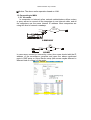
1.2.2 Via ADSL modem (PPPoE)
Before operation, please make sure that the setup of PPPoE and SMTP
are correct. The particular operation refers to Chapter 5.4 Net
configuration of the user manual in CD. Then, connect the IP-CAMERA to
ADSL modem with LAN cable.
Note
As ADSL and CABLE MODEM network users usually use dynamic IP
address, so once the MODEM restarts, the IP addresses will change. For
this situation, users could apply for DNS services. Otherwise, user should
look over the E-mail which was set in SMTP when the ADSL modem
restarted
1.2.3 Have the live view in WAN
The operation in WAM is same as in LAN, please refer to IE operation and
CMS operation. Replace the LAN IP address with WAN IP address..
IP-CAMERA PORT DESCRIPTION AND FUNCTION
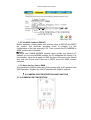
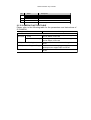
2.1 IP-CAMERA PORT DECRIPTION