1
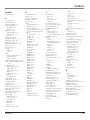
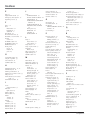
Index
E
J
EAS 46
Edge Enhancement 51
Emergency Alert System 46
Equalizer presets 53
Jacks
ANTENNA INPUT 23
AUDIO/VIDEO OUTPUT 24
CABLE INPUT 23
COMPONENT/COMPOSITE
INPUTS 23
COMPOSITE INPUTS 23
DIGITAL AUDIO OUTPUT
24
Front panel 25
HDMI/DVI 22
S-VIDEO 23
SUBWOOFER 24
F
FAQs 64
FCC
information 74
Regulations i
Statement 8
Film Mode 52
Fixed/Variable Out 55
FlexWide, screen format 61
Format
Screen 61
FORMAT button 28
FORWARD button 29
FREEZE button 28
Front panel
block 45
Buttons 25
jacks 25
G
GO BACK button 28
Graphic equalizer 53
Green Stretch 51
GUIDE button 28
H
HDMI Connection 16, 17
HDMI/DVI jack 22
HDTV specifications 70
HD Receiver remote codes 33
Help text 48
Home Theatre box remote
codes 34
Horizontal Position 52
I
Icons
Channel banner 36
Indicator
light status 25
Indirect light 8
INFO button 29
Initial
channel 58
volume 58
INPUT
Button 33
INPUT 1 jacks 23
INPUT 2 jacks 23
INPUT 3 jacks 23
INPUT button 29
76
L
Lamp 1
Power menu 62
replacement 69
Lamp Power 62
Lamp replacement 69
Language
Menu 20,62
LED, front panel 65
Light blinking 25
LIGHT button 28
M
Main Menu 48
Maximum volume 58
MENU/OK Button 25
Menus 48
Audio 53
Connections 56
Moving through 48
Parental Controls 38
Picture Quality 50
Preferences 58
MENU button 29
Menu controls 48
Action buttons 49
Choice fields 49
Choice lists 49
Numeric entries 49
Sliders 49
Menu Language 62
Menu language 20
Mode
Audio 54
Modes, remote control 31
Mono 53
Mute
Closed captioning 59
MUTE button 29
N
Natural picture setting 50
Noise reduction 51
Normal, screen format 61
Number buttons 28
Numeric entries 49
O
OK button 29
ON•OFF button 29
OUTPUTS
FIXED/VARIABLE AUDIO 24
AUDIO 24
Overheating 8
V-Chip 68
Product registration i
Professional picture setting 50
Programming the remote 31
Automatic code search 30
Direct entry 31
Program title 36
Pulse code modulation 55
PVR remote codes 34
Q
QAM 3
P
R
Parental controls 38
Channel lists 38
Editing channels 39
Lock/unlock 38
Parental Control icon 36
Password, V-Chip 68
PAUSE button 29
PCM 18
Personal picture setting 50
Picture Quality menu 50
Advanced Settings 52
Auto color 51
Color warmth 51
Contrast Expand 52
Edge Enhancement 51
Green Stretch 51
Noise reduction 51
Picture presets 50
Picture settings 50
Picture Settings 50
PLAY button 29
Power
indicator 19
Power button and indicator 25
Power surges 8
Preferences menu 58
Analog captions 59
Captions Priority 60
Caption Style 60
Closed captioning 59
Color Scheme 62
Digital Captions 60
Lamp Power 62
Menu Language 62
Screen Format 61
Time 61
Translucency 62
PRESETS button 29
Problems
Audio 67
HDMI/DVI 68
Parental controls 68
Remote control 68
TV 65
Ratings
Blocking movie 42
Viewing movie 42
Rating Limits
movies 42
RECORD button 29
Registration, product i
Remote
Programming 30
setup 58
Remote Control
Batteries 19
Buttons 28
Remote control
Code list 33
modes 32
Remote Setup 58
Replacing the lamp 69
Replacing the lamp unit 69
Reset controls 52
Resolution 2
REVERSE button 29
S
S-Video jack 23
SAP 54
SAP display 36
SAT•CABLE
Button 29
Satellite receiver remote codes
34
Screen Format 61
Search
Automatic code 30
Channels 56
Second audio program 54
Service, authorized 11
Setup, assisted 19
Sharpness 50
Signal Source 57
Signal Strength 56
Signal type 36
Sleep timer 36,61
Sliders 49
Chapter 5