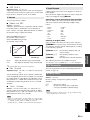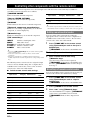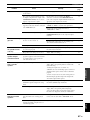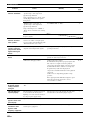
1
Controlling other components with the remote control
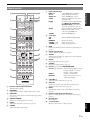
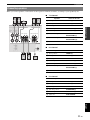
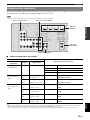
You can control external components for a selected input source with the remote control. The keys available for
controlling external components are as follows:
dSOURCE POWER
Turns on and off an external component.
Input source
nCursor, ENTER, RETURN
Operates the menus of external components.
pDISPLAY
Switches between the screens of external components.
rExternal component operation keys
Function as a recording or playback key of an external
component, or a menu display key.
sNumeric keys
Function as numeric keys of an external component.
tTV control keys
INPUT
MUTE
TV VOL +/–
TV CH +/–
POWER
Switches visual inputs of TV
Mute audio of TV
Controls the volume of TV
Switches channels of TV
Turns on and off TV
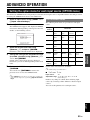
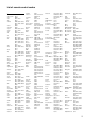
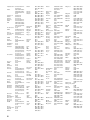
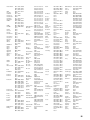
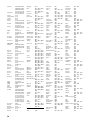
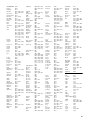
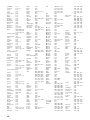
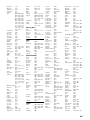
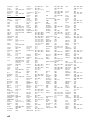
The following remote control codes are assigned to input
sources as factory default settings. For a complete list of
available remote control codes, refer to “List of remote
control codes” at the end of this manual.
■
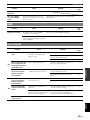
Default remote control code settings
Input source
Category
Manufacturer
Default
code
[HDMI1]
Blu-ray Disc
Yamaha
2018
[HDMI2]
—
—
—
[HDMI3]
—
—
—
[HDMI4]
—
—
—
[AV1]
—
—
—
[AV2]
—
—
—
[AV3]
CD
Yamaha
5013
[AV4]
—
—
—
[AV5]
—
—
—
[AV6]
—
—
—
[AUDIO1]
—
—
—
[AUDIO2]
—
—
—
[V-AUX]
—
—
—
[TUNER]
Tuner
Yamaha
5007
44 En
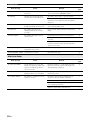
Manufacturer
Default
code
[DOCK]
DOCK
Yamaha
5011
[A]/[B]
—
—
—
“—” indicates no assignment
y
• An external component that is controlled by the remote control can be
automatically selected according to selection of the scenes (see page 21).
Setting remote control codes
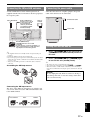
You can control other components by setting the
appropriate remote control codes. For a complete list of
available remote control codes, refer to “List of remote
control codes” at the end of this manual.
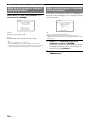
1
Press cCODE SET on the remote control
using a pointed object such as the tip of a
ballpoint pen.
bTRANSMIT on the remote control blinks twice.
2
Press gInput selection keys.
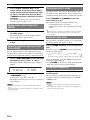
3
Enter a remote control code using
sNumeric keys.
Once the remote control code is registered,
bTRANSMIT on the remote control blinks twice.
If it fails, bTRANSMIT blinks six times. Repeat
from step 1.
y
• You can use tTV control keys only for controls of TV regardless
of selected input sources.
• You need to set the remote control code first to control external
components.
• The remote control keys for controlling external components are
available only when the external components have corresponding control
keys.
Category
Resetting all remote control codes
You can clear all the remote control codes previously set,
and reset all of them to the initial factory settings.
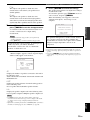
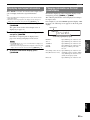
1
Press cCODE SET on the remote control
using a pointed object such as a tip of a
ballpoint pen.
bTRANSMIT on the remote control blinks twice.
2
Press lSETUP on the remote control.
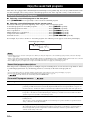
3
Enter “9981” using sNumeric keys.
Once the initialization is complete, bTRANSMIT
on the remote control blinks twice. If it fails,
bTRANSMIT blinks six times. Repeat from
step 1.