1
Chapter 1 - Introduction to Topview Simulator
Introduction
Simulation Facilities
Powerful simulation facilities are incorporated for I/O lines, interrupt lines and the
clock sources meant for Timers/Counters.
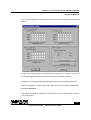
Many external embedded building blocks can be simulated:
·
Range of Plain Point LED’s and Seven Segment LED Display options.
·
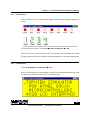
LCD modules in many configurations.
·
Momentary ON keys, Toggle Switches.
·
A variety of keypads upto 4 X 8 key matrix.
·
All modes of on-chip serial port communication facility.
·
IIC components including RTC, EEPROMs.
·
SPI Bus based EEPROM devices.
Code Generation Facilities
Powerful and versatile code generating facility enables you to generate the exact
and compact assembly code for many possible application oriented interfacing
options.
You can simply define your exact needs and get the target assembly code at a
press of button at anywhere in your program flow. The code gets embedded into
your application program automatically.
You are assured trouble free working of final code in the real time.
·
All modes of the serial port.
·
Interfacing IIC, SPI Bus devices.
·
Range of keypads.
·
Many LED/LCD interfacing possibilities.
3
Topview Simulator
Software User Guide