1
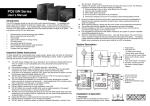
2. Product Overview Side View Back View 500/1000 1500/2000 3000 1. Power switch 2. Output voltage display/Startup countdown display (Only for Digital display) 3. Input voltage display 4. Handle (Optional for 500VA/1000VA) 5. Startup delay time switch 6. Input voltage range selector 7. Power LED (Green) 8. AVR LED (Yellow) 9. Over-voltage / undervoltage indicator (Red) 10. Output sockets 11. AC input 12. Grounding (black) 13. Line output terminal (brown) 14. Neutral output terminal (black) 3. Installation Inspection Remove the AVR from the shipping package and inspect the unit. Be sure that nothing inside the package is damaged. Placement Please install the AVR in a protected environment. Do NOT block the top or side air vents on the unit. Please reserve 20cm space to avoid interference. 2