1
INSTALLING THE ROUTER – SEE INDIVIDUAL
ROUTER ADJUSTMENTS ON PAGES 3 & 4 PRIOR
TO INSTALLING YOUR ROUTER
ROUTER LEGEND
Your Rout-R-Lift Prestige is predrilled for many routers.
The first step is to remove the carriage plate from the
Lift.
Place the crank handle into the hex hole in the lift’s
dial on the top plate. Crank the lift carriage down
approximately 2 cm from the top plate. You will
need a little bit of room to remove the carriage
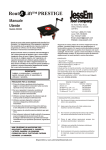
plate from the Mast-R-Lift II Prestige. (Figure 1)
Router
Hole
Pattern
Hitachi M12V & M12V2
1
DeWalt 625, ELU 3337-9
2
Bosch 1617, 1604
3
Bosch 1617, 1613 (Thru Hole)
4
Makita RP2301FC
5
Festool OF 1400 EQ
6
Festool OF 1010 EQ
7
Table 1
Each router has a unique hole pattern. For example, if
you have a Hitachi M12V, locate all the #1 holes on
the carriage plate. These will be your mounting holes.
Figure 1
1.
4.
With the router upright, place the carriage plate
on the router base and align the hole pattern in
your base with the corresponding # on the
carriage plate (provided you have one of the
noted routers). Keep in mind your handle
location of your router. The handles should be
roughly in line with the two engraved lines on the
carriage plate (the side with the engraved circles)
5.
Once aligned; with the screws provided, tighten
the Rout-R-Lift Prestige carriage to your
router.(Figure
Remove the five (five) 1-1/2” Cap Screws and
one (1) 1” Cap Screw from the carriage brackets
(Figure 2 and 3)
Figure 2
Figure 3
2.
Remove the carriage plate from the Lift.
3.
Turn the carriage plate over and locate your router
from the legend on the top of the plate. See Figure
4 and Table 1.
Figure 5
Figure 4
6.
Slide the carriage back on to the lift.
7.
With two ¼-20 x 1-1/2” Cap screws you removed
in Step 1, re-engage into the left carriage
bracket. (Figure 6)
2