1
EVCC v2.3
Apr 2015
Command'Line'Interface'
Startup'Banner'
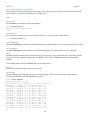
When the EVCC is powered up, it will print the following:
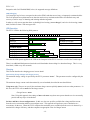
*******************************************************
*
EV Charger Controller v2.3.0
*
*
Thunderstruck Motors / Dilithium Design
*
*******************************************************
evcc>
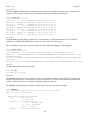
help'
The help command prints out command help.
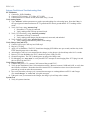
evcc> help
SHow [<>|Version|Config|History]
<>
- status
version
- firmware version
config
- configuration
history
- charge history
SEt [ <>
|BMS
|CHARGER|CHARGER2|CHARGER3|CHARGER4
|PROfile|MAP
|EXTINDCHARGE|CANTERMDIS
|LINEV|LINEC
|MAXV|MAXC|MAXBC|TERMC|TERMT
|FIN_MAXV|FIN_MAXC|FIN_TERMT
|FLT_MAXV|FLT_MAXC|FLT_TERMT
]
REset [History|PROFILE|EXTINDCHARGE|CANTERDIS]
history
- reset charge history
profile <n> - deletes a charge profile
extindcharge – reset EXTIND to default (EVCC LED)
cantermdis
- resets CAN termination to default (enabled)
TRace [CHarger|CANbus|STate|OFF]
<>
- trace toggle ON/OFF
charger
- trace charger messages
canbus
- trace canbus messages
state
- trace EVCC state changes
off
- disable all tracing
MEasure [<>|LOOP|PROXimity|PSELect]
<>
- ‘measure’ help
loop
- measure Cell Loop A/D
proximity - measure J1772 Proximity A/D
pselect
- measure PSelect A/D
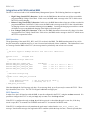
In most cases, either a full version or an abbreviated version of a command (or command parameter) can be used. This
is shown in the “help” with the use of uppercase and lowercase letters. For example, the abbreviation for show is sh,
and the abbreviation for show config is sh c.
show'
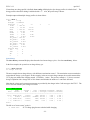
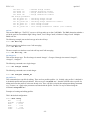
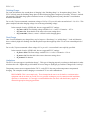
The show command displays configured parameters or status.
will be displayed.
-20-
If “show” is entered without parameters, current status