1
To prolong the operational life of your units:
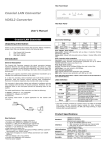
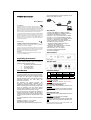
LEDs Definition
LED
Status
Green
Off
Green
VDSL
*Blinking Green
Off
Green
10/100M
*Blinking Green
Green
Master
Off
Green
Slave
Off
Power
Operation
The device is powered on.
The device is powered off.
The port is connected.
Data transceiving.
No valid link on this port
The port is connected.
Data transceiving.
The device acts as Master mode.
The master mode is off.
The device acts as Slave mode.
The slave mode is off.
* Once the converter connects to a power source, the
LEDs of 10/100M will blink once, and the converter
begins looking for other converter automatically.
During searching, the VDSL LEDs keeps blinking; it
will stop blinking after success detection.
Installing and Using
VDSL2 Converter
Installing the
Converter
Ethernet
over
y Do not place objects on top of any unit or stack.
y Do not obstruct any vents at the sides of the case.
Installing Network Cables
After placing the converter on the desktop, then we
need to know how to connect the device to network.
Station Connections with Telephone Wires
Connect the network adapters in stations to the
converter’s RJ-45 port through category 3, 4 or 5
UTP/STP cables. There are two RJ-11 phone jacks;
one for telephone set connection and the other one is
used for phone line network connection. If you have
telephone wall jacks at home then all you need to do is
connecting the RJ-11 network port to the wall jack
through telephone wires.
Product Specifications
Standard
IEEE802.3 standard
IEEE802.3u standard
Ethernet over VDSL2
VDSL2 ITU-T G.993.2
Interface
2 * RJ-45 10/100Mbps Ethernet ports
1 * RJ-11 connector for EoVDSL2
1 * RJ-11 connector for telephone
connection
1 * DIP switch for selective
transmission modes
VDSL2
The converter does not require any software
configuration. Users can immediately use any feature
of this product simply by attaching the cables and plug
power on. There is some key limitation on the
Ethernet over VDSL2 networking, please check the
following items:
y The device is used for point-to-point connection only
and allows data and voice work on the same
telephone lines.
y The two RJ-11 connectors, one for voice device
connection (like telephone) and the other one for
network line connection
This device is an ideal client access unit for the
applications of apartment, hotel, campus and
hospitality. Integration with the Internet access
Concentrator, the total infrastructure could be a
perfect solution for multi-media local Internet. This
structure could support many multi-media
applications, like VOD (Video on Demand), Distant
education, Internet caching server, … and so on.
Therefore, most of the traffic will be limited on the local
phone line network instead of flooding to the Internet.
Another application for the converter is used for LAN
to LAN extension through the normal telephone line.
LED
indications
Power*1, VDSL*1, LAN*2,
Master mode*1, Slave mode*1
Emission
FCC Class A, CE, VCCI Class A
Operating Operating -- 00- 400C (320- 1040F)
Temperature Storage -- -100- 700C
Operating
Humidity
Operating -- 10% ~ 90%
(non-condensing)
Storage – 5%~95%
Connect to Internet Access Concentrator
In order to build up a local Internet in apartment, hotel,
campus and hospitality environment, the Internet
Access Concentrators need to be placed in the wiring
center (MDF room) and connect to the telephone line
system. On the other hand, you need to install a
converter on the individual client side and connect to
the Concentrator through the telephone lines.
When deciding where to put the converter then you
must ensure:
y It is accessible and cables can be connected easily.
Cabling is away from sources of electrical noise such
as radios, transmitters and power lines and
fluorescent lighting fixtures.
y Water or moisture cannot enter the unit.
y Airflow around the unit and through the vents in the
side of the case is not restricted (company
recommend that you provide a minimum of 25mm
clearance).
61NB-VE6840+204