1
CHAP. 5 Set Up
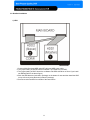
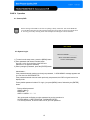
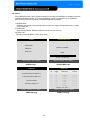
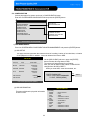
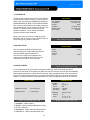
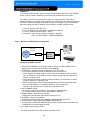
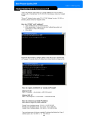
2) TIME/DATE SETUP
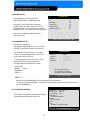
Set time and date of DVR system which is very
important for search with time and date of the event.
Time and date set by manufacturer is different from
local time of user, and user must set time and date
exactly in first operation. Set time & date using
direction buttons and [-][+] button or Jog shuttle
TIME/DATE SETUP
YEAR
MONTH
2005 / JUN /11
DAY
PM14:06:45
HOUR
MINUTE
SECOND
SELECT : ▲▼, CHANE VALUE : - +
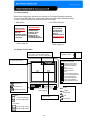
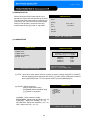
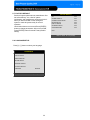
3) CAMERA SETUP
CAMERA SETUP
CAMERA TITLE SETUP
CAMERA TITLE
CAMERA SETUP
CAMERA ACTIVE SETUP
MOTION SETUP
0123456789 .ABCDEFGHIJKLMNOPQ
RSTUVWXYZ ! #-[ ]*+ -,./ :<=>?@▶◀
CAMERA01
CAMERA02
CAMERA03
CAMERA04
CAM -1
CAM -2
CAM -3
CAM -4
[ENTER] :SELECT MODE
[◀ / ▶ / + / - ] : EDIT CAMERA TITLE
SELECT MENU : ▲▼, & [ENTER]
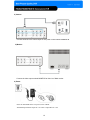
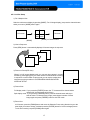
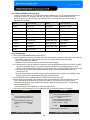
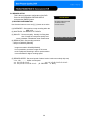
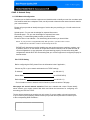
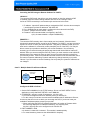
(1) TITLE : Input Title of each camera. Move to channel you want to change using [LEFT] or [RIGHT]
direction button and then change the title using [-] [+] button. When modification is finished,
press the [ENTER] button. To exit to previous menu, press the [MENU] button.
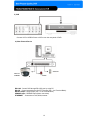
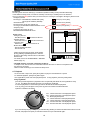
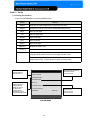
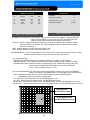
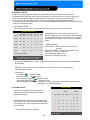
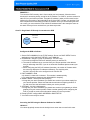
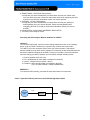
(2) COLOR : Adjust image color
Move to each element using
[UP][DOWN] button and adjust using
[-] [+] button or Jog shuttle.
CAMERA SETUP
CHANNEL
BRIGHTNESS
CONTRAST
SATURATION
HUE
1
+0
+0
+0
+0
CHANNEL : Select camera to modify
BRIGHTNESS : Adjust image brightness (-32~ 31)
CONTRAST : Adjust color contrast ( -32 ~ 31)
SATURATION : Adjust color saturation ( -32 ~ 31)
HUE : Adjust color hue ( -32 ~ 31)
SELECT : ▲▼, CHANE VALUE : ◀▶
24