1
Chapter 4
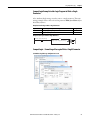
Configuring the I/O
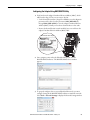
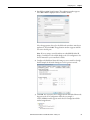
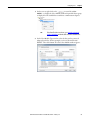
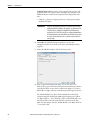
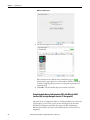
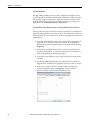
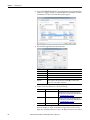
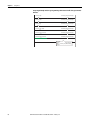
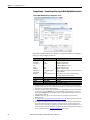
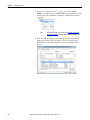
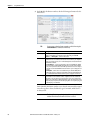
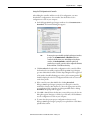
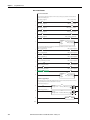
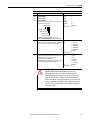
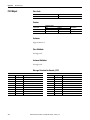
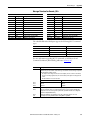
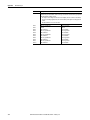
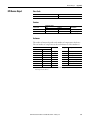
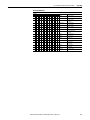
2. Select “ETHERNET-MODULE” from the list in the Select Module Type
window to configure the drive’s embedded EtherNet/IP adapter, and then
click Create. The drive’s New Module window appears.
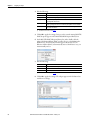
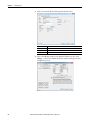
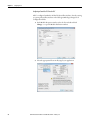
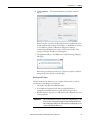
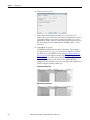
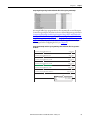
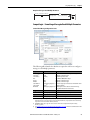
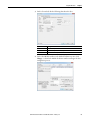
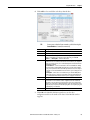
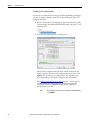
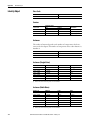
3. Edit the following information about the drive:
Box
Name
Description
Comm Format
IP Address
Open Module
Properties
Setting
A name to identify the drive.
Optional – description of the drive.
Data – INT (This setting formats the data in 16-bit words.)
The IP address of the drive.
When this box is checked, clicking OK opens additional module properties screens to
further configure the drive. When unchecked, clicking OK closes the drive’s New
Module screen. For this example, check this box.
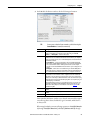
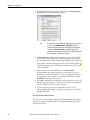
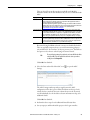
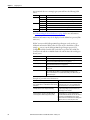
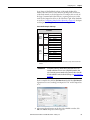
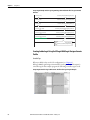
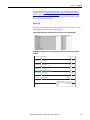
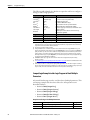
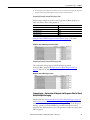
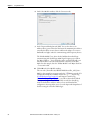
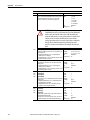
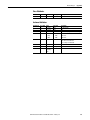
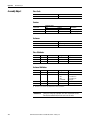
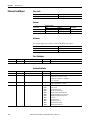
4. Under Connection Parameters, edit the following:
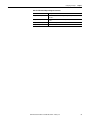
Box
Input
Assembly Instance
1 (This value is required.)
Output
2 (This value is required.)
Configuration
6 (This value is required.)
Size
The value will vary based on the total number of [EN Data
Out x] parameters used for your application, either in
Single-drive mode (see details below) or Multi-drive mode
(see Using Multi-Drive Mode on page 81).
The value will vary based on the total number of [EN Data
Out x] parameters used for your application, either in
Single-drive mode (see details below) or Multi-drive mode
(see Using Multi-Drive Mode on page 81).
0 (This value is required.)
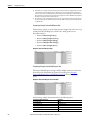
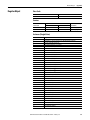
Enter the number of 16-bit words that are required for your I/O in the
Input Size and Output Size boxes. Since the adapter always uses the 16-bit
54
Rockwell Automation Publication 520COM-UM001A-EN-E - February 2013