1
1
Introduction and Background ..................................................................4
1.1
1.2
1.3
The circulation model ............................................................................................ 4
The weather models ............................................................................................... 4
Ice information ....................................................................................................... 4
2
Installation of Seatrack Web .....................................................................5
2.1
2.2
System Requirements............................................................................................. 5
Java Web start ........................................................................................................ 5
3
Start and Stop Seatrack Web ....................................................................6
3.1
3.2
Start ........................................................................................................................ 6
Stop ........................................................................................................................ 6
4
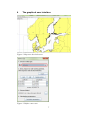
The graphical user interface .....................................................................7
5
Calculation parameters and start a calculation ......................................9
5.1
5.2
5.3
5.4
5.5
5.6
5.7
5.8
5.9
5.10
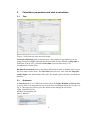
Time ....................................................................................................................... 9
Substance ............................................................................................................... 9
Discharge ............................................................................................................. 10
Scenarios .............................................................................................................. 11
Calculation options .............................................................................................. 11
Calculation info.................................................................................................... 12
Default values ...................................................................................................... 12
Compute/Cancel................................................................................................... 12
Stop ...................................................................................................................... 12
Common Information........................................................................................... 12
6
Menus in the upper frame .......................................................................13
6.1
Tool buttons for the map view, Define case, Continue case or Delete case. ...... 15
7
The calculation is ready ...........................................................................16
7.1
7.2
7.3
Visualisation of the result .................................................................................... 16
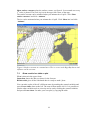
Plot the wind, the surface currents and ice........................................................... 17
Show results in a table or plot .............................................................................. 18
8
Support ......................................................................................................20
9
Annex 1 AIS (Automatic Identification System) Shiptracks ..............21
9.1
9.2
9.3
9.4
9.5
9.5.1
9.5.2
9.5.3
9.5.4
9.5.5
9.5.6
Background .......................................................................................................... 21
Backward calculation from the detected spill site ............................................... 21
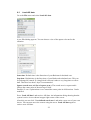
Load AIS data ...................................................................................................... 22
Plot the ship tracks ............................................................................................... 23
Working with the ship tracks ............................................................................... 24
Ship tracks ............................................................................................................ 24
Search area ........................................................................................................... 24
Ships ..................................................................................................................... 25
Selecting shiptracks.............................................................................................. 25
Draw a line anywhere in the picture..................................................................... 25
Extra information ................................................................................................. 26
2