1
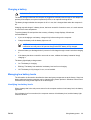
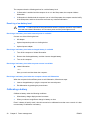
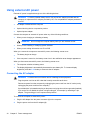
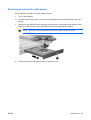
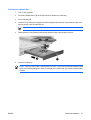
Inserting an optical disc
1.
Turn on the computer.
2.
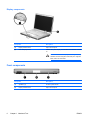
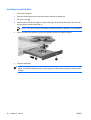
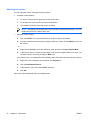
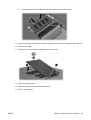
Press the release button (1) on the drive bezel to release the media tray.
3.
Pull out the tray (2).
4.
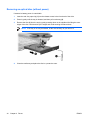
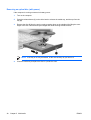
Hold the CD or DVD by the edges to avoid touching the flat surfaces, and position the disc over
the tray spindle, with the label-side up.
NOTE If the tray is not fully accessible, tilt the disc carefully to position it over the spindle.
5.
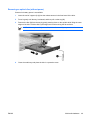
Gently press the disc (3) down onto the tray spindle until the disc snaps into place.
6.
Close the media tray.
NOTE After you insert a disc, a short pause is normal. If you have not selected a default media
player, an AutoPlay dialog box opens. It prompts you to select how you want to use the media
content.
42
Chapter 4 Drives
ENWW