1
SECTION 4. TROUBLESHOOTING
If you are unable to correct any of the problems described below, contact your dealer for assistance.
•
Red light on base station does not come on.
Be certain power cords are properly connected to base station, power supply and electrical outlet.
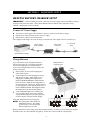
If battery operated, be certain six AA batteries are inserted in the indicated positions in the battery sled, and
the sled is installed in the base station. See page 6.
•
Beltpac power lights do not turn green and “out of range” is heard in the headset.
Be certain your base station power is on. Turn the Beltpac and base station power on and off.
You may be too far from the base station. The range varies with each location’s layout.
If you have more than one base station, be sure the Beltpac is registered to the base station it is being used
with. If you are not sure, re-register it.
•
When trying to register, it keeps saying registration failed.
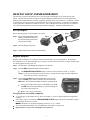
Refer to “If registration failed” on page 8, and repeat the registration procedure.
•
Others cannot hear me when I talk.
Be certain the headset is securely connected to the Beltpac, that you are pressing the IC or ISO button on
the Beltpac, or the microphone gain adjust is turned up to the required level. See page 12.
2400MHz cordless telephone interference —
If there is a 2400MHz cordless telephone nearby, interference may occur. However, because the DX100
is a frequency-hopping system, this problem is unlikely. If it does occur, changing frequencies on the
telephone may alleviate the problem. If not, move the phone as far as practical from the base station, or use
another type phone.
In the event of an electrical power outage —
such as from a lightning storm or power generator failure, if you experience problems with your HME
equipment after the electricity comes on again, unplug the AC power supplies from their electrical outlets,
remove any batteries and wait 15 seconds, then plug them back in.
12