1
Sending Documents
Memory Transmission
Manual Number Dialing
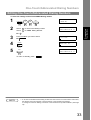
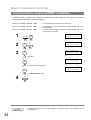
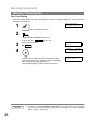
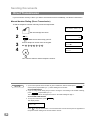
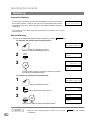
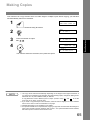
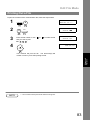
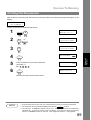
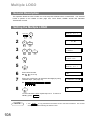
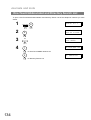
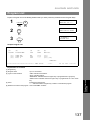
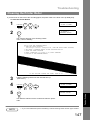
To dial the telephone number manually, follow the steps below.
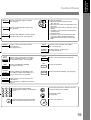
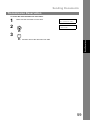
1
ENTER STATION(S)
THEN PRESS START 00%
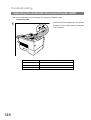
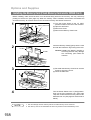
Set document(s) face down.
2
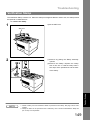
MEMORY
Make sure that the MEMORY lamp is on.
3
4
to set “On”.
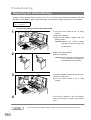
Enter a telephone number from the keypad.
Ex: 5
5
5
1
2
3
4
Basic Operations
If not, press “On”. MEMORY
TEL. NO.
5551234❚
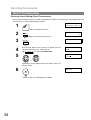
* STORE *
NO.002
PAGES=001 05%
START
* DIALING *
5551234
NO.002
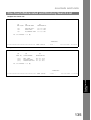
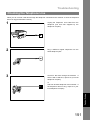
The document is stored into memory with a file number.
Then starts dialing the telephone number immediately
after storing the first page. (See Note 3)
The remaining page(s) continue to store into memory.
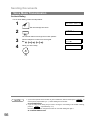
NOTE
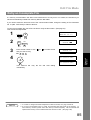
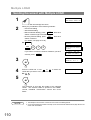
1. If you need a special access number to get an outside line, dial it first then press PAUSE to
enter a pause (represented by a "-") before dialing the full number.
Ex: 9 PAUSE 5551234
2. If you are using Pulse dialing and you wish to change to Tone dialing in the middle of dialing,
press TONE (represented by a "/").
The dialing mode will be changed from Pulse to Tone after dialing the digit "/".
Ex: 9 PAUSE TONE 5551234
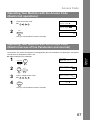
3. This feature is called “Quick Memory Transmission”. If you wish to store all the document(s)
into memory first before transmitting, change the Fax Parameter No. 82 (QUICK MEMORY
XMT) to “ Invalid”. (See page 39)
47