1
Hybrid nDVR User Manual
6.
Page 34
Device Management
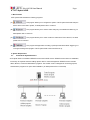
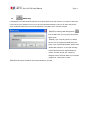
New camera should be added and
configured in ACTi Hybrid nDVR
Admin program, the following section
will explain the details of capture card
video server and LanCam setting.
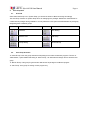
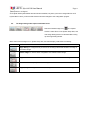
Capture Card/Video Server
Capture Card/Video Server are devices which receive the analogue signal and feed digital signal to ACTi
Hybrid nDVR sever. Currently supported Models are :
ACapture Card : PCI-4100
AVideo Server : SED 2100/2300Q/2400/2500
ALanCam : CAM 5100/5120/5130/5140/5200/6100/6200/6400/7100/7200
6.1.
Adding Device (Capture Card/Video Server/LanCam)
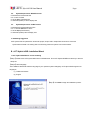
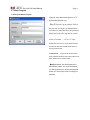
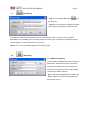
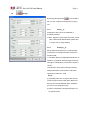
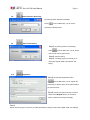
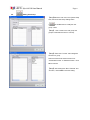
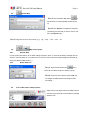
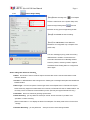
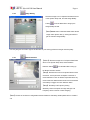
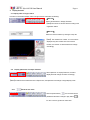
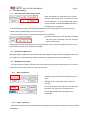
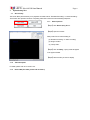
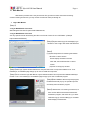
【Step1】Click (1) Add Capture Card/Video Server
button (
) or (2) LanCam(
)from the Menu
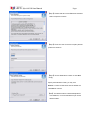
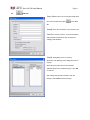
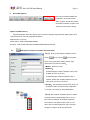
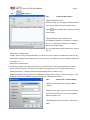
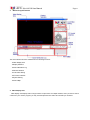
Bar to bring up the Device Setting window. Type
information to text box as following:
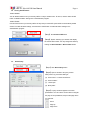
AModels:Select the model
AIPaddress:
If model designate Capture card(ACTi 4100), the IP
is default to server IP:127.0.0.1
If model designate Video Server(ACTi 2100) or
LanCam, please enter a valid IP address from your
video server you wish to connect to.
APort No: The default port number is 80, which can
be edited to match with camera web configuration
A Location: The naming of newly added device.
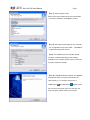
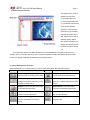
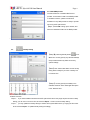
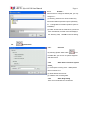
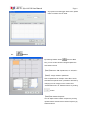
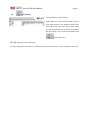
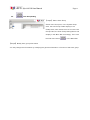
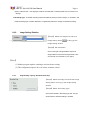
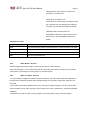
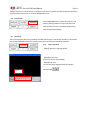
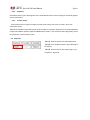
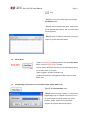
【Step2】After Capture Card/Video Server is added,
please process the Image Setting (refer to C6.3.1).
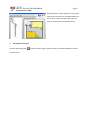
Note in the left example, the Capture Card/Video
Server device now appears under Area icon - the
device tree of System Setup area, and of cameras
(images) icon appear under the camera tree.