1
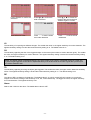
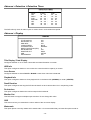
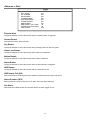
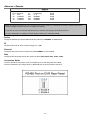
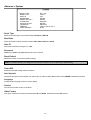
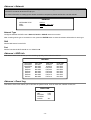
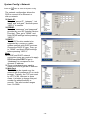
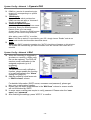
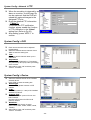
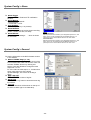
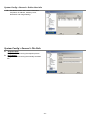
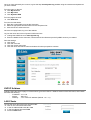
System Config > Network > Dynamic DNS DDNS is a service for transforming the dynamic IP corresponding to a specific “Hostname”. DDNS Apply: Go to a website which provides free DDNS services and apply a “Hostname”. See the example below. Enable the DDNS function: User Name: Enter your DDNS user name. Password: Enter your DDNS password. Domain: Enter your host name. System Name: Choose the DDNS system name you use from the drop-down list. After setting, press “APPLY” to confirm. Note: If the dial-up static IP is provided by your ISP, simply choose “Enable” and do not need to enter the information described above. Auto: When using DHCP network connection, the "AUTO" check box will appear on this window. The system will automatically get DNS information from the Internet if this check box is selected. System Config > Network > Mail When the recording is triggered by an alarm or a motion, a video copy file can be captured. The DVR will send an e-mail notification to the assigned recipients (up to 5 recipients). ***Note***: To activate the e-mail notification function, please enable the function of e-mail notification in the “Alarm” setting first (page 26). Add the recipients’ email accounts in “Mail Account” column. 4CH DVR For detailed information (SMTP server, username and password), please get from your e-mail system supplier. Please type the entire email address in the “Mail from” column to ensure emails will not be blocked by SMTP. In some cases, mail servers require to verify password. Please enter the “user name” and “password”. After finishing the settings, press “APPLY” to confirm. - 19 -