1
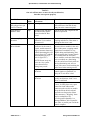
Contents
1.
Preface ............................................................................................. 1-1
1.1
1.1.1
1.1.2
1.1.3
1.1.4
1.2
Safety............................................................................................................................... 1-1
Electrical Safety................................................................................................................ 1-1
General Operating Safety .................................................................................................. 1-1
Safety Publications ........................................................................................................... 1-2
Safety Precautions............................................................................................................. 1-2
Personal CNC Concept ................................................................................................... 1-3
1.3
1.3.1
1.3.2
1.3.3
Performance Expectations .............................................................................................. 1-3
Cutting Ability.................................................................................................................. 1-3
Understanding Accuracy ................................................................................................... 1-4
Resolution, Accuracy and Repeatability of the PCNC ........................................................ 1-4
1.4
Scope and Intellectual Property...................................................................................... 1-4
1.5
Nomenclature .................................................................................................................. 1-5
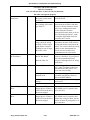
2.
Preparation ...................................................................................... 2-1
2.1
2.1.1
2.1.2
2.1.3
2.1.4
Planning for Your PCNC ................................................................................................ 2-1
Electrical Connection ........................................................................................................ 2-1
Location and Mounting ..................................................................................................... 2-1
Computer Mounting Arrangement ..................................................................................... 2-2
Learning and Training....................................................................................................... 2-3
2.2.1
2.2.2
Receiving, Unpacking and Checking Shipment.............................................................. 2-4
Moving the Crate .............................................................................................................. 2-4
Uncrating and Inspection................................................................................................... 2-4
2.2
2.3
Mounting the PCNC ....................................................................................................... 2-4
Lifting onto Stand ............................................................................................................. 2-4
2.3.1.1 Lifting from Below ................................................................................................ 2-5
2.3.1.2 Lifting from Above ................................................................................................ 2-5
2.3.2
Fixing to Stand ................................................................................................................. 2-5
2.3.3
Installing central lubrication pump .................................................................................... 2-6
2.3.4
Accessories ....................................................................................................................... 2-6
2.3.1
2.4
Power to the PCNC ......................................................................................................... 2-6
2.5
Power for Machine Accessories ...................................................................................... 2-7
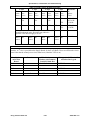
2.6
Tormach Machine Controller and Software Installation ............................................... 2-7
Control Computer ............................................................................................................. 2-7
Setting Up Your Controller ............................................................................................... 2-7
2.6.2.1 Positioning the Controller....................................................................................... 2-7
2.6.2.2 Keyboard and Mouse ............................................................................................. 2-8
2.6.2.3 Display .................................................................................................................. 2-8
2.6.2.4 Speaker and Microphone Connections .................................................................... 2-8
2.6.2.5 Power Connections ................................................................................................ 2-8
2.6.3
Operating the Controller.................................................................................................... 2-8
2.6.3.1 About the Operating System ................................................................................... 2-8
2.6.3.2 Starting the controller ............................................................................................. 2-8
2.6.3.3 Stopping the controller ........................................................................................... 2-8
2.6.3.4 Mach3 License Installation ..................................................................................... 2-8
2.6.4
Machine Controller Maintenance and Configuration .......................................................... 2-9
2.6.4.1 Login and Software Installation .............................................................................. 2-9
2.6.1
2.6.2