1
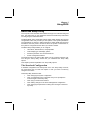
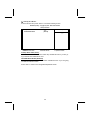
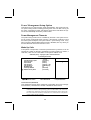
Power Management Setup Option
This option lets you control system power management. The system has various power-saving modes including powering down the hard disk, turning off
the video, suspending to RAM, and software power down that allows the system to be automatically resumed by certain events.
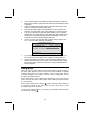
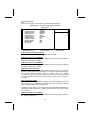
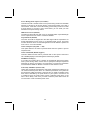
Power Management Timeouts
The power-saving modes can be controlled by timeouts. If the system is inactive for a time, the timeouts begin counting. If the inactivity continues so that
the timeout period elapses, the system enters a power-saving mode. If any
item in the list of Reload Global Timer Events is Enabled, then any activity on
that item will reset the timeout counters to zero.
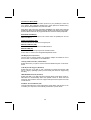
Wake Up Calls
If the system is suspended, or has been powered down by software, it can be
resumed by a wake up call that is generated by incoming traffic to a modem, a
LAN card, a PCI card, or a fixed alarm on the system realtime clock.
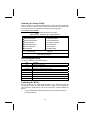
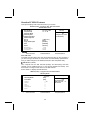
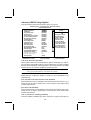
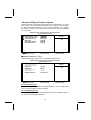
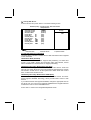
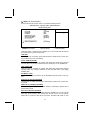
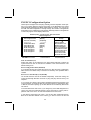
CMOS Setup Utility – Copyright (C) 1984 – 2001 Award Software
Power Management Setup
ACPI function
Power Management Option
HDD Power Down
Suspend Mode
Video Off Option
Video Off Method
MODEM Use IRQ
Soft-Off by PWRBTN
IRQ/Event Activity Detect
↑ ↓ → ← : Move Enter : Select
Help F5:Previous Values
[Enabled]
[User Define]
[Disable]
[Disable]
[Suspend --> Off]
[DPMS Support]
[3]
[Instant-Off]
[Press Enter]
Item Help
Menu Level
+/-/PU/PD:Value: F10: Save ESC: Exit F1:General
F6:Fail-Safe Defaults
F7:Optimized Defaults
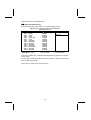
ACPI Function (Enabled)
This mainboard supports ACPI (Advanced Configuration and Power management Interface). Use this item to enable or disable the ACPI feature.
Note: ACPI is a power management specification that makes hardware status information available to the operating system. ACPI enables a PC to turn its
peripherals on and off for improved power management. It also allows the
PC to be turned on and off by external devices, so that mouse or keyboard
activity wakes up the computer.
39