1
Phone language
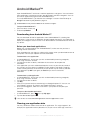
You can select a language to use in your phone.
1
2
3
To change the phone language
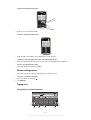
From your Home screen, tap .
Find and tap Settings > Language & keyboard > Select language.
Select an option.
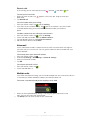
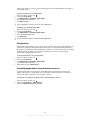
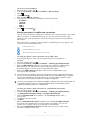
If you choose the wrong language and cannot read the menu texts, find and tap the Settings
icon
. Then select the entry beside , and select the first entry in the following menu. You
can then select the language you want.
Airplane mode
In Airplane mode, your phone's network and radio transceivers are turned off to prevent
disturbance to sensitive equipment. However, you can still play games, listen to music,
watch videos and other content, as long as all this content is saved on your memory
card. You can also be notified by alarms, if alarms are activated.
Turning on Airplane mode reduces battery consumption.
1
2
3
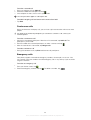
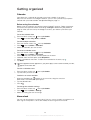
To turn on Airplane mode
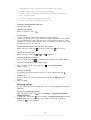
From your Home screen, tap .
Find and tap Settings > Wireless & networks.
Mark the Airplane mode checkbox.
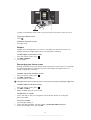
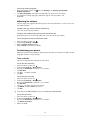
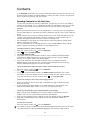
You can also select Airplane mode from the Phone options menu. To access the Phone
options menu, press and hold the power key
.
Battery
Your Android™ phone keeps you connected and updated wherever you are. This affects
the battery life of your phone. Below are some tips on how to prolong battery life while
still staying connected and up to date.
Battery performance
The following tips can help you improve battery performance:
•
•
•
•
•
•
•
•
Charge your phone frequently. This will not affect the lifetime of the battery.
Downloading data from the Internet is power consuming. When you're not using the
Internet, you can save power by disabling all data connections over mobile networks.
You can do this from Settings > Wireless & networks > Mobile networks. This setting
does not prevent your phone from transmitting data over other wireless networks.
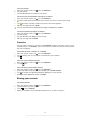
Turn off GPS, Bluetooth™ and Wi-Fi® when you don't need these features. You can turn
them on and off more easily by adding the Status switch widget to your Home screen.
You do not need to turn off 3G.
Set your synchronization applications (used to synchronize your email, calendar, and
contacts), to synchronize manually. You can also synchronize automatically, but increase
the intervals.
Check the battery usage menu in the phone to see which applications use the most
power. Your battery consumes more power when you use video and music streaming
applications such as YouTube™. Some Android Market™ applications also consume
more power.
Close and exit applications that you are not using since multitasking affects the battery
performance.
Lower the screen display brightness level.
Turn off your phone or use Airplane mode if you are in an area with no network
coverage. Otherwise, your phone repeatedly scans for available networks, and this
consumes power.
21
This is an Internet version of this publication. © Print only for private use.