1
Viewing your photos and videos in
Gallery
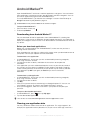
Use gallery to view photos and play videos that you’ve taken with your phone camera, or
to view similar content that you've downloaded or copied to your memory card. In
gallery, you can also view photos you've saved to an online service, for example, a
Picasa™ web album.
From gallery, you can also share your favorite photos and videos with friends, via
Bluetooth™ wireless technology, email or messaging, or by uploading them to online
services such as the Picasa™ and YouTube™. You can perform basic editing tasks on
photos and set them as your wallpaper or contact picture. For more information, see
Connecting your phone to a computer on page 69.
1
2
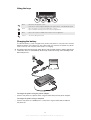
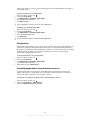
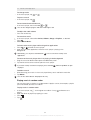
To open Gallery and view your albums
From your Home screen, tap .
Find and tap gallery. Photos and videos on your memory card, including those
you’ve taken with the camera and those you downloaded from the web or other
locations, appear in albums. If you have a Picasa™ account associated with a
Google™ Account that you’ve added to your phone, and if you have configured it
to sync with Picasa™, gallery also displays your Picasa™ web albums.
If the screen orientation does not change automatically when you turn the phone sideways,
mark the Auto-rotate screen checkbox under Settings > Display.
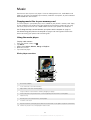
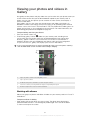
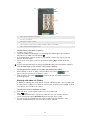
1
2
4
3
5
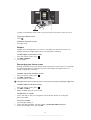
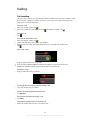
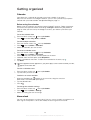
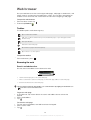
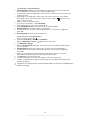
1
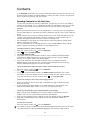
Tap in any view to return to the main gallery screen
2
Tap to open the camera
3
An album of the photos and videos you shot using the camera.
4
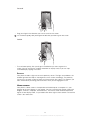
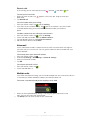
Peek into a stack by touching it with two fingers and spreading them apart
5
Flick left or right on the screen to view more albums
Working with albums
Albums are groups of photos and videos in folders on your memory card or in Picasa™
web albums.
•
To open an album in Gallery
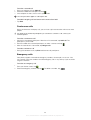
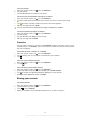
Open gallery and tap the album you want to view. The album open displaying its
photo and video content in a chronologically ordered grid. The name of the album
is shown at the top of the screen.
61
This is an Internet version of this publication. © Print only for private use.