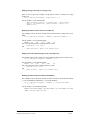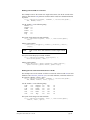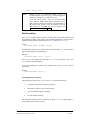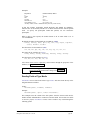
1
V12 Database Engine™ for Macromedia Director® Regular Edition Version 3.0 User Manual (99/06/16) ©Integration New Media, Inc. 1995-99 Table of Contents TABLE OF CONTENTS.............................................................................................2 INTRODUCTION......................................................................................................11 V12-DBE FOR DIRECTOR.............................................................................11 V12-DBE FOR AUTHORWARE ......................................................................12 ABOUT THIS MANUAL ..................................................................................12 WHERE TO START .........................................................................................13 SYSTEM REQUIREMENTS FOR RUNNING V12-DBE.....................................13 Macintosh Version...........................................................................13 Windows Version ............................................................................13 Macromedia Director.......................................................................13 DO I REALLY NEED TO MASTER LINGO TO USE V12-DBE? ........................14 YOU’RE NOT ALONE!....................................................................................14 V12-L Distribution List ...................................................................14 FAQs................................................................................................14 Other Online Resources ...................................................................14 Customer Support and Developer Assistance ..................................15 TYPOGRAPHIC CONVENTIONS ......................................................................15 WELCOME TO V12 DATABASE ENGINE ..........................................................16 INSTALLING V12-DBE..................................................................................16 WHAT'S NEW IN VERSION 3.0?.....................................................................17 VERSION HISTORY ........................................................................................18 HOW TO REGISTER YOUR V12-DBE LICENSE .............................................18 FILES NEEDED TO USE V12-DBE.................................................................19 USING XTRAS...........................................................................................................20 WHAT IS AN XTRA?.......................................................................................20 The V12-DBE Xtra..........................................................................21 MAKING AN XTRA AVAILABLE TO DIRECTOR.............................................21 CREATING AN XTRA INSTANCE ....................................................................21 V12-DBE® for Macromedia Director® - User Manual ©Integration New Media, Inc. 1995-99 version 3.0 (99/07/27) page 2 CHECKING IF NEW WAS SUCCESSFUL..........................................................21 USING THE XTRA INSTANCE .........................................................................22 CLOSING AN XTRA ........................................................................................22 CHECKING FOR AVAILABLE XTRAS .............................................................23 DEALING WITH PATHNAMES ........................................................................23 PASSING PARAMETERS TO XTRAS ................................................................23 BASIC DOCUMENTATION ..............................................................................24 USING XTRAS WITH SHOCKWAVE ................................................................25 When using Netscape ............................................................25 When Using Internet Explorer ..............................................26 DATABASE BASICS.................................................................................................27 OVERVIEW.....................................................................................................27 What is a Database?.........................................................................27 Records, Fields and Tables...................................................27 Indexes ..................................................................................28 Compound Indexes................................................................28 Database ...............................................................................29 Full-text Indexing ............................................................................29 Flat and Relational Databases..........................................................30 Field Types ......................................................................................32 Typecasting ...........................................................................32 International Support .......................................................................33 Selection, Current Record, Search Criteria......................................33 USING V12-DBE........................................................................................................36 OVERVIEW.....................................................................................................36 V12-DBE BASICS ..........................................................................................36 THE MAIN STEPS...........................................................................................36 STEP 1: DECIDING ON A DATA MODEL ...........................................................38 Defining Identifiers..........................................................................38 STEP 2: PREPARING THE DATA .........................................................................39 TEXT FILE FORMATS ..................................................................................39 Field Descriptors .............................................................................39 V12-DBE® for Macromedia Director® - User Manual ©Integration New Media, Inc. 1995-99 version 3.0 (99/07/27) page 3 Dealing with Delimiters Ambiguity .................................................40 Virtual Carriage Returns ......................................................40 Text Qualifiers ......................................................................40 Custom Delimiters ................................................................41 Calculated Fields..................................................................41 Processing the Exported Text File ........................................41 Character Sets ..................................................................................42 Dealing with Dates...........................................................................42 DBF FILE FORMATS .....................................................................................42 FIELD BUFFER SIZE ......................................................................................44 STEP 3: CREATING A DATABASE.......................................................................45 DATABASE DESCRIPTORS .............................................................................45 Defining Both an Index and a Full-index on a Field........................46 Alternate Syntax for Creating Indexes.............................................47 Defining Compound Indexes ...........................................................47 Adding Comments to Database Descriptors ....................................48 USING THE V12-DBE TOOL .........................................................................49 SCRIPTING THE DATABASE CREATION ........................................................49 Step 3a: Creating a Database Xtra Instance .....................................50 Step 3b: Defining the Database Structure ........................................50 mReadDBstructure from a Text File.....................................51 mReadDBstructure from a Literal ........................................51 mReadDBstructure from a DBF File ....................................52 mReadDBstructure from V12-DBE.......................................54 mReadDBstructure from FoxPro (Win-32 Only) ..................54 mReadDBstructure from MS Access (Win-32 Only) .............56 mReadDBstructure from MS Excel (Win-32 Only) ...............57 mReadDBstructure from MS SQL Server (Win-32 Only) .....58 Step 3c: Building the Database........................................................59 VIEWING THE STRUCTURE OF A DATABASE ................................................60 STEP 4: IMPORTING DATA INTO A V12-DBE DATABASE............................62 USING THE V12-DBE TOOL .........................................................................62 SCRIPTING THE DATA IMPORTING ...............................................................62 Importing Data with mImport ..........................................................63 Importing from a TEXT File .................................................64 Importing from a Literal .......................................................65 V12-DBE® for Macromedia Director® - User Manual ©Integration New Media, Inc. 1995-99 version 3.0 (99/07/27) page 4 Importing from a DBF File...................................................65 Importing from V12-DBE .....................................................66 Importing from a Lingo List or Property List .......................67 Importing XML to V12-DBE................................................67 Importing from MS Access (Win-32 only).............................68 Importing from MS FoxPro (Win-32 only) ...........................68 Importing from MS Excel (Win-32 only)...............................69 Importing from MS SQL (Win-32 only) ................................69 IMPORTING MEDIA INTO A V12 DATABASE .................................................70 STEP 5: IMPLEMENTING THE USER INTERFACE.........................................72 USING THE V12-DBE BEHAVIORS LIBRARY ...............................................72 USING LINGO .................................................................................................72 Opening and Closing Databases and Tables ....................................73 Opening an Existing Database .............................................73 Opening a Table ...................................................................73 Closing a Table.....................................................................74 Closing a Database...............................................................74 Selection and Current Record ..........................................................74 Selection at startup...........................................................................75 Selecting All the Records of a Table ...............................................75 Browsing a Selection .......................................................................75 mGetPosition ........................................................................75 mGoNext ...............................................................................76 mGoPrevious ........................................................................76 mGoFirst...............................................................................76 mGo ......................................................................................76 mFind....................................................................................77 Reading Data From a Database .......................................................78 Reading Fields of Type String, Integer, Float and Date.......78 Reading one or more Entire Records....................................79 Reading the Entire Selection ...............................................80 Reading a Range of Records in a String variable ...............80 Reading a Range of Records in a Lingo List .......................80 Reading a Range of Records in a Property List ..................81 Reading the Entire Content of the Current Record..............81 Reading a Record without Setting it as the Current Record 81 Reading the Entire Selection with Special Delimiters .........81 Reading Selected Fields in a Selection ................................82 Reading Records with a Determined Order of Fields..........82 Reading Unique Values of a Field ........................................83 Data Formatting ...................................................................84 Formatting Integers and floats ............................................84 V12-DBE® for Macromedia Director® - User Manual ©Integration New Media, Inc. 1995-99 version 3.0 (99/07/27) page 5 Formatting Dates.................................................................85 Reading Fields of Type Media ..............................................86 Adding Records to a Database.........................................................87 Updating Data in a Database ...........................................................87 Writing to Fields of Type Integer, Float and String..............88 Writing to Fields of Type Date..............................................88 Writing to Fields of Type Media ...........................................88 Deleting a Record ............................................................................89 Deleting All the Records of a Selection...........................................89 DATA BINDING ..............................................................................................89 Binding Types..................................................................................91 Full Binding ..........................................................................91 Safe Binding (for advanced users)........................................91 Automatic Generation of Members and Auto-binding.....................92 mGenerateMembers..............................................................92 mAutoBinding .......................................................................93 SEARCHING DATA WITH MSETCRITERIA.....................................................93 Simple Search Criteria.....................................................................94 Sorting a Selection (mOrderBy) ......................................................95 Operators .........................................................................................95 Equal (=) ..............................................................................95 Not Equal (<>) .....................................................................95 Less than (<).........................................................................96 Less or equal (<=)...............................................................96 Greater than (>) ...................................................................96 Greater or equal (>=) ..........................................................97 Starts .....................................................................................97 Contains................................................................................97 WordStarts ............................................................................97 WordEquals ..........................................................................98 Difference Between Contains and WordStarts......................98 Complex search criteria ...................................................................99 Partial Selections ...........................................................................100 Checking the Size of a Selection ...................................................100 Managing Styled Text....................................................................101 Searching and Sorting Styled Text Fields...........................102 ERRORS AND DEFENSIVE PROGRAMMING.................................................103 Checking the Status of the Last Method Called .............................103 CheckV12Error...................................................................104 V12-DBE® for Macromedia Director® - User Manual ©Integration New Media, Inc. 1995-99 version 3.0 (99/07/27) page 6 Errors and Warnings......................................................................104 Lingo Syntax Errors.......................................................................105 ADDITIONAL V12-DBE METHODS ...................................................................106 EXPORTING DATA .......................................................................................106 Exporting in TEXT Format ...........................................................106 Exporting in DBF Format ..............................................................107 CLONING A DATABASE................................................................................107 FREEING UP DISK SPACE (PACKING)..........................................................108 FIXING CORRUPTED DATABASE FILES.......................................................109 PROGRESS INDICATORS ..............................................................................109 Options of the ProgressIndicator property.....................................110 With_Cancel........................................................................110 Without_Cancel ..................................................................110 UserDefined ........................................................................110 None....................................................................................110 User Defined Progress Indicators ..................................................111 Example: spinning a custom cursor....................................111 CHECKING THE XTRA'S VERSION ..............................................................112 CHANGING A PASSWORD ............................................................................112 PROPERTIES OF DATABASES.......................................................................112 Predefined Properties.....................................................................113 ProgressIndicator ...............................................................113 ProgressIndicator.Message ................................................113 VirtualCR ............................................................................114 CharacterSet .......................................................................114 Resources............................................................................114 CurrentDate ........................................................................115 Verbose ...............................................................................115 Months ................................................................................115 ShortMonths........................................................................115 Weekdays ............................................................................116 ShortWeekdays....................................................................116 ErrorLog .............................................................................116 MaxLoggedErrors...............................................................117 SharedRWcount ..................................................................117 DBversion ...........................................................................117 The String Property .......................................................................118 V12-DBE® for Macromedia Director® - User Manual ©Integration New Media, Inc. 1995-99 version 3.0 (99/07/27) page 7 String.Language..................................................................118 String.Language.Delimiters................................................118 String.Language.MinWordLength ......................................119 String.Language.StopWords ...............................................119 Custom Properties (Advanced Users) ............................................120 APPENDIX 1: :LICENSING FAQS.......................................................................121 APPENDIX 2: LICENSE AGREEMENT..............................................................123 APPENDIX 3: CAPACITIES AND LIMITS.........................................................126 APPENDIX 4: MULTI-USER ACCESS................................................................128 OPENING A FILE IN SHARED READWRITE MODE .......................................128 MODIFYING A SHARED DATABASE .............................................................129 COUNTING THE NUMBER OF USERS ............................................................129 POSSIBLE CONFIGURATIONS ......................................................................130 APPENDIX 5: MULTIPLE INSTANCES OF A TABLE ....................................131 APPENDIX 6: DELIVERING TO THE END USER ...........................................132 TESTING FOR END-USERS ............................................................................132 APPENDIX 7: PORTABILITY ISSUES ...............................................................133 APPENDIX 8: DATA UPDATING AND SORT ORDERS..................................134 APPENDIX 9: ADVANCED BOOLEAN SEARCHES ........................................136 Workaround #1: Merging Selections ..................................136 Workaround #2: Marking Records .....................................137 Workaround #3: Field Concatenation ................................138 APPENDIX 10: HANDLING DOUBLE-BYTE CONTENT................................139 Storing and Retrieving Data ...............................................139 Indexing, Searching and Sorting Data ...............................139 Work Around.......................................................................140 APPENDIX 11: PRINTING FROM V12-DBE .....................................................141 mPrint and V12 Database Engine ......................................141 V12-DBE® for Macromedia Director® - User Manual ©Integration New Media, Inc. 1995-99 version 3.0 (99/07/27) page 8 Example #1: printing a specific field in a record ..............142 Example #2: printing multiple records from a V12-DBE selection .............................................................................142 Example #3: printing multiple columns.............................143 PrintOMatic and V12 Database Engine .............................145 APPENDIX 12: OPTIMIZATION USING INDEXES .........................................147 APPENDIX 13: RESOLVING RELATIONS........................................................150 Resolving a One-to-Many Relation.....................................152 Resolving a Many-to-One Relation.....................................152 Resolving a Many-to-Many Relation ..................................153 APPENDIX 14: MODIFYING A DATABASE STRUCTURE ............................155 APPENDIX 15: DATA ENCRYPTION .................................................................156 APPENDIX 16: STRING AND CUSTOM STRING TYPES...............................158 THE DEFAULT STRING .................................................................................158 PREDEFINED CUSTOM STRING TYPES ........................................................160 Searching and Sorting rules for Strings of Type Swedish ..............160 Searching and Sorting rules for Strings of Type Spanish ..............161 Searching and Sorting rules for Strings of Type Hebrew ..............162 USER-DEFINABLE CUSTOM STRING TYPES ................................................163 APPENDIX 17: CHATACTER SETS....................................................................164 WINDOWS-ANSI CHARACTER SET ............................................................164 MAC-STANDARD CHARACTER SET ............................................................165 MS-DOS CHARACTER SET ........................................................................166 APPENDIX 18: V12-DBE METHODS (BY CATEGORY) .................................167 Initialization...................................................................................167 Retrieving Data..............................................................................167 Modifying Data..............................................................................167 Browsing through Data..................................................................167 Searching and Sorting....................................................................167 Importing Data...............................................................................167 Error Management .........................................................................167 Database Structures .......................................................................167 Database Utilities...........................................................................167 V12-DBE® for Macromedia Director® - User Manual ©Integration New Media, Inc. 1995-99 version 3.0 (99/07/27) page 9 Special Methods ............................................................................167 APPENDIX 19: V12-DBE METHODS (ALPHABETICAL)...............................168 APPENDIX 20: ERROR CODES...........................................................................185 ERRORS .......................................................................................................185 WARNINGS...................................................................................................191 INDEX.......................................................................................................................192 V12-DBE® for Macromedia Director® - User Manual ©Integration New Media, Inc. 1995-99 version 3.0 (99/07/27) page 10 Introduction Welcome to V12 Database Engine (V12-DBE), the most powerful and user-friendly cross-platform database management Xtra for Macromedia Director and Macromedia Authorware . V12-DBE for Director V12-DBE was originally designed in 1996 to be used specifically with Director. It extends Director’s features and helps you speed up the development of your multimedia titles. You will discover many benefits in using V12-DBE to create interactive applications such as electronic catalogs, storybooks, kiosks, training material, sales material, games, and more. You will be using it as a back-end to your multimedia projects to efficiently manage text, numeric data, dates, images, sound clips as well as any type of media that Director can store in its members. V12 Database Engine enables you to provide advanced functionality to your end-users while bringing down your development and maintenance costs. V12-DBE is very flexible and scalable. It can be used in a wide range of applications; from simple projects where Lingo Lists and FileIO have become difficult to manage, to true database-driven applications. V12-DBE for Director is available in Light and Regular editions. V12-DBE Light Edition can be used with Director 6.x and later and supports Windows 95, 98, NT, and PowerMac. V12-DBE Regular Edition runs with Director 5.x and later, and supports Windows 3.x, 95, and 98, NT, Mac68K and PowerMac. Lingo programmers can work through more complex projects by taking advantage of V12-DBE Regular Edition’s rich and flexible Lingo interface to fully script both the authoring and runtime tasks. If you are new to Lingo you may want to begin with V12DBE Light Edition to create more simple projects. Both Regular and Light Editions are fully compatible with each other. You can start using V12-DBE Light Edition, and later easily upgrade to V12-DBE Regular Edition. If you are looking for a fast and easy way to integrate V12-DBE into your multimedia projects, you may be interested in using the V12-DBE Tool and V12-DBE Behaviors Library, both freely available at http://www.integration.qc.ca. An Online Companion is also available for V12-DBE. It enables the management of V12 databases through the Internet. You can learn more about it at http://www.integration.qc.ca, in the Products section. V12-DBE® for Macromedia Director® - User Manual ©Integration New Media, Inc. 1995-99 version 3.0 (99/07/27) page 11 V12-DBE for Authorware V12-DBE is easy to use with Authorware (version 4.x and later). It allows you to enter, store, and retrieve data, using Auhthorware as a multimedia front-end. V12DBE enables you to easily create multimedia applications whose content is managed separately from Authorware thus speeding up development cycle, last-minute changes and content updating. It also provides Authorware with a simple way to store and retrieve specific pieces of information, which is very useful for common data management tasks such as multiple user tracking and score management. The V12-DBE Tool used with Authorware will help you quickly implement the most common V12-DBE’s powerful functions such as database creation, viewing, editing, importing, exporting, and more. The V12-DBE Tool is available FREE on our web site at http://www.integration.qc.ca About This Manual If you are familiar with other database management systems, you will find V12-DBE very easy to use. If you are only vaguely familiar with database management, the First Steps Manual will guide you, step-by-step, through the basics required to implement simple database management in your multimedia projects. This manual provides you with a brief overview on how to use V12-DBE, by illustrating the main development stages involved through a practical example: the Portfolio. You will be guided from step one, which consists in modeling your database, up to the final results in a Director movie. The Portfolio example is also extended in the Manual’s Appendix, where you will learn how to add a media field in the project in order to display images in the Portfolio. This manual is organized to help you get the information you need efficiently. The first two sections deal with basics concerning Xtras (Using Xtras) and databases (Database Basics). The third section leads you through explanations on how to use V12-DBE in greater detail (Using V12-DBE). You will learn how to prepare data, create the database and import data. The following sections will show you how to use the methods available to you in V12-DBE. The next sections cover the integration of V12-DBE with Macromedia Director —here you can get a sense of how V12-DBE can be helpful to your projects. The Appendices deal with very specific issues such as capacities and limitations, errors, end-user delivery, portability, etc. V12-DBE® for Macromedia Director® - User Manual ©Integration New Media, Inc. 1995-99 version 3.0 (99/07/27) page 12 Where to Start Before browsing through this User Manual, we recommend that you look at the First Steps. The First Steps contains an introductory tutorial, example scripts, and sample projects to help you get started with V12-DBE and Lingo in a few short steps. You may also benefit from browsing through the Sampler and the Mini-Sample movies. All available for free on INM’s web site at http://www.integration.qc.ca/downloads. Please make sure you understand V12 Database Engine's license agreement before proceeding. The full license agreement is at the end of this user manual, in Appendix 2: License Agreement. Answers to commonly asked questioned can be found in the licensing FAQ section in Appendix 1: :Licensing FAQs. System Requirements for Running V12-DBE Macintosh Version Mac68K or PowerMac with System 7.1 or later and 1 Mb of free disk-space. On the Macintosh, V12-DBE (and any other Xtra) will share the same memory partition as Macromedia Director. For simple database applications, you do not need to change the memory partition allocated to Director or for projectors generated by Director. For more advanced development, you may need to increase the memory partition. In either cases, try to establish the minimum equipment requirements of your project as conservatively as possible. Windows Version Any PC running Windows 3.1, 95, Windows 98 or Windows NT that is capable of running Macromedia Director plus 1 Mb of free disk-space. The amount of memory allocated to an application cannot be configured on Windows. This means that an application can "borrow" as much memory as needed from the Operating System. It also means that Windows shows unpredictable behaviors when it is short of memory. Try to establish the minimum equipment requirements of your project as conservatively as possible. Macromedia Director Macromedia Director version 5.0 or later is required. V12-DBE® for Macromedia Director® - User Manual ©Integration New Media, Inc. 1995-99 version 3.0 (99/07/27) page 13 Do I really need to master Lingo to use V12-DBE? How comfortable do you need to be with Lingo to use V12-DBE efficiently? The answer varies according to the complexity of your projects. Simple projects require no knowledge of Lingo at all. If your project uses a single database and shows one record at a time on Director's stage, chances are that you can implement it using the V12-DBE Behaviors Library only. No Lingo required. For more advanced projects, V12 Database Engine's comprehensive Lingo interface requires very little knowledge of Lingo and provides as much guidance as possible when programming, such as checking the number of parameters, the types of the parameters, etc. In a nutshell, the Lingo basics you need to acquire before delving into V12-DBE are - Local and global variables, - Control structures (if statements, repeat loops, etc.), - Handlers - Object instances (this is covered in detail later in the Using Xtras section of this manual) You’re Not Alone! Whether you are looking for a quick answer or in-depth information you may find the following resources to be very helpful. V12-L Distribution List On the V12L List you will find developers at every level of expertise, and in every area of multimedia. This friendly group is the perfect place to bounce ideas around with other V12 developers. Sign up at http://www.integration.qc.ca/V12L FAQs INM’s FAQs discusses many of the questions that are frequently asked by V12 developers. Please check http://www.integration.qc.ca/products/v12director/faqs/ Other Online Resources Macromedia’s web site at http://www.macromedia.com/support, is also a possible source of information. It contains, amongst other things, directions on how to subscribe to Macromedia's support Newsgroups (the NNTP server is "forums.marcomedia.com"). V12-DBE® for Macromedia Director® - User Manual ©Integration New Media, Inc. 1995-99 version 3.0 (99/07/27) page 14 You may want to check alternate Internet resources such as Director-online-User Group (http://www.director-online.com), UpdateStage (http://www.updatestage.com), Maricopa (http://www.mcli.dist.maricopa.edu/director), and the Lingo User Journal (http://www.penworks.com). Customer Support and Developer Assistance If you need additional assistance, INM’s experienced team will be happy to help. Customer support is available from 9:00 am to 5:00 pm EST, Monday through Friday by email to [email protected] or by phone at (514) 871-1333 (choose menu selection6). Priority will be given to registered V12-DBE users. Customer suport covers: •√ Helping to understand V12-DBE, clarify specifications. •√ Supplying sample scripts. •√ Providing useful tips. Where Customer Support stops, Developer Assistance begins. If you are familiar enough with V12-DBE, but want to take your project to a more sophisticated level, Developer Assistance is for you. Our team of programmers can help you discover easier ways to take advantage of databases in your multimedia projects. Here are just some of the services we offer: •√ Project design, data structure analysis, planning •√ Technical assistance (guidance/advice) throughout the various steps of your project •√ Troubleshooting and debugging your scripts •√ Optimization (how to obtain superior performance) •√ Assistance with other Xtras, custom development of Xtras Typographic Conventions Important terms, such as the names of methods, are in bold. Sample code is indented and printed in a courier font. Note: Special annotations and tips are enclosed in boxes like this one. Although the sample scripts throughout this manual contain both upper and lower case characters, V12-DBE is not case sensitive. This applies to the methods names, the parameters as well as to the actual data. V12-DBE® for Macromedia Director® - User Manual ©Integration New Media, Inc. 1995-99 version 3.0 (99/07/27) page 15 Welcome to V12 Database Engine Welcome to V12-DBE, the most powerful and user-friendly cross-platform database management Xtra for Macromedia Director™ (version 5.x and later) on Macintosh and Windows. If you are familiar with other database management systems, you will find V12-DBE very easy to use. If you are only vaguely familiar with database management systems, the next few sections will give you an overview of what you need to know to help you get started with V12-DBE. Installing V12-DBE The name of this Xtra is V12-DBE for Director.XTR on the Macintosh, V12-DBE for Director.X32 on Windows 9x/NT and V12DBE-D.x16 on Window 3.x. To install the V12-DBE Xtra in your authoring environment: •√ Make sure that Director is closed. •√ Move the V12-DBE Xtra to the Xtras folder located in the same folder as Director. •√ Start Director. To confirm that V12-DBE is properly installed, check the Xtras menu in Director. You should see "V12-DBE for Director" in the Xtras menu. V12-DBE comes with an on-line help to assist you in the development of your projects. It is an unprotected Director movie that can be accessed by selecting the Xtras>V12-DBE for Director >Help menu. To install it, Move V12Help.DIR and V12Help.V12 to the Director folder. Note V12Help.DIR is itself a project that relies on dynamic data management thanks to V12-DBE. A single Director movie – V12Help.DIR – is used as a screen layout template and pulls content out of a V12 database depending on users requests. Replacing the V12Help.V12 database behind this movie by another one makes an entirely new content available to the users. V12-DBE® for Macromedia Director® - User Manual ©Integration New Media, Inc. 1995-99 version 3.0 (99/07/27) page 16 What's New in Version 3.0? V12 databases versions 2.x and 3.0 are fully compatible to each other. Databases created with V12-DBE version 2.x can be used as is with V12-DBE version 3.0. •√ Multiple users can simultaneously access V12 databases over a Local-Area Network. See Appendix 4: Multi-user Access (if you need to make a V12 database available to multiples users through a TCP/IP network, check V12-DBE's Online Companion). •√ On Win9x/NT, MS Access databases, MS FoxPro files, MS Excel workbooks and MS SQL Server data sources can be used as templates to create new V12 database and as sources of data to import records from through ODBC drivers. See Scripting the Database Creation and Importing Data with mImport. •√ Text files can be easily imported from FileMaker Pro, MS Access and MS Excel thanks to the new mImport file method and its TextQualifier property. mImportFile is still supported for the purpose of backward compatibility. However, it will be progressively phased out. See Importing Data with mImport. •√ Lingo lists and property lists can be easily imported to V12 databases with the mImport method. One can easily convert a project that has become hard to manage with Lingo lists to one that takes advantage of V12-DBE. Also, it makes it possible to import XML documents to V12 databases (through Macromedia's XML parser). See Importing Data with mImport. •√ Partial Selections: mSelect optionally returns a limited number of records in the selection. This is convenient when users can express queries that match very large numbers of records. See Partial Selections in Step 5: Implementing the User Interface. •√ mFind allows the setting of the current record within the selection based on a value (as opposed to mGo, which requires a record number). mFind in Step 5: Implementing the User Interface. •√ mGetUnique retrieves unique values of the field that determines selection's order. It is convenient to populate a pop-up menu or a scrolling list with all the possible search values on a given field. See Reading Unique Values of a Field in Step 5: Implementing the User Interface. •√ mBuild accepts an additional parameter, "online", and can create V12 databases that •√ mOrderBy can now properly sort on any field, whether indexed or not. See Sorting a •√ Table, field and index identifiers must begin with an alphabetic character and must be followed by up to 31 alphanumeric characters. Unlike former versions of V12-DBE they cannot contain spaces or punctuation marks. are compatible to the V12-DBE Online Companion. See Step 3c: Building the Database. Selection (mOrderBy) in Step 5: Implementing the User Interface. V12-DBE® for Macromedia Director® - User Manual ©Integration New Media, Inc. 1995-99 version 3.0 (99/07/27) page 17 •√ V12-DBE is now a Shockwave-Safe Xtra. It properly runs with Shockwave document ran off a CD-ROM, or any local medium. However, it cannot be automatically downloaded from a Shockwave movie. Version History V12 Database Engine version 1.0 was released in 1996 as both an Xobject and Xtra for Macromedia Director 4 and 5. It was essentially meant to serve as an advanced data management system for Director titles with elaborate user interfaces delivered on CDROM, such as games and virtual workshops. V12 Database Engine Xtra version 2.0 was released in early 1998. It focused on making database technology easier to learn an use by Director users. It added features that better suit projects such as electronic catalogs, electronic books, template-based movies, etc. Some of these features are: full-text indexing, simplified database creation , data binding, styled text management, a behaviors library, etc. How to register your V12-DBE license Evaluation copies of V12 Database Engine are available on Integration New Media's web site (http://www.integration.qc.ca) along with full documentation and sample movies. You can download those files and start developing your project without purchasing a V12-DBE license. The evaluation copy of V12-DBE is not limited in any way: it only displays a splash screen upon startup. To get rid of the splash screen, you must purchase a V12-DBE license (or as many as required by the V12-DBE license agreement). Such a license is granted to you as a registration number that you enter in Director's Xtra > V12-DBE for Director > Register… menu item. Once your copy of V12-DBE is licensed, all new databases you create are automatically stamped as legal and do not show a splash screen. Existing databases are also stamped as legal as soon as they are opened by the registered V12-DBE. V12-DBE® for Macromedia Director® - User Manual ©Integration New Media, Inc. 1995-99 version 3.0 (99/07/27) page 18 Note Existing V12 database must be opened once in ReadWrite or Shared ReadWrite mode to be stamped as legal. If you open them in ReadOnly mode or from a CD-ROM, they cannot be legalized and the splash screen will continue to appear on computers that do not have the license file. V12-DBE returns a warning when opening unstamped databases in such circumstances. Files Needed to Use V12-DBE Only one file is required for the "Runtime" version (also called "end-user" version) of V12-DBE. The name of this file is V12-DBE for Director.XTR on the Macintosh and V12-DBE for Director.X32 on Windows 9x/NT and V12DBE-D.x16 on Window 3.11. The “Development” version requires an additional file – the license file - located in the System:Preferences folder of your Macintosh, or the Windows\System folder of your PC. This encoded file is generated by V12-DBE upon the registration of your license number. Although the “Runtime” version of V12-DBE can be distributed freely in as many copies as you wish, you cannot distribute your license file. See Appendix 1: :Licensing FAQs and Appendix 2: License Agreement. V12-DBE® for Macromedia Director® - User Manual ©Integration New Media, Inc. 1995-99 version 3.0 (99/07/27) page 19 Using Xtras This section deals with Xtras and how they are used in Macromedia Director. The V12-DBE Xtra is used as an example throughout the manual. You will be introduced to the basic steps involved in using V12-DBE successfully before you actually begin to work with V12-DBE. This appendix covers: •√ What is an Xtra •√ Making an Xtra available to Director •√ Creating a Lingo Xtra instance •√ Verifying whether the instance was successfully created •√ Using the Lingo Xtra instance •√ Freeing the Lingo Xtra instance What is an Xtra? Xtras are components (alternatively know as add-ons, or plug-ins) that add new features to Macromedia Director. Many of Director's own functions are implemented as Xtras. Macromedia Director supports five types of Xtras: •√ Lingo Xtras add new Lingo commands and functions to Director. They must be delivered to the end-users along with your project. To list all available Lingo Xtras, type "ShowXlib" in Director's Message Window. To find out what methods are provided by a Lingo Xtra, type "put mMessageList(Xtra "<the Xtra's name>")" in the message window. •√ Tool Xtras extend Director's features at authoring time. They appear in Director's Xtra menu. •√ Transition Xtras add new transitions to Director's own transitions set. They only appear in Director's Modify > Frame > Transition window. •√ Asset Xtras enable you to create members of new types and place them on Director's stage. They appear in Director's Insert menu. •√ MIX Xtras are translation modules that enable you to import/export foreign media such as WAV, MP3 files, etc. Xtras for Windows 9x/NT must have a .X32 file extension, as in "V12-DBE for Director.X32". Xtras for the Macintosh generally have the an .XTR extension. The file extension *.X16 is reserved for Xtras for Windows 3.1. V12-DBE® for Macromedia Director® - User Manual ©Integration New Media, Inc. 1995-99 version 3.0 (99/07/27) page 20 The V12-DBE Xtra The brief description of V12 Database Engine is that it is a Lingo Xtra. The more accurate description is that it actually contains two Lingo Xtras and one Tool Xtra: •√ a Lingo Xtra named V12dbe, which basically represents a database file •√ a Lingo Xtra named V12table, which represents the table within the database file (see Database Basics for the definition of table ) •√ a Tool Xtra that enables you to access V12-DBE's on-line help and to register your V12-DBE license. Making an Xtra Available to Director Xtras are designed to be opened automatically by Director (in authoring mode) or by your Projector (in runtime mode, also called playback mode). The Xtras must be placed in the Xtras folder, located either in Director's folder or the same folder as your Projector. This feature is supported on both Macintosh and Windows. Creating an Xtra Instance This step creates an Xtra instance of your database and stores its reference in a global variable (gDB) for future use. It uses the New method of the database Xtra. Example: set gDB = New(Xtra"V12dbe", the pathname&"myBase.V12", "Create", "myPassword") Checking if New Was Successful You should always ensure that the Xtra was created successfully immediately after calling New. New can fail for many reasons, such as a lack of free memory or as a result of misplaced files. Example: if NOT ObjectP(gDB) then alert "Could not create Xtra instance" V12-DBE® for Macromedia Director® - User Manual ©Integration New Media, Inc. 1995-99 version 3.0 (99/07/27) page 21 Note: This is a generic approach and works with all Xtras. In V12DBE, the preferred way to check for errors is the V12Status() method. See Errors and Defensive Programming in this manual. Using the Xtra Instance Once the preliminary steps have been executed, you can start using the Xtra instance of your database for creating tables, fields and indexes, or for using an existing database. Methods of the Xtra need to be called to perform these operations. By convention, V12-DBE method names begin with the letter m such as mGetfield and mSelect (with a few exceptions such as New, V12Error and V12status). New and mMessageList are compulsory methods and all Xtras support them. Note: In order to learn which methods are supported by an Xtra, use the Xtra's built-in documentation. See Basic Documentation below. This example shows the structure of the database referred to by gDB in the message window: put mDumpStructure(gDB) Closing an Xtra When the Xtra instance has completed its function and is no longer required, close it by setting the variable that refers to it to 0. Closing an Xtra performs mandatory housekeeping tasks and closes unneeded files. It also frees the memory occupied by the Xtra. All Xtra instances created with New must be ultimately set to 0 once they are no longer needed. Example: set gDB = 0 Note: If a V12dbe Xtra instance is not properly set to 0, the file it refers to remains open and cannot be re-opened unless the computer is restarted. In some cases, it can even become corrupted. V12-DBE® for Macromedia Director® - User Manual ©Integration New Media, Inc. 1995-99 version 3.0 (99/07/27) page 22 Checking for Available Xtras You can learn which Xtras are available to Director by typing the following in the Message Window: ShowXlib If V12-DBE is installed, you should see V12dbe and V12table listed in ShowXlib's output, as well as all other available Lingo Xtras. Note that this technique applies to Lingo Xtras only. Dealing with Pathnames The New method in V12dbe requires that you specify the name of the V12-DBE file you want to create or open. If only a file name is specified, the file is assumed to be located in the same folder as Director or the Projector. Example set gDB = New(Xtra"V12dbe", "myBase.V12", "Create", "myPassword") assumes that "myBase.V12" is in the same folder as Director or the Projector. This is strictly equivalent to: set gDB = New(Xtra"V12dbe", the applicationPath & "myBase.V12", "Create", "myPassword") Most of the time, however, placing the database file in the same folder as the movie that uses it is more convenient. Use the pathname Lingo function to get the current movie's folder. Example: set gDB = New(Xtra"V12dbe", the pathname & "myBase.V12", "Create", "myPassword") Passing Parameters to Xtras As in any programming language (including Lingo), functions, commands and methods require a certain number of parameters. For example, in Lingo, the Go to frame command expects one parameter: the destination frame identifier. Likewise, the getAt function expects two parameters: list and position. While the two aforementioned examples require exactly one and two parameters respectively, some commands and functions offer more flexibility by accepting optional parameters. For example, in Lingo, the Beep command requires one parameter: the number of beeps. However, if that parameter is omitted, Lingo assumes that one beep is required. Xtras offer the same mechanism: some methods require an exact number of parameters (fixed number of parameters), others assume default values if parameters are omitted V12-DBE® for Macromedia Director® - User Manual ©Integration New Media, Inc. 1995-99 version 3.0 (99/07/27) page 23 (variable number of parameters). Each of these methods can be easily identified in the Xtras built-in documentation explained below (see Basic Documentation). Basic Documentation In Director, Xtras contain a built-in mechanism that provides documentation for Lingo developers. In the Message Window, type: put mMessageList(Xtra "V12dbe") in the Message Window, where Xtra "V12dbe" is the name of the Xtra library, not of an Xtra instance. The above command returns the following Xtra description: -- "Xtra V12dbe -- part of V12 Database Engine -- ©Integration New Media, Inc. 1995-1999 -- Please check the on-line help in the Xtras/V12-DBE menu new object me, string databasename, string openmode, * mBuild object me, * mCloneDatabase object me, string databasename mCreateField object me, string tablename, string fieldname, * mCreateFullIndex object me, string tablename, string fieldname, * mCreateIndex object me, string tablename, string indexname, string isunique, string fieldname, string order, * mCreateTable object me, string tablename mCustom object me, * mDeleteTable object me, string tablename mDumpStructure object me, * mEditDBStructure object me + mError object xtraRef, * + mFixDatabase object xtraRef, string databasename, string newdatabasename mGetPropertyNames object me, * mGetProperty object me, string property mGetRef object me mPackDatabase object me, string newdatabasename mReadDBStructure object me, string inputtype, string source, * mRenameField object me, string tablename, string oldfieldname, string newfieldname mSetPassword object me, string oldpassword, string newpassword mSetProperty object me, string property, string value + mStatus object xtraRef mUpdateDBStructure object me * V12Error * * V12ErrorReset * V12Status + mXtraVersion object xtraRef Methods that expect a fixed number of parameters are those for which each parameter is listed. Methods that accept a variable number of parameters are those followed by a *. Following are a few explanations: mEditDBStructure object me means that the mEditDBStructure method requires exactly one parameter: the database instance. mSetProperty object me, string property, string value V12-DBE® for Macromedia Director® - User Manual ©Integration New Media, Inc. 1995-99 version 3.0 (99/07/27) page 24 means that mSetProperty requires three parameters: the database instance, the property (a string) and the value of the property (a string). mDumpStructure object me, * means that mDumpStructure requires at least one parameter, and possibly more (indicated by the asterisk). You must refer to the documentation of this method to know what additional parameters are accepted. + mStatus object xtraRef the leading "+" sign means that mStatus is a static method - a method that can be used with a database instance (i.e. mStatus(gDB)) and a database library instance (i.e. mStatus(Xtra "V12dbe")). Static methods are seldom used in V12-DBE. * V12Status the leading "*" means that V12status is a global method - a method that can be used at any time, regardless of Xtra instances. It is only required that the Xtra be present when that function is called. Note: In addition to its built-in documentation, V12-DBE offers detailed on-line help accessible from the Xtras>V12-DBE for Director >Help menu in Director. Using Xtras with Shockwave V12-DBE can be used with Director movies delivered in Shockwave format (a.k.a. "shocked" movies) on local media (e.g. CD-ROM, hard disk, etc.). This form of distribution is interesting for users who need to view content locally, on their own computer, and eventually connect to the World Wide Web by clicking on hyperlinks. In this case, the Shockwave movies you deliver must playback on the end-user's computer in a web browser (Microsoft Internet Explorer or a Netscape browser) using a playback engine installed in the System folder. Note If you plan to deploy Shockwave movies over the Internet or require that Shockwave movies access a V12 database located on a server on the Internet, you must either use the V12-DBE Online Companion, or devise a way to bring the V12 database to the local hard disk before opening it and using it. The V12 Database Engine Xtra can only open files that are available locally or on mounted volumes. Shockwave movies, like projectors, need to handle two files: the V12-DBE Xtra and your V12 database. These files must be placed in a location on the end-user's computer depending on which browser is used, as explained below. When using Netscape The Xtra file must be placed into the Shockwave Plug-In folder located in Netscape's Plug-Ins folder. This folder's name is: V12-DBE® for Macromedia Director® - User Manual ©Integration New Media, Inc. 1995-99 version 3.0 (99/07/27) page 25 •√ •√ \windows\shockwave\xtras\ on Microsoft Windows System folder:Extensions:Macromedia:Shockwave:Xtras on Macintosh The database file (filename.V12) must be placed in the same folder as Netscape. If the Shocked movie is used locally (that is, not downloaded by the user from the Web), the V12 database file can also be placed in the same folder as the Shockwave movie. When Using Internet Explorer The Xtra file must be placed into the Shockwave Plug-In folder. •√ \windows\shockwave\xtras\ on Microsoft Windows •√ System Folder:Extensions:Macromedia:Shockwave:Xtras: on Macintosh The V12 database file must be placed in the same folder as the shocked movie. V12-DBE® for Macromedia Director® - User Manual ©Integration New Media, Inc. 1995-99 version 3.0 (99/07/27) page 26 Database Basics Overview If your understanding of what a database is and does is unclear, we recommend that you read this section. The following sections deal with database basics: •√ what is a database, •√ records, fields and tables, •√ indexes and full-text indexes, •√ flat and relational databases, •√ field types, •√ selection, current record, and search criteria. What is a Database? A database is a collection of information that can be structured and sorted. A telephone book is an example of a hardcopy database, and government statistical records are examples of electronic databases. Database management programs such as V12-DBE provide many advantages over hardcopy databases. Unlike using a telephone directory that sorts data in alphabetical order, database software allows you to change the way you sort and view information. Moreover, you can find, modify and update information quickly and easily. Records, Fields and Tables An entry in a database is called a record. Each record consists of pieces of information called fields. All records are stored in a table. For example, data entry in an address book typically consists of seven pieces of information called fields: last name, first name, street address, city, state, zip code and phone number. All the information relevant to one person makes up one record. The collected records make up the table and are contained in a database file. Entries below are typical of those found in an address book: This is a table: Last Name Jordan Brown Pintado Van Damme First Name Ann Charles Jack Lucie Address 6772 Toyon Court 30 Saxony Ave. 22 Hoover Ave. 87 Main St. V12-DBE® for Macromedia Director® - User Manual ©Integration New Media, Inc. 1995-99 City San Mateo San Francisco Bowie Richmond State CA CA MD VA Zip 94403 94115 20712 23233 Phone 349-5353 421-9963 731-5134 315-3545 --- These are fields --- This is the 1st record --- ...the 2nd record --- ...the 3rd record --- ... etc version 3.0 (99/07/27) page 27 Peppermint Patty Note: 127 Big St. Lebanon MO 92023 462-6267 Some database management systems refer to fields as columns and to records as lines or rows. In V12-DBE, the terms remain fields and records. Indexes In a telephone directory, information is indexed by last name - a typical way to search for a telephone number. There are directories which index information by order of phone number or address, but any such directory sorts information in only one specific predetermined order. V12-DBE allows you to determine how you want to sort information by defining one or more indexes in a table. When a field is indexed, V12-DBE creates an internal list that can be used to sort and search quickly the data it contains. Non-indexed fields can also be searched and sorted, but at a slower speed. In this example, the address book entries are listed according to an index of the first name field and sorted in ascending order (A to Z), thus appearing in alphabetical order by first name. Last Name Jordan Brown Pintado Van Damme Peppermint First Name Ann Charles Jack Lucie Patty Address 6772 Toyon Court 30 Saxony Ave. 22 Hoover Ave. 87 Main St. 127 Big St. City San Mateo San Francisco Bowie Richmond Lebanon State CA CA MD VA MO Zip 94403 94115 20712 23233 92023 Phone 349-5353 421-9963 731-5134 315-3545 462-6267 Compound Indexes A compound index — or complex index —organizes entries composed of two or more fields, as opposed to simple indexes — or indexes, for short — which organize singlefield entries. Compound indexes are useful to determine the sorting order of records when some fields contain identical values. In the following example, three records share the same last names (Cartman). Indexing the field LastName alone would certainly force Last Names to be properly ordered. But this would not determine the order in which the Cartmans are sorted. Last Name Cartman Brown Pintado Cartman Cartman First Name Wendy Charles Jack Lucy Eric City San Mateo San Francisco Bowie Richmond Lebanon State CA CA MD VA MO Zip 94403 94115 20712 23233 92023 If you want your records sorted by Last Name, and by First Name in case of identical Last Names, you define a compound index on the fields LastName and FirstName. The sorted result would then be: V12-DBE® for Macromedia Director® - User Manual ©Integration New Media, Inc. 1995-99 version 3.0 (99/07/27) page 28 Last Name Brown Cartman Cartman Cartman Pintado First Name Charles Eric Lucy Wendy Jack City San Francisco Lebanon Richmond San Mateo Bowie State CA MO VA CA MD Zip 94115 92023 23233 94403 20712 If you want them sorted by Last Name, and then by State in case of identical Last Names you define a compound index on the fields LastName and State. The sorted result would then be: Last Name Brown Cartman Cartman Cartman Pintado First Name Charles Wendy Eric Lucy Jack City San Francisco San Mateo Lebanon Richmond Bowie State CA CA MO VA MD Zip 94115 94403 92023 23233 20712 Up to twelve fields can be declared in a single compound index in V12 Database Engine. Database A table, its fields and the indexes defined are stored in a database. A database can contain one or more such tables. In dex In dex In dex Table Last Name First Name Addres s City State Zip Phone record 1 Jordan Ann 6772 Toyon Court San Mateo CA 94403 349-5353 record 2 Brown Charles 30 Saxony Ave. San Francisc o CA 94115 421-9963 record 3 Pintado Jac k 22 Hoover Ave. Bowie MD 20712 731-5134 record 4 Van Damme Lucie 87 Main St. Ric hmond VA 23233 315-3545 record 5 Peppermint Patty 127 Big St. Lebanon MO 92023 462-6267 in in in Field FieldFieldField in Field FieldFieldFiel d Table Table Database Full-text Indexing Defining an index on a field allows for quick sorting and searching of the first few characters of a field. In some applications – typically when fields contain extensive information – you need to search for words that appear anywhere in a field efficiently. V12-DBE® for Macromedia Director® - User Manual ©Integration New Media, Inc. 1995-99 version 3.0 (99/07/27) page 29 This is where you need to define a full-text index, or full-index for short, on that field. A full-index is an index defined on every single word of a field. Last Name Jordan Brown Pintado Van Damme Peppermint First Name Ann Charles Jack Lucie Patty Publication Title Soups and Salads for Dummies The Hunchback of the Empire State Building Bounds on Branching Programs Natural and Artificial Intelligence Mastering Soups in 32767 Easy Lessons In this example, looking for the word "Soup" in the Publication Title field requires a full-index for optimal search performance. If no index is defined on the Publication Title field, the same result can be achieved, but with a slower performance. If a regular index is defined on the Publication Title field, publications that start with the word "Soup" can be quickly located, but publications that contain that word require more time. Full-indexes apply only to fields of type string, including those which contain styled text (see Field Types, International Support and Managing Styled Text). Note: Each index takes up disk space so it is not recommended that all fields be indexed. Full-indexes require much more space than regular indexes. Indexed fields should be limited to those likely to be searched and sorted most often. For optimal full-text search efficiency, some level of control is required on the way it is performed. For example, indexing trivial words such as "and", "or", "the", etc. (or equivalent words that appear frequently in your application's language) is useless as most records would contain one or more occurrences of those words. Likewise, some applications or languages require that digits be full-indexed whereas others would prefer to ignore them. V12-DBE enables you to fine-tune the behavior of the full-indexes by allowing for the definition of Stop Words (words that must be ignored), Delimiters (characters that delimit word boundaries) and MinWordLength (the size of the shortest word that must be considered for full-indexing). Flat and Relational Databases A flat database usually consists of one table. In flat database management systems such as FileMaker Pro, the terms table and database are interchangeable. A relational database presents a more sophisticated use of information. In relational database management systems, two or more tables are contained in the database. Therefore, you can store as many tables as you wish in a single database file and each table could have one or more indexes. Tables can be linked so that information can be shared, saving you the trouble of copying the same information into several locations and in the maintenance of duplicate information. This is important if there are relationships between the various pieces of information. Though tables can be linked or related to other tables in a flat database management system, manipulation is cumbersome and changes made in one record are not automatically updated in other(s). V12-DBE® for Macromedia Director® - User Manual ©Integration New Media, Inc. 1995-99 version 3.0 (99/07/27) page 30 For example, if you want to add information to the entries contained in the address book in our first example, such as the company address and phone number, one way to do this would be to add them to the table: Last Name Jordan Brown Pintado Van Damme Peppermint First Name Ann Charles Jack Lucie Patty Address 6772 Toyon Court 30 Saxony Ave. 22 Hoover Ave. 87 Main St. 127 Big St. City San Mateo San Francisco Bowie Richmond Lebanon State CA CA MD VA MO Zip 94403 94115 20712 23233 92023 Phone 349-5353 421-9963 731-5134 315-3545 462-6267 Company Rocco & Co. National Laundry Rocco & Co. Presto Cleaning Presto Cleaning However, adding this information might lead to the duplicate of information given that some people might be working for the same company. To prevent duplication and to save on disk space and time required to update, you could create a new table containing only the business information. For example, the new table could be called: Companies. Each record of that new table would have a unique ID number, Company Ref, that would also be used in the first table. The database now contains two related tables, each having a field containing the common information, named “Company Ref”: Table 1 containing information about the each person: Last Name Jordan Brown Pintado Van Damme Peppermint First Name Ann Charles Jack Lucie Patty Address 6772 Toyon Court 30 Saxony Ave. 22 Hoover Ave. 87 Main St. 127 Big St. City San Mateo San Francisco Bowie Richmond Lebanon State CA CA MD VA MO Zip 94403 94115 20712 23233 92023 Phone 349-5353 421-9963 731-5134 315-3545 462-6267 Company Ref RO NA RO PR PR Table 2 containing information about the companies: Company ref NA PR RO Company National Laundry Presto Cleaning Rocco & Co. Phone 982-9400 751-5290 526-2342 The two databases could also be compared as follows: The relational database is smaller because it avoids useless data duplication. In order to retrieve full information about any given individual in your address book, you would perform a search in your first table, retrieve the company reference, and then perform a search in the second table. The flat model may be easier to manage when retrieving data given that only one search is required, however it tends to consume valuable disk space. V12-DBE® for Macromedia Director® - User Manual ©Integration New Media, Inc. 1995-99 version 3.0 (99/07/27) page 31 Phone 526-2342 982-9400 526-2342 751-5290 751-5290 Note Relational Database Management Systems (RDBMS) are usually programmed with SQL (System Query Language), which has the ability to automatically resolve relations between related tables. Although V12 Database Engine can store multiple tables per database, it relies on Lingo scripts to resolve relations. It cannot automatically such resolve relations. Field Types For optimal data sorting and searching, you can specify the kind of information to be stored in each field. In V12-DBE, fields can be designated to contain strings, integers, floating-point numbers, dates, pictures, sounds, palettes, etc. A field would then be of type string, integer, float, date, or media. Fields of type Media can accommodate any media that can be stored in a cast member except for Film Loops and QuickTime movies. See Appendix 3: Capacities and Limits at the end of this manual for a formal definition of each field type. For example, if you wanted to organize a contest where each person listed in your address book is collecting points, you would need to keep track of the number of points accumulated by each person. Therefore, you would update your address book to include a new field: number of points. Since you would want to search and sort this new field quickly, you need to define an index. This new field could be one of two types: string or integer. If you define the new field as type string, you might end up with the following listing when the table is sorted by ascending order of points: Jordan Brown Peppermint Pintado Van Damme Ann Charles Patty Jack Lucie 1 12 127 6 64 This order occurs because the string "12" is alphabetically lower than the string "6" given that the ASCII code for "1" is 49 which is smaller than the ASCII code for "6", 54. To sort the list in the expected ascending order, you must define the field number of points to be of type integer to get the following result: Jordan Pintado Brown Van Damme Peppermint Ann Jack Charles Lucie Patty 1 6 12 64 127 Typecasting Typecasting (or casting, for short) is the process of converting a piece of data from one type to another. This is a common mechanism to most programming languages, including Lingo. V12-DBE® for Macromedia Director® - User Manual ©Integration New Media, Inc. 1995-99 version 3.0 (99/07/27) page 32 For example, the integer 234 can be casted to the string "234". Conversely, the string "3.1416" can be casted to the float 3.1416. Typecasting can be performed explicitly in Lingo using the Integer, String and Float functions (i.e., String(234) returns the string "234") or automatically (i.e., 12&34 returns the string "1234"). V12-DBE has the same ability as Lingo to typecast data when it is required by the context. However, some borderline conditions can lead to ambiguous results such as trying to store the value " 123" in a field of type Integer (note the leading space). You must always make sure that the data supplied to V12-DBE does not contain spurious characters, otherwise typecasting will not be performed properly. International Support Although the 26 basic letters of the roman alphabet sort in the same order in all roman languages, the position of accented characters (also called mutated characters) varies from one language to another. For example, the letter ä sorts as a regular a in German whereas it sorts after z in Swedish. Likewise, in Spanish, ch sorts after cz and ll sorts after lz. V12-DBE's default string was designed to satisfy as many languages as possible. It can sort and search texts in English, French, Italian, Dutch, German, Norwegian, etc. See Appendix 16: String and Custom String Types in the appendices of this manual for a detailed description of string's behavior. V12-DBE also offers the option of defining fields of type Swedish, Spanish, Hebrew, etc. that index and sort data in a way that is compliant with these languages. See Appendix 16: String and Custom String Types for an exhaustive list and description of those behaviors called custom string types. The Regular Edition of V12-DBE allows for the creation of custom string types having each a sort/search description table defined by you. Therefore, you can define your own string type for any language supported by single-byte characters, including Klingon. Note: Everything that applies to the type string also applies to custom string types. Throughout this manual, the term string is used to designate both the default V12-DBE string and custom string types. Selection, Current Record, Search Criteria The selection is the set of records currently available in the table. When a table is opened the selection contains all the records of the table. If you search through a table after having defined search criteria, the resulting set of records that satisfy the search is the new selection. When a selection is first defined, the current record is the first record of that selection. V12-DBE® for Macromedia Director® - User Manual ©Integration New Media, Inc. 1995-99 version 3.0 (99/07/27) page 33 •√ If exactly one record satisfies the search criteria, the selection contains only the record which automatically becomes the current record. •√ If two or more records satisfy the search criteria, the selection is the set of those records and the first record of the selection becomes the current record. •√ If no record satisfies the search criteria, then the selection is empty and the current record is undefined. Any attempt to read or write in a field will result in an error. The following figure illustrates the idea of searching a table for records satisfying a certain criteria. The result is placed in a selection, the first record of which becomes the current record. All operations on any fields (such as reading and writing data) are done on the current record. Therefore, before performing these operations, you must designate the record on which you wish to work as the current record by selecting it, and by using methods such as mGoFirst, mGoLast, mGoNext, mGoPrevious and mGo. At any given time, with the possible exception of no record satisfying the criteria, there is a current record. All record operations apply to the current record and do not apply to any other record. You can read the content of a field in the current record, modify its content or delete the entire record. The current record is changed when you move from one record to the next in the selection. Besides sorting a table through indexes, you can find information based on search criteria. You can define simple search criteria, also called simple queries, such as: •√ First name is Jack •√ State is California •√ Number of points is less than 30 •√ Last name begins with P Or you can define complex search criteria, also called Boolean queries using and/or, such as: •√ First name is Jack or Last name begins with P •√ State is California and Number of points is less than 30 •√ State is California and Number of points is less than 30 and Last name contains "pe" V12-DBE® for Macromedia Director® - User Manual ©Integration New Media, Inc. 1995-99 version 3.0 (99/07/27) page 34 Note Database Management Systems that use SQL as their programming language can define search criteria such as: (Dish is soup or appetizer) and (Main Ingredient is celery or eggplant or pumpkin). V12 Database Engine does not support this alternation of ANDs and ORs. See Appendix 9: Advanced Boolean Searches for possible workarounds. V12-DBE® for Macromedia Director® - User Manual ©Integration New Media, Inc. 1995-99 version 3.0 (99/07/27) page 35 Using V12-DBE Overview This section covers the main steps in using V12-DBE. If you have looked at the First Steps manuals, you should already be familiar with these five steps. V12-DBE Basics V12-DBE is a powerful database management engine, composed of two Xtras libraries: a database Xtra named "V12dbe" and a table Xtra named "V12table". The database Xtra is used to create a new database or to open an existing database in a given mode (read only, read/write or create). The table Xtra is used to manage the content of the table in your database. The Main Steps If you read through the First Steps manual, a typical step-by-step use of V12-DBE was outlined. The individual steps to using V12-DBE are explored in greater details in this section. Step 1 Deciding on a data model: Before you create your database, decide which fields are needed, the type of those fields, how they should be grouped in the tables and which fields should be indexed. This is a design effort that does not require a special tool (with the possible exception of a word processor to help you edit your ideas). If your original data is managed in FileMaker Pro, MS Access, or a similar database management product, that database's model is probably the best starting point for your V12 database model. Step 2 Preparing the data: If your original data is managed in FileMaker Pro, MS Access, or a similar database management product, in step 2, you make sure that your data is properly entered and that it is in a format readable by V12 Database Engine (Text file, DBF file or one of V12-DBE's ODBC-compliant formats). Step 3 Creating a V12-DBE database: Use the V12-DBE Tool to create the V12 database you designed at Step 1. Alternatively, you can use the database Xtra's (i.e. Xtra V12dbe's) methods to write an automated database creation script in Lingo. V12-DBE® for Macromedia Director® - User Manual ©Integration New Media, Inc. 1995-99 version 3.0 (99/07/27) page 36 Step 4 Importing data into a V12-DBE database: Use the V12-DBE Tool to import the Text or DBF file exported at Step 2. Alternatively, you can write Lingo scripts to automate the process of importing data into your V12-DBE databases. Step 5 Implementing the user interface: This step consists of the development of data search, retrieval and modification routines at runtime either as Behaviors attached to the various Director sprites, or as Lingo handlers in Director script members. Sample movies provided in the V12-DBE package or on Integration New Media's web site (http://www.integration.qc.ca) can be used to inspire the development of your projects. Each of the aforementioned steps is discussed in subsequent sections. Since V12-DBE offers more than one way to attain a goal, the simplest approach is explained first, then alternate and more powerful or versatile approaches are discussed. V12-DBE® for Macromedia Director® - User Manual ©Integration New Media, Inc. 1995-99 version 3.0 (99/07/27) page 37 Step 1: Deciding on a Data Model Before creating a database file, you need to decide how you want to organize your data. If your original data is managed in FileMaker Pro, MS Access, or a similar database management product, that database's model is probably the best starting point for your V12 database model. The questions you need to address are : •√ which fields are required and what are their respective types? •√ which fields should be indexed for quick searching and sorting? •√ how many tables are required to group the fields? •√ are there any relationships between the various tables? In the stationary catalog example below, only one table is needed. "Articles". The seven fields you need are : •√ Field "ItemName" of type String •√ Field "Category" of type String •√ Field "Description" of type String •√ Field "Price" of type Float •√ Field "CatalogNumber" of type Integer •√ Field "Photo" of type Media •√ Field "Date" of type Date It is called Since only the fields "ItemName", "Price" and "CatalogNumber" will be searchable, only them are indexed. Defining Identifiers Tables, field and indexes are given names called identifiers, and V12-DBE makes reference to them by use of these identifiers. An identifier must start with a low-ASCII alphabetic character (a..z, A..Z) and can be followed by any combination of alphanumeric characters (0..9, a..z, A..Z, à, é, ö, …). The maximum length for an identifier is 32 characters. No two fields or indexes of a table can have the same name. V12-DBE is not case-sensitive. That is, upper-cases and lower-cases are identical. The following identifiers are considered identical in V12-DBE: "articles", "ARTICLES", "Articles", "aRtICleS". V12-DBE® for Macromedia Director® - User Manual ©Integration New Media, Inc. 1995-99 version 3.0 (99/07/27) page 38 Step 2: Preparing the Data Step 2 is relevant only if your original data is managed in FileMaker Pro, 4th Dimension, DBase or any other database management system that has the ability to export TEXT or DBF files. If you plan to use an ODBC driver to import your data from MS Access, MS FoxPro, MS Excel or MS SQL Server, or if the records must be keyed-in by the user, skip to Step 3. In brief, Step 2 consists in making sure that your original data is properly structured and in exporting it as Text or DBF files. Those files are then imported to V12 databases at Step 4: Importing Data into a V12-DBE Database. TEXT File Formats Text files are the most popular data interchange file formats. Usually, TAB-delimited Text files are used to exchange data between database management systems. A typical TAB-delimited file is in the following format: Field_A1 TAB Field_A2 TAB Field_A3 TAB ... TAB Field_An CR Field_B1 TAB Field_B2 TAB Field_B3 TAB ... TAB Field_Bn CR Field_C1 TAB Field_C2 TAB Field_C3 TAB ... TAB Field_Cn CR where Field_A1, Field_A2, etc. designate the actual data in those fields. TAB is the ASCII character 9, indicating the end of a field. On the Mac, CR is the ASCII character 13, indicating the end of a record. On Windows, CR is the ASCII character 13 followed by the ASCII character 10 (Line Feed). Since V12-DBE always ignores Line Feed characters, you need not worry about exceptional cases between the Mac and Windows with respect to Record Delimiters. Generally, using the V12-DBE Tool or the mImport method to import a text file into a V12-DBE database is a straightforward process, unless your fields contain TAB or CR characters. In such cases, V12-DBE confuses the real delimiter with the legitimate content of your field. See Dealing with Delimiters Ambiguity below. Field Descriptors V12-DBE requires a special type of Delimited Text file format. The file's first line must contain field descriptors, or the names of the fields into which the data that follow must be imported. This file format is sometimes referred to as mail merge format. Following is an example of such a file: Name Price CatNumber Ruler 1.99 1431 V12-DBE® for Macromedia Director® - User Manual ©Integration New Media, Inc. 1995-99 version 3.0 (99/07/27) page 39 Labels Tags 1.19 1743 6.19 … You can easily have FileMaker Pro and MS Access export those field names before exporting the records data as follows: •√ In FileMaker Pro, choose File > Import/Export > Export Records and select "Merge (*.MER)" in the Save as Type menu. As a side effect, FileMaker Pro exports your data with quotation marks surrounding each field and a comma as field separator. Your file can easily be imported to the V12 database with quotation marks as Text Qualifiers (Text Qualifiers below) and commas as field delimiters (see Custom Delimiters below). •√ In MS Access, choose File > Save As/Export, to an external file or database. Then, select Text Files in the Save as Type menu. Click Export. Make sure that Delimited is selected and click Next. Click "Include Field Names in First Row". Dealing with Delimiters Ambiguity Most of the time, TABs are used to delimit fields in a Text file, and CRs to delimit records. If your fields contain TABs or CRs as part of their actual data, the legitimate content of your fields would be confused with those delimiters once exported in a text file. There is more than one way to deal with this problem. Choose the one — or combination — that best fit your project's needs in the list below. Virtual Carriage Returns Some database management systems (e.g., FileMaker Pro) export a special character other than ASCII #13 instead of the CRs that appear in your fields. For example, FileMaker Pro exports ASCII #11 (Vertical Tab) instead of ASCII #13. Those characters are called Virtual Carriage Returns or VirtualCR for short. V12 Database Engine can recognize those characters and convert them to real Carriage Returns (ASCII #13) once they are imported. See Step 4: Importing Data into a V12DBE Database / Importing Data with mImport and VirtualCR / Properties of Databases. Text Qualifiers A text qualifier is special character used to begin and end each Text field. In most database management systems, the quotation mark (") is the default text qualifier. Its main purpose is to group a field's content between two identical marks so to enable the occurrence of field and record delimiters without the risk of confusion. Example: "Name" , "Description" CR "Hat" , "high-quality, excellent fabric, available in:CRRedCRGreenCRBlue" "Shoe", "this, description, field, contains, commas, and, CarriageCRReturns" V12-DBE® for Macromedia Director® - User Manual ©Integration New Media, Inc. 1995-99 version 3.0 (99/07/27) page 40 Text qualifiers are automatically placed in text files exported from MS Access, FileMaker Pro (Mail Merge format) and MS Excel (only for fields that contain commas). Text files containing Text Qualifiers are easily imported to V12 databases by setting the mImport method's TextQualifier property to the right character. See Step 4: Importing Data into a V12-DBE Database / Importing Data with mImport. Custom Delimiters Another way to avoid delimiter ambiguity is to choose delimiters other than TAB and CR. Some database management systems allow you to select appropriate delimiters before exporting a TEXT file (e.g., 4th Dimension). Some others allow only the selection of a custom field delimiter and always use CRs as records delimiters (e.g., MS Access). FileMaker Pro and MS Excel do not allow for any customization. V12-DBE's mImport method assumes, by default, that the field and record delimiters are TAB and CR. However, other delimiters can be specified. See Step 4: Importing Data into a V12-DBE Database / Importing Data with mImport. Note Since V12-DBE always ignores Line Feed characters, (ASCII Character 10), those cannot be used as field or record delimiters. Calculated Fields If your database management system does not support alternative delimiters you can nonetheless force it to export your own delimiters by creating an additional field and setting it as the result of the concatenation of all the other fields with the desired delimiter in between each two fields. Then, export only the new field in a text file. Processing the Exported Text File If the database management system used to store your data is not flexible enough, or if the data themselves are not properly structured, you can export them in a text file and use Third Party tools to search and replace sequences — or patterns — of characters . Below is a non-exhaustive list of helpful tools: •√ BBEdit for MacOS from Bare Bones Software (www.barebones.com). For MacOS. •√ TextPad from Helios Software Solutions (www.textpad.com). For Windows. •√ UltraEdit from IDM Computer Solutions (www.ultraedit.com). For Windows. •√ MS Excel from Microsoft Corp. (www.microsoft.com). For MacOS and Windows. BBEdit, TextPad and UltraEdit feature GREPs (General Regular Expression Parsers) which are very convenient to structure unstructured data. V12-DBE® for Macromedia Director® - User Manual ©Integration New Media, Inc. 1995-99 version 3.0 (99/07/27) page 41 Character Sets Character sets are not standard across operating systems and file formats. For example, the letter "é" is the 233rd on Windows, whereas it is the 142nd on Macintosh and the 130th on MS-DOS. Although all three operating systems use the ASCII characters set, only low-ASCII characters (i.e., those below #127) are common to the many variants of the ASCII set. Therefore, the rest of this topic is of interest to you only if your deal with high-ASCII characters (such as å, æ, ß, ê, ï, ø, ž, ‰, §, ¥, etc.) V12-DBE's CharacterSet property can be set to translate Windows, Macintosh or MS-DOS character sets when importing or exporting Text or DBF files. Optionally, mImport accepts the CharacterSet property to use only once to import a single file (as opposed to the CharacterSet property which permanently affects mImport, mImportFile and mExportSelection, or until it is set to another value). Step 4: Importing Data into a V12-DBE Database / Importing Data with mImport. MS Word documents, V12 databases as well as many other proprietary file formats are cross-platform compatible. You should not worry about this portability issue if your data contains only low-ASCII characters (e.g. English alphabet). Dealing with Dates Although V12-DBE can output dates in highly customizable formats, it requires that they be input in a single unambiguous format called the raw format: YYYY/MM/DD. •√ YYYY: year in 4 digits (e.g., 1901, 1997, 2002) •√ MM: month in 1 or 2 digits (e.g., 01 or 1 for January) •√ DD: day in 1 or 2 digits (e.g., 04 or 4 for the 4th day of the month) The separator between the three chunks of values can be any non-numeric character, although slash (/), hyphen (-) and period (.) are most commonly used. Any date that needs to be imported in a V12-DBE fields of type date needs to be in this raw format. This rules applies to the V12-DBE Tool as well as to V12-DBE's Lingo methods that accept dates as input parameters (e.g., mImportFile, mSetField and mSetCriteria). Note If you omit to initialize a field of type date in a new record, or try to store an invalid date in it, it is automatically set to 1900/01/01 (January 1st, 1900). DBF File Formats V12 Database Engine can import DBF files two ways: V12-DBE® for Macromedia Director® - User Manual ©Integration New Media, Inc. 1995-99 version 3.0 (99/07/27) page 42 •√ on both MacOS and Windows, it can read DBF files of type Dbase III, Dbase IV, Dbase V, FoxPro 2.0, FoxPro 2.5, FoxPro 2.6, FoxPro 3.0 and FoxPro 5.0. •√ on Windows 9x/NT only, DBF files can be exported through the FoxPro ODBC driver. You may want to export your data as DBF files, if that format is supported by your database management system. DBF is an old file format. It was enhanced over the years but most common applications still use the popular Dbase III format whose features are common to all other DBF file variants. Limitations include: •√ Field names are limited to ten characters, all in upper case, •√ The number of fields per DBF file is limited to 128, •√ Records are of fixed length, determined upon the creation of the DBF file, •√ There is more than one way to deal with high-ASCII characters (accented characters) with DBF files. This depends on the operating system and application used to manage the DBF file, •√ Indexes are saved in separate files with extensions such as IDX, MDX, NDX or CDX (depends on the managing application), •√ DBF files cannot be password-protected. However, some applications protect DBF files by encrypting/decrypting them, •√ Character fields (roughly, the equivalent of V12-DBE's string fields) are limited to 255 characters. Any text longer than 255 characters, must be stored in separate files called DBT files and referred to by Memo fields, •√ Media (either Binary or Text) are stored in external DBT files pointed to by Memo fields in the DBF file. Media fields are limited to 32K of size. Various flavors of the DBF file format were introduced over the years, such as DBase IV, DBase V, FoxPro 2.0, FoxPro 2.5, FoxPro 2.6, FoxPro 3.0 and FoxPro 5.0. They all include DBase III's features as core specifications and add new data types or extend certain limits. See mReadDBstructure from a DBF File for more details. Note Years ago, DBF files were convenient given that they contained less variants than TEXT files. However, since the introduction of Windows and the popularization of DBF to other Operating Systems, DBF files contain many categories and have become difficult to manage. V12-DBE's preferred file importing format is Text. In summary, the exact structure and limitations of your DBF files largely depend on how your database management system deals with them. V12-DBE® for Macromedia Director® - User Manual ©Integration New Media, Inc. 1995-99 version 3.0 (99/07/27) page 43 Field Buffer Size Prior to creating your database structures, you need to determine the size of the largest chunk of data for each field of type string or media in your database. This helps you optimize the size of the buffers needed to manage V12-DBE's internal data structures for each of those fields. If you are confident that your strings will not exceed 256 bytes, or your media 64K, you do not need to worry about the buffer size. Default buffers are set to 256 bytes for strings and to 64K for media. Note: Database management systems that use a fixed-length record format (such as the DBF file format) use this maximum value to allocate data space on disk. Consequently, that amount of space is lost for each record of the database regardless of the actual data stored in it. V12 Database Engine uses a variable-length record format. This means that it uses the exact amount of space needed for the storage of a record on disk, with no space loss at all. The Field Buffer Size is used only to allocate buffer sizes in RAM while transferring data between Director and the V12 database files. V12-DBE® for Macromedia Director® - User Manual ©Integration New Media, Inc. 1995-99 version 3.0 (99/07/27) page 44 Step 3: Creating a Database At Step 3, you formalize the database you designed at Step 1: Deciding on a Data Model into a database descriptor. Then, you provide that descriptor to the V12-DBE Tool (if you choose to use the V12-DBE Tool), or to V12-DBE's mReadDBstructure method (if you decided to script the database creation process). If you use the V12-DBE Tool, just read through the next two sections (Database Descriptors and Using the V12-DBE Tool) and skip to Step 4: Importing Data into a V12-DBE Database. If you wish to script the database creation process, read through Scripting the Database Creation as well. The V12-DBE Tool is a convenient point-and-click environment for small projects. Scripting the database creation process with Lingo requires a little more effort upfront but may end up saving you a lot of time, if you need to experiment with your database structure or data before committing to a final form. It enables you to automate the database creation process. Database Descriptors Following is the format of text (and literal) database descriptors required by both the V12-DBE Tool and the mReadDBstructure method. It is used to build a database structure from scratch. If you build your V12 databases from other databases (e.g., MS Access, MS Excel, etc.), you can directly skip to Scripting the Database Creation. The desired V12-DBE database structure is stored in a text file (or Director member) called the database descriptor in the following format. [TABLE] NameOfTable [FIELDS] FieldName1 FieldType1 IndexType1 FieldName2 FieldType2 IndexType2 FieldName3 FieldType3 BufferSize3 IndexType3 etc. [END] The [TABLE] tag is be followed by one parameter: the name of the table. This is an identifier (see Defining Identifiers). The [FIELDS] tag is followed by as many lines as you need to define fields in the above defined table. The syntax of each line is as follows (see Database Basics for a thorough explanation of these concepts): •√ FieldName: the name given to the field to be created. This is an identifier (see Defining Identifiers), V12-DBE® for Macromedia Director® - User Manual ©Integration New Media, Inc. 1995-99 version 3.0 (99/07/27) page 45 •√ FieldType: string , integer, float, date, media or a custom string type (see Field Types), •√ BufferSize: the amount of RAM to allocate for the internal management of the field's content. This parameter is relevant only for fields of type string and media. If omitted, fields of type string are created with a default buffer size of 255 characters and fields of type media are created with a default buffer size of 64K. See Field Buffer Size in Step 2: Preparing the Data. •√ IndexType: the word "indexed" if the field must be indexed, or the word "full-indexed" if the field must be full-indexed, or nothing if no indexing is required. If you need to both index and full-index a field, see Defining Both an Index and a Full-index on a Field. Note: If you try to store a text longer than the size of the buffer allocated for a field type string, V12-DBE signals a warning and stores the truncated text into the field. Media that are larger than the maximum buffer size of a fields are not stored at all. [END] indicates the end of the descriptor. It is a mandatory tag. In each line of the descriptor file, tokens (i.e. field name, index name, value, etc.) must be separated by one or multiple Tabs and/or space characters. Note: A convenient way to build a descriptor file for a database containing a large number of tables, fields or indexes is to type it in a spreadsheet thus taking advantage of advanced editing functions. The result can then be saved to a TABdelimited file or Copy/Pasted to a Director field for processing by mReadDBStructure. Example: [TABLE] Recipes [FIELDS] NameOfRecipe string indexed Calories integer indexed CookingTime integer TextOfRecipe string 5000 full-indexed Photo media 300000 [END] Note: A valid database needs exactly one table, at least one field and at least one index. Defining Both an Index and a Full-index on a Field In exceptional cases, you would need to define both an index and a full-index on a field. Since the IndexType parameter defined above can represent only one of V12-DBE® for Macromedia Director® - User Manual ©Integration New Media, Inc. 1995-99 version 3.0 (99/07/27) page 46 "indexed" or "full-indexed", you would need to set it to "indexed" and define the fullindex separately under an additional tag named [FULL-INDEXES]. The [FULL-INDEXES] tag must follow the [FIELDS] section and must be followed by a list of fields to be full-indexed, one per line. Example: [TABLE] Recipes [FIELDS] NameOfRecipe string indexed Calories integer indexed CookingTime integer TextOfRecipe string 5000 indexed Photo media 300000 [FULL-INDEXES] TextOfRecipe [END] Alternate Syntax for Creating Indexes Database descriptors support an alternate syntax to create indexes. The [INDEXES] tag can be used right after the fields definitions to explicitly name and define the desired indexes. This alternate syntax is used by mDumpStructure for clarity (see Viewing the Structure of a Database ). This database descriptor example is equivalent to the one above: [TABLE] Recipes [FIELDS] NameOfRecipe string Calories integer CookingTime integer TextOfRecipe string 5000 Photo media 300000 [INDEXES] NameOfRecipeNdx duplicate NameOfRecipe ascending CaloriesNdx duplicate Calories ascending TextOfRecipeNdx duplicate TextOfRecipe ascending [FULL-INDEXES] TextOfRecipe [END] Defining Compound Indexes Compound indexes are indexes defined on two or more fields (see Database Basics/Compound Indexes). Compound indexes can be defined after the [INDEXES] tag, as in: [TABLE] Students [FIELDS] LastName string FirstName string Age integer [INDEXES] CompoundNdx duplicate LastName ascending FirstName ascending V12-DBE® for Macromedia Director® - User Manual ©Integration New Media, Inc. 1995-99 version 3.0 (99/07/27) page 47 [END] The general syntax of a compound index definition is [INDEXES] Indx1 UniqueOrDup [FieldName AscOrDesc]1..10 where: •√ Indx1 is the name of the compound index •√ UniqueOrDup is either "unique" or "duplicate", depending upon whether or not you allow duplicate entries for that index •√ FieldName is the name of a field defined under the [FIELDS] tag •√ AscOrDesc is "ascending" if you want that field sorted low-to-high, or "descending" otherwise. Up to ten FieldName AscOrDesc couples can be defined for a single compound index. Adding Comments to Database Descriptors Database descriptors can also contain comments in much the same way Lingo scripts do. In Lingo, comments are preceded by double hyphens ("--") and must be followed by a CARRIAGE_RETURN. In database descriptors, comments must be preceded by (* and be followed by *). They can include any sequences of characters, including CARRIAGE_RETURNs. Example: (* description of the Mega-Cookbook recipes table version 1.1 by Bill Gatezky, 14-Feb-97 This is a valid comment despite the fact that it contains Carriage Returns *) [TABLE] Recipes (* this is also a valid comment *) [FIELDS] NameOfRecipe string indexed ... [END] The comment opening tag for database descriptors must be followed by a blank character such as a space, tab or CARRIAGE_RETURN. Likewise, a comment closing tag must be preceded by a blank character. Thus, (*invalid comment: will generate an error*) is an invalid comment, whereas (* valid comment *) is valid. V12-DBE® for Macromedia Director® - User Manual ©Integration New Media, Inc. 1995-99 version 3.0 (99/07/27) page 48 Using the V12-DBE Tool To create a V12 database using the V12-DBE Tool: 1. Choose File > New… 2. Fill out the Database Descriptor field according to the syntax described in Database Descriptors, 3. Provide a name, and optionally a password, for your new V12 database, 4. Click the Create button Instead of filling out the Database Descriptor field manually in the V12-DBE Tool, you can edit it in a text file and load that text file to the Tool's Database Descriptor field. You can also directly read the structure of a DBF file, or of another V12 database into the Tool's Database Descriptor field. For more information, see the V12-DBE Tool's User Manual. Scripting the Database Creation Automating the creation a V12 database through Lingo with V12-DBE consists in three steps: •√ Creating an Xtra instance of the database with New •√ Defining its structure with mReadDBstructure •√ Building the database with mBuild The general form of a database creation Lingo handler is: on CreateDatabase set gDB = New(Xtra "V12dbe", FileName, "create", Password) CheckV12Error() mReadDBStructure(gDB, InputType, other params) CheckV12Error() mBuild(gDB) CheckV12Error() set gDB=0 end CreateDatabase where •√ FileName is the full pathname of the V12 database to create •√ Password is the password to protect FileName •√ InputType is one of "Text", "Literal", "DBF", "V12", "FoxPro", "Access", "Excel" or "SQL Server". V12-DBE® for Macromedia Director® - User Manual ©Integration New Media, Inc. 1995-99 version 3.0 (99/07/27) page 49 •√ other params are one or more parameters depending on the selected InputType. See CheckV12Error in Errors and Defensive Programming for a definition of the CheckV12Error() handler used throughout this section. Step 3a: Creating a Database Xtra Instance Use the New method to create a database Xtra instance. Syntax: set gDB = New(Xtra "V12dbe", Name, "create", Password) The parameters you provide are: •√ Name: the name of the new database file, including its path if needed (see Dealing with Pathnames in Using Xtras). •√ "Create" or the Mode: the mode in which the Xtra instance is defined. In this case, the mode is Create (create a new database file). Other possible modes are ReadOnly, ReadWrite and Shared ReadWrite. See Opening an Existing Database. •√ Password: the password is required if you wish to protect your database against tampering and/or data theft. You can lock the database with a password, but make sure to record it in a safe place. If you forget it, you will not be able to open your database again. Example: set gDB = New(Xtra "V12dbe", "Catalog.V12", "Create", "top secret") Note For a number of reasons, the creation of an Xtra instance can fail (insufficient memory, invalid file path, etc.) Always make sure that your database instance is valid by checking V12Error (see Errors and Defensive Programming) or ObjectP (see Checking if New Was Successful in Using Xtras) before pursuing the database creation process. Step 3b: Defining the Database Structure The next method, after successfully creating a database Xtra instance, is to call mReadDBstructure to read in the database structure you designed at Step 1: Deciding on a Data Model. mReadDBstructure requires one the following inputs: •√ a database descriptor as defined in Database Descriptors above. Such as descriptor is supplied either as a text file or as a literal (i.e. a Director field or variable), V12-DBE® for Macromedia Director® - User Manual ©Integration New Media, Inc. 1995-99 version 3.0 (99/07/27) page 50 •√ a DBF file (DBase) which serves as a table template, •√ a V12 database which serves as a database template, •√ a directory containing one or more MS FoxPro files which serve collectively as a database template (Windows-32 only, requires the FoxPro ODBC driver), •√ a MS Access database which serves as a database template (Windows-32 only, requires the Access ODBC driver), •√ a MS Excel workbook which serves as a database template (Windows-32 only, requires the Excel ODBC driver), •√ a MS SQL Server data source which serves as a database template (Windows-32 only, requires the MS SQL Server ODBC driver). It is always a good practice to check the value returned by V12Error() or V12Status() after calling mReadDBstructure (see Errors and Defensive Programming) to find out if an error occurred. You may also call mDumpStructure right after calling mReadDBstructure to check the actual database structure V12DBE will build once mBuild is called. Database structure translation rules from the above ODBC-compliant databases to V12 Databases vary according to the specific ODBC driver installed on your computer. mReadDBstructure from a Text File To read a database descriptor into V12-DBE, use the following Lingo statement: mReadDBStructure(gDB, "TEXT", File_Pathname) Assuming that the name of the database descriptor's filename is "Def.txt", the following Lingo code creates a new V12-DBE database file named "Catalog.V12" and structures it as described in "Def.txt". on CreateDatabase set gDB = New(Xtra "V12dbe", the pathname&"Catalog.V12", "create", "top secret") CheckV12Error() mReadDBStructure(gDB, "TEXT", the pathname & "Def.txt") CheckV12Error() mBuild(gDB) CheckV12Error() set gDB=0 end CreateDatabase mReadDBstructure from a Literal A literal is either a Director member of type Field or a Lingo variable that actually contains the database descriptor (as opposed to containing the pathname of the descriptor Text file). Building a database from a literal description is very similar to the building it from a text file. The literal must contain the database descriptor as defined in Database Descriptors. The Lingo script to build the database is: mReadDBStructure(gDB, "LITERAL", Variable_or_Field_Name) V12-DBE® for Macromedia Director® - User Manual ©Integration New Media, Inc. 1995-99 version 3.0 (99/07/27) page 51 For example, assume that the Director member of type Field and named "descriptor" contains a database descriptor, the following example creates a V12-DBE database compliant to that description. on CreateDatabase set gDB = New(Xtra "V12dbe", the pathname&"Catalog.V12", "create", "top secret") CheckV12Error() mReadDBStructure(gDB, "LITERAL", field "Descriptor") CheckV12Error() mBuild(gDB) CheckV12Error() set gDB=0 end CreateDatabase mReadDBstructure from a DBF File A DBF file alone represents a flat file, thus a single V12-DBE table. A DBF file can be used as a template for a V12-DBE table in much the same way as a text file or literal can. The name of the created V12-DBE table is identical to the DBF filename without the ".DBF" extension. The syntax is: mReadDBStructure(gDB, "DBF", File_Pathname) For a DBF file to be used as a complete and valid V12-DBE table descriptor, at least one index must be defined. If that index is defined by an IDX or NDX file located in the same folder as the DBF file, mReadDBstructure detects its presence and automatically defines an index for that field in the current table. Tip V12-DBE does not check the validity of that index, therefore you can fool it to create an index for a field named "MyField" by creating an empty file named "MyField.IDX" in the same folder as your DBF file. The following rules apply to the translation of DBF file structures: DBF field type Translated to V12 field type Character String Integer Integer Numeric with no digit after fixed point Integer Numeric with one or more digits after fixed point Float Float Float Double Float Currency Float V12-DBE® for Macromedia Director® - User Manual ©Integration New Media, Inc. 1995-99 Notes Buffer size = size of field in DBF file On Windows 3.1 and Mac68K, acceptable values are in the range -2k to 2k-1, where k = 31 version 3.0 (99/07/27) page 52 minus the number of decimal places. Date Date Date Data cannot be converted from fields of type DateTime. Only the default date (1900/01/01) is imported. Logical Integer FALSE values are translated to 0s, TRUE values to 1s and undefined values (represented by "?" in the DBF file) to -1s Media String Buffer size = 32K General Ignored Character-Binary Ignored Memo-Binary Ignored DateTime Memo fields are those typically used to Memo fields can also store binary data imported in V12-DBE databases. When contains Memo fields, the corresponding by V12-DBE. store text longer than 255 characters. of arbitrary formats: those cannot be importing data from a DBF file that DBT files are automatically processed The following example uses the file VIDEO.DBF as a template to build a table named "video" in the V12-DBE database named "VideoStore.V12". The structure of the file VIDEO.DBF is as follows: Field TITLE DESCRIPT RATING TYPE DATE_ARRIV AVAILABLE TIMES_RENT NUM_SOLD Type Character Memo Character Character Date Logical Numeric Numeric Width 30 10 4 10 8 1 5 5 Two index files named TITLE.IDX and TYPE.IDX are available in the same folder as VIDEO.DBF. The Lingo script is as follows: on CreateDatabase set gDB = New(Xtra "V12dbe", the pathname&"VideoStore.V12", "create", "") CheckV12Error() mReadDBStructure(gDB, "DBF", the pathname & "Video.DBF") CheckV12Error() mBuild(gDB) CheckV12Error() put mDumpStructure(gDB) set gDB=0 end CreateDatabase V12-DBE® for Macromedia Director® - User Manual ©Integration New Media, Inc. 1995-99 version 3.0 (99/07/27) page 53 The resulting V12-DBE database can be verified immediately with mDumpStructure (see Viewing the Structure of a Database ). The following is a sample output from mDumpStructure: [TABLE] Video [FIELDS] TITLE String 30 DESCRIPT String 30000 RATING String 4 TYPE String 10 DATE_ARRIV Date AVAILABLE Integer TIMES_RENT Integer NUM_SOLD Integer [INDEXES] TitleNdx duplicate TITLE ascending (* Default Index *) TypeNdx duplicate TYPE ascending [END] mReadDBStructure reads the structure of a DBF file, not its content. To import the content of a DBF file, see Importing from a DBF File. mReadDBstructure from V12-DBE Any V12-DBE database can be used as a template for the creation of a new V12-DBE database, provided you know the password to unlock it. The syntax is as follows: mReadDBStructure(gDB, "V12", FileName, Password) The following example uses the database "Catalog.V12" as a template for a new database named "Specials.V12". on CreateDatabase set gDB = New(Xtra "V12dbe", the pathname&"Specials.V12", "create", "MyNewPassword") CheckV12Error() mReadDBStructure(gDB, "V12", the pathname&"Catalog.V12", "top secret") CheckV12Error() mBuild(gDB) CheckV12Error() set gDB=0 end CreateDatabase mReadDBStructure reads the structure of a V12-DBE file, not its content. To import the content of a V12-DBE file, see Importing from V12-DBE and Adding Records to a Database. mReadDBstructure from FoxPro (Win-32 Only) A FoxPro database is a directory containing a collection of DBF files along with their index files. A directory containing one or more MS FoxPro files can be collectively used as a database template to a V12 database. The FoxPro ODBC driver is required to perform this operation. The names of your FoxPro files and their field names must be valid V2-DBE identifiers (see Defining Identifiers in Step 1: Deciding on a Data Model). Syntax: mReadDBStructure(gDB, "FoxPro", DirectoryPath) V12-DBE® for Macromedia Director® - User Manual ©Integration New Media, Inc. 1995-99 version 3.0 (99/07/27) page 54 where DirectoryPath is the path to a directory — not a file. Thus, it must necessarily end with a "\". The following rules apply to the translation of FoxPro databases to V12 databases: FoxPro field type Translated to V12 field type Character String Integer Float Numeric Float Float Float Double Float Currency Float Date Date Notes Buffer size is the size of the field in the DBF file Data cannot be converted from fields of type DateTime. Only the default date (1900/01/01) is imported. DateTime Date Logical Integer Memo String Buffer size = 32K General String Buffer size is the size of the field in the DBF file Character-Binary String Buffer size is 32K Memo-Binary String Buffer size is 32K FoxPro indexes are translated to V12-DBE indexes with unique values. Example: on CreateDatabase set gDB = New(Xtra "V12dbe", the pathname&"myDB.V12", "create", "secret") CheckV12Error() mReadDBStructure(gDB, "FoxPro", the pathname&"FoxDB\") CheckV12Error() mBuild(gDB) CheckV12Error() set gDB=0 end CreateDatabase mReadDBStructure reads the structure of a FoxPro database, not its content. To import the content of a database, see Importing from MS FoxPro (Win-32 only). V12-DBE® for Macromedia Director® - User Manual ©Integration New Media, Inc. 1995-99 version 3.0 (99/07/27) page 55 mReadDBstructure from MS Access (Win-32 Only) MS Access databases can be used as templates to V12 databases. Like V12-DBE, MS Access can store multiple tables per database. mReadDBstructure imports all such tables to V12-DBE. The MS Access ODBC driver is required to perform this operation. The names of the tables and fields of your MS Access file must be valid V2-DBE identifiers (see Defining Identifiers in Step 1: Deciding on a Data Model). Syntax: mReadDBStructure(gDB, "Access", FileName, Username, Password) where •√ FileName is the path to the *.MDB file, •√ Username is a valid user name to access the MDB file, or EMPTY if the MDB file is not protected, •√ Password is Username's matching password, or EMPTY if the MDB file is not protected. The following rules apply to the translation of MS Access file structures to V12 databases: MS Access field type Translated to V12 field type Text String Number (byte) Integer Number (integer) Integer Number (long integer) Integer Number (single) Float Number (double) Float Number (replication ID) Ignored Currency Integer Date / Time Ignored Autonumber Integer Yes/No Integer OLE Object Ignored HyperLink String V12-DBE® for Macromedia Director® - User Manual ©Integration New Media, Inc. 1995-99 Notes Buffer size is same as Access field size URL imported as text version 3.0 (99/07/27) page 56 Memo-Binary Ignored Buffer size is 32K MS Access unique and duplicate indexes are properly converted to unique and duplicate V12-DBE indexes with ascending field values. mReadDBStructure reads the structure of a MS Access database, not its content. To import the content of a database, see Importing from MS Access (Win-32 only). mReadDBstructure from MS Excel (Win-32 Only) MS Excel workbooks can be used as templates to V12 databases. MS Excel workbooks can contain one or more worksheets, with each worksheet corresponding to a V12 table and each column to a V12 field. The resulting V12 database contains as many tables as there are worksheets in the Excel file. The MS Excel ODBC driver is required to perform this operation. The names of the worksheets and columns of your MS Excel file must be valid V2DBE identifiers (see Defining Identifiers in Step 1: Deciding on a Data Model). The types of the field defined in the new V12 database depend on the format of the corresponding MS Excel columns. To change the format of a entire column in MS Excel, select it by clicking in its heading, choose Format > Cells… and select the Number tab. It may be necessary to Save As… your workbook with a new name to force MS Excel to commit to the new column's format (depends on version of Excel). The following rules apply to the translation of MS Excel file structures to V12 databases: MS Excel field type Translated to V12 field type Notes General Float Number Float Currency Integer Accounting Integer Date Ignored Convert to text first if importing to V12-DBE is needed Time Ignored Convert to text first if importing to V12-DBE is needed Percentage Float Fraction Float Scientific Float Text String Special Float V12-DBE® for Macromedia Director® - User Manual ©Integration New Media, Inc. 1995-99 Buffer size = 255 bytes version 3.0 (99/07/27) page 57 Custom Float MS Excel cannot define indexes on its fields, when reading an Excel workbook, V12DBE automatically indexes the leftmost field of each worksheet. Syntax: mReadDBStructure(gDB, "Excel", FileName) where FileName is the path to the *.XLS file. mReadDBStructure reads the structure of a MS Excel database, not its content. To import the content of a database, see Importing from MS Excel (Win-32 only). mReadDBstructure from MS SQL Server (Win-32 Only) A MS SQL Server version 6 or 7 data source can be used as a template to a V12 database. In contrast to MS Access, MS FoxPro and MS Excel files, mReadDBstructure requires a DSN (Data Source Name) to be supplied instead of a pathname. The MS SQL Server ODBC driver is required to perform this operation. The following rules apply to the translation of MS SQL Server data sources to V12 databases: MS SQL Server field type Translated to V12 field type Binary Ignored Bit Integer Char String DateTime Ignored Decimal Float Float Float Image String Int Integer Money Float Numeric Integer Real Float SmallDateSize Ignored SmallInt Integer SmallMoney Float SysName String V12-DBE® for Macromedia Director® - User Manual ©Integration New Media, Inc. 1995-99 Notes Buffer size is same as MS SQL Server field size Buffer size = 32K. Data cannot be imported from Image fields. Buffer size is same as MS SQL version 3.0 (99/07/27) page 58 Server field size Text String Buffer size = 32K TimeStamp Ignored TinyInt Integer VarBinary String Buffer size is same as MS SQL Server field size VarChar String Buffer size is same as MS SQL Server field size Syntax: mReadDBStructure(gDB, "SQLserver", DSN, Username, Password) •√ where DSN is the name of a valid User DSN, System DSN or File DSN (see Window's Control Panel) •√ Username is a valid user name to access the DSN, •√ Password is Username's matching password. mReadDBStructure reads the structure of a MS SQL Server data source, not its content. To import the content of the data source, see Importing from MS SQL (Win32 only). Step 3c: Building the Database Once the database structure is read by mReadDBstructure, whether from a text file, a DBF file or otherwise, build the database by calling mBuild. mBuild checks if the database is well defined and creates the file on your disk. Syntax: mBuild(gDB) mBuild optionally accepts a second parameter, "online", that makes the created file compatible to the V12-DBE Online companion. In this case, two additional fields, named _uID and _timeStamp are created for V12-DBE Online to manage internally. Both fields are hidden and do not appear in mDumpStructure's result. Syntax: mBuild(gDB, "online") Note: A valid database needs exactly one table, at least one field and at least one index. Example: mBuild(gDB) -- since mBuild does a lot of validations, checking for errors/warnings is HIGHLY recommended if V12Status() then Alert "mBuild failed with error code" & V12Error() V12-DBE® for Macromedia Director® - User Manual ©Integration New Media, Inc. 1995-99 version 3.0 (99/07/27) page 59 Once the database file is built, the database instance remains valid and data can be immediately imported into the file. It is as if the database was opened in ReadWrite mode. Note: For mBuild to create a licensed database (that is, one that does not display a Demo dialog when opened), a V12-DBE license file must be present on your Mac or PC. Since the V12-DBE license file cannot be delivered to the end-user, mBuild cannot be used to create new databases at runtime. If your application requires to create new databases at runtime, usee mCloneDatabase (see Cloning a Database). Viewing the Structure of a Database You can view the structure of a database with mDumpStructure. Syntax: mDumpStructure(gDB) Example: put mDumpStructure(gDB) into field "myDBstructure" The above example places the structure of the database referred by gDB in the member named "myDBstructure". (* Structure of file 'HardDisk:myDatabase.V12' created on Thu Apr 29 15:55:07 1999, last modified on Tue May 11 15:31:53 1999, file format version = V12,3.0.0,Multi-User *) [TABLE] Articles [FIELDS] name string 256 category string 256 price Float catalognumber Integer description string 600 [INDEXES] nameNdx duplicate name ascending (* Default index *) categoryNdx duplicate category ascending priceNdx duplicate price ascending cat#Ndx unique catalognumber ascending catNameNdx duplicate category ascending name descending [FULL-INDEXES] description [END]" V12-DBE® for Macromedia Director® - User Manual ©Integration New Media, Inc. 1995-99 version 3.0 (99/07/27) page 60 Note that the date/hour of the last modification mentioned in the header of the above output is provided by the Operating System. Therefore, it reflects the date/hour at which the V12 database was closed regardless of when the modification occurred. This output is fully compatible with the database descriptors discussed in Database Descriptors and thus, can be used as is with mReadDBstructure. V12-DBE® for Macromedia Director® - User Manual ©Integration New Media, Inc. 1995-99 version 3.0 (99/07/27) page 61 Step 4: Importing Data into a V12-DBE Database In Step 3: Creating a Database, you created a properly structured (although empty) V12 database. Step 4 explains how to import the data prepared at Step 2: Preparing the Data into your V12 database. You can import data into a V12 database through one of the two following methods: •√ using the V12-DBE Tool. This is a convenient point-and-click environment for small projects. •√ using V12-DBE's mImport method in a Lingo handler. This approach is efficient when you need to experiment with your database structure or data before committing to a final form. However, it requires a bit more up front effort to write/adapt Lingo handlers than simply using the V12-DBE Tool. Note mImport was introduced with V12-DBE version 3.0. It replaces the former mImportFile method. mImportFile is still supported in V12-DBE version 3.0. However, it will be phased out in future versions. Using the V12-DBE Tool To import data using the V12-DBE Tool: 1. Choose File > Open… to open the V12 database you want to import data to. A newly created V12 database automatically opens and data can be immediately imported to it. 2. Choose File > Import Text File… or File > Import DBF File… 3. Browse through your disk to locate the Text or DBF file to import. Click OK. If the source data is in more than one file, you can successively import them by repeating the above steps. For more information, see the V12-DBE Tool's User Manual. Scripting the Data Importing mImport imports data to a V12-DBE table both at authoring time (i.e., in Director's development environment) and at runtime (i.e., from a Projector or Shockwave movie). V12-DBE® for Macromedia Director® - User Manual ©Integration New Media, Inc. 1995-99 version 3.0 (99/07/27) page 62 mImport is very flexible and can be adapted to a large number of situations. It can import data from: - a Text file - a literal value, such as a string, a Director member, etc. - a DBF file - a V12 database - a Lingo list or Lingo property list - a MS Access database through an ODBC driver (Win-32 only) - a FoxPro file through an ODBC driver (Win-32 only) - a MS Excel file through an ODBC driver (Win-32 only) - a MS SQL data source through an ODBC driver (Win-32 only) Data type translation rules from the above ODBC-compliant databases to V12 Databases vary according to the specific ODBC driver installed on your computer. The general form of a table importing script is: -- create a V12dbe instance set gDB = New(Xtra"V12dbe", database_filename, mode, password) CheckV12Error() -- create a V12table instance set gTable = New(Xtra "V12table", mGetRef(gDB), TableName) CheckV12Error() -- import data mImport(gTable, InputType, InputSource, other params) CheckV12Error() -- free the V12table and V12dbe instances set gTable = 0 set gDB = 0 As for any V12table method, valid instances of V12dbe and V12table must exist before the method is invoked. This is explained in details in Creating Instances. mImport's syntax varies significantly according to the selected input source. This is explained in details in Importing Data with mImport below. Setting Xtra instances to 0 when they are no longer needed is mandatory, as explained in Closing an Xtra, so to make sure that the imported data is secured on hard disk. CheckV12Error is a generic error management handler explained in Errors and Defensive Programming. Note Previous versions of V12-DBE could import only Text and DBF files via mImportFile. mImportFile is still supported for backward compatibility reasons. It will be progressively phased out in future versions of V12-DBE. Importing Data with mImport The general syntax for mImport is: mImport(gTable, InputType, InputSource, other params) where: V12-DBE® for Macromedia Director® - User Manual ©Integration New Media, Inc. 1995-99 version 3.0 (99/07/27) page 63 •√ InputType is one of "Text", "DBF", "literal", "list", "propertyList", "V12", •√ InputSource is the data to import or a reference to the data to import. It varies according to the selected InputType. •√ other params are parameters that depend upon the selected InputType. For example, if InputType is "text", other params is an optional property list that specifies the source text file's field delimiter, record delimiter, etc. If InputType is "Access", other params are the user name, password and table to import. The details are explained below. "Access", "FoxPro", "Excel" or "SQLserver". Importing from a TEXT File The imported text file must begin with a field descriptor line. A field descriptor is a sample record that contains the names of the fields in which subsequent data must be imported (see Field Descriptors in Step 2: Preparing the Data). These fields can be listed in any order. Some of them can be omitted. Syntax: mImport(gTable, "TEXT", FileName [, Options]) where FileName is the pathname of the text file to import, and Options is an optional Lingo Property list containing the following properties: #field_delimiter determines which character is used to delimit fields in the text file. The default character is TAB (ASCII #9). #record_delimiter determines which character is used to delimit records in the text file. The default character is RETURN (ASCII #13). If the Text file contains Carriage Returns (ASCII #13) followed by Line Feeds (ASCII #10) as records delimiters, Line Feeds are automatically ignored. #character_set is one of "Mac-Standard", "Windows-ANSI" or "MSDOS". It determines which character set the Text file is encoded in. Usually, Text files exported on MacOS are encoded in the Mac-Standard character set, and Text files exported on Windows are encoded in the Windows-ANSI character set. See Character Sets in Step 2: Preparing the Data. The default character set is the one defined by the CharacterSet property (see CharacterSet in Properties of Databases). #virtual_CR determines which character is used as a Virtual Carriage Return, and thus must be converted to ASCII #13 after importing (see Virtual Carriage Returns in Step 2: Preparing the Data). The default character is the one defined by the VirtualCR property, which is usually ASCII #11 (see VirtualCR in Properties of Databases). #text_qualifier determines which character is used to begin and end each Text field. Those qualifiers delimit the field so to allow it to contain special characters, including those used as field and record delimiters. Text qualifiers V12-DBE® for Macromedia Director® - User Manual ©Integration New Media, Inc. 1995-99 version 3.0 (99/07/27) page 64 are removed after importing the file. See Text Qualifiers in Step 2: Preparing the Data. The default text qualifier is QUOTE For example, the following instruction imports the Text file "myTextData.txt" located in the same folder as the current movie into gTable with all the default options (field delimiter = TAB, records delimiter = RETURN, Character set = the current operating system's, virtual CR = ASCII #11, Text Qualifier = QUOTE). mImport(gTable, "TEXT", the pathname & "myTextData.txt") This second example imports the Text file "myFile.txt" which uses "%" as field delimiter and "\" as record delimiter. mImport(gTable, "TEXT", the pathname & "myTextData.txt", [#field_delimiter:"%", #record_delimiter:"\"] ) Importing from a Literal Sometimes, you need to process data with Lingo before importing it in a V12-DBE table. A convenient place to store such data is a Director member of type Field. mImport allows to import the content of such a field through the following syntax: mImport(gTable, "LITERAL", DirMemberName_or_variable, [, Options]) where DirMemberName_or_variable is an expression of type Text, such as Field "myData" the text of member "yada yada" "Field-1,Field-2,Field-3" &RETURN& "12,14,16"&RETURN& "54,12,89" and Options is a property list identical to the one used for importing Text files (see Importing from a TEXT File above). Following is an example of a Director field containing data to split into V12-DBE fields and records (assume the name of the field is "Discounts"): Level-1,Level-2,Level-3 12,14,16 45,58,72 33,56,68 224,301,451 The following instruction imports the above Director field to gTable: mImportFile(gTable, "LITERAL", field "Discounts", ",", RETURN) Importing from a DBF File Importing a DBF file is similar to importing text files, except that you cannot specify a subset of fields to import: all the fields in the DBF file must be imported. The field names of the DBF file must match those in the destination V12-DBE table. Nonmatching field names are ignored during the importing process and a warning is reported by V12Error (see Errors and Defensive Programming). Syntax: mImport(gTable, "DBF", FileName [, Options]) V12-DBE® for Macromedia Director® - User Manual ©Integration New Media, Inc. 1995-99 version 3.0 (99/07/27) page 65 where FileName is the pathname of the DBF file to import, and Options is an optional Lingo Property list containing the following property: #character_set is one of "Mac-Standard", "Windows-ANSI" or "MSDOS". It determines which character set the DBF file is encoded in. Most systems automatically encode DBF file in the MS-DOS character set. See Character Sets in Step 2: Preparing the Data. The default character set the one defined by the CharacterSet property (see CharacterSet in Properties of Databases). It is normally "Windows-ANSI" on the Windows version of V12DBE and "Mac-Standard" on the Macintosh version of V12-DBE. Note DBF is an antiquated file format. It is always assumed to be encoded in the MS-DOS character set. When importing a DBF files, make sure to assign the right Character Set. See CharacterSet in Properties of Databases. Example: mImport(gTable, "DBF", the pathname&"Pier1-Import.DBF", [#character_set:"MS-DOS"]) If a field in the destination table has the same name as a field in the source DBF file, but is of a different type, mImport tries to typecast the data to match the destination field type. When importing data from a DBF file that contains Memo fields, the corresponding DBT files are automatically processed and imported by V12-DBE. See Dealing with Dates and mReadDBstructure from a DBF File for more details on DBF files and data importing rules. Importing from V12-DBE Data can be imported from one V12 table into another. The name of the source table need not necessarily match the name of the destination table. However, field names must match. Non-matching field names are ignored. If the source and destination tables have different indexes, the destination table's indexes are used. Syntax: mImportFile(gTable, "V12", FileName, password, TableName) where FileName is the pathname of the V12 database to import from, password is the password to unlock it and TableName is the name of the table to import. Example: mImportFile(gTable, "V12", the pathname&"Catalog.V12", "top secret", "articles") If two fields have the same name but are of different types when importing data from a V12-DBE database, mImport tries to typecast the data fields. V12-DBE® for Macromedia Director® - User Manual ©Integration New Media, Inc. 1995-99 version 3.0 (99/07/27) page 66 Importing from a Lingo List or Property List Lingo list, or a Lingo Property List can easily be imported to V12 tables through mImport. This is very convenient for the conversion of projects that use Lingo lists to manage data and that have become difficult to debug and maintain. It is also convenient to import XML documents into V12 tables, through Macromedia's XML Xtra. Syntax: mImport(gTable, "List", theList) mImport(gTable, "PropertyList", thePropertyList) where: •√ theList is a Lingo list of lists. The first element is a list containing the names of the V12 fields to which subsequent items must be imported, in the right order. If the first item of the list contains field names that are not present in the current V12 table, the corresponding data is ignored. •√ thePropertyList is a Lingo list of property lists, where properties have the same names as the V12 fields into which the corresponding data must be imported. Examples of valid Lingo lists: [ ["LastName", "FirstName", "Age"], ["Cartman", "Eric", 8], ["Testaburger", "Wendy", 9], ["Einstein", "Albert", 75] ] [ ["CatalogNumber"], [8724], [9825], [1745] ] Examples of valid Property lists: [ [#LastName:"Cartman", #FirstName:"Eric", #Age:8 ], [#FirstName:"Wendy", #LastName:"Testaburger", #Age:9 ] [#LastName:"Einstein", #FirstName:"Albert"] ] [ [#CatalogNumber:8724], [#CatalogNumber:9825], [#CatalogNumber:1745] ] Importing XML to V12-DBE You can import an XML document to a V12 table using Macromedia's XML parser Xtra (delivered with Director 7). This is a two-step process: 1 Convert the XML document to a Lingo property list using the XML parser. Example (the XML string xmlString below is convert to xmlPropList) parserObj = new (xtra "xmlparser") node = parseString(parserObj, xmlString) error = getError(parserObj) if voidP(error) then xmlPropList = makeList(parserObj) else alert "Sorry, there was an error"&&error end if V12-DBE® for Macromedia Director® - User Manual ©Integration New Media, Inc. 1995-99 version 3.0 (99/07/27) page 67 2 Import the resulting property list to your V12 table. Example mImport(gT, "PropertyList", xmlPropList) Importing from MS Access (Win-32 only) MS Access (*.MDB) files can be imported to V12 databases, one table at a time. A MS Access ODBC driver must be present but no DSN (Data Source Name) is required. Syntax: mImport(gTable, "Access", FileName, UserName, Password, TableName) where •√ FileName is the path to the source *.MDB file, •√ Username is a valid user name to access the MDB file, or EMPTY if the MDB file is not protected, •√ Password is Username's matching password, or EMPTY if the MDB file is not protected. •√ TableName is the name of the table to import. Converting an MS Access database into a V12 database is a two-step process: First, create the V12 database (see mReadDBstructure from MS Access (Win-32 Only)). Then, import data to each of its tables with mImport, as explained above. Generally, MS Access databases are encoded in the Windows ANSI character set. Thus, you must make sure that the CharacterSet Property is properly set to "Windows-ANSI" before importing the data. ("Windows-ANSI" is the default setting for the CharacterSet property. See CharacterSet in Properties of Databases). Importing from MS FoxPro (Win-32 only) Fox Pro (*.DBF) files can be imported to V12 tables provided a MS FoxPro ODBC driver is present on your PC. No DSN (Data Source Name) is required. Syntax: mImport(gTable, "FoxPro", FileName) where FileName is the path to the source *.DBF file. Always make sure to set V12DBE's CharacterSet property to the encoding that matches your DBF file's (see CharacterSet in Properties of Databases). Example: mImport(gTable, "Excel", the pahtname&"Results.XLS", TableName) V12-DBE® for Macromedia Director® - User Manual ©Integration New Media, Inc. 1995-99 version 3.0 (99/07/27) page 68 Converting a FoxPro database into a V12 database is a two-step process: First, create the V12 database (see mReadDBstructure from FoxPro (Win-32 Only)). Then, import data to each of its tables with mImport, as explained above. Importing from MS Excel (Win-32 only) MS Excel workbooks (*.XLS) can be imported to V12 databases, one table at a time, through a PC's ODBC driver. No DSN (Data Source Name) is required. Syntax: mImport(gTable, "Excel", FileName, TableName) where: •√ FileName is the path to the source *.XLS file. It is assumed to be encoded in the Windows ANSI character set (default encoding on Windows). •√ TableName is the name of the table to import. Example: mImport(gTable, "Excel", the pahtname&"Results.XLS") Protected MS Excel workbooks cannot be imported Converting a MS Excel workbook into a V12 database is a two-step process: First, create the V12 database (see Importing from MS Excel (Win-32 only)). Then, import data to each of its tables with mImport, as explained above. Importing from MS SQL (Win-32 only) MS SQL Server data sources can be imported to V12 databases, one table at a time, through a PC's ODBC driver and a valid DSN (Data Source Name). Data sources can be created through Window's ODBC Data Sources Control Panel which is accessible from Start > Settings > Control Panel menu. Syntax: mImport(gTable, "SQLserver", DSN, Username, Password, TableName) where: •√ DSN is a valid Data Source Name. •√ Username is a valid user name to access the SQL Server. •√ Password is Username's matching password. •√ TableName is the name of the table to import. Example: mImport(gTable, "SQLserver", "InventoryDSN", "Admin", "XBF48", "Products") V12-DBE® for Macromedia Director® - User Manual ©Integration New Media, Inc. 1995-99 version 3.0 (99/07/27) page 69 Converting an MS SQL Server data source into a V12 database is a two-step process: First, create the V12 database (see mReadDBstructure from MS SQL Server (Win-32 Only)). Then, import data to each of its tables with mImport, as explained above. Importing Media into a V12 database Although V12-DBE databases can store different types of media (anything that can be stored in a Director member, except Film Loops and QuickTime movies), there is an alternative to storing media directly in V12. Instead of storing media in V12-DBE files, they can be stored in a Director member. In addition, these members' names or numbers can be stored in V12-DBE tables. This may be convenient if your original media is already located in Director members - it yields faster access times given that it avoids useless memory allocations/re-allocations in transferring data between Director and V12-DBE. However, storing media directly in V12-DBE databases has its advantages. Your data becomes completely independent of your Director projector and it may be easier to update. You can import media to V12-DBE fields of type media, one at a time, using the V12DBE Tool (see the V12-DBE Tool's User Manual). You can also automate and customize the media importing process through Lingo scripting. Assume your database contains one table and five fields: •√ Field ItemName of type String, •√ Field Description of type String, •√ Field Price of type Float, •√ Field CatalogNumber of type Integer, •√ Field Photo of type Media. In addition, assume that the first four fields are in a TAB-delimited format named "Data.txt", and that all photos (5th field) are in PICT format. Each photo is located in the same folder as "Data.txt" with each image file bearing the catalog number of the item with which it corresponds. The following example illustrates how to import the text file in a V12-DBE database, and then how to review each imported record in order to import the corresponding image file. Example: -- some database creation preliminaries here -- this is a purely academic example: no error trapping is performed set gDB = New(Xtra "V12dbe", the pathname&"Catalog.V12", "ReadWrite", "top secret") set gTable = New(Xtra "V12table", mGetRef(gDB), "Articles") -- import the text data mImport(gTable, "TEXT", the pathname&"Data.txt") V12-DBE® for Macromedia Director® - User Manual ©Integration New Media, Inc. 1995-99 version 3.0 (99/07/27) page 70 -- loop on each record and import the matching image repeat with i = 1 to mSelectCount(gTable) -- record i becomes the current record mGo(gTable, i) -- get the photo's filename and import it in a member set catNbr = mGetField(gTable, "catalogNumber") set the filename of member "DummyMember" to (the pathname&catNbr) -- assign the photo to the appropriate V12-DBE field mEditRecord(gTable) mSetMedia(gTable, "photo", member "DummyMember") mUpdateRecord(gTable) end repeat set gTable = 0 -- close the table instance set gDB = 0 -- close the database instance The mAddRecord, mSetField, mGetField and mUpdateRecord methods are explained in greater detail Using a V12-DBE Database. V12-DBE® for Macromedia Director® - User Manual ©Integration New Media, Inc. 1995-99 version 3.0 (99/07/27) page 71 Step 5: Implementing the User Interface Steps 1 through 4 (Step 1: Deciding on a Data Model through Step 4: Importing Data into a V12-DBE Database) explain how to design, build and import data into a V12DBE database. This section discusses the elements needed to manage your V12-DBE database at runtime. Tip If you chose to script the database creation and importing processes, once the database file is ready, you do not need those Lingo scripts any longer. Moreover, they do not necessarily need to be delivered to the end-user. However, for your convenience, you may want to keep all the scripts related to your project in a single Director movie. Using the V12-DBE Behaviors Library The fastest and easiest way to implement V12-DBE into your project's user interface is to use the V12-DBE Behaviors Library. See the First Steps manual and the V12-DBE Behaviors Library manual for an overview of V12-DBE Behaviors. However, the V12-DBE Behaviors Library enables you to implement a subset of V12DBE's functionality. If the V12-DBE Behaviors Library cannot satisfy the requirements of your project, you probably need to use V12-DBE's Lingo interface. Using Lingo As for any V12-DBE method, a valid V12dbe or V12table Xtra instance (depending on which Xtra the method belongs to) must exist before the method is invoked. Generally, you create instances of V12dbe and V12table on StartMovie, store their references in global variables and use those instances throughout your project. Likewise, on StopMovie, you set those global variables to 0 thus disposing of the Xtra instances and closing the V12 database file. The creation of such Xtra instances is often referred to as Opening a Database and Opening a Table. Disposing the Xtra instances is often referred to as Closing the Database and Closing the Table instances. V12-DBE® for Macromedia Director® - User Manual ©Integration New Media, Inc. 1995-99 version 3.0 (99/07/27) page 72 Opening and Closing Databases and Tables Opening an Existing Database Use the New(Xtra "V12dbe"…) method to open an existing V12 database. If your V12 database is not created yet, see Step 3: Creating a Database to learn how to create it. Syntax: set gDB = New(Xtra"V12dbe", database_filename, mode, password) Opening a database means creating a V12dbe Xtra instance with the following parameters: •√ database_Filename: the name if the database file. This is usually a filename preceded by the lingo function the pathname & to indicate that the file is located in the same folder as the current movie (see Dealing with Pathnames in Using Xtras). •√ mode: the mode in which the Xtra instance is opened. To allow for modifications to the database, open it in "Shared ReadWrite" or "ReadWrite" mode. If you open your database in "Shared ReadWrite" mode, up to 128 users can access your database simultaneously (see Appendix 4: Multi-user Access). If you open it in "ReadWrite" mode, only one user at a time can access your database. If you do not allow modifications to your database, open it in "ReadOnly" mode. •√ password: the password. If you do not use the correct password, the database cannot be opened. Example: set gDB = New(Xtra "V12dbe", the pathname & "Catalog.V12", "ReadWrite", "top secret") Always make sure that the New method succeeded by checking the validity of the returned reference with ObjectP. Example: set gDB = New(Xtra"V12dbe", the pathname & "Catalog.V12", "ReadWrite", "top secret") if NOT (ObjectP(gDB)) then alert "New V12dbe failed" Opening a Table Records belong to tables. Creating new records, reading the contents of records, and searching and sorting records are operations that are performed on tables. Prior to performing any of these operations, you must create a table Xtra instance Syntax: set gTable = New(Xtra "V12table", mGetRef(gDB), TableName) To create a table Xtra instance, use the New method with the following parameters: V12-DBE® for Macromedia Director® - User Manual ©Integration New Media, Inc. 1995-99 version 3.0 (99/07/27) page 73 •√ gDB: the database Xtra instance to which the current table belongs •√ TableName: the name of the table to open Example: set gTable = New(Xtra "V12table", mGetRef(gDB), "Articles") mGetRef is a standard Xtra method that returns the exact reference of an Xtra instance. Always make sure that the New method succeeded by checking the validity of the returned reference with ObjectP. Example: set gTable = New(Xtra "V12table", mGetRef(gDB), "Articles") if NOT (ObjectP(gTable)) then alert "New V12table failed" Following is a complete example of a script that would run on startMovie: on StartMovie global gDB, gTable set gDB = New(Xtra "V12dbe", the pathname&"Catalog.V12", "ReadWrite", "pwd") CheckV12Error() set gTable = New(Xtra "V12table", mGetRef(gDB), "Articles") CheckV12Error() … end StartMovie Closing a Table To close a table, set the variable that refers to it to 0. Example: set gTable = 0 Closing a Database To close a V12 database, set the variable that refers to it to 0. Example: set gDB = 0 Always make sure to dispose of all V12table instances before you dispose of the V12dbe instance that contains them. Following is a complete example of a script that would run on StopMovie: on StopMovie global gDB, gTable set gTable = 0 set gDB = 0 end StopMovie Selection and Current Record To read or write data to a record, set it as the current record. The current record concept is strongly related to the concept of selection. Both concepts are fundamental to this section. See Database Basics earlier in this manual for more details. At any time, the selection is sorted according to one of its fields. You can enforce that sorting order with mOrderBy (see Sorting a Selection (mOrderBy)). Otherwise, the V12-DBE® for Macromedia Director® - User Manual ©Integration New Media, Inc. 1995-99 version 3.0 (99/07/27) page 74 selection's sorting order would be defined by the index chosen by V12-DBE for its last search. The field that determines the selection's sorting order is called the master field. Selection at startup When a table is first opened, its selection is the entire content of that table sorted by the field that is indexed by the default index. The first record of that selection – which is also the first record of the table – is the current record. The default index is the first index that was defined for the table in the database descriptor. You can use mDumpStructure to verify which of the table's index is the default index (see Viewing the Structure of a Database). You never need to explicitly manage indexes in V12-DBE. The best index is always chosen by V12-DBE to perform a search. See Appendix 12: Optimization Using Indexes for advanced index management. Selecting All the Records of a Table Call mSelectAll at any time to set the selection to the whole table.. Syntax: mSelectAll(gTable) To force a specific sort order, call mOrderBy before calling mSelectAll Example: mOrderBy(gTable, "price", "ascending") mSelectAll(gTable) This example sets the selection to the whole table as referred by gTable, in ascending order of prices (least to most expensive). The field "price" must be indexed for mSelectAll to work efficiently. Otherwise, it would be very slow. Browsing a Selection Browsing a selection means changing the position of the current record. The following methods enable you to change the current record in a selection (to set the current record to various values related to a given selection). mGetPosition mGetPosition checks the position of the current record in a table and returns an integer between one and the total number of records in the selection. Example: set currRec = mGetPosition(gTable) -- returns the current record's position in the Message Window put "the current record is:" & currRec V12-DBE® for Macromedia Director® - User Manual ©Integration New Media, Inc. 1995-99 version 3.0 (99/07/27) page 75 mGoNext mGoNext sets the current record to the record following the current record. Example: mGoNext(gTable) Suppose that the current record is the tenth item in the selection. After calling mGoNext, the current record becomes the eleventh. If the selection contains only ten records, the current record does not change and a warning is reported by V12-DBE (see Errors and Defensive Programming). mGoPrevious mGoPrevious sets the current record to the record preceding the current record. Example: mGoPrevious(gTable) Suppose that the current record is the tenth item in the selection. Upon calling mGoPrevious, the current record becomes the ninth. If the current record is the first record of the selection, upon calling mGoPrevious the current record does not change and a warning is reported by V12-DBE (see Errors and Defensive Programming). mGoFirst mGoFirst sets the current record to the first record of the selection. Example: mGoFirst(gTable) mGoLast sets the current record to the last record of the selection. Example: mGoLast(gTable) mGo mGo takes one integer parameter (call it n) and sets the current record to the n th item of the selection. Example: mGo(gTable, 11) This example sets the current record to the eleventh record of the selection. If no such record exists, mGo signals a warning. V12-DBE® for Macromedia Director® - User Manual ©Integration New Media, Inc. 1995-99 version 3.0 (99/07/27) page 76 mFind mFind sets the current record to one, in the selection, whose Master Field equals or starts with the keyword provided in parameter (see definition of Mater Field in Selection and Current Record). mFind is a great complement to mGo which can set the current record only based on its position in the selection. The syntax is: mFind(gTable, "First", Keyword) mFind(gTable, "Next") mFind(gTable, "Previous") where Keyword is the value to look for in the Master Field. If the Master Field is of type String, the matching record's content must start with Keyword. If it is of type Integer, Float or Date, it must equal Keyword Use the first form (with the "First" parameter), if you want the new current record to be the first one of the selection that matches Keyword Use the second form (with the "Next" parameter) if you want it to be the next record in the selection according to the present current record. Use the third form ("Previous") if you want it to be the previous record in the selection according to the present current record. If, for example, you run the following script mSetCriteria(gT, "Age", ">", 30) mOrderBy(gT, "LastName") mSelect(gT) and get the following selection: FirstName Marie Albert Kurt Mona Joe Richard Eric Marshall John Claude Alan LastName Curie Einstein Gödel Karp Karp Karp Kartman McLuhan Von Neumann Shannon Turing Age 39 75 36 53 31 62 31 48 51 33 36 The selection's Master Field is "LastName". Thus, a call to mFind would automatically look for values in this field. For example: mFind(gT, mFind(gT, mFind(gT, mFind(gT, mFind(gT, mFind(gT, "First", "Kar") -- current rec becomes Mona Karp's "Next") -- current rec becomes Joe Karp's "Next") -- current rec becomes Richard Karp's "Next") -- current rec becomes Eric Kartman's "Next") -- current rec remains Eric Kartman's "Previous") -- current rec becomes Richard Karp's mFind can be used to quickly locate one occurrence of a keyword in a selection where many duplicate values exist, as opposed to mSetCriteria and mSelect which find all occurrences but need more time. V12-DBE® for Macromedia Director® - User Manual ©Integration New Media, Inc. 1995-99 version 3.0 (99/07/27) page 77 Note Because mFind uses the selection's Master Field, it is advised that you call mOrderBy with the appropriate field before calling mSelect and mFind. (see Searching Data with mSetCriteria). If you don't call mOrderBy, mFind sets the current record based on the Master Field chosen by default by V12-DBE, which is either the one indexed by the default index (if the table was just opened), or the one indexed by the best index chosen by V12-DBE during the last search. Reading Data From a Database In order to read or write the content of a record, you must first set it as the current record. Setting the appropriate current record is accomplished by use of the mGoNext, mGoPrevious, mGoFirst, mGoLast and mGo methods (see Browsing a Selection). Reading Fields of Type String, Integer, Float and Date Once the current record is properly set, mGetField retrieves the data from a specific field. mGetField retrieves data from all field types except Media. Syntax: set var = mGetField(gTable, fieldName[, dataFormat]) Example: set cost = mGetField(gTable, "price") This example stores the content of the price field from the current record in the variable cost. You do not need to specify the type of field you are reading. The Lingo variable is automatically set to the appropriate type after a successful call to mGetField (see Typecasting in Database Basics). Example: set cost = mGetField(gTable, "price", "9,999.99") This example retrieves the formatted content of the price field to the cost variable. The formatting is according to the pattern "9,999.99". That is, if the field price contains the value 1245.5, the string "1,245.50" is returned by mGetField. Note that the result of a formatted value is always a string. Data formatting applies to mGetField the same way it does to mDataFormat. If two distinct formatting patterns are applied to a field with the mGetField option and mDataFormat, the mGetField option overrides mDataFormat. See Data Formatting for a complete explanation on formatting patterns. Note mGetField retrieves only unformatted text. If you store styled text to a V12 record, you can retrieve the text without the styles with mGetField and the styled text with mGetMedia. See Managing Styled Text. V12-DBE® for Macromedia Director® - User Manual ©Integration New Media, Inc. 1995-99 version 3.0 (99/07/27) page 78 Reading one or more Entire Records mGetSelection allows for the retrieval of one or more fields in one or more records of the selection. The result is one of the followings: •√ a string where fields are delimited by TABs and records by CARRIAGE_RETURNs (the default delimiters), or by any other custom delimiters you specify. •√ a Lingo list of lists, where each sub-list represents a record and each item of each sub-list is the data contained in the corresponding field •√ a Lingo list of property lists, where each sub-list represents a record and each item is a property/value pair: the property is the name of the field and the value is the data contained in it. mGetSelection is powerful and flexible. It's behavior depends on the syntax used to call it. The syntax for mGetSelection to return a result of type String is: mGetSelection(gTable ["Literal" [, From [, #recs [, FieldDelimiter [, RecordDelimiter [, FieldNames ]* ]]]]]) The syntax for mGetSelection to return a lingo list is: mGetSelection(gTable ["List" [, From [, #recs [, FieldNames ]* ]]]) The syntax for mGetSelection to return a lingo property list is: mGetSelection(gTable ["PropertyList" [, From [, #recs [, FieldNames ]* ]]]) where: •√ gTable is the instance of the table from which records must be retrieved •√ From is the number of the first record to retrieve data from. It is optional. The default value is 1. •√ #recs is the number of records to retrieve starting from record number From. It is optional. The default value is the number of records between From and the end of the selection plus 1 (convenient to retrieve all the records of a selection starting from record number From). •√ FieldDelimiter is the character to use as the field delimiter. It is optional. The default field delimiter is a TAB. •√ RecordDelimiter is the character to use as the record delimiter. It is optional. The default field delimiter is a CARRIAGE_RETURN. •√ FieldNames are the names of the fields to retrieve, in the specified order. If the field names are omitted, mGetSelection returns the contents of all the fields of gTable, in their order of creation. Fields of type Media are ignored by mGetSelection. (mandatory parameter), V12-DBE® for Macromedia Director® - User Manual ©Integration New Media, Inc. 1995-99 version 3.0 (99/07/27) page 79 Besides gTable, all other parameters are optional. However, if a parameter is present, all its preceding ones must also be present. For example, if #recs is present, result_format and From must also be present. mGetField requires that you set the current record to the record you need to retrieve data from. mGetSelection does not. The examples below show various ways of using mGetSelection. All examples assume that the table gTable contains 3 fields ("name", "price" and "number", declared in that order when creating the table), and that the selection contains 6 records. Reading the Entire Selection This example retrieves the entire content of each record of the selection with TABs as field delimiters and CARRIAGE_RETURNs (CRs) as record delimiters. Fields are sorted in their order of creation. The records' sort order is the one defined by the selection. set x = mGetSelection(gTable) sets the variable x to the following string: Batteries Floppies Labels Pencils Ruler Tags TAB TAB TAB TAB TAB TAB 9.20 1.89 1.19 5.55 1.99 6.19 TAB TAB TAB TAB TAB TAB 6780 9401 1743 6251 1431 7519 CR CR CR CR CR CR Reading a Range of Records in a String variable This example retrieves the content of 3 successive records in the selection starting with record #2, with TABs as field delimiters and CARRIAGE_RETURNs (CRs) as record delimiters.. set x = mGetSelection(gTable, "LITERAL", 2, 3) sets the variable x to the following string: Floppies Labels Pencils TAB TAB TAB 1.89 1.19 5.55 TAB TAB TAB 9401 1743 6251 CR CR CR Reading a Range of Records in a Lingo List This is identical to the previous example, except that the result is returned in a Lingo list: set x = mGetSelection(gTable, "LIST", 2, 3) sets the variable x to the following list: [ ["Floppies", 1.89, 9401], ["Labels", 1.19, 1743], ["Pencils", 5.55, 6251] ] V12-DBE® for Macromedia Director® - User Manual ©Integration New Media, Inc. 1995-99 version 3.0 (99/07/27) page 80 Reading a Range of Records in a Property List Same as the two previous examples, except that the result is returned in a Lingo property list: set x = mGetSelection(gTable, "PropertyList", 2, 3) sets the variable x to the following list: [ [#name:"Floppies", #price:1.89, #number:9401], [#name:"Labels", #price:1.19, #number:1743], [#name:"Pencils", #price:5.55, #number:6251] ] Reading the Entire Content of the Current Record This example retrieves the entire content of the current record in a single call to V12DBE. set x = mGetSelection(gTable, "LITERAL", mGetPosition(gTable), 1) sets the variable x to the following string: Batteries TAB 9.20 TAB 6780 CR The "List" and "ProperyList" would respectively return: [ ["Batteries", 9.20, 6780] ] and [ [#name:"Batteries", #price:9.20, #number:6780] ] Reading a Record without Setting it as the Current Record This example retrieves the content of record #4 without setting it as the current record. set x = mGetSelection(gTable, "LITERAL", 4, 1) sets the variable x to the following string: Pencils TAB 5.55 TAB 6251 CR The "List" and "ProperyList" would respectively return: [ ["Pencils", 5.55, 6251] ] and [ [#name:"Pencils", #price:5.55, #number:6251] ] Reading the Entire Selection with Special Delimiters This example retrieves the entire content of each record of the selection with commas (",") as field delimiters and slashes ("/") as record delimiters. set x = mGetSelection(gTable, "LITERAL", 1, mSelectCount(gTable), "," , "/" ) sets the variable x to the following string: Batteries , 9.20 , 6780 / Floppies , 1.89 , 9401 / Labels , 1.19 , 1743 / Pencils , 5.55 , 6251 / Ruler , 1.99 , 1431 / Tags , 6.19 , 7519 / V12-DBE® for Macromedia Director® - User Manual ©Integration New Media, Inc. 1995-99 version 3.0 (99/07/27) page 81 Reading Selected Fields in a Selection This example retrieves the content of a single field ("name") for all the records of the selection. Note that the TAB parameter is unused in the result, but it should nonetheless be present. set x = mGetSelection(gTable, "LITERAL", 1, mSelectCount(gTable), TAB , RETURN, "name" ) sets the variable x to the following string: Batteries Floppies Labels Pencils Ruler Tags CR CR CR CR CR CR The syntax for the Lingo List result would be: set x = mGetSelection(gTable, "List", 1, mSelectCount(gTable), "name" ) and the result would be [["Batteries"],["Floppies"],["Labels"],["Pencils"],["Ruler"], ["Tags"]] Note This is a list where each element is itself a single element list. The syntax for the Property List result would be: set x = mGetSelection(gTable, "PropertyList", 1, mSelectCount(gTable), "name" ) and the result would be [[#name:"Batteries"],[#name:"Flsoppies"],[#name:"Labels"], [#name:"Pencils"],[#name:"Ruler"],[#name:"Tags"]] Reading Records with a Determined Order of Fields This example retrieves the content of all the records of the selection with TABs as field delimiters and CARRIAGE_RETURNs (CRs) as record delimiters, with fields ordered in the sequence "number", "name", "price". set x = mGetSelection(gTable, "LITERAL", 1, mSelectCount(gTable), TAB, RETURN, "number", "name", "price") sets the variable x to the following string: 6780 9401 1743 6251 1431 7519 TAB TAB TAB TAB TAB TAB Batteries Floppies Labels Pencils Ruler Tags TAB TAB TAB TAB TAB TAB 9.20 1.89 1.19 5.55 1.99 6.19 CR CR CR CR CR CR The syntax for the Lingo List result would be: set x = mGetSelection(gTable, "List", 1, mSelectCount(gTable), "number", "name", "price") V12-DBE® for Macromedia Director® - User Manual ©Integration New Media, Inc. 1995-99 version 3.0 (99/07/27) page 82 and the result would be [ [6780, "Batteries", 9.20], [9401, "Floppies", 1.89], [1743, "Labels", 1.19], [6251, "Pencils", 5.55], [1431, "Ruler", 1.99], [7519, "Tags", 6.19] ] The syntax for the Property List result would be: set x = mGetSelection(gTable, "PropertyList", 1, mSelectCount(gTable), "number", "name", "price") and the result would be [ [#number:6780, #name:"Batteries", #price:9.20], [#number:9401, #name:"Floppies", #price:1.89], [#number:1743, #name:"Labels", #price:1.19], [#number:6251, #name:"Pencils", #price:5.55], [#number:1431, #name:"Ruler", #price:1.99], [#number:7519, #name:"Tags", #price:6.19] ] Although, this latter request would not be of much interest because property lists are parsed by property names, not item positions. Reading Unique Values of a Field mGetUnique returns unique values of the Master Field in a string or a Lingo list (See Selection and Current Record above for a definition of Master Field). Syntax: set a = mGetUnique(gTable, "literal") set b = mGetUnique(gTable, "list") mGetUnique is very convenient to populate a user interface element (such as scrolling list or pull-down menu) with search values that are relevant only for a specific database and context. Example: In a clothing catalog, you want to display only the available colors for a specific category and size of product (e.g., T-shirt and XXL). You run the following script: mSetCriteria(gTable, "category", "=", "T-shirt") mSetCriteria(gTable, "and", "size", "=", "XXL") mOrderBy(gTable, "color") mSelect(gTable) put mGetUnique(gTable, "literal") into field "ScrollList" This script retrieves unique values of the "color" field (which is the Master Field) to the field "ScrollList". Assuming that your selection contains 30 records (10 with Color = "Red", 10 with Color = "Green" and 10 with Color = "Blue"), the above script puts the string Blue Green Red in field "ScrollList". Running the following script: mSetCriteria(gTable, "category", "=", "T-shirt") mSetCriteria(gTable, "and", "size", "=", "XXL") mOrderBy(gTable, "color") mSelect(gTable) put mGetUnique(gTable, "list") into field "ScrollList" would return the list V12-DBE® for Macromedia Director® - User Manual ©Integration New Media, Inc. 1995-99 version 3.0 (99/07/27) page 83 [ "Blue", "Green", "Red" ] Note Because it uses the selection's Master Field, it is recommended that you call mOrderBy with the appropriate field before calling mSelect and mGetUnique. If you don't call mOrderBy, mGetUnique returns unique values from the Master Field chosen by default by V12DBE, which is either the one indexed by the default index (if the table was just opened), or the one indexed by the best index chosen by V12-DBE for the last selection. See Selection and Current Record above. Data Formatting mDataFormat assigns a display pattern to a field so that all data read from that field are formatted according to that pattern. All V12-DBE methods that read data from a formatted field are affected. These include mGetField and mGetSelection. Syntax: mDataFormat(gTable, FieldName, Pattern) The following example forces all data retrieved from the field price to be formatted with 3 integral digits and 2 decimal places. Example: mDataFormat(gTable, "price", "999.99") mDataFormat can be applied to fields of type float, integer and date. Media and string fields cannot be formatted. To reset the formatting of a pattern to its original value, call mDataFormat with an empty string. Example: mDataFormat(gTable, "price", "") Formatting Integers and floats Valid patterns for fields of type integer and float contain the following: •√ 9 designates a digit at that position (possibly 0), •√ # designates a digit or a space at that position, •√ . (period) designates the decimal point, •√ any other character literally. The following example forces the output of the field ratio to 2 integral digits, 2 decimal places and a trailing "%" sign: V12-DBE® for Macromedia Director® - User Manual ©Integration New Media, Inc. 1995-99 version 3.0 (99/07/27) page 84 mDataFormat(gTable, "ratio", "99.99%") put mGetField(gTable, "ratio") If the value in field ratio is 34.567, the displayed string is "34.57%". The pattern "###9999" forces the output of an integer field to be formatted within no less than four digits and with three leading spaces if necessary. Thus: 4 123 314159 3141592 31415926 is is is is is formatted formatted formatted formatted formatted as as as as as " 0004" " 0123" " 314159" "3141592" "#######" The last formatting in the above example fails because an eight-digit integer does not fit in a seven-digit pattern. The pattern "(999) 999-9999" is convenient for formatting phone numbers stored as integers. For example: mDataFormat(gTable, "phone", "(999) 999-9999") put mGetField(gTable, "phone") -- returns something formatted as "(514) 871-1333" Formatting Dates Valid patterns for fields of type date are combinations of: •√ D for days, •√ M for months, •√ Y for years, •√ any other character literally. The following example formats the date in the "Year-Month-Day" numerical format: mDataFormat(gTable, "TheDate", "YY-MM-DD") put mGetField(gTable, "TheDate") Assume the content of field TheDate for the current record is Jan 5th, 95 - the returned string is "95-01-05". Ds, Ms and Ys can be combined in the following way: To format Days as 1-31 Days as 01-31 Weekdays as Sun-Sat Weekdays as Sunday-Saturday Months as 1-12 Months as 01-12 Months as Jan-Dec Months as January-December Years as 00-99 Years as 1900-9999 V12-DBE® for Macromedia Director® - User Manual ©Integration New Media, Inc. 1995-99 Use this sequence D DD DDD DDDD M MM MMM MMMM Y or YY YYY or YYYY version 3.0 (99/07/27) page 85 Examples: The pattern Formats 5 January 1995 as D 5 DDDD Thursday MM 01 DD-MM 05-01 MMM DD, YY Jan 05, 95 On D MMMM, YYYY On 5 January, 1995 'Weekday='DDDD; 'Month=' MMMM Weekday=Thursday; Month=January In this last example, apostrophes around 'Weekday' and 'Month' are mandatory, otherwise the "d" in Weekday and the "m" in Month would interfere with the pattern itself. To specify real apostrophes within date patterns, use two consecutive apostrophes. When a table is first opened, the default format of all its Date fields is set to "YYYY/MM/DD". By default, the names for the months in V12-DBE are (MMMM) January, February, March, April, May, June, July, August, September, October, November, December The short names for the months are (MMM) Jan, Feb, Mar, Apr, May, Jun, Jul, Aug, Sep, Oct, Nov, Dec The names for the weekdays are (DDDD) Sunday, Monday, Tuesday, Wednesday, Thursday, Friday, Saturday The short names of the weekdays are (DDD) Sun, Mon, Tue, Wed, Thu, Fri, Sat All of these names can be replaced by custom names through the properties of the database (see Properties of Databases). Note: If a formatting pattern is assigned to a field, all values retrieved from that field become strings (see Typecasting in Database Basics). Reading Fields of Type Media mGetMedia retrieves data from fields of type media and stores them directly in the designated Director member. Syntax: mGetMedia(gTable, fieldName, DirMember) Example: mGetMedia(gTable, "photo", member "PhotoMember") This example stores the content of the field "photo" from the current record into the member named "PhotoMember" in Director's internal castlib. If more than one castlib is used in a project, mGetMedia can also retrieve media to any castlib through the following syntax: V12-DBE® for Macromedia Director® - User Manual ©Integration New Media, Inc. 1995-99 version 3.0 (99/07/27) page 86 Example: mGetMedia(gTable, "photo", member 28 of castlib "album") Adding Records to a Database To add a new record to a V12-DBE table, use mAddRecord. Calls to mAddRecord must be balanced by mUpdateRecord. In the following example, a new record is created for the item "goggles" and its price is set to $158.99: mAddRecord(gTable) mSetField(gTable, "ItemName", "Goggles") mSetField(gTable, "Price", 158.99) mUpdateRecord(gTable) If mUpdateRecord is not called, the record created with mAddRecord is not saved to the database. After calling mUpdateRecord, the record is created and kept in a cache: it is not immediately written to disk. Thus, if the computer crashes or a power failure occurs, the database file on disk may become corrupt. To secure the newly added records onto the hard disk, close the database and open it again (see Opening and Closing Databases and Tables). New records are always added to the end of the selection regardless of the criteria used to form the selection. Note Only mSetField and mSetMedia can be called after mAddRecord and before mUpdateRecord. Calling any other method aborts the new record adding process and sets the current record to the previous current record. Thus, if you started to add a record and wish to abort the operation, simply call mGetField instead of calling mUpdateRecord. Updating Data in a Database Writing data is very similar to reading data. Writing data is accomplished with mSetField. Prior to updating a field, you must set the current record, and your intentions must be indicated in V12-DBE with mEditRecord. Once this is completed, V12-DBE will update your database with mUpdateRecord. After calling mUpdateRecord, the modified record is kept in a cache: it is not immediately written to disk. Thus, if the computer crashes or a power failure occurs, the database file on disk may become corrupt. To secure the updated record onto the hard disk, close the database and open it again (see Opening and Closing Databases and Tables) V12-DBE® for Macromedia Director® - User Manual ©Integration New Media, Inc. 1995-99 version 3.0 (99/07/27) page 87 Writing to Fields of Type Integer, Float and String In the following example, the name of the current record is changed to "funnel" and its price to $2.95: mEditRecord(gTable) mSetField(gTable, "name", "funnel") mSetField(gTable, "price", 2.95) mSetField(gTable, "CatalogNumber", 1234) mUpdateRecord(gTable) Like mAddRecord, every call to mEditRecord must be balanced with a call to mUpdateRecord. Calls to mSetField will result in an error if not preceded by mEditRecord. If an error occurs when updating a record (e.g. Duplicate Key error in a given field), none of the preceding calls to mSetField are taken into consideration. When writing to a field whose type is not the same as the supplied parameter, V12DBE tries to cast the parameter to the appropriate type and to interpret it as accurately as possible (see Typecasting). Example mSetField(gTable, "price", "3.14") -– stores the value 3.14 mSetField(gTable, "price", "xyz") -– stores the value 0.00 mSetField(gTable, "name", 1234) -– stores the string "1234" Note: Updating the content of a field that has a full-index may take more time than equivalent fields without full-indexes. Writing to Fields of Type Date Writing to a field of type Date is similar to writing to field of type Integer, Float or String, except that V12-DBE requires the date to be supplied in Raw format (YYYY/MM/DD). Example mSetField(gTable, "BirthDate", "1993/02/22") –- is valid mSetField(gTable, "BirthDate", "02/22/1993") –- is not valid Storing the current date in Raw format may be difficult as Lingo's the Date function returns the current date in the Control Panel settings of the computer it is running on. In this case, use mGetProperty(gDB, "CurrentDate") to retrieve the current date in Raw format (see CurrentDate in Properties of Databases). Writing to Fields of Type Media To write any media type, call: mSetMedia(gTable, MediaField, DirMember) The following example copies the content of member "Yeti" of castlib "photo_album" to the field photo: mEditRecord(gTable) mSetMedia(gTable, "photo", member "Yeti" of Castlib "photo_album") V12-DBE® for Macromedia Director® - User Manual ©Integration New Media, Inc. 1995-99 version 3.0 (99/07/27) page 88 mUpdateRecord(gTable) Note: Only mSetField and mSetMedia can be called after mEditRecord and before mUpdateRecord. Calling any other method aborts the new record adding process and sets the current record to the previous current record. Thus, if you started editing a record and wish to abort the operation, simply call mGetField instead of calling mUpdateRecord. Deleting a Record Call mDeleteRecord to delete the current record. Syntax: mDeleteRecord(gTable_instance) Example: mDeleteRecord(gTable) After calling mDeleteRecord, the record which follows the record being deleted becomes the new current record. If no record follows the deleted record, the preceding record becomes the new current record. If no record precedes the deleted record, the selection is then empty and the current record is not defined. Deleting All the Records of a Selection Call mSelDelete to delete all the records of a selection at once. Syntax: mSelDelete(gTable) After mSelDelete has been completed, the selection is empty and the current record is undefined. Note: Use this method with caution. There is no way to undelete records in V12-DBE. As a general rule, avoid giving direct access of this method to the end-user through your user interface. Data Binding Throughout this section, the term field is used to designate a V12-DBE field, and member to designate a Director member. V12-DBE® for Macromedia Director® - User Manual ©Integration New Media, Inc. 1995-99 version 3.0 (99/07/27) page 89 mBindField establishes a live link between a field and a member. Once bound, the member automatically displays and updates the content of its associated field, for the current record. Syntax: mBindField(table_instance, V12FieldName, DirMember) Example: mBindField(gTable, "price", member "thePrice") mBindField(gTable, "age", member "AgeOfStudent" of Castlib "External-two") mUnBindField performs the opposite function - it breaks the link between a member and whatever field with which the link is bound. Syntax: mUnBindField(gTable, DirMember) Example: mUnBindField(gTable, member "thePrice") mBindField spares you multiple calls to mGetField and mSetField every time the current record changes. It performs a complete read/write binding between the member and its associated field. Every time the current record changes, V12-DBE updates the field with the Director member content, goes to the new current record and then refreshes the Director member with the new field's content. Data displayed in the bound members comply to the formatting pattern supplied to mDataFormat, if such a pattern is specified. At any given time, a maximum of one field can be bound to a Director member. However, a single field can be bound to several members and they can all display the bound field's content from the current record. This may lead to ambiguous results if two or more of these members are edited and need to be saved in the associated field. When updating such data, V12-DBE always gives precedence to the last bound member. If a V12-DBE field of type string is bound to a Director member of another type, the type of the Director field is forced to the type imposed by the binding (that is, string): its contents will be replaced. Fields of all types can be bound to Director members, including fields of type Media. If a V12-DBE field is bound to a member such as a check box or radio button, the member is checked if the field contains a non-zero value. It is not necessary to call mUnBindField before you free a table (setting its instance to zero). Once free, all bindings pertaining to the fields of a table are automatically revoked. V12-DBE® for Macromedia Director® - User Manual ©Integration New Media, Inc. 1995-99 version 3.0 (99/07/27) page 90 Binding Types V12-DBE offers the possibility of controlling when the binding features are applied, (i.e. refreshing the screen and updating the database information). It is defined as either “Full” or “Safe” binding, and set with the bindingType parameter. When the bindingType is not specified, it is automatically set to "Fullbinding". Full Binding For projects that usually require simple browsing and viewing of information, the binding is a “Full” binding. This means that information is displayed and updated automatically to and from the V12 database. mBindField(gTable, V12FieldName, DirMember, "FullBinding") Safe Binding (for advanced users) For large projects (i.e. a large number of bound members, many of which can be used without being on the stage), or in cases where increased control over content updates or screen refreshment is required, note the following syntax variation in which you specify a "safe" binding. mBindField(gTable, V12FieldName, DirMember, "SafeBinding") The "SafeBinding" parameter instructs V12-DBE to wait for calls to mRefreshBoundFields and mUpdateBoundFields to refresh the member content, or to update the field content. To explicitly trigger a field→member refresh, call: mRefreshBoundFields(gTable) -- updates the display in Director which forces the retrieval of content from V12-DBE and refreshes the display for the bound member, and for all bound members simultaneously. If you wish to refresh only selected bound fields, use: mRefreshBoundFields(gTable, "f1", "f2", "f3") which refreshes the members associated with fields f1, f2 and f3 only, as long as they are already bound by mBindField. Explicitly triggering member→ field√updates uses mUpdateBoundFields in much the same way as. mUpdateBoundFields forces the writing of Director members content into their bound V12-DBE fields. mUpdateBoundFields(gTable) or for a partial update of selected bound fields: mUpdateBoundFields (gTable, "f1", "f2", "f3") V12-DBE® for Macromedia Director® - User Manual ©Integration New Media, Inc. 1995-99 version 3.0 (99/07/27) page 91 Automatic Generation of Members and Auto-binding When starting a new project, you need to create Director members for each V12-DBE field you need to represent on the stage, name them in an appropriate way, and write the script to retrieve and store data for each member (or use mBindField). For convenience, you may want to have these members created and named automatically, and then bound automatically to matching fields. This is accomplished with mGenerateMembers and mAutoBinding. mGenerateMembers mGenerateMembers is usually used immediately after the creation of a database to generate members that correspond to the created fields. Syntax: mGenerateMembers(table_instance, fromMember) This instruction creates as many members as there are fields in table_instance, starting the creation process from member fromMember. The members are of types compatible with the V12-DBE field they were generated from. Fields of type String, Integer, Float and Date generate members of type "field" in Director. Fields of type Media generate members of type Bitmap. That would change to Sound, Palette, or any other member type depending on the exact content retrieved by mGetMedia. For example, assume gTable refers to a table named articles containing the fields: ItemName of type String, Description of type String, Price of type Float, Catalog number of type Integer and Photo of type Media: mGenerateMembers(gTable, member 22) creates five members in the internal castlib starting from member 22. If all members 22 - 26 are empty upon calling mGenerateMembers, members 22, 23, 24, 25 and 26 are created. If any of the members 22 - 26 are not empty upon calling mGenerateMembers, the members are skipped. In the above example, suppose that members 24 and 26 already existed, mGenerateMembers would have then created members 22, 23, 25, 27 and 28. mGenerateMembers can also generate members in any castlib other than the default Director "internal" castlib as follows: mGenerateMembers(gTable, member "bird" of castlib "album") The newly created members are named after the table from which they were generated, followed by the V12-DBE field name they represent, with a comma in-between. In the above example, the newly created members are named "Articles,ItemName", "Articles,Description", "Articles,Price", "Articles,Catalog number" and "Articles,Photo". This naming scheme enables you to get each piece of information as follows: for a given auto-generated member (say member 25), item 1 of the name of member 25 returns the name of the table from which it is generated and item 2 of the name of member 25 returns the name of the field from which it is generated. V12-DBE® for Macromedia Director® - User Manual ©Integration New Media, Inc. 1995-99 version 3.0 (99/07/27) page 92 mAutoBinding mAutoBinding tries to bind V12-DBE fields to Director members automatically based on the naming convention described above (e.g., "TableName,FieldName"). Syntax: mAutoBinding(table_instance, castLib) This operation tries to bind each field of table_instance to a member of castLib. If more than one member is eligible to be bound, the one with the smallest number is bound and the others are ignored. For example, if gTable refers to a table named articles containing the fields: ItemName, Description, Price, Catalog number and Photo, and if the Director movie's internal cast contains members named "Articles,ItemName", "Articles,Description", "Articles,Price", "Articles,ItemName" and "Articles,Photo" (possibly obtained by calling mGenerateMembers): mAutoBinding(gTable, "internal") performs the following binding operations V12-DBE field ItemName Description Price Catalog number Photo ↔ ↔ ↔ ↔ ↔ ↔ Director member Articles,ItemName Articles,Description Articles,Price Articles,Catalog number Articles,Photo As does mBindField, mAutoBinding accepts the parameter SafeBinding to establish a binding link between fields and members where data updating and refreshing operations must be explicitly triggered with mUpdateBoundFields and mRefreshBoundFields. Syntax: mAutoBinding(gTable, "Cast", "SafeBinding") Searching Data with mSetCriteria When searching data, you often need to isolate a specific group of records that satisfy a common condition in a table. These conditions are called search criteria and the subset of isolated records is the selection (see Database Basics for an explanation of selections and current records). mSetCriteria is the method used to specify search criteria, followed by mSelect to trigger the search process. Syntax: mSetCriteria(gTable, FieldName, operator, Value) mSelect(gTable) V12-DBE® for Macromedia Director® - User Manual ©Integration New Media, Inc. 1995-99 version 3.0 (99/07/27) page 93 Simple Search Criteria A search criterion has at least three characteristics: •√ FieldName: this is a valid field name in the table instance, •√ operator: this is a comparison keyword. Valid operators are =, <, <=, >, >=, <>, starts, contains, wordStarts and wordEquals. •√ value: this is the value to which the field contents must be compared to, in order to be selected. The following example selects all items that are cheaper that $12. mSetCriteria(gTable, "price", "<", 12) mSelect(gTable) Upon completion of mSelect, the resulting selection contains the set of records that satisfy the defined criteria. In the above example, all records that contain a price field with a value that is strictly smaller than 12 are selected. In addition, the selection is sorted with an increasing order of prices given that a search with a defined ascending index was performed on that field. The current record is the first record of that selection. In our example, it is the least expensive item. If you want the selection sorted in an order other than the one proposed by mSelect, you can do so by calling mOrderBy right before calling mSelect. However, keep in mind that this may cost some additional processing time. Values provided to mSetCriteria need to be in the same type as FieldName. As discussed in Database Basics / Typecasting, V12-DBE tries to automatically typecast value to the proper type. Borderline conditions such as criteria containing extra spaces, carriage returns or other unwanted characters must be avoided. Example: mSetCriteria(gTable, "price", "<", "100") is strictly equivalent to mSetCriteria(gTable, "price", "<", 100.00) but beware of the unpredictable results of mSetCriteria(gTable, "price", "<", "..100.00..") Operations on fields of type Date require that Value be supplied in Raw format (see Step 2: Preparing the Data / Dealing with Dates). The following example locates all records where field theDate contains a date occurring before May 21st, 1997. mSetCriteria(gTable, "theDate", "<", "1997/05/21") V12-DBE® for Macromedia Director® - User Manual ©Integration New Media, Inc. 1995-99 version 3.0 (99/07/27) page 94 Sorting a Selection (mOrderBy) You can define a sort order on a selection by calling the mOrderBy method prior to calling mSelect. Specify the sorting order (whether ascending or descending) and the field upon which the sort is performed. Example: mSetCriteria(gTable, "ItemName", "contains", "hat") mOrderBy(gTable, "price", "descending") mSelect(gTable) The above example selects all hats in gTable and returns a selection sorted by a descending order of prices (most expensive to least expensive). If mOrderBy is not called before calling mSelect, the sort order of the selection depends on the index used to perform the search. That index is automatically chosen by V12-DBE to optimize the search time. See Appendix 12: Optimization Using Indexes. Operators The following is a list of valid operators and their meanings. Although comparisons of integers, floats and dates are straightforward, comparing strings and custom string types depends on how those comparison rules are defined (see Appendix 16: String and Custom String Types). Media fields cannot be compared. Equal (=) The "=" operator is used to locate data that exactly match the specified value. Example: mSetCriteria(gTable, "price", "=", 3.14) specifies a search for items that cost exactly $3.14 . Example: mSetCriteria(gTable, "ItemName", "=", "hat") specifies a search for items named "hat". Items named "hats" or "hatchet" will not be selected. Since V12-DBE does not differentiate upper case and lower case characters, items named "HAT" or "Hat" will be selected. Not Equal (<>) The "<>" operator has the opposite effect of the "=" operator. It is used to locate data that are different than the specified value. Example: mSetCriteria(gTable, "price", "<>", 9.99) V12-DBE® for Macromedia Director® - User Manual ©Integration New Media, Inc. 1995-99 version 3.0 (99/07/27) page 95 specifies a search for all items except those that cost $9.99. Less than (<) The "<" operator is used to locate data that are strictly smaller that the specified value. Example: mSetCriteria(gTable, "price", "<", 10) specifies a search for items that cost less than $10. Items that cost exactly $10 are not selected. Example: mSetCriteria(gTable, "ItemName", "<", "hat") specifies an alphabetical search for items with names that precede the letter “h” in "hat". This includes "cap", "bonnet" but excludes "hat". Less or equal (<=) The "<=" operator is used to locate data that are smaller or equal to the specified value. Example: mSetCriteria(gTable, "price", "<=", 10) specifies a search for items that cost no more than $10. Example: mSetCriteria(gTable, "ItemName", "<=", "hat") specifies an alphabetical search for items with names that precede equal “h” in "hat". This includes "cap", "bonnet" and "hat". Greater than (>) The ">" operator is used to locate data that are strictly larger than the specified value. Example: mSetCriteria(gTable, "CatalogNumber", ">", 1000) specifies a search for items with catalog numbers larger than 1000. Catalog number 1000 will not be selected. Example: mSetCriteria(gTable, "birth date", ">", "1961/12/31") specifies a search for records with a "birth date" field occurring after Dec 31st, 1961, (excluding that date). The earliest birth date in the selection should be Jan 1st, 1962 or later. V12-DBE® for Macromedia Director® - User Manual ©Integration New Media, Inc. 1995-99 version 3.0 (99/07/27) page 96 Greater or equal (>=) The ">=" operator is used to locate data that are larger or equal to the specified value. Example: mSetCriteria(gTable, "CatalogNumber", ">=", 1000) specifies a search for items with catalog numbers larger or equal to 1000. Catalog number 1000 will be selected. Example: mSetCriteria(gTable, "birth date", ">=", "1961/12/31") specifies a search for records with a "birth date" field occurring on or after Dec 31st, 1961. Therefore, the earliest birth date in the selection may be Dec 31st, 1961. Starts The "starts" operator can be used with fields of type string only (including custom string types). It locates records that start with a given sub-string in the specified field. Example: mSetCriteria(gTable, "description", "starts", "hat") sets items for selection with descriptions such as "Hat with two propellers" and "Hatchet for heavy-duty applications". If an index is defined on the field description, the search process is very fast. If not, the search takes more time but can be performed nonetheless. Contains The "contains" operator can be used with fields of type string only (including custom string types). It locates records that contain a given sub-string in the specified field. Example: mSetCriteria(gTable, "description", "contains", "hammer") sets records for selection containing descriptions such as "the greatest hammer in the world" and "casing for hammers of all sizes". Searches using the "contains" operator are inherently sequential. They cannot take advantage of any index definition and can be very slow. WordStarts The "wordStarts" operator can be used only with fields of type string (including custom string types) with defined full-indexes. It locates records that contain words that fully or partially match the value specified to mSetCriteria. V12-DBE® for Macromedia Director® - User Manual ©Integration New Media, Inc. 1995-99 version 3.0 (99/07/27) page 97 Example: mSetCriteria(gTable, "description", "wordStarts", "ham") sets records for selection containing descriptions such as "Gigantic hamburger with fries" and "The greatest hammer in the world". It does not find records containing descriptions such as "Champion" or "Gotham City" because the words in these records don't start with the sub-string "ham". Note Although words such as "hamburger" and "hammer" can be quickly found by the above query, the word "ham" will never be found because it is shorter than the minimum word length set for full-indexing. Since "wordStarts" operates on full-indexes, searching is performed very quickly. WordEquals The "wordEquals" operator can be used only with fields of type string with defined full-indexes. It locates records that contain words that fully match the value specified to mSetCriteria. Example: mSetCriteria(gTable, "description", "wordEquals", "form") sets records for selection containing descriptions such as "claim form". Records containing words such as "forms" or "formalism" would not be selected. Since "wordEquals" operates on full-indexes, searching is performed very quickly. Note Words shorter than the minimum word length set for fullindexing cannot be looked for with the "WordEquals" operator. In such cases, you must use the "WordStarts" operator instead. Difference Between Contains and WordStarts Why should you bother using the slow "Contains" operator if "wordStarts" does the job faster? Because "wordStarts" requires that a full-index be defined on a field. Full-indexes allow for quick searches, but require more disk space and more time when updating data. Another reason is that "wordStarts" can only search for words that match or begin with a given string. For example, if the description field of a certain record contains the text "Dark chocolate with hazelnuts": mSetCriteria(gTable, "description", "contains", "cola") would locate that record ("chocolate" contains the sub-string "cola"), whereas mSetCriteria(gTable, "description", "wordStarts", "cola") V12-DBE® for Macromedia Director® - User Manual ©Integration New Media, Inc. 1995-99 version 3.0 (99/07/27) page 98 would not. This is because no word in the description field starts with the string "cola". Complex search criteria mSetCriteria can also be called with four parameters. The additional parameter is the Boolean operator "AND" or "OR". It is added to the second call to mSetCriteria and inserted before the field to be searched. Example: mSetCriteria(gTable, "name", "contains", "hat") mSetCriteria(gTable, "and", "price", "<=", 50) mSelect(gTable) The above example selects all hats up to $50.00 in the table referred to by gTable. The first call to mSetCriteria should use three parameters, and it can be chained with as many four-parameter calls as needed to specify your query. Using mSetCriteria with three parameters will reset and ignore the preceding search criteria. Another example, using the Boolean "OR" operator is: mSetCriteria(gTable, "name", "contains", "hat") mSetCriteria(gTable, "or", "name", "contains", "helmet") mSetCriteria(gTable, "or", "name", "contains", "cap") mSelect(gTable) It selects all records whose "name" fields contain either "hat" or "helmet" or "cap". Note Complex searches that use the OR operator are always slower than those that use the AND operator. This is true with V12 Database Engine as well as most other database management systems. Complex criteria are very powerful but can be tricky to use. The following example illustrates complex criteria. mSetCriteria(gTable, "name", "=", "hat") mSetCriteria(gTable, "or", "name", "=", "helmet") mSetCriteria(gTable, "and", "price", "<=", 50) mSelect(gTable) This section of script selects all hats priced under $50.00 and all helmets under $50.00. This is very different from: mSetCriteria(gTable, "name", "=", "hat") mSetCriteria(gTable, "and", "price", "<=", 50) mSetCriteria(gTable, "or", "name", "=", "helmet") mSelect(gTable) where the selection consists of all hats under $50.00 and all helmets listed at any price. To illustrate the semantic difference between the two requests, we could express the first as: (name = "hat" or name = "helmet") and price <= 50 whereas the second could be written as: V12-DBE® for Macromedia Director® - User Manual ©Integration New Media, Inc. 1995-99 version 3.0 (99/07/27) page 99 (name = "hat" and price <= 50) or name = "helmet" Note The current version of V12-DBE does not have the ability to perform searches such as name = "hat" or (name="helmet" and price<=50) (note the parentheses). The first two criteria are always grouped first and the third criteria is added to the result. See Appendix 9: Advanced Boolean Searches for possible workarounds. Partial Selections The selection process can be time-consuming if a large number of records match the criteria you specify. The worst case scenario is when all the records of a table match the specified criteria. This can handicap your project if you have no control over that the queries the end-user can express. To speed up the selection process, you can limit the number of records V12-DBE places in the selection with the following syntax of mSelect. mSelect(gTable, from, #recs) Example: mSetCriteria(gT, "LastName", "=", "Smith") mSelect(gT, 1, 100) The above example returns up to a maximum of 100 records in the selection, regardless of the total number of Smith in the database. If less than 100 Smith exist, all of them would be selected. To retrieve the next 100 records that contain "Smith" in the "LastName" field, call: mSelect(gT, 101, 100) Note Partial selections also work with complex searches, but not all of them. They are only accepted for complex searches that do not use full-text indexes (i.e., WordStarts or WordEquals). Checking the Size of a Selection It is sometimes useful to know the number of items localized in a selection. This is the purpose of the mSelectCount method. Example: mSetCriteria(gTable, "name", "=", "hat") mSelect(gTable) set selSize = mSelectCount(gTable) In this example, the number of records in the selection (the number of items named "hat") is stored in selSize. V12-DBE® for Macromedia Director® - User Manual ©Integration New Media, Inc. 1995-99 version 3.0 (99/07/27) page 100 Managing Styled Text Director 5 and 6 feature cast members of type Text (also called of type Rich Text, RTF, or #richText). Unlike members of type Field, members of type Text keep all the formatting styles assigned to their content (including fonts, colors, margins, etc.) and can be anti-aliased. In Director 5 and 6, members of type Text cannot be edited at runtime. This is because members of type Text have two components: a content component (the actual unformatted text) and an image component (the bitmap that represents the formatted content). At runtime, only the image component of Text members is available and therefore these members behave exactly like Bitmaps. Director 7 introduced a new member of type Text (or #text) that can by styled and edited both at authoring time and runtime. V12 Database Engine manages both Director 5/6 and Director 7 Text members through fields of type String, Integer, Float and Date. Both types of Text members are split in two parts: the text of the member is stored in the V12 field itself. The media component — whether bitmap or binary representation of styled text — is stored in a hidden field of type Media. The text component is used to searching and sorting, whereas the media component is used for storage and retrieval. Any V12-DBE field of type integer, float, date or string can be used to store a text member through the following syntax: mSetField(gTable, fieldName, member) For example, assume that gTable contains a field of type string named "Banner" and that member 28 is a Text member containing the anti-aliased text "The Tiger in your Engine", mSetField(gTable, "banner", member 28) stores the styled Text member 28 in the field "Banner". Technically, the string "The Tiger in your Engine" is stored in the field "Banner" and the media component of the Text member is stored in an hidden Media field. To retrieve styled text, call mGetMedia as follows: mGetMedia(gTable, "Banner", member "myBanner") This instruction retrieves the banner image from the V12-DBE database and places it in the member named "myBanner". Note that the V12-DBE field "Banner" mentioned above is of type string and not media. Alternatively, you can retrieve the content (the individual characters) of the data contained in the field "Banner" as follows: set aText = mGetfield(gTable, "Banner") -- assigns "The Tiger in your Engine" to aText If, for some reason, your script does the following: mSetField(gTable, "banner", member 28) mSetField(gTable, "banner", the text of member 28) the second call to mSetField would replace the content of the field "Banner" with the unformatted text contained in member 28. This would replace any image associated V12-DBE® for Macromedia Director® - User Manual ©Integration New Media, Inc. 1995-99 version 3.0 (99/07/27) page 101 with that specific record/field by an empty image. A subsequent call to mGetMedia would then return the placeholder. Note By opening a Director 5 or 6 movie in Director 7, old Text members are automatically converted to new Text members. However, Director 5 or 6 styled texts that are stored in V12 databases cannot be converted to Director 7 text members. To you need to convert such V12 fields into Director 7compatible members, first export them to Director 5/6 Castlibs, convert the Castlibs to Director 7 and then store them back to V12-DBE. A utility movie called "Media Converter" and available from http://www.integration.qc.ca performs this conversion. Searching and Sorting Styled Text Fields As a result of this technique, it is possible to search and sort fields that contain styled text based on the content component of the fields. Since the fields used to store styled text are of type string, integer, float or date, operations such as indexing, sorting, searching, etc. all remain valid. V12-DBE® for Macromedia Director® - User Manual ©Integration New Media, Inc. 1995-99 version 3.0 (99/07/27) page 102 Errors and Defensive Programming Effective error management is key to any reliable script or program. If you choose to implement the user interface of your project with the V12-DBE Behaviors Library, you automatically take advantage of this Library's efficient built-in error management. You just need to make sure that the appropriate check boxes are checked when dragging/dropping behaviors. V12-DBE's Lingo interface provides methods that allow you to keep a close check on your programming. Use the global functions V12Status() and V12Error(), to confirm each step of database creation and handling. As well, Director has two interesting tools to help you detect your Lingo scripting errors: the Watcher and the Debugger, both available in the Windows menu. V12DBE's error detecting functions, the Watcher and the Debugger can be used together to efficiently debug your scripts. Checking the Status of the Last Method Called Call V12Status() after each call to V12-DBE methods (both V12dbe and V12table methods) to check its outcome. V12Status() returns 0 if no error occurred during the execution of that method. Otherwise, it returns a non-zero error code. Example: set aPrice = mGetField(gTable, "price") set errCode = V12Status() if errCode <> 0 then Alert("Mayday! Mayday! mGetField returned error code" && errCode) end if If V12Status() returns a non-zero result, you can call V12Error() to get the details of the error. When called with no parameters, as in V12Error() this global function returns a plain-English explanation of the outcome of the last called method. If an error occurred in that last call to V12-DBE, V12Error() provides a detailed contextual report on it. Example: set aPrice = mGetField(gTable, "price") set errCode = V12Status() if errCode <> 0 then Alert ( V12Error() ) end if When called with a parameter, as in V12Error(errCode), this function returns the generic explanation of the code errCode regardless of the last called V12-DBE method. Example: put V12Error(-600) returns: V12-DBE® for Macromedia Director® - User Manual ©Integration New Media, Inc. 1995-99 version 3.0 (99/07/27) page 103 -- "Table ‘%s’ does not exist" As shown in this last example, V12Error() sometimes returns strings which contain placeholders for context specific information, such as %s or %ld. This is because the returned message is a generic explanation of the error code -600. When called without parameter, V12Error() returns a contextual explanation with the actual non-existing table name instead of %s. CheckV12Error The CheckV12Error() Lingo handler is often used throughout this manual and in sample projects. It is a generic error handling routine that centralizes all the error management logic is a single handler. That way, it can more easily be adapted from one project to the other, or from a debugging mode to a delivery mode (e.g. the debugging mode would display alerts, whereas the delivery mode would write an error log to an external file with the FileIO Xtra). on CheckV12Error if V12Status() then alert V12Error() return TRUE end if return FALSE end CheckV12Error Errors and Warnings Typically, two types of faults can occur in using V12-DBE: •√ Errors which lead to major problems that require that you stop the execution of your script. •√ Warnings which happen while executing certain instructions partially or in borderline conditions, that you need to be aware of. An example of an error is File not found, when trying to import data. When a file is not found, it does not make sense to continue the importing operation until the problem is solved. An example of a warning is No previous record, when trying to go to the previous record from the first record of the selection. In such a case, the current record remains valid (although unchanged). V12Status() returns negative codes for errors and positive codes for warnings. Often, the term error is used to designate faults of both types (i.e. errors and warnings). Note: Usually, you call V12Status() to get an error or warning code, then V12Error() to get a full explanation of that error or warning. V12-DBE® for Macromedia Director® - User Manual ©Integration New Media, Inc. 1995-99 version 3.0 (99/07/27) page 104 Lingo Syntax Errors When a scripting error occurs (e.g. Lingo syntax error), Macromedia Director displays an error message and aborts the execution of the current handler. This can be annoying in cases where local database and table instance variables are defined in your handler. Example on doSomethingCritical set gDB = New(Xtra "V12dbe", the pathname&"catalog.V12", "ReadWrite", "top top top") set gTable = New(Xtra "V12table", mGetRef(gDB), "Articles") -- other Lingo statements -- with a syntax error somewhere which -- causes the handler to abort set gTable = 0 set gDB = 0 end doSomethingCritical In this example, a Lingo error is detected and the database remains open. If the database was opened in ReadWrite mode and changes were made, the database file might become corrupted. You can prevent this problem by declaring the instance variables as global variables. Example: on doSomethingCritical global gDB, gTable set gDB = New(Xtra "V12dbe", the pathname&"catalog.V12", "ReadWrite", "top top top") set gTable = New(Xtra "V12table", mGetRef(gDB), "Articles") -- other Lingo statements -- with a syntax error somewhere which causes the handler to abort set gTable = 0 set gDB = 0 end doSomethingCritical When a Lingo syntax error is detected and the handler aborts, you can still type set gTable = 0 set gDB = 0 in the Message Window to close your database file. V12-DBE® for Macromedia Director® - User Manual ©Integration New Media, Inc. 1995-99 version 3.0 (99/07/27) page 105 Additional V12-DBE Methods Exporting Data mExportSelection allows exporting of data from a V12-DBE table to TEXT or DBF files (DBase III). Only the selected records are exported (i.e. those in the selection). To export a complete table, make sure it is entirely selected first (see Selection and Selecting All the Records of a Table). Exporting in TEXT Format The syntax for exporting all the fields of a table's selection is: mExportSelection(table_instance, "TEXT", FileName) The above instruction exports all the fields of the selection to the file named FileName. The field and record delimiters are TAB and CARRIAGE_RETURN respectively. To specify custom field and record delimiters, use: mExportSelection(table_instance, "TEXT", FileName, FldDelimiter, RecDelimiter) Example: mExportSelection(gTable, "TEXT", "Output.txt", "~", "%") This example exports the selection in a text file named "Output.txt" with the field delimiter "~" and the record delimiter "%". mExportSelection can also export only selected fields in the following way: mExportSelection(table_instance, "TEXT", FileName, FldDelimiter, RecDelimiter, Field1, Field2, ...) Example: mExportSelection(gTable, "TEXT", "Data.TXT", TAB, RETURN, "ItemName", "catalog number", "price") This example exports the selection in a text file named "Data.TXT" with TAB and RETURN delimiters. The only exported fields are ItemName, catalog number and price, in that order. The first line in the exported file contains the names of the exported fields separated by the selected field delimiter. The resulting text file is in the character set of the current Operating System (this is relevant only if accented characters are present in the exported data). V12-DBE® for Macromedia Director® - User Manual ©Integration New Media, Inc. 1995-99 version 3.0 (99/07/27) page 106 mExportSelection takes the format patterns specified in mDataFormat into account. The sorting order of the exported records is identical to the one set on the selection. Media fields are ignored during the exporting process. Exporting in DBF Format The parameters for exporting DBF files are identical to those of exporting text, without the field and record delimiters. Example: mExportSelection(gTable, "DBF", "Goliath.DBF") -- exports all fields of gTable Or: mExportSelection(gTable, "DBF", "Goliath.DBF", "ItemName", "catalog number", "price") -- exports only fields ItemName, catalog number and price. The following rules apply when exporting to a DBF file format •√ String fields are exported to fields of type Character, if the buffer size of the •√ Integer fields are exported to fields of type Numeric. •√ Float fields are exported to fields of type Numeric with 10 digits after the •√ Date fields are exported to fields of type Date. •√ Media fields are ignored. Note string field is declared to be no larger than 255 characters. Otherwise, they are exported to field of type Memo. fixed point. Although V12-DBE can read all kinds of DBF file variants, it exports data only in the popular DBase III format. This is mainly because DBase III is universally read by all DBFcompliant systems whereas other more recent formats are not. Cloning a Database Cloning a database makes a copy of an existing database file, with all the table, field and index definitions but with none of the data. This is similar to creating a database file from a template rather than starting a new project. Contrary to creating a database with mReadDBstructure (which requires a V12-DBE license to create legal V12DBE databases) this method can be used at runtime. Syntax: V12-DBE® for Macromedia Director® - User Manual ©Integration New Media, Inc. 1995-99 version 3.0 (99/07/27) page 107 mCloneDatabase(db_instance, new_pathname) Example mCloneDatabase(gDB, the pathname & "myClonedFile.V12") In this example, a new database file named "Cloned.V12" is created using the same tables, fields and index definitions, as well as the same password as the database file designated by the global variable gDB. This implies that the original database file, designated by the variable gDB, must have been opened with the appropriate password prior to proceeding with the cloning. An alternate syntax for cloning databases is also supported for the purpose of backward compatibility. It is similar to creating a new instance of an existing database, and it uses the New method. Syntax: cloned_db_instance = New(Xtra "V12dbe", new_pathname, "clone", mGetRef(main_db_instance)) where new_pathname is the pathname of the database file to be created and main_db_instance is the database instance that serves as a model for the clone. Example: set gClone= New(Xtra "V12dbe", "myClone.V12", "clone", mGetRef(gDB)) In this example, the new Xtra instance gClone refers to the file "myClone.V12". Freeing up Disk Space (packing) Most database management systems, including V12-DBE, do not reclaim the space freed by deleted records, for the sake of performance. Consequently, as records are created and deleted, the size of the database grows continuously. mPackDatabase can be used periodically to reclaim lost bytes. Syntax: mPackDatabase(database_instance, NewFilePathName) Example: mPackDatabase(gDB, the pathname & "Packed_DB.V12") mPackDatabase(gDB, "LAN/Shared/Projects/Barney/KidsStuff.V12") The first example compresses gDB into a new file named Packed_DB.V12 located in the same folder as the current Director movie. The second example compresses gDB into a new file named KidsStuff.V12 located on a different volume (removable media, LAN, etc.) At the end of the operation, database_instance stays valid (referring to the nonpacked database) and NewFilePathName is a new file that can be opened with V12DBE. V12-DBE® for Macromedia Director® - User Manual ©Integration New Media, Inc. 1995-99 version 3.0 (99/07/27) page 108 If you just need to compress your current database without creating a new file, you can do so by compressing it into a new temporary database, deleting your initial database and renaming the temporary database to your initial database's name. FileXtra, a free Xtra delivered with recent versions of Director (also available for download at http://www.littleplanet.com/kent/kent.html), comes in handy as shown below: -- let fName be your V12 database's name -- first make sure to set all table instance to 0 mPackDatabase(gDB, the pathname&"temp.V12") if CheckV12Error() then exit -- don't continue if pack failed DeleteFile(the pathname&fName) RenameFile(the pathname&"temp.V12", the pathname&fName) Fixing Corrupted Database Files Databases may become corrupt if a power failure or system crash occurs while updating records. Therefore, V12-DBE is unable to reopen the database and returns an explicit error code when trying to create a database instance. Some of these corrupt databases can be fixed with mFixDatabase. The syntax for mFixDatabase is: mFixDatabase(Xtra "V12dbe", pathname, new_pathname) pathname is the name of the database to fix and new_pathname is the name of the fixed database, which may reside on a different volume. mFixDatabase is a static method (its first parameter is the Xtra library itself, not on an instance of V12dbe). In the following example: mFixDatabase(Xtra "V12dbe", "Crash.V12", "Recovered.V12") mFixDatabase tries to read data from "Crash.V12" and saves the data to "Recovered.V12". Note: mFixDatabase attempts to save a corrupted file as much as possible, but there is no guarantee on the result. mFixDatabase essentially attempts to rebuild the indexes of a damaged V12-DBE file, but if the file's headers or data clusters are damaged, chances are that the recovery process will fail. Progress Indicators V12 Database Engine can display a progress indicator to the user when performing time-consuming tasks such as mImportFile, mExportFile, mGetSelection, mSelect, mSelDelete, mFixDatabase and mPackDatabase. Such a progress indicator can optionally feature a Cancel button to enable users to interrupt the current V12-DBE® for Macromedia Director® - User Manual ©Integration New Media, Inc. 1995-99 version 3.0 (99/07/27) page 109 task. You can also replace the standard V12-DBE progress bar by any custom progress indicator you provide via Director and Lingo. Note mSelect preceded by mSetCriteria with simple or complex criteria enables the display of a single progress indicator for the selection task, except if the criteria contain wordStarts or wordEquals operators. In that case, as many progress indicators as criteria are displayed. To activate the progress indicator, set the ProgressIndicator property to With_Cancel, Without_Cancel or UserDefined. To deactivate it, set it to None. Options of the ProgressIndicator property With_Cancel V12-DBE displays its own progress bar when performing one of the above mentioned tasks. The user can click on the Cancel button to abort it. You can set the ProgressIndicator.Message property to whatever message you wish to display in the upper part of the progress window. If you set the ProgressIndicator.Message property to an empty string, V12-DBE displays its own context-dependant message. Without_Cancel Without_Cancel: V12-DBE displays its own progress bar when performing one of the above mentioned tasks. No "Cancel" button is shown and the current task cannot be interrupted. You can set the ProgressIndicator.Message property to whatever message you wish to display in the upper part of the progress window. If you set the ProgressIndicator.Message property to an empty string, V12-DBE displays its own context-dependant message. UserDefined V12-DBE does not display a progress bar of its own. Instead, it calls three Lingo handlers that must be defined in your movie: V12BeginProgress, V12Progress and V12EndProgress. See User Defined Progress Indicators below. None No Progress Indicator is shown and no callbacks are performed to Lingo handlers (default value). See also Properties of Databases / ProgressIndicator. V12-DBE® for Macromedia Director® - User Manual ©Integration New Media, Inc. 1995-99 version 3.0 (99/07/27) page 110 User Defined Progress Indicators If you wish to display your own progress indicator to the user, you must set the ProgressIndicator property to UserDefined and define three Lingo handlers in your movie: V12BeginProgress, V12Progress and V12EndProgress. •√ The V12BeginProgress handler is called when the task starts, to allow you to initialize or open whatever progress indicator you want to show. One parameter is supplied to V12BeginProgress: it is either 100 (which is the upper bound that is eventually reached by the first parameter at the end of the operation), or -1 if no such upper bound is known up front. •√ The V12Progress handler is repetitively called as long as the task is performed. Two parameters are supplied to V12Progress. The first parameter is the actual progress made so far and thus increases at every call. The second one is either 100 (which is the upper bound that is eventually reached by the first parameter at the end of the operation), or -1 if no such upper bound is known up front. V12Progress must return FALSE to keep V12-DBE performing the current task or TRUE to abort it. See example below. •√ The V12EndProgress handler is called at the end of the task, to allow you to cleanup or close your progress indicator. Note In V12-DBE 2.1, only mSelect calls V12BeginProgress and V12EndProgress with an upper bound of -1. All the other methods (i.e., mImportFile, mExportFile, mSelDelete, mFixDatabase and mPackDatabase) pass an upper bound parameter of 100. Example: spinning a custom cursor If you want to spin a custom cursor while V12-DBE is performing time-consuming tasks, you need to define the following three handlers: on V12BeginProgress -- this is an empty handler. Spinning a cursor does not -- require intialization. end V12BeginProgress on V12Progress prog, limit -- rotate cursor cast members. limit is ignored because spinning -- a cursor does not need to reach an upper bound. -- cast 27=first of series 4 cursors, cast 31=mask (empty) cursor [27 + (prog mod 4), 31] return FALSE end V12Progress on V12EndProgress cursor -1 -- restore pointer cursor end V12EndProgress In this example, V12BeginProgress is an empty handler, but it must be present. V12Progress only uses the prog parameter because it indefinitely rotates among four V12-DBE® for Macromedia Director® - User Manual ©Integration New Media, Inc. 1995-99 version 3.0 (99/07/27) page 111 cursors (which are one-bit depth members defined in members 27, 28, 29 and 30). V12EndProgress is responsible of restoring the standard pointer cursor. The "Progress" Mini-Sampler (available on http://www.integration.qc.ca) demonstrates other uses of progress indicators, including user-defined ones. Checking the Xtra's Version At authoring time, you check the V12-DBE Xtra's version by opening its Get Info window in the MacOS Finder, or by checking its Properties in Windows' Explorer. Both at authoring time and runtime, you can call mXtraVersion to retrieve the version of the Xtra. Example: set v = mXtraVersion(xtra "v12dbe") put v -- puts "V12,3.0.0,Multi-User" in message window if (char 1 of item 2 of v) <> 3 then Alert "not version 3" Changing a Password You can change the password assigned to a database by using the mSetPassword method. The new password can be an empty string. The syntax is as follows: mSetPassword(gDB, oldPassword, newPassword) Example: mSetPassword(gDB, "houdini", "ali baba") Properties of Databases V12-DBE databases contain generic properties that provide for technical information on the current V12-DBE environment (such as the number of available indexes and the state of the active debugger) and allow for the control of the V12-DBE environment (such as custom string types and custom weekday names). mSetProperty and mGetProperty are used to assign and read these generic database properties. Certain properties can only be read, not written (i.e. the number of available indexes) while others can be read and written (i.e. custom string types) Certain properties are persistent (i.e. saved to the database and recovered when the database is reopened), others are not. The syntax for mGetProperty is: set val = mGetProperty(gDB, PropertyName) V12-DBE® for Macromedia Director® - User Manual ©Integration New Media, Inc. 1995-99 version 3.0 (99/07/27) page 112 The syntax for mSetProperty is: mSetProperty(gDB, PropertyName, Value) PropertyName is a valid identifier (see Appendix 3: Capacities and Limits for the definition of a valid identifier). Value is always a string, even if PropertyName refers to a number. For example, the MaxLoggedErrors property accepts a number (e.g. 35) but the parameter supplied to mSetProperty must be a string (e.g. "35"). Note: Value is limited to 4096 characters. mSetProperty can be used to define a new property or to change an existing one. Using mSetProperty with a value of EMPTY deletes that property. Properties pertaining to Strings (see The String Property below) cannot be deleted. Note: mSetProperty is a very powerful tool. If you are unsure about what you’re doing, always work on a copy of your original database. Valid PropertyNames and Values are listed below. Both parameters must be of type String. Both are case insensitive (hence "resources", "Resources" and "RESOURCES" are all three equivalent). You can retrieve the list of all the properties of a database by calling mGetPropertyNames, as in set props = mGetPropertyNames(gDB) Note: V12-DBE properties can only be accessed by the mSetProperty and mGetProperty methods. They are totally unrelated to Windows 9x/NT file properties. Predefined Properties ProgressIndicator Read-Write, persistent. Valid values are "None", "With_Cancel", "Without_Cancel", "UserDefined". Default value is "None". set x = mGetProperty(gDB, "ProgressIndicator") mSetProperty(gDB, "ProgressIndicator", "With_Cancel") Enables V12-DBE to show a progress indicator while performing time-consuming tasks, or calls back Lingo handlers to enable custom progress indicator implementations. See Progress Indicators. ProgressIndicator.Message Read-Write, persistent. set msg = mGetProperty(gDB, "ProgressIndicator.Message") V12-DBE® for Macromedia Director® - User Manual ©Integration New Media, Inc. 1995-99 version 3.0 (99/07/27) page 113 mSetProperty(gDB, "ProgressIndicator.Message", "Exporting records. Please be patient…") This property sets the text that must be displayed in the upper part of V12-DBE's progress window. If you set it to an empty string, V12-DBE displays a message that depends on the current operation. See Progress Indicators. VirtualCR Read-Write, persistent. Valid values: any ASCII character. When importing or exporting data, convert Carriage Returns (ASCII #13) to this ASCII character. This is convenient to avoid the confusion of real Carriage Returns with Record Delimiters. This property can be overridden by a specific VirtualCR character passed as parameter to mImport. set c = mGetProperty(gDB, "VirtualCR") put CharToNum(c) – show ASCII number in message window -mSetProperty(gDB, "VirtualCR", NumToChar(10)) -- define ASCII character #10 as virtual CR See Step 2: Preparing the Data / Virtual Carriage Returns. CharacterSet Read-Write, persistent. Valid values: "Windows-ANSI", "Mac-Standard", "MS-DOS". Default: "Windows-ANSI" on the Windows version of V12-DBE and "Mac-Standard" on the Macintosh version of V12-DBE. This property affects all of V12-DBE's import and export functions. It can be overridden by a specific character set passed as parameter to mImport. Translates imported and exported files (whether Text or DBF) with the "WindowsANSI", "Mac-Standard" or "MS-DOS" character set tables. mSetProperty(gDB, "CharacterSet", "Mac-Standard") See Step 2: Preparing the Data / Character Sets.. Resources Read-only, non-persistent. put mGetProperty(gDB, "resources") Returns information on the number of available indexes and the index used by the last call to mSelect. Example: -- Number of indexes used: 6 -- Current index in table 'articles': 'nameNdx', using field 'name' V12-DBE resources should not be confused with the MacOS resources (those normally edited with ResEdit) - they are completely unrelated. V12-DBE® for Macromedia Director® - User Manual ©Integration New Media, Inc. 1995-99 version 3.0 (99/07/27) page 114 CurrentDate Read-only, non-persistent. mGetProperty returns the current date in V12-DBE's raw format (YYYY/MM/DD) regardless of the Control Panel settings of the Mac or PC. Example set aDate = mGetProperty (gDB, "CurrentDate") put aDate -- "1999/12/31" Verbose Read/write, non-persistent. Valid values are "on" and "off". When Verbose is set to "on", V12-DBE constantly displays a detailed feedback on the tasks it is performing in Director's Message Window, Example: mSetProperty(gDB, "verbose", "on") mGetProperty(gDB, "verbose") Avoid setting both the Verbose and the ErrorLog properties to "on" at the same time, otherwise Director's Message Window will be quickly loaded with lengthy error logs at every call to V12-DBE. Months Read/write, persistent. Valid values: any 12 word string. The Month property contains the names of the months used by mDataFormat to format dates (the MMMM pattern in mDataFormat). The Value parameter is any 12word string. Words must be separated by spaces. Names of months that contain spaces themselves must be enclosed between apostrophes. Example: mSetProperty (gDB, "Months", "Gennaio Febbraio Marzo Aprile Maggio Giugno Luglio Agosto Settembre Ottobre Novembre Dicembre") ShortMonths Read/write, persistent. Valid values: any 12 word string. The ShortMonth property contains the short names of the months used by mDataFormat to format dates (the MMM pattern in mDataFormat). The Value parameter is any 12-word string. Words must be separated by spaces. Short names of months that contain spaces themselves must be enclosed between apostrophes. Example: V12-DBE® for Macromedia Director® - User Manual ©Integration New Media, Inc. 1995-99 version 3.0 (99/07/27) page 115 mSetProperty (gDB, "ShortMonths", "Jan Fév Mar Avr Mai Juin Juil Août Sep Oct Nov Déc") Weekdays Read/write, persistent. Valid values: any 12 word string. The Weekdays property contains the names of the weekdays used by mDataFormat to format dates (the DDDD pattern in mDataFormat). The Value parameter is any 12word string. Words must be separated by spaces. Names of weekdays that contain spaces themselves must be enclosed between apostrophes. Example mSetProperty (gDB, "Weekdays", "Montag Dienstag Mittwoch Donnerstag Freitag Samstag Sonntag") ShortWeekdays Read/write, persistent. Valid values: any 12 word string. The ShortWeekdays property contains the short names of the weekdays used by mDataFormat to format dates (the DDD pattern in mDataFormat). The Value parameter is any 12-word string. Words must be separated by spaces. Short names of weekdays that contain spaces themselves must be enclosed between apostrophes. Example mSetProperty (gDB, "ShortWeekdays", "Lun Mar Mie Jue Vie Sab Dom") ErrorLog Read/write, persistent. Valid values: "on" and "off". Default value: "off". When the ErrorLog property is set to "off", V12-DBE's error log and status code are reset before each call to a V12-DBE method. When ErrorLog is set to "on", error messages are cumulated in an error log as V12DBE methods are called. Likewise, the status code is set to reflect the most recent error/warning code according to the following rule: •√ V12Status() reflects the code of the most recent error, •√ If no error occurred, V12Status() reflects the code of the most recent warning, •√ If no warning was reported, V12Status() signals a success. Syntax: mSetProperty(database_instance, "ErrorLog", on_or_off) Example: mSetProperty(gDB, "ErrorLog", "on") V12-DBE® for Macromedia Director® - User Manual ©Integration New Media, Inc. 1995-99 version 3.0 (99/07/27) page 116 When ErrorLog is "on", the error log and status code can be explicitly cleared by calling the global function V12ErrorReset. Resetting the ErrorLog property to "on" or "off" also clears the error log and status code. When ErrorLog is "on", the maximum number of messages allowed for logging can be adjusted with the MaxLoggedErrors property. Avoid setting both the Verbose and the ErrorLog properties to "on" at the same time, otherwise Director's Message Window will be quickly loaded with lengthy error logs at every call to V12-DBE. MaxLoggedErrors Read/write, persistent. Valid values: any integer between 1 and 1000. Default value: 32. When the ErrorLog property is set to "on", the maximum number of messages that can be cumulated can be set with the MaxLoggedErrors property. Syntax: mSetProperty(database_instance, "MaxLoggedErrors", Max) As V12-DBE's methods are called, error messages cumulate in an error log and can be retrieved at any time with the V12Error() function. The V12-DBE error log and status code can be explicitly cleared by calling the global function V12ErrorReset. Example: mSetProperty(gDB, "MaxLoggedErrors", "100") The above example sets the maximum number of messages allowed for cumulation to 100. Note that the last parameter is "100" (a string), not 100 (an integer). SharedRWcount Read only, non-persistent. Returns the number of users currently using the database in Shared ReadWrite mode. Example: set nbUsers = mGetProperty(gDB, "SharedRWcount") DBversion Read only, non-persistent. Returns the version of the V12-DBE Xtra used to create the database. Example: set v = mGetProperty(gDB, "DBversion") put v V12-DBE® for Macromedia Director® - User Manual ©Integration New Media, Inc. 1995-99 version 3.0 (99/07/27) page 117 The above example puts "V12,3.0.0,Multi-User" in the message window. The String Property The String property is covered in a separate section because other sub-properties (Delimiters, StopWords and MinWordLength) depend on it. Properties below must be modified before fields of the corresponding string types are created in the database. String.Language Read/write, persistent. Valid values: any valid search/sort table (see Appendix 16: String and Custom String Types) The String property defines or modifies custom string types (i.e. string fields that obey to particular searching and sorting rules). To define a new string type, or modify an existing one, you append its name to "String.". The chosen name must be a valid identifier and cannot contain periods ("."). Example: mSetProperty (gDB, "String.Klingon", field "CompTable") In this example, field "CompTable" contains the search/sort descriptor for Klingon as defined in Appendix 16: String and Custom String Types. Once this property is defined, you can use the type "Klingon" to define new fields with mCreateField or mReadDBstructure. You also need to define this property first before modifying other string properties such as Delimiters, StopWords and MinWordLength. To modify the sort order of the default string, just omit the Language identifier: mSetProperty (gDB, "String", field "NewCompTable") String.Language.Delimiters Read/write, persistent. Valid values: any valid delimiters descriptor. Delimiters defines, for an existing string type, the list of characters that are acceptable as word delimiters for full-text indexing. By default, word delimiters for the predefined types are all non-alphanumeric characters (everything except 0-9, A-Z, a-z and accented characters). Example: mSetProperty (gDB, "String.Spanish.Delimiters", "!?@$%?&*()[]^®{}£¢§¨¶≤≥º=+-,./\|") In the above example, the punctuation characters indicated as the Value parameter are considered as delimiters. If you need to specify the double-quote as part of the delimiters, either use the Lingo constant QUOTE, or place the delimiters in a Director member of type Field and use that field as a Value parameter as follows : V12-DBE® for Macromedia Director® - User Manual ©Integration New Media, Inc. 1995-99 version 3.0 (99/07/27) page 118 mSetProperty(gDB, "String.Spanish.Delimiters", field "myDelimiters") All non-printing characters such as TAB, Space, CTRL+J, etc. (i.e. characters lower than ASCII 32) are always considered as delimiters. To modify the delimiters of the default string, just omit the Language identifier: mSetProperty(gDB, "String.Delimiters", field "newDelimiters") String.Language.MinWordLength Read/write, persistent. Valid values: an integer in the range 1..100 passed as a String parameter. MinWordLength determines the size of the shortest word that must be considered for full-indexing. All words shorter than MinWordLength are ignored and hence refused by the mSetCriteria method when used with the operator "WordEquals". Example: mSetProperty (gDB, "String.Spanish.MinWordLength", "3") Note that the Value parameter is "3" (with quotation marks). This is because mSetProperty expects a Value parameter of type String only. The following is also a valid formulation: mSetProperty(gDB, "String.Spanish.MinWordLength", String(3) ) To modify the MinWordLength of the default string, just omit the Language identifier: mSetProperty(gDB, "String.MinWordLength", "2") The default value for MinWordLength is 4. String.Language.StopWords Read/write, persistent. Valid values: a string no longer than 32K. StopWords allows for the definition of a list of words that must be ignored in the fullindexing process. The Value parameter is a string containing the stop words in any order separated by spaces, TAB or Carriage Returns). Example: mSetProperty (gDB, "String.Spanish.StopWords", "in on the a") To modify the stop words list of the default string, just omit the Language identifier: mSetProperty(gDB, "String.StopWords","a the on for in by as") By default, the StopWords property is empty. A typical list of stop words in English is: a by in the an for is this and from it to are had not was as have of with at he on which be her or you but his that Note Remember that at most 4096 characters can be stored in properties. V12-DBE® for Macromedia Director® - User Manual ©Integration New Media, Inc. 1995-99 version 3.0 (99/07/27) page 119 Custom Properties (Advanced Users) Advanced users may want to define their own properties and make them persistent to a database. This is a convenient way to store preferences in your database and it eliminates the trouble of having to create a table that includes only one record. For example, if you need to save the frame last visited by the user prior to leaving your application (possibly to bring him/her back to that same frame next time): on StopMovie global gDB mSetProperty(gDB, "LastVisited", string(the frame)) -- Typcasting to string is mandatory here. -- Some other housekeeping tasks... end StopMovie The startup handler of your movie would contain the following: on StartMovie global gDB -- create database instance, etc. set LastVisit = integer(mGetProperty(gDB, "LastVisited")) if (LastVisit)>0) then go to frame LastVisit -- other housekeeping tasks... end StartMovie Custom properties are always read/write and persistent. V12-DBE® for Macromedia Director® - User Manual ©Integration New Media, Inc. 1995-99 version 3.0 (99/07/27) page 120 Appendix 1: :Licensing FAQs We invite you to carefully read and agree to the terms and conditions of the license before using V12 Database Engine. For your information, the following answers the most frequent questions on our licensing policy. The full licensing agreement follows these FAQs. Q: Do I have to pay royalties, or a per-project fee, for using V12 Database Engine? A: No. Integration New Media’s one-time licensing fee enables you to use V12-DBE royaltyfree Once you own a V12-DBE license, you can use it for as many projects as you wish. Q: What do Authoring time and Runtime mean in the context of V12-DBE? A: You use V12-DBE at authoring time if the V12-DBE Xtra is present in Director’s or Authorware’s Xtras folder when developing a project that requires it. Writing scripts that call the V12-DBE Xtra and creating/modifying database structures (a.k.a. database schema) are authoring time tasks. You use V12-DBE at runtime if the V12-DBE Xtra is present in a playback executable’s Xtras folder (a Director projector or Authorware runtime). Q: A business associate of mine is interested in evaluating V12-DBE. What am I entitled to give him/her for the purpose of evaluation? A: You can give away the V12-DBE Xtra, its manuals and other related files in as many copies as you wish, except for the license file (*.LIC) and the V12-DBE registration number. Better yet, refer your business associate to http://www.integration.qc.ca for free downloads of V12-DBE and related files. Q: During the development of my project, I need to have the V12-DBE Xtra in my Director / Authorware’s Xtras folder. When I deliver it to end-users, I still need to place the V12-DBE Xtra in the Xtras folder. Can’t the end-user simply hijack my V12-DBE license? A: No. The V12-DBE Xtra works as a development tool and enables you to create new database structures only if it detects a license file in your System folder. Otherwise, it works as a playback (a.k.a runtime) tool for reading, writing and searching data. Your license number is encrypted in the V12 database you deliver. Thus, no one can hijack it. Q: Can I deliver a project that uses V12-DBE and that would be used by two or more users simultaneously? A: You can distribute any product or program containing V12-DBE Xtra to be used at runtime. Q: I am working as a consultant for a client who will distribute (or sell, or give away) the project I am developing. Who needs a V12-DBE license? V12-DBE® for Macromedia Director® - User Manual ©Integration New Media, Inc. 1995-99 version 3.0 (99/07/27) page 121 A: Both you and your client need a license for V12-DBE. The only other alternative is for you to permanently transfer your V12-DBE license to your client. Integration New Media must be notified of such permanent transfers. If you decide to transfer you license, you must make sure not to keep a copy of the registration number and the license file. At all time, a V12-DBE license file can be installed only on a single computer. Q: We are two employees of the same company working on a project involving V12DBE. Both of us need to create database structures and/or write scripts to call V12DBE methods. Do we both need V12-DBE licenses? A: Yes. You need two separate V12-DBE licenses, unless you share the same computer. A V12-DBE license file can be installed on only one computer at a time. Q: I am working on a project involving V12-DBE, however I never need to create or modify database structures, neither do I write or modify V12-DBE related scripts. Do I need a V12-DBE license. A: No. If you only need to view or modify the content (add/delete records) of a V12-DBE database, no license is required. If your project requires you to create or modify a V12DBE database structure (a.k.a adding/deleting tables), or if you need to write V12-DBErelated scripts, then you must have a V12-DBE license. Q: I developed a software tool that uses V12-DBE and I want to make it available to colleagues and associates for use at authoring time. Must they also have V12-DBE licenses? A: Yes. Users of software that use V12-DBE in an authoring environment must have V12DBE licenses. Q: As a student, am I entitled to an educational license of V12-DBE? A: Yes, but you must conform to specific conditions. To obtain an educational license of V12-DBE, you agree to use V12-DBE only for educational purposes. Educational means that V12-DBE is intended for use by students and faculty of educational institutions only for non-commercial projects. Q: What are my obligations as V12-DBE license holder? A: In your project, you must mention "Portions of code are Copyright (c)1995-99 Integration New Media, Inc." next to your own copyright notice. You must also place the "Powered by V12" logo on the packaging of your product or within your product (in the Credits section, About box or equivalent location). The "Powered by V12" logo is available on the V12-DBE CD-ROM and on Integration New Media's web site (http://www.integration.qc.ca). V12-DBE® for Macromedia Director® - User Manual ©Integration New Media, Inc. 1995-99 version 3.0 (99/07/27) page 122 Appendix 2: License Agreement PLEASE READ THIS LICENSE AGREEMENT CAREFULLY BEFORE USING V12 DATABASE ENGINE. BY USING V12 DATABASE ENGINE, YOU AGREE TO BECOME BOUND BY THE TERMS OF THIS LICENSE AGREEMENT. The enclosed computer program(s), license file and data (collectively, "Software") are licensed, not sold, to you by Integration New Media, Inc. ("Integration") for the purpose of using it for the development of your own products ("Products") only under the terms of this Agreement, and Integration reserves any rights not expressly granted to you. Integration grants you no right, title or interest in or to the Software. The Software is owned by Integration and is protected by International copyright laws and international treaties. 1. License. (a) You may install one copy of the Software on a single computer. To "install" the Software means that the Software is either loaded or installed on the permanent memory of a computer (i.e., hard disk). This installed copy of the Software may be accessible by multiple computers, however, the Software cannot be installed on more than one computer at any time. You may only install the Software on another computer if you first remove the Software from the computer on which it was previously installed. You may not sublease, rent, loan or lease the Software. (b) You may make one copy of the Software in Machine readable form solely for backup purposes. As an express condition of this Agreement, you must reproduce on each copy any copyright notice or other proprietary notice that is on the original copy supplied by Integration. (c) You may permanently transfer all your rights under this Agreement to another party by providing to such party all copies of the Software licensed under this Agreement together with a copy of this Agreement and the accompanying written materials, provided that the other party reads and agrees to accept the terms and conditions of this Agreement and that you keep no copy of the Software. If the Software is an update, any transfer must include the update and all prior versions. (d) Your license is limited to the particular version (collectively "Version") of the Software you have purchased. Therefore, use of a Version other than the one encompassed by this License Agreement requires a separate license. (e) The Software contains a license file (.LIC) which is subject to the restrictions set forth above and may not be distributed by you in any way. However, Integration grants you a royalty-free right to reproduce and distribute the files named "V12-DBE for Director.XTR", "V12-DBE for Director.X32" and "V12DBE-D.X16" (collectively, "Runtime Kit") provided that (i) you distribute the Runtime Kit only in conjunction with and as part of your own Products; (ii) own a license for the specific Version of the Software that contains the Runtime Kit; (iii) agree to indemnify, hold harmless and defend Integration from and against any claims or lawsuits, including attorney's fees, that arise or result from the use or distribution of your Products with the Runtime Kit. V12-DBE® for Macromedia Director® - User Manual ©Integration New Media, Inc. 1995-99 version 3.0 (99/07/27) page 123 (f) Any third party who may distribute or otherwise make available a product containing the V12-DBE Runtime Kit must purchase its own V12-DBE license. (g) Any third party who will use the V12-DBE Runtime Kit in an authoring environment must purchase his own V12-DBE license. 2. Restrictions. The Software contains trade secrets in its human perceivable form and, to protect them, you may not MODIFY, TRANSLATE, REVERSE ENGINEER, REVERSE ASSEMBLE, DECOMPILE, DISASSEMBLE OR OTHERWISE REDUCE THE SOFTWARE TO ANY HUMAN PERCEIVABLE FORM. YOU MAY NOT MODIFY, ADAPT, TRANSLATE, RENT, LEASE, LOAN OR CREATE DERIVATIVE WORKS BASED UPON THE SOFTWARE OR ANY PART THEREOF. 3. Copyright notices. You may not alter or change Integration's copyright notices as contained in V12-DBE. You must include (a) a copyright notice, in direct proximity to your own copyright notice, in substantially the following form "Portions of code are Copyright (c)1995-99 Integration New Media, Inc."; and (b) place the "Powered by V12" logo on the packaging of your Products; or (c) place the "Powered by V12" logo within your Products in the credits section. 4. Acceptance. V12-DBE shall be deemed accepted by you upon delivery unless you provide Integration, within two (2) weeks therein, with a written description of any bona fide defects in material or workmanship. 5. Termination. This Agreement is effective until terminated. This Agreement will terminate immediately without notice from Integration or judicial resolution if you fail to comply with any provision of this Agreement. Upon such termination you must destroy the Software, all accompanying written materials and all copies thereof, and Sections 7 and 8 will survive any termination. 6. Limited Warranty. Integration warrants for a period of ninety (90) days from your date of purchase (as evidenced by a copy of your receipt) that the media on which the Software is recorded will be free from defects in materials and workmanship under normal use and the Software will perform substantially in accordance with the manual. Integration's entire liability and your sole and exclusive remedy for any breach of the foregoing limited warranty will be, at Integration's option, replacement of the disk, refund of the purchase price or repair or replacement of the Software. 7. Limitation of Remedies and Damages. In no event will Integration, its parent or subsidiaries or any of the licensers, directors, officers, employees or affiliates of any of the foregoing be liable to you for any consequential, incidental, indirect or special damages whatsoever (including, without limitation, damages for loss of profits, business interruption, loss of business information and the like), whether foreseeable or not, arising out of the use of or inability to use the Software or accompanying written materials, regardless of the basis of the claim and even if Integration or an Integration representative has been advised of the possibility of such damage. Integration's liability to you for direct damages for any cause whatsoever, and regardless of the form of the action, will be limited to the greater of US $350.00 or the money paid for the Software that caused the damages. V12-DBE® for Macromedia Director® - User Manual ©Integration New Media, Inc. 1995-99 version 3.0 (99/07/27) page 124 THIS LIMITATION WILL NOT APPLY IN CASE OF PERSONAL INJURY ONLY WHERE AND TO THE EXTENT THAT APPLICABLE LAW REQUIRES SUCH LIABILITY. BECAUSE SOME JURISDICTIONS DO NOT ALLOW THE EXCLUSION OR LIMITATION OF LIABILITY FOR CONSEQUENTIAL OR INCIDENTAL DAMAGES, THE ABOVE LIMITATION MAY NOT APPLY TO YOU. 8. General. This Agreement will be construed under the laws of the Province of Quebec, except for that body of law dealing with conflicts of law. If any provision of this Agreement shall be held by a court of competent jurisdiction to be contrary to law, that provision will be enforced to the maximum extent permissible, and the remaining provisions of this Agreement will remain in full force and effect. 9. The parties acknowledge having requested and being satisfied that this Agreement and its accessories be drawn in English. Les parties reconnaissent avoir demandé que cette entente et ses documents connexes soient rédigés en anglais et s'en déclarent satisfaits. The following trademarks are used throughout this manual: Director and Xtra are trademarks of Macromedia, Inc., FileMaker Pro is a trademark of Claris corp., Windows, Access and MS Excel are trademarks of Microsoft corp., Macintosh is a trademark of Apple corp., 4th Dimension is a trademark of ACI, Photoshop is a trademark of Adobe Systems Inc. V12-DBE® for Macromedia Director® - User Manual ©Integration New Media, Inc. 1995-99 version 3.0 (99/07/27) page 125 Appendix 3: Capacities and Limits •√ The size of a V12-DBE database file is limited by disk space. •√ The number of database instances and table instances is limited by RAM. Up to 128 instances of single database can be opened by 128 different executables (Director applications, Shockwave movies or Projectors) in Shared ReadWrite mode. Each executable is entitled to only one database instance of a given database (although, you may create as many instances of distinct databases as you wish in a single executable). Multiple instances of a table can be created on a single computer. •√ Databases that contain media fields are not compatible between version 6 and version 7 of Director. They must be used with the version of Director they were created with. •√ A maximum of 128 indexes can be defined on a V12-DBE database. Each index can operate on up 12 fields. •√ Since each table requires at least one index, the maximum number of tables in a V12-DBE database is also 128. •√ A valid V12-DBE database contains at least one field and one index. •√ Up to 100 criteria can be chained with sequences of mSetCriteria separated by Boolean operators. •√ All records are of variable length. Fields of type media are limited to 1Mb. Fields of type string are limited to 64K (Note: Director Field members are limited to 32K). •√ The range of the type Integer is -231 to 231-1 (-2147483648 to 2147483647). •√ The range of the type ±2.22507385850720E-308. •√ Any date later than January 1st, 1600 can be compared, retrieved and stored to fields of type Date. However, date formatting is limited to the range Jan 1st 1904 through Dec 31st 2037. •√ No two fields or indexes can have the same name in the same table. However, two fields or two indexes might have the same name in different tables. •√ Fields of type media can hold any type of media that can be stored in a Director member, except Film Loops and QuickTime movies. •√ Up to 32 custom string types can be defined. V12-DBE® for Macromedia Director® - User Manual ©Integration New Media, Inc. 1995-99 Float is ±1.79769313486232E+308 to version 3.0 (99/07/27) page 126 •√ DBF files of type DBase III, DBase IV, DBase V, FoxPro 2.0, FoxPro 2.5, FoxPro 2.6, FoxPro 3.0 and FoxPro 5.0 can be imported, exported and used as templates for the definition of V12 databases. Fields of type DateTime are not supported. The following DBF data types are ignored: General, CharacterBinary, Memo-Binary. •√ On Win9x/NT, MS Access databases, MS FoxPro files, MS Excel workbooks and MS SQL Server data sources can be used as templates to create new V12 database and as sources of data to import records from through ODBC drivers. The exact database translation/data importing rules varies among ODBC drivers and versions of ODBC drivers. •√ Identifiers (names of fields, tables and indexes) are limited to 32 characters. They must start with a low-ASCII alphabetic character (a..z, A..Z) and can be followed by any alphanumeric character (0..9, a..z, A..Z, à, é, ö). Keywords such as NOT, AND, OR, String, Integer, Float, Date or Media are not suitable for use as identifiers. •√ When indexing fields of type String, up to the 200 first characters of each string are actually entered in the index. The remaining characters are ignored. •√ Full-indexes are built with words not exceeding 31 characters. Words longer than 31 characters are truncated to 31 characters for the purpose of indexing (this does not affect the actual data). •√ New database structures cannot be created at runtime without the presence of a V12-DBE license file (actually, they can, but they will be non-licensed V12 databases). They can only be cloned from existing databases. V12-DBE® for Macromedia Director® - User Manual ©Integration New Media, Inc. 1995-99 version 3.0 (99/07/27) page 127 Appendix 4: Multi-user Access V12-DBE allows for multi-user access to its databases. This means that a V12-DBE file can be shared by many users provided the V12-DBE file is available to them on a mounted volume. An icon on the desktop represents a mounted volume on the Macintosh computer. You can mount such a volume by selecting it in the Chooser, in the Apple menu. On windows 9x/NT a mounted volume is either a volume that is mapped to a drive letter or a volume or partition accessible in the Network Neighborhood. On Windows 3.1, a mounted volume is a network drive. Opening a file in Shared ReadWrite Mode To open a V12 database in a multi-user environment, create a V12dbe Xtra instance in "Shared ReadWrite" mode. Syntax: Set gDB = New(Xtra "V12dbe", "FilePathname", "Shared ReadWrite", "MyPassword") MacOS example: new(Xtra "V12dbe", "MyNetworkDrive:Data:Catalog.V12", "Shared ReadWrite", "password") Windows 9x/NT/3.1 example (F is a mapped volume): new(Xtra "V12dbe", "F:\Data\Catalog.V12", "Shared ReadWrite", "password") Windows 9x/NT example: new(Xtra "V12dbe", "//BigServer/Data/Catalog.V12", "Shared ReadWrite", "password") At most 128 users can open a V12-DBE file in Shared ReadWrite mode. Note: If a user opens a database in "Shared ReadWrite" mode, any attempt to open it in an exclusive mode (ReadWrite or ReadOnly) will fail. If the database is open in "Shared ReadWrite", other users can also open it "Shared ReadWrite" mode. If the database is open in an exclusive mode ("ReadWrite" or "ReadOnly"), it cannot be opened by any other user. V12-DBE® for Macromedia Director® - User Manual ©Integration New Media, Inc. 1995-99 version 3.0 (99/07/27) page 128 Modifying a Shared Database If you plan on allowing users to modifying the content of your shared database, note the following rules: •√ V12-DBE uses a record locking technique which means that if a user is editing the current record after a mEditRecord, then no other user can call mUpdateRecord until that user is finished. Any other call to mEditRecord would fail because the record would be locked. Both V12Error() and V12Status() would report such failures. •√ Any attempt to retrieve the content of a locked record using mExportFile, mGetSelection etc…, will return a warning and cancel the action. •√ If many users proceed to making modifications on the same table simultaneously, synchronization problems may arise between the actual content of the table and the selection as reflected in the users' V12table instances. Such instances must be "refreshed" by invoking mSelect(). To detect whether a table was modified by another user, call mNeedSelect() at any time. mNeedSelect() returns TRUE if records were added, deleted or modified since the current instance last called mSelect(). In some cases, it is a good idea to check for mNeedSelect() on idle and refresh the displayed records when signaled to do so. Example: on idle if mNeedSelect(gTable) then mSelect(gTable) -- do wathever necessary to refresh the display end if end idle Counting the number of Users The sharedRWcount property is ReadOnly and non persistent. It returns the number of users currently sharing the V12-DBE database file in Shared ReadWrite mode. Syntax: mGetProperty(gDB, "sharedRWcount") V12-DBE® for Macromedia Director® - User Manual ©Integration New Media, Inc. 1995-99 version 3.0 (99/07/27) page 129 Possible Configurations Scenario 1: Scenario 2: User 1 and User 2 access the same V12 database on a Remote Server. This is the typical multi-user access configuration. User 2 accesses the same V12 database file as User 1, on User 1’s computer. User 1 and User 2 use separate instances of the projector and V12-DBE Xtra. Scenario 3: Scenario 4: User 1 with two distinct Projectors, each with its own copy of the V12-DBE Xtra share a single V12 database. NOTE: for the Mac version to properly run in this scenario, File Sharing must be set and the V12 database must be in a shared folder. User 1 and User 2 share the same projector, V12-DBE Xtra, and V12-DBE database file V12-DBE® for Macromedia Director® - User Manual ©Integration New Media, Inc. 1995-99 (this scenario requires a locked projector file on a Windows computer). version 3.0 (99/07/27) page 130 Appendix 5: Multiple Instances of a Table In some applications, it is useful to create more than one Xtra instance for a given table. The advantage of such a duplication is to keep several selections and several current records for the same table. Example set gTable1 = New(Xtra "V12table", mGetRef(gDB), "articles") set gTable2 = New(Xtra "V12table", mGetRef(gDB), "articles") mOrdreBy(gTable1, "price") mOrdreBy(gTable2, "name") mSelectAll(gTable1) mSelectAll(gTable2) This example defines two table instances (gTable1 and gTable2) for the table articles. The selection in gTable1 is sorted by order of price, whereas in gTable2 it is sorted by order of name. Note: 1. The multiple instance definition technique is sometimes convenient for Read-Only databases but can lead to inconsistencies when used in Read/Write mode. This happens particularly when editing a current record which is also the current record of the other instance. 2. Each table instance takes up RAM. V12-DBE® for Macromedia Director® - User Manual ©Integration New Media, Inc. 1995-99 version 3.0 (99/07/27) page 131 Appendix 6: Delivering to the End User V12-DBE is designed in a way that minimizes any last minute changes needed before delivery to the end-user. Unlike other database management systems where you need to swap the development version of certain files with the runtime versions, no swapping is required with V12-DBE. You deliver the Xtra file V12-DBE for Director.XTR and/or V12-DBE for Director.X32 and/or V12-DBE for Director.X16. For an Xtra to be available to a Director projector, you must to place it in a folder named "Xtras" located in the same folder as the projector itself. Alternately, with Director 7, you can package the required Xtras into your Director projector by including them in the Modify > Movie > Xtras window. As stated in the licensing agreement, you DO NOT deliver the license file "V12-30.LIC", which is in the System:Preferences folder of your Macintosh, or the Windows\System folder of your PC. Note Although V12-DBE works fine with Shockwave movies, you cannot have it automatically downloaded via the net from a Shockwave movie. Testing for end-users It is always a good idea to thoroughly test the product before delivering it to the enduser. Tests must be performed on computers with configurations very similar to those of end-users. However, if you need to perform end-user tests on the computer that contains the V12-DBE license, you can reproduce an end-user environment by proceeding as follows: •√ Make sure Director or a Director Projector is not running, •√ Open the System:Preferences folder (Windows\System folder) of your PC, •√ Move the V12*.LIC file out of that folder to the destination of your choice, except of course, the trash can or the recycle bin, •√ Open your project either with a Projector or Macromedia Director and perform the tests. •√ Once the tests are completed, close the Projector or Macromedia Director and put the license file back in its original folder. Note of your Macintosh, or the DO NOT attempt to rename or tamper with the license file. If you do, you may need to re-register V12-DBE. V12-DBE® for Macromedia Director® - User Manual ©Integration New Media, Inc. 1995-99 version 3.0 (99/07/27) page 132 Appendix 7: Portability Issues Some files are cross-platform compatible and others are not. As a general rule, everything that can be executed is not cross-platform compatible. Applications, DLLs, Xtras, EXE files are all executable and include the following: •√ •√ •√ Macromedia Director Projectors generated by Macromedia Director the V12-DBE Xtras Everything that is a static document is cross-platform compatible. This includes: •√ •√ Director movies (either protected or not) V12-DBE databases The following figure identifies which files are specific to Macintosh or Windows, and which files are compatible to both Macintosh and Windows. Macintosh and Windows Windows only Director for Windows Macintosh only Director for Macintosh Director movies (.DIR, .DXR) Shockwave movies (.DCR) Projector for Windows Projector for Macintosh V12-DBE Xtras for Windows V12-DBE Xtras for Macintosh V12-DBE databases V12-DBE® for Macromedia Director® - User Manual ©Integration New Media, Inc. 1995-99 version 3.0 (99/07/27) page 133 Appendix 8: Data Updating and Sort Orders Updating a field that is used in the current index can yield a potentially unwanted – although consistent – behavior. For example, imagine a database that has the following structure: [TABLE] MyFavoriteThings [FIELDS] Preference integer indexed Thing string [END] it contains the following 10 records: Preference 27 35 50 54 60 75 87 92 95 100 Thing Raindrop on roses Whiskers on kittens Bright copper kettles Warm woolen mittens Round paper packages tied up with strings Cream-colored ponies Crisp apple strudels Door bells and sleigh bells Schnitzels with noodles Wild geese that fly with the moon on their wings The table is currently sorted by order of Preference, using that field's index and the current record is the first record (27-Raindrop on roses). Any modification to the Thing field does not affect the order of the selection. However, modifying the Preference field would automatically cause the table to be resorted with respect to the current index's sort order. For example, modifying the value 27 above for 90 would instantly update the selection to the following order, with the current record pointing to the 7th record. Preference 35 50 54 60 75 80 90 92 95 100 Thing Whiskers on kittens Bright copper kettles Warm woolen mittens Round paper packages tied up with strings Cream-colored ponies Crisp apple strudels Raindrop on roses Door bells and sleigh bells Schnitzels with noodles Wild geese that fly with the moon on their wings This "repositioning" occurs right after calling mUpdateRecord. V12-DBE® for Macromedia Director® - User Manual ©Integration New Media, Inc. 1995-99 version 3.0 (99/07/27) page 134 This behavior may seem even stranger when the V12-DBE Behaviors are used. In that case, if the current record is #1, the value 27 is changed to 90 and the user clicks on the Next button (theoretically to view record #2: 35-Whiskers on kittens), the record 50-Bright copper kettles is displayed. This is because the mGoNext method called by the Next button updates record #1 thus relocating it as record #7, and then goes to the new record #2 which is 50-Bright copper kettles. To avoid this behavior, you must prohibit the modification of fields used in the current index. Or better yet, create an additional indexed field that can be used as an internal ID. This is how many database engines work internally. Note Selections defined by calls to mSetCriteria/mSelect are not affected by this symptom. V12-DBE® for Macromedia Director® - User Manual ©Integration New Media, Inc. 1995-99 version 3.0 (99/07/27) page 135 Appendix 9: Advanced Boolean Searches Two or more search criteria can be chained in a single query with V12 Database Engine, as in: mSetCriteria(gT, "DishType", "=", "soup") mSetCriteria(gT, "AND", "TimeToPrepare", "<=", 20) mSelect(gT) or mSetCriteria(gT, mSetCriteria(gT, mSetCriteria(gT, mSetCriteria(gT, mSelect(gT) "Ingredients", "WordStarts", "celery") "OR", "Ingredients", "WordStarts", "pumpkin") "OR", "Ingredients", "WordStarts", "carrot") "OR", "Ingredients", "WordStarts", "eggs") You can also mix ANDs and ORs, as follows: mSetCriteria(gT, "DishType", "=", "soup") mSetCriteria(gT, "OR", "DishType", "=", "appetizer") mSetCriteria(gT, "AND", "TimeToPrepare", "<=", 30) mSelect(gT) The above query finds all soups and appetizers that require less than 30 minutes of preparation time. This is not equivalent to: mSetCriteria(gT, "TimeToPrepare", "<=", 30) mSetCriteria(gT, "AND", "DishType", "=", "soup") mSetCriteria(gT, "OR", "DishType", "=", "appetizer") mSelect(gT) which finds all soups that require less than 30 minutes of preparation time and all appetizers regardless of the time required to prepare them. Thus, the order in which criteria are expressed to V12-DBE is important. However, V12-DBE cannot handle four criteria or more with alternating ANDs and ORs. For example, the query "(Dish is soup or appetizer) and (Main Ingredient is celery or eggplant)" cannot be directly expressed to V12-DBE. Following are three techniques to workaround this limitation. Many others can be easily derived from those techniques, but they all require some Lingo programming. Workaround #1: Merging Selections This technique requires to act on two V12table instances of the same table and to merge the resulting selections. Define a separate table instance of the same V12 table for each set of query your are performing. For example: set gT1 = new (Xtra "v12Table, mgetRef(gBD), "Recipes") set gT2 = new (Xtra "v12Table, mgetRef(gBD), "Recipes") Run your segments of query on each table instance: -- first on gT1 mSetCriteria(gT1, "DishType", "=", "soup") mSetCriteria(gT1, "OR", "DishType", "=", "appetizer") mOrderBy(gT1, "RecipeID") -- sort by a uniquely indexed field V12-DBE® for Macromedia Director® - User Manual ©Integration New Media, Inc. 1995-99 version 3.0 (99/07/27) page 136 mSelect(gT1) -- on gT2 mSetCriteria(gT2, "ingredient", "WordEquals", "celery") mSetCriteria(gT2, "OR", "ingredient", "WordEquals", "eggplant") mOrderBy(gT2, "RecipeID") -- sort by the same field as gT1 above mSelect(gT2) You end up with gT1 and gT2 referencing two separate selections, both ordered by RecipeID. You can run a small Lingo loop to intersect them: set field "result" = EMPTY -- Dir member. Can also be a Lingo list repeat while not V12Error() -- by "Next" on last rec of gT1 or gT2 set s1 = (mGetField(gT1, "RecipeID") set s2 = (mGetField(gT2, "RecipeID") if (s1 = s2) then put mGetField(gT1, "RecipeName")&RETURN after field "result" mGoNext(gT1) mGoNext(gT2) else if (s1 < s2) then mGoNext(gT1) else mGoNext(gT2) end if end repeat This Lingo loop performs an AND (intersection) between two selections. It can easily be modified to perform an OR (union). If you need to run your query with 3, 4, 5,... sets of criteria, just modify the above Lingo loop to operate on 3, 4, 5,... V12table instances. Workaround #2: Marking Records This technique may be faster if the number of records satisfying the search criteria is large, but it works only if your database is on a writeable volume (ie, not on CDROM). In this case, you work with a single gTable instance. In your database structure, for that table, define an additional indexed field of type Integer named "Marker". Initially, this field contains 0s for all records. Then, run the "(Dish is soup or appetizer) and (Main Ingredient is celery or eggplant)" query in two rounds: mSetCriteria(gTable, "DishType", "=", "soup") mSetCriteria(gTable, "OR", "DishType", "=", "appetizer") mSelect(gtable) Then, mark all found records: repeat with i = 1 to mSelectCount(gtable) mEditRecord(gtable) mSetField(gtable, "marker", 1) mUpdateRecord(gtable) end repeat Now, run the second part of the query: mSetCriteria(gTable, "ingredient", "WordEquals", "celery") mSetCriteria(gTable, "OR", "ingredient", "WordEquals", "eggplant") mSetCriteria(gTable,"and","marker","=", 1) mSelect(gtable) V12-DBE® for Macromedia Director® - User Manual ©Integration New Media, Inc. 1995-99 version 3.0 (99/07/27) page 137 If there is a third part to you query, mark your selection with a 2 in the "Marker" field, and keep on going. For best performance, the first query must be the most restrictive, that is, the one that yields the least results. At the end, restore the marked fields to 0 so to prepare them for another query. Workaround #3: Field Concatenation The field concatenation technique works for queries that use ANDs at the lowest level, and ORs a the higher level, such as: (Origin is Italian AND Dish is appetizer) or (Origin is French AND Dish is soup) Furthermore, all of your search criteria — with the possible exception of the last one — must use the "=" operators. The last operator can be either "=" or "starts". This technique requires some preparation at the database design step. Such a preparation is sometimes called data preconditioning. When designing your database, you plan for additional fields that would hold the concatenated result of the lowest level queries. For example, in the above example you would create an additional field named OriginType that would hold the concatenation of DishOrigin and DishType. That field would contain values such as "Italian Asparagus al dente" "Italian Prociutto e melone" "French Soupe à l'oignon" "Italian Melanzane del re" "French Bouillon de merguez au miel" At runtime, to perform a user query such as (Origin is Org1 AND Dish is Type1) or (Origin is Org2 AND Dish is Type2) you run the script mSetCriteria(gTable, "OriginType", "=", Org1 & Type1) mSetCriteria(gTable, "OR", "OriginType", "=", Org2 & Type2) mSelect(gTable) V12-DBE® for Macromedia Director® - User Manual ©Integration New Media, Inc. 1995-99 version 3.0 (99/07/27) page 138 Appendix 10: Handling Double-Byte Content V12 Database Engine is 100% compliant to single-byte languages. It can properly index, sort and search strings of any single-byte language in addition to allowing for the definition of custom sort and search orders. However, V12-DBE contains the following limitations with respect to double-byte languages. Storing and Retrieving Data Double-byte strings can be successfully stored and retrieved from V12 fields of type String. The calls to V12-DBE are identical to those used for single-byte strings (see Step 5: Implementing the User Interface). To store a double-byte string: mEditRecord(gTable) mSetField(gTable, "name", aName) -- a Name is double-byte mUpdateRecord(gTable) To retrieve a double-byte string: set aName = mGetField(gTable, "name") You can also store and retrieve styled double-byte strings with calls to mSetField(gTable, "name", member 5 of castlib "V12stuff") mGetField(gTable, "name", member 5 of castlib "V12stuff") See Managing Styled Text for details on the storage and retrieval of styled text. Indexing, Searching and Sorting Data The indexes of V12 Database Engine version 3.0 are not designed to handle doublebyte strings. This implies the following limitations on the queries that can be expressed for searching (see Searching Data with mSetCriteria). •√ the Equal and <> operators works properly, as with single-byte languages. •√ the Starts operator can fail in certain circumstances, such as when an odd number of bytes is searched with mSetCriteria. •√ the Contains operator finds all records that match the specified criteria, but can also find additional records that don't (Remember: the contains operator does not take advantage of indexes. It is therefore slow). •√ the >, <, >=, <= operators will fail most of the time. They would work properly only in exceptional cases where the sort order of each stored doublebyte string happens to match the numeric (i.e. single-byte) ordering of that string. V12-DBE® for Macromedia Director® - User Manual ©Integration New Media, Inc. 1995-99 version 3.0 (99/07/27) page 139 •√ WordEquals and WordStarts cannot be used because, unlike single-byte languages, delimiting words in double-byte languages require languagespecific dictionaries. Work Around A convenient and easy way to work around the above limitations is to manage doublebyte strings as if they were media. That is, only use them for the purpose of storage and retrieval, and use additional fields of type Integer or single-byte String to store codes that would determine the searching behavior and sorting order of the corresponding double-byte strings. Either fields of type String or Media can be used to store such double-byte strings. V12-DBE® for Macromedia Director® - User Manual ©Integration New Media, Inc. 1995-99 version 3.0 (99/07/27) page 140 Appendix 11: Printing From V12-DBE There are three popular ways to print from Director movies: •√ Directly print Director's stage with the PrintFrom Lingo command. This is very easy to implement and does not require an additional Xtra. However, it simply prints Director's stage and thus prints at 75 or so dots-per-inch. •√ Use the mPrint Xtra (see http://www.mediashoppe.com). mPrint is easy to use and features an advanced page design tool. However, it only runs on Windows 9x/NT. •√ Use the PrintOMatic Xtra (see http://www.printomatic.com). PrintOMatic is available for MacOS, Windows 3.11 and Windows 9x/NT. However, it doesn't have an interactive page design tool: page layouts must be scripted in Lingo. mPrint and V12 Database Engine The main steps to print a report with mPrint are: 1. Use the mPrint designer to layout your reports. 2. Save your report (a *.MPF file) on your hard disk. 3. Choose Code > Generate > Director Lingo (F7) to have mPrint Designer generate the Lingo script needed for printing. 4. Copy and paste the printing script in a Director handler. 5. Replace variable references (typically designated by the "--value--" strings) by actual calls to V12-DBE 6. Print your report. At step 6, you can optionally preview your report instead of printing it by replacing the call to tMsPrintReport() by tMsPreviewReport() V12-DBE® for Macromedia Director® - User Manual ©Integration New Media, Inc. 1995-99 version 3.0 (99/07/27) page 141 Example #1: printing a specific field in a record For example, to print the content of selected fields of a record first design as report similar to this: "Recommend Diet for" is a mPrint Text object. "FirstName" is a mPrint variable. In mPrint Designer, choose Code > Generate > Director Lingo. You get the following script: tMsRegisterMPrint("mp-xxxxxxxxxx") tMsCreateReport(the pathname&"myReport.mpf") tMsBeginRegion("MainRegion") tMsSetVariable("FirstName","--value--") tMsEndRegion() tMsPrintReport() tMsFreeReport() Copy this script into your Lingo handler and replace tMsSetVariable("FirstName","--value--") by tMsSetVariable("FirstName", mGetField(gT, "FirstName")) Your report is ready for printing. Example #2: printing multiple records from a V12-DBE selection This example shows how to print the first ten records of a V12-DBE selection with mPrint. Printing any other number of records, or the entire selection, is similar. First define a Repeat Region with the mPrint Designer. "Top Ten Performers" is a mPrint Text object named TEXT1. "FirstName" is a mPrint variable. The rectangle enclosing "FirstName" is a Repeat Region named "NameListRegion". V12-DBE® for Macromedia Director® - User Manual ©Integration New Media, Inc. 1995-99 version 3.0 (99/07/27) page 142 In mPrint Designer, choose Code > Generate > Director Lingo. You get the following script: tMsRegisterMPrint("mp-xxxxxxxxxx") tMsCreateReport(the pathname&"NameList.mpf") tMsBeginRegion("MainRegion") repeat with i=1 to "--loop count--" tMsBeginRegion("NameListRegion") tMsSetVariable("FirstName","--value--") tMsEndRegion() end Repeat tMsEndRegion() tMsPrintReport() tMsFreeReport() Change this script to obtain the following (changes are in bold): tMsRegisterMPrint("mp-xxxxxxxxxx") tMsCreateReport(the pathname&"NameList.mpf") tMsBeginRegion("MainRegion") repeat with i=1 to 10 tMsBeginRegion("NameListRegion") mGo(gT, i) tMsSetVariable("FirstName", mGetField(gT, "FirstName")) tMsEndRegion() end Repeat tMsEndRegion() tMsPrintReport() tMsFreeReport() Your report is ready for printing. Example #3: printing multiple columns This example shows how to print two columns on a mPrint report: the left column is a list of products. The right column in a list of prices matching each product of the left column. The right column is right-aligned. This example also shows how to print a sum at the bottom of a column. This technique can be easily extended to print a product, mean, standard deviation, etc. In mPrint Designer, draw two Regions. In each region, create a Repeat Region: one for each column. In the left region Repeat Region, create a variable named ProductName. In the right region Repeat Region, create a variable named Price. Open the Properties of the Price variable, and choose Alignment: Right. Finally, in the PriceColumn Region but outside of the PriceList Repeat Region, create a variable named Total. V12-DBE® for Macromedia Director® - User Manual ©Integration New Media, Inc. 1995-99 version 3.0 (99/07/27) page 143 In mPrint Designer, choose following script: Code > Generate > Director Lingo. You obtain the tMsRegisterMPrint("mp-xxxxxxxxxx") tMsCreateReport(the pathname&"TwoCols.mpf") tMsBeginRegion("MainRegion") tMsBeginRegion("ProductColumn") repeat with i=1 to "--loop count--" tMsBeginRegion("ProductList") tMsSetVariable("ProductName","--value--") tMsEndRegion() end Repeat tMsEndRegion() tMsBeginRegion("PriceColumn") tMsSetVariable("Total","--value--") repeat with j=1 to "--loop count--" tMsBeginRegion("PriceList") tMsSetVariable("Price","--value--") tMsEndRegion() end Repeat tMsEndRegion() tMsEndRegion() tMsPrintReport() tMsFreeReport() Change this script to obtain the following (changes are in bold): set n = mGetSelection(gT) set totalPrice = 0 -- local var to sum up product prices tMsRegisterMPrint("mp-xxxxxxxxxx") tMsCreateReport(the pathname&"TwoCols.mpf") tMsBeginRegion("MainRegion") tMsBeginRegion("ProductColumn") repeat with i=1 to n tMsBeginRegion("ProductList") mGo(gT, i) tMsSetVariable("ProductName", mGetField(gT, "pName")) tMsEndRegion() end Repeat tMsEndRegion() tMsBeginRegion("PriceColumn") repeat with j=1 to n tMsBeginRegion("PriceList") tMsSetVariable("Price", mGetField(gT, "price")) set totalPrice = totalPrice + mGetField(gT, "price") V12-DBE® for Macromedia Director® - User Manual ©Integration New Media, Inc. 1995-99 version 3.0 (99/07/27) page 144 tMsEndRegion() end Repeat tMsSetVariable("Total", totalPrice) tMsEndRegion() tMsEndRegion() tMsPrintReport() tMsFreeReport() Note that the statement that prints "Total" was moved to after the repeat loop. PrintOMatic and V12 Database Engine First, initialize PrintOMatic as you normally would, and print the required titles, texts, tables, etc. A typical PrintOMatic initialization script is: global doc set doc = new(xtra "PrintOMatic") newPage doc -- add a new page Then, if you want to print the content of a specific V12-DBE field at the current coordinates location of PrintOMatic, call V12-DBE's mGetField method followed by PrintOMatic's append method. Example: set x = mGetField(gT, "FirstName") append doc, x, FALSE If you want to print an entire selection, call mGetField in a loop (mGetSelection cannot be of much help). Example: repeat with i = 1 to mSelectCount(gT) set prod = mGetField(gT, "FirstName") append doc, prod & RETURN, FALSE end repeat If you want to compute a function (e.g., number of items, sum, average, product, mean, standard deviation, etc.), initialize a Lingo variable and keep updating it in your loop. Example: to compute the average price of all the products in a selection: set n = mSelectCount(gT) set total = 0 repeat with i = 1 to n set prc = mGetField(gT, "price") append doc, prc & RETURN, FALSE set total = total + prc end repeat append doc, "Total=" & total & REUTRN, FALSE append doc, "Average=" & total/n & REUTRN, FALSE To print multiple columns with PrintOMatic, you must first create frames in your document. For example, to print a list of products along with their corresponding prices (prices must obviously right-adjust), you would write a script similar to the following: on PrintProdAndPrice set doc = new(xtra "PrintOMatic") newPage doc -- add a new page -- products frame is 200 pixels wide, 600 pixels tall newFrame doc, Rect(0,0,200,600), FALSE repeat with i = 1 to mSelectCount(gT) mGo(gT, i) set prod = mGetField(gT, "prodName") append doc, prod & RETURN, FALSE end repeat -- prices frame is 50 pixels wide, 600 pixels tall V12-DBE® for Macromedia Director® - User Manual ©Integration New Media, Inc. 1995-99 version 3.0 (99/07/27) page 145 newFrame doc, Rect(200,0,250,600), FALSE setTextJust doc, "right" -- right-align column repeat with i = 1 to to mSelectCount(gT) mGo(gT, i) set price = mGetField(gT, "prodName") append doc, price & RETURN, FALSE end repeat printPreview doc -- or, to print: print doc set doc=0 end PrintProdAndPrice It is very convenient, with PrintOMatic, to first preview your page before printing it. To preview a page, call printPreview doc To print a document, call print doc Note The reports printed by the above PrintOMatic sample scripts are not visually identical to the ones illustrated in the mPrint section. You need to add a few page layout and font styling scripts to match those illustrations. V12-DBE® for Macromedia Director® - User Manual ©Integration New Media, Inc. 1995-99 version 3.0 (99/07/27) page 146 Appendix 12: Optimization Using Indexes Two methods in V12-DBE take advantage of database indexes: mOrderBy and mSelect. mSelect chooses the index that delivers the fastest search time based on the database structure. It does an excellent job most of the time. However, it can be fooled in some extreme cases where the actual data in the database is not uniform. In such cases, you can optimize your queries to further improve searching time. mOrderBy indifferently uses any one index defined for the field it sorts (if more than one such index is defined). There is no performance handicap in using one index or another. However, at any time, only one index can be used by V12-DBE. Thus, if you call mOrderBy and mSelect in a single query, V12-DBE uses the best index it can to build the selection, and then sorts the selection without relying on indexes1. mSelect chooses its best index based on the following algorithm. Assume that your query is : (Field1 = A) AND (Field2 starts B) AND (Field3 < C) V12-DBE first checks if Field1 is the first segment of an index (i.e., a simple index is defined for it, or it is the first field of a compound index). If such an index exists, it is automatically considered to be the best index for the query. Otherwise, V12-DBE checks if Field2 is the first segment of an index. If so, that index is the best index for the query. Otherwise, V12-DBE attempts to apply the same logic to Field3. If none of Field1, Field2 and Field3 is indexed, or appears in the first segment of a compound index, the table's default index is used. Note This logic does not apply to OR operators. AND operators further refine a selection, whereas OR operators constantly add new data to them. This is also why queries with ORs are slower than those with ANDs. The index chosen by mSelect determines the selection's default sorting. Thus, if Field1 is not indexed and Field2's index is chosen, the following script yields a selection sorted by Field2: mSetCriteria(gT, "Field1", "=", A) mSetCriteria(gT, "AND", "Field2", "starts", B) mSetCriteria(gT, "AND", "Field3", "<", C) mSelect(gT) 1 Actually, V12-DBE can use two or more indexes for a single search. However, for the purpose of combined search and sort operations, using an index for sorting would require more CPU effort than actually sorting the selection with Quicksort. Quicksort is the most efficient sorting algorithm known to date. V12-DBE® for Macromedia Director® - User Manual ©Integration New Media, Inc. 1995-99 version 3.0 (99/07/27) page 147 Further assume that Field2 contains a lot of duplicate values, the sub-sorting order of the duplicate records would be determined by the chosen index's second segment, or the order in which records are input if the chosen index is not compound. As a result, you can control the sorting order of your selection without calling mOrderBy. Example: consider the following address book table [TABLE] Addresses [FIELDS] LastName string FirstName string YearOfBirth integer [INDEXES] LastNameNdx duplicate LastName ascending FirstNameNdx duplicate FirstName ascending The following query uses the index LastNameNdx. It delivers a selection sorted by LastName and then by order of input. Since all the last names in the selection would be identical ("Smith"), the selection's sorting order would be the order in which records were added to the database. mSetCriteria(gT, "LastName", "=", "Smith") mSelect(gT) If you need to sort all the Smiths in your table by order of First Name, run the following script: mSetCriteria(gT, "LastName", "=", "Smith") mOrderBy(gT, "FirstName") mSelect(gT) You can optimize this script by slightly modifying your database structure as follows: [TABLE] Addresses [FIELDS] LastName string FirstName string YearOfBirth integer [INDEXES] LastNameNdx duplicate LastName ascending FirstName ascending FirstNameNdx duplicate FirstName ascending By adding FirstName to the LastNameNdx index, your initial script: mSetCriteria(gT, "LastName", "=", "Smith") mSelect(gT) yields a selection sorted by FirstName. You can further optimize your queries by imposing a specific index for your search, if more than one index fits the best index criteria. Assume, for example, that your table contains two compound indexes: one for LastName/FirstName and one for LastName/YearOfBirth: [TABLE] Addresses [FIELDS] LastName string FirstName string YearOfBirth integer [INDEXES] V12-DBE® for Macromedia Director® - User Manual ©Integration New Media, Inc. 1995-99 version 3.0 (99/07/27) page 148 LastFirstNdx duplicate LastName ascending FirstName ascending LastBirthNdx duplicate LastName ascending YearOfBirth ascending FirstNameNdx duplicate FirstName ascending The query: mSetCriteria(gT, "LastName", "=", "Smith") mSelect(gT) automatically chooses LastFirstNdx as its best index, thus delivering a selection sorted by LastName and then FirstName. If you need your selection sorted by LastName and then YearOfBirth, run the following script: mSetCriteria(gT, "LastName", "=", "Smith") mSetCriteria(gT, "AND", "YearOfBirth", ">", 0) -- bogus criterion mSelect(gT) The criterion (YearOfBirth > 0) does not affect your selection in any way (since any data stored in this field is always greater than 0). However, its presence forces V12-DBE to use the LastBirthNdx index thus resulting in a selection sorted by YearOfBirth. V12-DBE® for Macromedia Director® - User Manual ©Integration New Media, Inc. 1995-99 version 3.0 (99/07/27) page 149 Appendix 13: Resolving Relations A relational database stores data in two or more tables and establishes links between records2. For example, if you are tracking students scores, you would have two tables: one to identify students, and one to log tests results. Following is a typical relational database structure for student tracking: [TABLE] Students [FIELDS] ID integer indexed LastName string indexed FirstName string Email string Faculty string [TABLE] Scores [FIELDS] StudentID integer indexed TestID integer indexed Score integer indexed TimeSpent integer Table Students and Scores are related to each other through their respective ID and StudentID fields. A shorthand notation to express this is: 1− N Students :: ID → Scores :: StudentID 1-N means that many records in the Scores table can be related to a single record in the Students table, and that to each record in the Scores table is related to exactly one record in the Students table. This is called a One-To-Many relation. Example: ID 127 128 129 STUDENTS LastName FirstName Cartman Eric Broslowsky Kyle McCormick Kenny … … … … TestID 1081 1284 2015 1081 2015 1081 SCORES StudentID Score 127 90 127 45 127 98 128 75 128 65 129 66 … … … … … … … If you look at the relation the other way around, that is starting from the Scores table, you get a N-1, or Many-to-One relation noted: N −1 Scores :: StudentID → Students :: ID 2 In exceptional cases, relations can be established from a table's records onto records of the same table. V12-DBE® for Macromedia Director® - User Manual ©Integration New Media, Inc. 1995-99 version 3.0 (99/07/27) page 150 Assume that we add a Tests table to the database to store the description of each test. [TABLE] Tests [FIELDS] ID integer indexed Title string indexed Topic string indexed Author string CreationDate date LastUpdateDate date Field TestID of table Scores refers to field ID of table Tests. This is another Manyto-One relation: N −1 Scores :: TestID → Tests :: ID Example: STUDENTS ID LastName 127 Cartman 128 Broslowsky 129 McCormick SCORES StudentID TestID 127 1081 127 1284 127 2015 128 1081 128 2015 129 1081 … … … … … … … … … … … TESTS Title Trigonometry Genetics Rocket Science ID 1081 1284 2015 The structure of the overall database now contains three tables and can be represented by the following Entity-Relation Diagram. T EST S ST UDENT S ID inte ger Title string Topic string Autho r string Creati onDate date La stUpda teDate date ID inte ger La stName string Fi rstName strin g Email strin g Fa cul ty strin g Many-to -On e Many-to -On e SCORES TestID inte ger StudentID inte ger Score inte ger Time Spent i nteg er Tables Students and Tests are said to be in a Many-to-Many relation. In this example, we were lucky enough to have a Scores tables that naturally links Students and Tests, but in many cases, creating a Many-to-Many relation is not obvious: you often need to create a fake table that only contains the IDs of both sides' entities. Such a table is called an Associative Table: It's sole purpose is to put other tables in relation with each other. V12 Database Engine does not contain a language that automatically resolve relations between tables. Instead, it relies on Lingo to do so. V12-DBE® for Macromedia Director® - User Manual ©Integration New Media, Inc. 1995-99 version 3.0 (99/07/27) page 151 … … … … Resolving a One-to-Many Relation In the above example, resolving a One-to-Many relation from the Students table is something like "given a Student's last name, select all the records in table Scores that a related to it". The following script performs this operation: -- first locate record of student who's last name is LName mSetCriteria(gTStudents, "LastName", "=", LName) mSelect(gTStudents) -- get student's ID sID = mGetField(gTStudents, "ID") -- look for score records where StudentID is sID mSetCriteria(gTScores, "StudentID", "=", sID) mOrderBy(gTScores, "Score") -- sorting is optional mSelect(gTScores) At the end of this script, gTScores'selection contains LName's scores sorted lowest to highest. Example: if LName was assigned the string "Cartman" in the above example, after the execution of the above script, table gTScores' selection would contain: TestID 1284 1081 2015 SCORES StudentID Score 127 45 127 90 127 98 … … … … Resolving a Many-to-One Relation Resolving a Many-to-One relation would be something like "given a score record, which student does it belong to?". The script that answers this question is: -- first get sID of Score record sID = mGetField(gTScores, "StudentID") mSetCriteria(gTStudents, "ID", "=", sID) mSelect(gTStudents) At the end of this script, gTStudents' current record is the one gTScores's current record is related to. Example: if the current record in table gTScores was 1081 128 75 … the corresponding record in table gStudents would be 128 Broslowsky Kyle … Another more complex Many-to-One relation resolving question would be "list the last names of all the students who scored 75 or higher at test number 1081". It can be answered by the following script: -- first locate all Scores records that match criteria mSetCriteria(gTScores, "TestID", "=", 1081) mSetCriteria(gTScores, "AND", "Score", ">=", 75) mSelect(gTScores) -- loop through all Student Ids and append them to member "result" put EMPTY into field "result" repeat with i = 1 to mSelectCount(gTScores) mGo(gTScores, i) sID = mGetField(gTScores, "StudentID") V12-DBE® for Macromedia Director® - User Manual ©Integration New Media, Inc. 1995-99 version 3.0 (99/07/27) page 152 mSetCriteria(gTStudents, "ID", "=", sID) mSelect(gTStudents) put mGetField(gTStudents, "LastName")&RETURN after field "result" end repeat Example: if we run this script on the above example, we would get: Cartman Broslowsky This script lists the last names of all the students that match the specified criteria in a Director member, in contrast to the previous script which leaves them in a V12-DBE selection. Although a V12-DBE selection can be easily dumped to a Director field, the opposite is not true. Thus, if you need to further manage the list of last names created above, you must set the current record to the one that matches a specific last name's and then perform the required operation. This is sometimes called the lazy approach, whereby a piece of data is accessed only when it is needed (as opposed to processing data before it is actually needed, which may yield faster results, but at a higher pre-processing overhead). V12-DBE's high-speed data search and retrieval routines enable you to implement the lazy approach without handicap of performance. Resolving a Many-to-Many Relation Resolving Many-to-Many relations is much more complex than resolving other types of relations. Even powerful query languages such as SQL cannot perform this operation in a simple way. A typical Many-to-Many relation resolving question in the above example would be "list the last names of all the students who took Mrs. Crabtree's tests". Assuming that table Tests possibly contains zero, one or more tests authored by Mrs. Crabtree, we would run the following script: -- find all students who took one of Mrs.Crabtree's tests -- first locate all Tests authored by Mrs Crabtree mSetCriteria(gTests, "Author", "=", "Crabtree") mSelect(gTests) put EMPTY into field "result" -- loop through each test created by Mrs.Crabtree repeat with i = 1 to mSelectCount(gTests) mGo(gTests, i) set tID = mGetField(gTests, "ID") mSetCriteria(gTScores, "testID", "=", tID) mSelect(gTScores) -- loop through student IDs and retrieve name repeat with j = 1 to mSelectCount(gTScores) mGo(gTScores, j) mSetCriteria(gTstudents, "ID", "=", ) mSelect(gTstudents) put mGetField(gTStudents, "LastName")&RETURN after ¬ field "result" end repeat end repeat For example, assuming that Mrs. Crabtree is the author of both the Trigonometry and the Rocket Science courses, running this script on the above example would yield the following result: Cartman Broslowsky V12-DBE® for Macromedia Director® - User Manual ©Integration New Media, Inc. 1995-99 version 3.0 (99/07/27) page 153 McCormick Broslowsky A shortcoming of this script is it's inability to sort the results, or to remove duplicates from the results. A possible work around this limitation consists in creating an additional field named Marker in table Students and, instead of immediately listing all last names in field "result", setting the Marker field of found records to 1. At the end, just find all marked records in table Students. Of course, this requires the database to be on a writeable volume. -- find all students who took one of Mrs.Crabtree's tests -- and list their last names in alphabetic order, without duplicates -- first locate all Tests authored by Mrs Crabtree mSetCriteria(gTests, "Author", "=", "Crabtree") mSelect(gTests) put EMPTY into field "result" -- loop through each test created by Mrs.Crabtree repeat with i = 1 to mSelectCount(gTests) mGo(gTests, i) set tID = mGetField(gTests, "ID") mSetCriteria(gTScores, "testID", "=", tID) mSelect(gTScores) -- loop through student IDs and retrieve name repeat with j = 1 to mSelectCount(gTScores) mGo(gTScores, j) set sID = mGetField(gTScores, "StudentID") mSetCriteria(gTstudents, "ID", "=", ) mSelect(gTstudents) -- mark the found record mEditRecord(gTstudents) mSetField(gTstudents, "Marker", 1) mUpdateRecord(gTstudents) end repeat end repeat -- once all records are marked, select them all mSetCriteria(gTstudents, "Marker", "=", 1) mOrderBy(gTstudents, "LastName") mSelect(gTstudents) put mGetField(gTstudents, "literal") into field "results" -- DO NOT forget to restore Markers to 0 to prepare -- for next search In the above example, this modified script would yield the result: Broslowsky Cartman McCormick V12-DBE® for Macromedia Director® - User Manual ©Integration New Media, Inc. 1995-99 version 3.0 (99/07/27) page 154 Appendix 14: Modifying a Database Structure Once a V12 database is created, modifying its structure is not an easy task. Because V12-DBE files are optimized both for speed and file size, only a limited number of modifications are allowed to an existing database. For example, to add a field to an existing table, you must first create a new table, create all fields and indexes in it including your new field, import all your records to the new table and finally delete the old table. The methods used to modify an existing V12 database are (see details in Methods References): mEditDBStructure mUpdateDBStructure mCreateField mCreateFullIndex mCreateIndex mCreateTable mDeleteTable mRenameField Modifying an existing database's structure is a tedious task and can be easily worked around as follows: 1. Dump the structure of your initial database (see Viewing the Structure of a Database). 2. Modify the returned database descriptor. 3. Create a new V12 database based on the modified descriptor. 4. Import the content of each table to the new V12 database (see Importing from V12-DBE). The above steps can be executed either through Lingo handlers, or using the V12-DBE Tool. V12-DBE® for Macromedia Director® - User Manual ©Integration New Media, Inc. 1995-99 version 3.0 (99/07/27) page 155 Appendix 15: Data Encryption Though V12 Databases are password-protected and as such can not be readily opened by other V12-DBE users, they are not encrypted. This means that a hacker using the right tools (e.g., a hexadecimal editor) can open a V12 database and view its content. In more exceptional cases, s/he can modify data in it, although this is very hard to accomplish without corrupting the database. This applies to V12-DBE as well as FileMaker Pro, MS Access and many other database management systems. To protect you V12 database from illegal viewing and/or tampering, you can use simple techniques such as giving it a system file's name or making it invisible to the Mac Finder or Windows Explorer. If you really need to encrypt your data, you can use a third party Xtras (see http://www.macromedia.com/software/xtras/director) or use your own Lingo encryption handler. In either case, you will not be able to index encrypted strings. Searching and sorting encrypted indexed strings would not work properly. Encrypted fields must rely on other non-encrypted fields for searching and sorting. The following Lingo handlers enable the encryption and decryption of strings based on a variation of the One-Time Pad algorithm. One-Time Pad is very easy to program, however it is only moderately secure, especially if a hacker is entitled to generate large amounts of original/encrypted message pairs. global gEncryptKey on initCrypt -- change this encryption key to the string of your choice. -- The longer the string, the stronger your encryption algorithm. set gEncryptKey = "thisisthesecretkey." end initCrypt on encrypt str set res = "" -- avoid redundant calls: compute lengths in advance set keyLength = length (gEncryptKey) set strLength = length (str) repeat with i = 1 to strLength set keyIdx = i mod keyLength set tmp = numToChar ((charToNum (char i of str) + charToNum ¬ (char keyIdx of gEncryptKey)) mod 256) -- check if resulting string contains 0. -- if so, Director would trucate the string. if (tmp = numToChar (0)) then -- the escape code for a 00 char is 0102 set tmp = numToChar (1) & numToChar (2) -- encode 01 as well to differentiate from encoded "0"s else if (tmp = numToChar (1)) then set tmp = tmp & tmp -- the escape code for a 01 char is 0101 end if set res = res & tmp end repeat return res end encrypt V12-DBE® for Macromedia Director® - User Manual ©Integration New Media, Inc. 1995-99 version 3.0 (99/07/27) page 156 on decrypt str set res = "" -- first clean up escape codes set str = cleanEscape (str) set keyLength = length (gEncryptKey) set strLength = length (str) repeat with i = 1 to strLength set keyIdx = i mod keyLength set res = res & numToChar ((charToNum (char i of str) - ¬ charToNum (char keyIdx of gEncryptKey) + 256) mod 256) end repeat return res end decrypt on cleanEscape str -- just replace every instance of 0101 by 01, and 0102 by 00 set res = "" set strLength = length (str) repeat with i = 1 to strLength if (charToNum (char i of str) = 1) then if (charToNum (char i + 1 of str) = 2) then set res = res & numToChar (0) else if (charToNum (char i + 1 of str) = 1) then set res = res & numToChar (1) end if set i = i + 1 else set res = res & char i of str end if end repeat return res end cleanEscape To use the above handlers, first assign the encryption key of your choice to the global variable gEncryptKey. Then, at startup, call initCrypt (e.g., on StartMovie). To store an encrypted string to a V12 table, call: mSetField(gT, "Account", encrypt(secretData) ) To retrieve an encrypted string from a V12 table, call: set x = decrypt (mGetField(gT, "Account", encrypt(secretData) ) You can further enhance the strength of your encryption by creating an additional field in your table for the encryption key — as opposed to using the same global gEncryptKey for all fields and records. Thus, each record would be encrypted with a different key, making it harder to hackers to crack your algorithm. If you want to encrypt dates, floats or integers, convert them to strings first. V12-DBE® for Macromedia Director® - User Manual ©Integration New Media, Inc. 1995-99 version 3.0 (99/07/27) page 157 Appendix 16: String and Custom String Types V12-DBE enables you to develop applications containing different types of strings such as English, German, Swedish and Spanish. Basically, each V12-DBE table can contain any combination of those string types. String comparisons depend on how special characters are defined in their corresponding languages. For example, the letters a and ä may be considered identical in some languages but different in others. This behavior is determined by the sorting and searching rules attached to each type of string. V12-DBE's default and custom String types' sorting and searching rules are defined by the following tables where equivalent characters are listed on the same line separated by one or more spaces and strict precedence is indicated by characters on successive lines. For example: j J k K l L means that: •√ K sorts after J and before L, •√ j and J are equivalent (likewise, k and K are equivalent, and l and L are equivalent too) Characters omitted from a sorting and searching rules table are considered to sort after those listed in the table, except for Control characters (such as Carriage Return, Horizontal Tab, Vertical Tab, etc.) which are considered to sort before those listed in the table. The default string The default string type has predefined rules that accommodate a large number of languages (English, French, German, Italian, Dutch, Portuguese, Norwegian, etc.). (If the tables below are not properly formatted in the HTML version of this manual, please refer to the PDF version) Its sorting and searching rules table is: 1. 2. 3. 4. 5. 6. 7. 8. 9. 10. 11. '‘’ "«» “” !¡ ?¿ . , : ; … # $ V12-DBE® for Macromedia Director® - User Manual ©Integration New Media, Inc. 1995-99 39. 40. 41. 42. 43. 44. 45. 46. 47. 48. 49. 1 2 3 4 5 6 7 8 9 aàáâãäAÀÁÂÃÄ b B version 3.0 (99/07/27) page 158 12. 13. 14. 15. 16. 17. 18. 19. 20. 21. 22. 23. 24. 25. 26. 27. 28. 29. 30. 31. 32. 33. 34. 35. 36. 37. 38. ¢ £ ¥ % ‰ ° | †‡ [] {} () <> * + / \ = ~ ¬-– — § µ & @ © ƒ ® 0 V12-DBE® for Macromedia Director® - User Manual ©Integration New Media, Inc. 1995-99 50. 51. 52. 53. 54. 55. 56. 57. 58. 59. 60. 61. 62. 63. 64. 65. 66. 67. 68. 69. 70. 71. 72. 73. 74. 75. 76. cçCÇ d D eèéêëEÈÉÊË f F g G h H iìíîïIÌÍÎÏ j J k K l L mM nñNÑ oòóôõöœ OÒÓÔÕÖŒ p P q Q r R sßS t T uùúûüUÙÚÛÜ vV w W x X yÿYŸ z Z æ Æ ø Ø å Å version 3.0 (99/07/27) page 159 Predefined Custom String Types Along with the standard string type, V12-DBE contains a number of predefined custom string types. They include Swedish, Spanish and Hebrew. Searching and Sorting rules for Strings of Type Swedish (If the tables below are not properly formatted in the HTML version of this manual, please refer to the PDF version) 1. 2. 3. 4. 5. 6. 7. 8. 9. 10. 11. 12. 13. 14. 15. 16. 17. 18. 19. 20. 21. 22. 23. 24. 25. 26. 27. 28. 29. 30. 31. 32. 33. 34. 35. 36. 37. 38. 39. '‘’ "«» “” !¡ ?¿ . , : ; … # $ ¢ £ ¥ % ‰ ° | †‡ [] {} () <> * + / \ = ~ ¬-– — § µ & @ © ƒ ® 0 1 V12-DBE® for Macromedia Director® - User Manual ©Integration New Media, Inc. 1995-99 77. 78. 79. 80. 81. 82. 83. 40. 41. 42. 43. 44. 45. 46. 47. 48. 49. 50. 51. 52. 53. 54. 55. 56. 57. 58. 59. 60. 61. 62. 63. 64. 65. 66. 67. 68. 69. 70. 71. 2 3 4 5 6 7 8 9 aàáâãAÀÁÂà b B cçCÇ d D eèéêëEÈÉÊË f F g G h H iìíîïIÌÍÎÏ j J k K l L mM nñNÑ oòóôõœ OÒÓÔÕ Œ p P q Q r R sßS t T uùúûüUÙÚÛÜ vV w W x X yÿYŸ z Z æ Æ ø Ø å Å äÄ öÖ version 3.0 (99/07/27) page 160 Searching and Sorting rules for Strings of Type Spanish (If the tables below are not properly formatted in the HTML version of this manual, please refer to the PDF version) 1. 2. 3. 4. 5. 6. 7. 8. 9. 10. 11. 12. 13. 14. 15. 16. 17. 18. 19. 20. 21. 22. 23. 24. 25. 26. 27. 28. 29. 30. 31. 32. 33. 34. 35. 36. 37. 38. 39. '‘’ "«» “” !¡ ?¿ . , : ; … # $ ¢ £ ¥ % ‰ ° | †‡ [] {} () <> * + / \ = ~ ¬-– — § µ & @ © ƒ ® 0 1 V12-DBE® for Macromedia Director® - User Manual ©Integration New Media, Inc. 1995-99 40. 41. 42. 43. 44. 45. 46. 47. 48. 49. 50. 51. 52. 53. 54. 55. 56. 57. 58. 59. 60. 61. 62. 63. 64. 65. 66. 67. 68. 69. 70. 71. 72. 73. 74. 75. 76. 77. 2 3 4 5 6 7 8 9 aàáâãäAÀÁÂÃÄ b B cçCÇ d D eèéêëEÈÉÊË f F g G h H iìíîïIÌÍÎÏ j J k K l L mM nN ñÑ oòóôõöœ OÒÓÔÕÖŒ p P q Q r R sßS t T uùúûüUÙÚÛÜ vV w W x X yÿYŸ z Z æ Æ ø Ø å Å version 3.0 (99/07/27) page 161 Searching and Sorting rules for Strings of Type Hebrew (If the tables below are not properly formatted in the HTML version of this manual, please refer to the PDF version) (requires a hebrew font such as "Web Hebrew") 1. ' ’ ‘ 50. í î (mem) 2. " « » ” “ 51. ï ð (nun) 3. ! ¡ 52. ñ (samech) 4. ? ¿ 53. ò (ain) 5. . 54. ó ô (phe) 6. , 55. õ ö (sadi) 7. : 56. ÷ (koph) 8. ; 57. ø (resch) 9. … 58. ù (sin) 10. # 59. ú (tau) 11. $ 60. 0 12. ¢ 61. 1 13. £ 62. 2 14. ¥ 63. 3 15. % ‰ 64. 4 16. ° 65. 5 17. | 66. 6 18. † ‡ 67. 7 19. [ ] 68. 8 20. { } 69. 9 21. ( ) 70. a A À Á Â Ã Ä 22. < > 71. b B 23. * 72. c C Ç 24. + 73. d D 25. 74. e E È É Ê Ë 26. / 75. f F 27. \ 76. g G 28. = 77. h H 29. ~ 78. i I Ì Í Î Ï 30. - – ¬ 79. j J 31. § 80. k K 32. µ 81. l L 33. & 82. m M 34. @ 83. n N Ñ 35. © 84. o O Ò Ó Ô Õ Ö 36. ƒ 85. p P 37. ® 86. q Q 38. à (aleph) 87. r R 39. á (beth) 88. s ß S 40. â (ghimel) 89. t T 41. ã (daleth) 90. u û ü U Ù Ú Û Ü 42. ä (he) 91. v V 43. å (vau) 92. w W 44. æ (zain) 93. x X 45. ç (heth) 94. y ÿ Y Ÿ 46. è (teth) 95. z Z 47. é (iod) 96. Æ 48. ê ë (caph) 97. Ø 49. ì (lamed) 98. Å V12-DBE® for Macromedia Director® - User Manual ©Integration New Media, Inc. 1995-99 version 3.0 (99/07/27) page 162 User-definable Custom String Types In addition to V12-DBE's predefined string types, you can define your own string types with mSetProperty. Up to 32 custom types can be defined, including the ones already predefined in V12-DBE. To define your own sorting and searching rules, build a table similar to the ones listed above in a Director member of type Field. Equivalent characters are listed on a single line, whereas precedence is indicated by successive lines. Then, call mSetProperty with the keyword "String." (note the period after String) followed by the name of the custom string type. For example, if your sorting and searching rules are defined in a Director field named "Klingon-Sort-Order" and if the new custom string type is "Klingon", the following statement defines the new custom type: mSetProperty(gDB, "String.Klingon", field "Klingon-Sort-Order") From then on, the type String.Klingon can be used in mCreateField and mReadDBstructure to define new fields. V12-DBE® for Macromedia Director® - User Manual ©Integration New Media, Inc. 1995-99 version 3.0 (99/07/27) page 163 Appendix 17: Chatacter sets Windows-ANSI Character Set (If the tables below are not properly formatted in the HTML version of this manual, please refer to the PDF version) 32 33 34 35 36 37 38 39 40 41 42 43 44 45 46 47 48 49 50 51 52 53 54 55 56 57 58 59 60 61 62 63 64 65 66 67 68 69 ! " # $ % & ' ( ) * + , . / 0 1 2 3 4 5 6 7 8 9 : ; < = > ? @ A B C D E 70 71 72 73 74 75 76 77 78 79 80 81 82 83 84 85 86 87 88 89 90 91 92 93 94 95 96 97 98 99 100 101 102 103 104 105 106 107 F G H I J K L M N O P Q R S T U V W X Y Z [ \ ] ^ _ ` a b c d e f g h i j k 108 109 110 111 112 113 114 115 116 117 118 119 120 121 122 123 124 125 126 127 128 129 130 131 132 133 134 135 136 137 138 139 140 141 142 143 144 145 l m n o p q r s t u v w x y z { | } ~ ‚ ƒ „ … † ‡ ˆ ‰ Š ‹ Œ ‘ V12-DBE® for Macromedia Director® - User Manual ©Integration New Media, Inc. 1995-99 146 147 148 149 150 151 152 153 154 155 156 157 158 159 160 161 162 163 164 165 166 167 168 169 170 171 172 173 174 175 176 177 178 179 180 181 182 183 ’ “ ” • – — ˜ ™ š › œ Ÿ ¡ ¢ £ ¤ ¥ ¦ § ¨ © ª « ¬ ® ¯ ° ± ² ³ ´ µ ¶ · 184 185 186 187 188 189 190 191 192 193 194 195 196 197 198 199 200 201 202 203 204 205 206 207 208 209 210 211 212 213 214 215 216 217 218 219 220 221 ¸ ¹ º » ¼ ½ ¾ ¿ À Á Â Ã Ä Å Æ Ç È É Ê Ë Ì Í Î Ï Ð Ñ Ò Ó Ô Õ Ö × Ø Ù Ú Û Ü Ý 222 223 224 225 226 227 228 229 230 231 232 233 234 235 236 237 238 239 240 241 242 243 244 245 246 247 248 249 250 251 252 253 254 255 Þ ß à á â ã ä å æ ç è é ê ë ì í î ï ð ñ ò ó ô õ ö ÷ ø ù ú û ü ý þ ÿ version 3.0 (99/07/27) page 164 Mac-Standard Character Set (If the tables below are not properly formatted in the HTML version of this manual, please refer to the PDF version) 32 33 34 35 36 37 38 39 40 41 42 43 44 45 46 47 48 49 50 51 52 53 54 55 56 57 58 59 60 61 62 63 64 65 66 67 68 69 ! " # $ % & ' ( ) * + , . / 0 1 2 3 4 5 6 7 8 9 : ; < = > ? @ A B C D E 70 71 72 73 74 75 76 77 78 79 80 81 82 83 84 85 86 87 88 89 90 91 92 93 94 95 96 97 98 99 100 101 102 103 104 105 106 107 F G H I J K L M N O P Q R S T U V W X Y Z [ \ ] ^ _ ` a b c d e f g h i j k 108 109 110 111 112 113 114 115 116 117 118 119 120 121 122 123 124 125 126 127 128 129 130 131 132 133 134 135 136 137 138 139 140 141 142 143 144 145 l m n o p q r s t u v w x y z { | } ~ Ä Å Ç É Ñ Ö Ü á à â ä ã å ç é è ê ë V12-DBE® for Macromedia Director® - User Manual ©Integration New Media, Inc. 1995-99 146 147 148 149 150 151 152 153 154 155 156 157 158 159 160 161 162 163 164 165 166 167 168 169 170 171 172 173 174 175 176 177 178 179 180 181 182 183 í ì î ï ñ ó ò ô ö õ ú ù û ü † ° ¢ £ § • ¶ ß ® © ™ ´ ¨ Æ Ø ± ¥ µ ð Ý 184 185 186 187 188 189 190 191 192 193 194 195 196 197 198 199 200 201 202 203 204 205 206 207 208 209 210 211 212 213 214 215 216 217 218 219 220 221 Þ þ Š ª º ý æ ø ¿ ¡ ¬ ¯ ƒ ¼ Ð « » … À Ã Õ Œ œ — “ ” ‘ ’ ÷ × ÿ Ÿ 222 223 224 225 226 227 228 229 230 231 232 233 234 235 236 237 238 239 240 241 242 243 244 245 246 247 248 249 250 251 252 253 254 255 ‡ · ‚ „ ‰ Â Ê Á Ë È Í Î Ï Ì Ó Ô Ò Ú Û Ù ¦ ˆ ˜ – š ² ¾ ¸ ½ ³ ¹ ¤ ‹ › version 3.0 (99/07/27) page 165 MS-DOS Character Set (If the tables below are not properly formatted in the HTML version of this manual, please refer to the PDF version) 32 33 34 35 36 37 38 39 40 41 42 43 44 45 46 47 48 49 50 51 52 53 54 55 56 57 58 59 60 61 62 63 64 65 66 67 68 69 ! " # $ % & ' ( ) * + , . / 0 1 2 3 4 5 6 7 8 9 : ; < = > ? @ A B C D E 70 71 72 73 74 75 76 77 78 79 80 81 82 83 84 85 86 87 88 89 90 91 92 93 94 95 96 97 98 99 100 101 102 103 104 105 106 107 F G H I J K L M N O P Q R S T U V W X Y Z [ \ ] ^ _ ` a b c d e f g h i j k 108 109 110 111 112 113 114 115 116 117 118 119 120 121 122 123 124 125 126 127 128 129 130 131 132 133 134 135 136 137 138 139 140 141 142 143 144 145 l m n o p q r s t u v w x y z { | } ~ Ç ü é â ä à å ç ê ë è ï î ì Ä Å É æ V12-DBE® for Macromedia Director® - User Manual ©Integration New Media, Inc. 1995-99 146 147 148 149 150 151 152 153 154 155 156 157 158 159 160 161 162 163 164 165 166 167 168 169 170 171 172 173 174 175 176 177 178 179 180 181 182 183 Æ ô ö ò û ù ÿ Ö Ü ø £ Ø × ƒ á í ó ú ñ Ñ ª º ¿ ® ¬ ½ ¼ ¡ « » _ _ _ ¦ ¦ Á  À 184 185 186 187 188 189 190 191 192 193 194 195 196 197 198 199 200 201 202 203 204 205 206 207 208 209 210 211 212 213 214 215 216 217 218 219 220 221 © ¦ ¦ + + ¢ ¥ + + + + ã à + + ¦ + ¤ ð Ð Ê Ë È i Í Î Ï + + _ _ ¦ 222 223 224 225 226 227 228 229 230 231 232 233 234 235 236 237 238 239 240 241 242 243 244 245 246 247 248 249 250 251 252 253 254 255 Ì _ Ó ß Ô Ò õ Õ µ þ Þ Ú Û Ù ý Ý ¯ ´ ± _ ¾ ¶ § ÷ ¸ ° ¨ · ¹ ³ ² _ version 3.0 (99/07/27) page 166 Appendix 18: V12-DBE methods (by category) Appendix 18 IS NOT UPDATED FOR VERSION YET Note: Database structuring methods require a V12-DBE license to be present. Initialization Searching and Sorting new (V12dbe) new (V12Table) mOrderBy (V12Table) mSelect (V12Table) mSelectAll (V12Table) mSetCriteria (V12Table) mSetIndex (V12Table) Retrieving Data mGetField (V12Table) mGetMedia (V12Table) mGetSelection (V12Table) mGetUnique (V12Table) mDataFormat (V12Table) Importing Data mImport (V12Table) mImportFile (V12Table) Modifying Data Error Management mAddRecord (V12Table) mDeleteRecord (V12Table) mEditRecord (V12Table) mSelDelete (V12Table) mSetField (V12Table) mSetMedia (V12Table) mUpdateRecord (V12Table) V12Error (Global) V12status (Global) Browsing through Data mFind (V12Table) mGetPosition (V12Table) mSelectCount (V12Table) mGo (V12Table) mGoFirst (V12Table) mGoLast (V12Table) mGoNext (V12Table) mGoPrevious (V12Table) V12-DBE® for Macromedia Director® - User Manual ©Integration New Media, Inc. 1995-99 Database Structures mReadDBStructure (V12dbe) mBuild (V12dbe) mDumpStructure (V12dbe) Database Utilities mGetProperty (V12dbe) mSetProperty (V12dbe) mSetPassword (V12dbe) Special Methods mCustom (V12dbe) mCustom (V12Table) version 3.0 (99/07/27) page 167 Appendix 19: V12-DBE methods (alphabetical) NOTE: Appendix 19 IS NOT UPDATED FOR VERSION 3 YET mAddRecord (V12Table) Syntax mAddRecord(gTable) Parameters (none) Description Adds a new record to the table and sets it as the current record. Calls to mAddRecord are generally followed by calls to mSetField and must end with a call to mUpdateRecord. Example -- add a record to gTable, put data in fields "name" and "price" and updates the record: mAddRecord(gTable) mSetField(gTable, "field1_string", "funnel") mSetField(gTable, "field2_float", 2.95) mUpdateRecord(gTable) See Also mEditRecord, mSetField, mUpdateRecord mBuild (V12dbe) Syntax mBuild (gDB) Parameters (none) Description Create the database structure defined by mReadDBstructure and writes it to a disk file. After successfully calling mBuild, the database remains open in ReadWrite mode. Data can be immediately imported to it. Example -- Reads the database definition contained in a text file: set gDB = New(Xtra "V12dbe", "myBase", "Create", "very secret password") mReadDBStructure(gDB, the pathname & "DatabaseDef.txt") set mBuild(gDB) See Also new, mReadDBstructure. V12-DBE® for Macromedia Director® - User Manual ©Integration New Media, Inc. 1995-99 version 3.0 (99/07/27) page 168 mCustom (V12dbe) Syntax mCustom(gDB) Parameters (none) Description Undocumented generic method for project-specific implementations. Contact Integration New Media, Inc. for specific implementations. mCustom (V12Table) Syntax mCustom(gTable) Parameters (none) Description Undocumented generic method for project-specific implementations. Contact Integration New Media, Inc.for specific implementations. mDataFormat (V12Table) Syntax mDataFormat(gTable, fieldName, format) Parameters fielName = name of field to which format must be applied. format = format applied to the content of fieldName. Description Associate a formatting pattern to the data retrieved from fieldName. Data formats can be applied to fields of type Float, Integer and Date. If the retrieved data is longer then the formatting pattern, V12 returns the corresponding number of "#": 56.78 would be returned as "#.##" if the format was set to "9.99". Example mDataFormat(gTable,"date","dd/mm/yy") -- characters can be added before the data such as: -- 56.78 is formated to "00056.78": mDataFormat(gTable, "price", "99999.99") -- 56.78 is formated to "56.78$": mDataFormat(gTable, "price", "99.99$") -- 56.78 is formated to " 56.87": mDataFormat(gTable, "price", "###.99") V12-DBE® for Macromedia Director® - User Manual ©Integration New Media, Inc. 1995-99 version 3.0 (99/07/27) page 169 See Also mGetField, mGetSelection mDeleteRecord (V12Table) Syntax mDeleteRecord(gTable) Parameters (none) Description Delete the current record. After calling mDeleteRecord, the record following the current record becomes the new current record. If no record follows the deleted record, the preceding record becomes the new current record. If no record precedes the deleted record, the current record is not defined. Example mDeleteRecord(gTable) See Also mAddRecord, mEditRecord mDumpStructure (V12dbe) Syntax mDumpStructure(gDB) Parameters (none) Description Retrieve information on a database structure. Very convenient for debugging. Example put mDumpStructure(gDB) put mDumpStructure(gDB) into field "dummy" mEditRecord (V12Table) Syntax mEditRecord(gTable) Parameters (none) V12-DBE® for Macromedia Director® - User Manual ©Integration New Media, Inc. 1995-99 version 3.0 (99/07/27) page 170 Description Enable the modification of the current record. A normal record modification sequence consists of a call to mEditRecord, a sequence of calls to mSetField and a call to mUpdateRecord. Example mEditRecord(gTable) mSetField(gTable, "name", "funnel") mSetField(gTable, "price", 2.95) mUpdateRecord(gTable) See Also mAddRecord, mSetField, mUpdateRecord mFind (V12Table) -- alternative to mGo mGetField (V12Table) Syntax mGetField(gTable, fieldName [, dataFormat]) Parameters fieldName = name of the field to read. dataFormat = patten for Integer, Float and Date formatting. Description Retrieve the content of field FieldName for the current record. If dataFormat is specified, the retrieved data is formatted accordingly. Otherwise, if a formatting pattern is assigned to FieldName with mDataFormat, that format is taken into account. mGetField’s dataFormat parameter overrides mDataFormat’s setting. Example set name = mGetField(gTable, "theName") set date = mGetField(gTable, "theDate", "YY-MM-DD") See Also mDataFormat, mGetSelection, mGetMedia, mSetField mGetMedia (V12Table) Syntax mGetMedia(gTable, fieldName, Member) Parameters fieldName = name of the field from which media is retrieved. member = cast member in which media is stored. V12-DBE® for Macromedia Director® - User Manual ©Integration New Media, Inc. 1995-99 version 3.0 (99/07/27) page 171 Description Replace the content of cast member Member with the media contained in the fieldName field of the current record. Example -- get the media from field "photo" and -- store in the cast named "thePhotoCast" in castlib 1: mGetMedia(gTable, "photo", Member "thePhotoCast") -- or: mGetMedia(gTable, "photo", member "thePhotoCast" of castlib 1) See Also mDataFormat, mGetSelection, mGetField, mSetMedia mGetPosition (V12Table) Syntax mGetPosition(gTable) Parameters (none) Description Return the position of the current record in the selection. Example put mGetPosition(gTable) See Also mGo, mGoPrevious, mGoNext, mGoFirst, mGoLast, mSelectCount mGetPropertyNames -- introduced with V12 3.0. Return names of properties. mGetProperty (V12dbe) Syntax mGetProperty(gDB, Prop) Parameters Prop = "virtualCR" | "characterSet" | "resources" | "currentDate" | "weekDays" | "shortWeekDays" | "months" | "shortMonths". Description Retrieve the value of the property Prop. Example put mGetProperty(gDB, "characterSet") -- return: "Windows-ANSI" V12-DBE® for Macromedia Director® - User Manual ©Integration New Media, Inc. 1995-99 version 3.0 (99/07/27) page 172 put mGetProperty(gDB, "months") -- return: "January February March April May June July -- August September October November" See Also mSetProperty mGetSelection (V12Table) Syntax mGetSelection(gTable, [outputType [, From [, #recs [, FieldDelimiter] [, RecordDelimiter] [, FieldNames ]* ]]]]]) Parameters outputType = “LITERAL” | “LIST” | “PROPERTYLIST” From = number of first record to retrieve (default = position of current record) #recs = number of records to retrieve (default value is Size of selection - From +1) FieldDelimiter = delimiter between fieldsn (default = Tab, for “LITERAL” only) RecordDelimiter = delimiter between record (default = Return, for “LITERAL” only)) FieldNames = any number of field names Description Retrieve one or more fields in one or more records of the selection. Optionally, you can specify custom field and record delimiters (with the “Literal” option only. Delimiters are not supported by the “List” and “PropertyList” options). If fieldNames are omitted, all fields are returned. Otherwise, only the specified field are returned. “LITERAL” returns a string. “LIST” returns a Lingo list. “PROPERTYLIST” returns a Lingo property list. Example set x = mGetSelection(gTable) set x = mGetSelection(gTable, "LITERAL", mGetPosition(gTable), 1) set x = mGetSelection(gTable, "LITERAL", 1, mSelectCount(gTable), TAB, RETURN, "number", "name", "price") Notes Use mError to discover whether mGetField has succeeded, mGetField is the only method that follows this rule. See Also mGetField, mSetField, mDataFormat mGetUnique (V12Table) -- similar to mGetSelection. Operates on Master Field only. Returns unique values. mGo (V12Table) Syntax mGo(gTable, toPosition) V12-DBE® for Macromedia Director® - User Manual ©Integration New Media, Inc. 1995-99 version 3.0 (99/07/27) page 173 Parameters toPosition = index of a record in the selection. Description Set the current record to the toPosition nth record of the selection. Example -- set the current record to the 45th of the selection. mGo(gTable, 45) See Also mGoFirst, mGoLast, mGoNext, mGoPrevious and mGetPosition mGoFirst (V12Table) Syntax mGoFirst(gTable) Parameters (none) Description Set the current record to the first record of the selection. Example mGoFirst(gTable) See Also mGoLast, mGoPrevious, mGoNext, mGo and mGetPosition mGoLast (V12Table) Syntax mGoLast(gTable) Parameters (none) Description Set the current record to the last record of the selection. Example mGoLast(gTable) See Also mGoFirst, mGoPrevious, mGoNext, mGo and mGetPosition V12-DBE® for Macromedia Director® - User Manual ©Integration New Media, Inc. 1995-99 version 3.0 (99/07/27) page 174 mGoNext (V12Table) Syntax mGoNext(gTable) Parameters (none) Description Set the current record to the record following the actual current record in the selection. Example mGoNext(gTable) See Also mGoFirst, mGoLast, mGoPrevious, mGo and mGetPosition mGoPrevious (V12Table) Syntax mGoPrevious(gTable) Parameters (none) Description Set the current record to the record preceding the actual current record in the selection. Example mGoPrevious(gTable) See Also mGoFirst, mGoLast, mGoNext, mGo and mGetPosition mImport (V12Table) -- New method: import from Text, DBF, ODBC drivers mImportFile (V12Table) Syntax mImportFile(gTable, inputType, inputData [, fieldDelimiter [, recordDelimiter]]) Parameters inputType = type of the file to import: “LITERAL” | “TEXT” | “V12” | “DBF”. inputData = pathname of file to import. fieldDelimiter and recordDelimiter = single-character delimiters. V12-DBE® for Macromedia Director® - User Manual ©Integration New Media, Inc. 1995-99 version 3.0 (99/07/27) page 175 password = the password (for V12 files importing). tableName = an identifier (for V12 files importing). Description Import the data from the specified source. Syntax varies according to inputType. See manual. Example -- import from within Director: mImportFile(gTable, "LITERAL", field "data") -- Default delemiters: TAB and RETURN: mImportFile(gTable, "LITERAL", field "data", TAB, RETURN) -- import from a TEXT file: mImportFile(gTable, "TEXT", "data.txt", TAB, RETURN) -- import from a V12 database file -- you need to specify the password, put "" if there is -- none, and specify from which table the data is taken -- from: mImportFile(gTable, "V12", the pathname & "data.v12", "password", "table") -- import from a DBF database file: mImportFile(gTable, "DBF", the pathname & "data.DBF") Notes During the importation of data from a V12 database, if two fields bear the same name but are of different types, try type casting. The index of the files from which you are importing the data are not taken into consideration. Only the indexes of the host files are brought up-to-date. See Also mEditRecord, mUpdateRecord mOrderBy (V12Table) Syntax mOrderBy(gTable, fieldName [, SortOrder]) Parameters fieldName = name of field to use as the sorting key. SortOrder = “ascending” | “descending”, Default = “ascending” Description Sort the selection according to field fieldName.This method is normally called just before the mSelect method is used. NOTE: when mOrderBy is used before mSelectAll, fieldName must be indexed. Example mOrderBy(gTable, "lastName") -- ascending by default. mSelect(gTable) mOrderBy(gTable, "lastName", "ascending") mSelect(gTable) mOrderBy(gTable, "lastName", "descending") mSelect(gTable) V12-DBE® for Macromedia Director® - User Manual ©Integration New Media, Inc. 1995-99 version 3.0 (99/07/27) page 176 See Also mSelectAll, mSelect, mSetIndex mReadDBStructure (V12dbe) Syntax mReadDBStructure(gDB, inputType, inputData,[password]) -- accepts importing from ODBC drivers Parameters inputType = "LITERAL" | "TEXT" | "V12" | "DBF" inputData = database descriptor expression (if inputType = "LITERAL”) or pathname of template file (otherwise) password is releavnt only if inputType = "V12". Description Create a new database or modify an existing one. mReadDBstructure can read a definition from a string, field or variable (LITERAL), from a text file (TEXT), from another V12 database file or from a DBF file (DBF). The size of the database descriptor is limited to 32K. Example -- read a definition from a Director field member: mReadDBStructure(gDB,"LITERAL",field "definition") -- read a definition from a TEXT file: mReadDBStructure(gDB,"TEXT", the pathname & "definition.txt") -- read a definition from a V12 database file: mReadDBStructure(gDB,"V12", the pathname & "definition.v12", "top secret") -- read a definition from a DBF database file: mReadDBStructure(gDB,"DBF", the pathname & "definition.dbf") See Also new, mBuild mSelDelete (V12Table) Syntax mSelDelete(gTable) Parameters (none) Description Delete all the records of a selection. At the end of the operation, the selection is empty. Example -- the following will delete the current selection: mSelDelete(gTable) See Also mDeleteRecord V12-DBE® for Macromedia Director® - User Manual ©Integration New Media, Inc. 1995-99 version 3.0 (99/07/27) page 177 mSelect (V12Table) Syntax mSelect(gTable) -- accepts partial selections Parameters (none) Description Trigger the selection process. This is required after calls to mSetIndex, mSetCriteria and/or mOrderBy. If no record satisfies the search criteria, mSelect returns an empty selection and sets the current record to an undefined value. Example -- select all records of the table and sort them by order of catalog number: mSetIndex(gTable, "CatNumberNdx") mSelect(gTable) -- select all items that cost at least $20, -- and at most $40: mSetCriteria(gTable, "price", ">=", 20) mSetCriteria(gTable, "and", "price", "<=", 40) mSelect(gTable) -- select all items that cost at most $40 -- and sort them by alphabetic order: mSetCriteria(gTable, "price", "<=", 40) mOrderBy(gTable, "name") mSelect(gTable) See Also mSetIndex, mSetCriteria, mOrderBy mSelectAll (V12Table) Syntax mSelectAll(gTable) Parameters (none) Description Select all the records of a table. The sorting order for the selection is the same as the most recently chosen index unless it is preceded by mOrderby. That index is either explicitely chosen by you (mSetIndex) or automatically chosen by mSetCriteria and/or mOrderBy. Example mOrderby(gT,"price") mSelectAll(gTable) See Also mOrderby V12-DBE® for Macromedia Director® - User Manual ©Integration New Media, Inc. 1995-99 version 3.0 (99/07/27) page 178 mSelectCount (V12Table) Syntax mSelectCount(gTable) Parameters (none) Description Return the number of records in the selection. If the selection is empty, this method returns 0. Example put mSelectCount(gTable) into field "TotalHits" See Also mGetPosition mSetCriteria (V12Table) Syntax mSetCriteria(gTable, [boolOp,] fieldName, operator, value) Parameters boolOp = “and” | “or” fieldName = fieldin which value must be searched. Operator = "=" | "<>" | "<" | ">" | "<=" | ">=" | "starts" | "contains" | "wordEquals" | "wordStarts" value is value to look for. Description Specify a search criteria. A call or sequence of calls to mSetCriteria must be followed by a call to mSelect to trigger the search process. If more than one criterion is used, subsequent criteria must use the boolean operator “and” or “or”. Example -- finds all cases where the field "muffin" -- contains "chocolate" mSetCriteria(gTable, "muffin", "wordEquals", "chocolate") -- This instruction combines a full text search -- in two fields with an ordinary search mSetCriteria(gTable, "muffin", "wordEquals", "chocolate") mSetCriteria(gTable, "or", "donut","containsWord", "chocolate") mSetCriteria(gTable, "and", "name", "starts", "Shlomo") mOrderBy(gTable, "price")--selection doesn't apply to full Index mSelect(gTable) See Also mSelect, mOrderBy V12-DBE® for Macromedia Director® - User Manual ©Integration New Media, Inc. 1995-99 version 3.0 (99/07/27) page 179 mSetField (V12Table) Syntax mSetField(gTable, fieldName, value) Parameters fieldName = name of the field who's content is modified in the current record. value = value to assign to the field fieldName of the current record. Description Set the content of field fieldName, of the current record, to value. If value is not of the same type as fieldName, V12-DBE casts it to the appropriate type. If fieldName is a date, value must be a valid date in V12-DBE's raw format (YYYY/MM/DD). Calls to mSetField must be preceded by a call to mEditRecord or to mAddRecord, and must be followed by a call to mUpdateRecord. Example -- editing an existing record: mEditRecord(gTable) mSetField(gTable, "description", field "myDescription") mSetField(gTable, "height", integer(field "height")) mUpdateRecord(gTable) -- adding a new record to the table gTable: mAddRecord(gTable) mSetField(gTable, "name", "hot dog") mSetField(gTable, "length", 2) mSetField(gTable, "price", 1.95) mUpdateRecord(gTable) See Also mGetField, mSetMedia, mGetMedia, mEditRecord, mUpdateRecord mSetIndex (V12Table) Syntax mSetIndex(gTable, indexName) Parameters indexName = name of the index to set as current index Description Set the index indexName as the current index. A call to mSetIndex must be followed by a call to mSelect. It is useless to call mSetIndex before setting search criteria as mSetCriteria selects the most appropriate index for a given query. mSetIndex is seldom used. It is still supported only for the purpose of backwarding compatiblity. V12-DBE® for Macromedia Director® - User Manual ©Integration New Media, Inc. 1995-99 version 3.0 (99/07/27) page 180 Example -- select all records of the table and sort them by order of price: mSetIndex(gTable, "priceNdx") mSelect(gTable) See Also mSelectAll, mOrderBy mSetMedia (V12Table) Syntax mSetMedia(gTable, fieldName, Member) Parameters fieldName = name of the field in which media is to be stored. Member = cast member from which media is retrieved. Description Replace the content of the field FieldName of the current record with the cast member Member. Example -- get the media from the cast named "thePhotoCast". -- in cast 1 and store it in the field "photo", -- of the current record: mSetMedia(gTable, "photo", member "thePhotoCast") -- or mSetMedia(gTable, "photo", member "thePhotoCast" of CastLib "internal") See Also mSetField, mGetMedia mSetPassword (V12dbe) Syntax mSetPassword(gDB, oldPassword, newPassword) Parameters oldPassword = current password. newPassword = new password. Description Change the current password (oldPassword) to a new one (newPassword). Either oldPassword and/or newPassword can be empty strings. Example -- change the password "very secret" to "even more secret": mSetPassword(gDB, "very secret", "even more secret") -- change from an empty password to "my new password": mSetPassword(gDB, "", "my new password") V12-DBE® for Macromedia Director® - User Manual ©Integration New Media, Inc. 1995-99 version 3.0 (99/07/27) page 181 mSetProperty (V12dbe) Syntax mSetProperty(gDB, prop, value) Parameters Prop = "virtualCR" | "characterSet" | "weekDays" | "shortWeekDays" | "months" | "shortMonths". Description Set an existing property Prop to value, or create a new property named Prop and assigns value to it. Special rules apply to properties that start with “string.” (see manual) Example -- turn on the verbose property: mSetProperty (gDB, "months", "January February March April May June July August September October November December") mSetProperty (gDB, "string.MinWordLength", String(5) ) Note: See user manual for additional information. See Also mGetProperty mUpdateRecord (V12Table) Syntax mUpdateRecord(gTable) Parameters (none) Description Save modifications of the current record to the database file. A call to mUpdateRecord must be preceded by a call to mEditRecord or mAddRecord. Example mEditRecord(gTable) mSetField(gTable, "name", field "name") mUpdateRecord(gTable) See Also mEditRecord, mAddRecord, mSetField new (V12dbe) Syntax new(Xtra "V12dbe", databaseName, openMode, password) -- now accepts "Shared ReadWrite" mode V12-DBE® for Macromedia Director® - User Manual ©Integration New Media, Inc. 1995-99 version 3.0 (99/07/27) page 182 Parameters databaseName = name of the database file to create, clone or open. This can be a partial or full pathname to that file. openMode is the mode in which the database will be opened. Valid values are "create", "readWrite", "readOnly" and "clone". If openMode is "create", the third parameter is a password and it is stored in the database file for later reference. If openMode is "readOnly" or "readWrite", the third parameter is a password and it is checked against the one provided with "create". Description Create a database Xtra instance and returns a reference to it. Usually, that reference is assigned to a global variable and used throughout the Lingo script to refer to that database. If openMode is "create" and new database file is created. Table, field and index definitions must follow. That process must be terminated by a call to mBuild. If openMode is "readOnly", data can be read but not be written to the database. If openMode is "readWrite", data can be read and written to the database. Example -- create a new database named "myBase" -- and lock it with password "very secret": set gDB = New(Xtra "V12dbe", "myBase", "Create", "very secret") -- open an existing database file named -- "myBase" in Read-Only mode: -- (i.e. the database cannot be modified). set gDB = New(Xtra "V12dbe", "myBase", "ReadOnly", "very secret") -- open an existing database (FirstDB.v12) and -- clone it in the directory of the current movie: set gDB1 = New(Xtra "V12dbe", "KrazyCD:DataFiles:FirstDB.v12", "ReadOnly", "top secret") new (V12Table) Syntax new(Xtra "V12table", mGetRef(gDB), tableName) Parameters gDB = reference to the database object that contains tableName. tableName = name of table to open. Description Create a table Xtra instance and opens the table tableName. new returns a reference to that Xtra instance, which is normally assigned to a global variable for later reference. Example set gDB = New(Xtra "V12dbe", "myBase", "ReadOnly", "Exclusive", "very secret") set gTable = New(Xtra "V12dbe", gDB, "MegaTable") See Also new (v12dbe) V12-DBE® for Macromedia Director® - User Manual ©Integration New Media, Inc. 1995-99 version 3.0 (99/07/27) page 183 V12Error (Global) Syntax V12Error() Parameters err = an integer (optional parameter) Description If you call v12Error without the Err parameter and right after calling a V12 method, it returns an accurate and contextual description of the result. When called with the Err parameter, a generic explanation of that error code is provided. V12Error() is global method: it is an alternate syntax to mError. Example set errMsg = V12Error() set errMsg = V12Error(-30000) See Also V12status V12status (Global) Syntax V12Status() Parameters (none) Description Return the result code of the last V12-DBE method called. A return code of 0 means no error occurred. A positive code signals a warning. A negative call signals an error. Call V12Error to get a complete explanation of the problem(s) that occurred in the last method. Example mSetCriteria(gTable,"name","=","buzzlightyear") if V12Status() then Alert V12Error() See Also V12Error XtraVersion(Global) -- Return version of Xtra. V12-DBE® for Macromedia Director® - User Manual ©Integration New Media, Inc. 1995-99 version 3.0 (99/07/27) page 184 Appendix 20: Error Codes This section lists error codes and their descriptions. Two kinds of errors may be returned: warnings and errors. Errors -1 -2 -3 -4 -5 -6 -7 -8 -9 -10 -11 -12 -13 -14 -15 -16 -17 -18 -19 -20 -21 -22 -23 -24 -25 -26 -27 -28 -29 -30 -31 -32 -33 -34 -35 -36 -37 -38 -39 -40 -41 -42 -44 -45 -46 -47 -48 -49 -50 -51 -52 -53 -81 Selection empty Not initialized properly Internal error Bad global area Disk read error Disk Write Error Header Read Error Header Write Error The file does not exist or is already opened Not closed properly No Space File already exists Not created properly Incomplete Data Bad Header Bad Node Bad Split Entry File Not Open File Not Closed No Root Node No Current Bad Index Number Bad data length Bad reference type Bad field reference Bad field pointer Bad field handle Bad field type Bad Sequence type Bad key length Bad key type Bad Duplicate type Buffer overflow Bad file specification Bad minimum extend Over demo limit File seek Log record number not used Double lock current info Double unlock current info Entry has bad data length Bad segment number Memory allocation error Data checksum error Data definition checksum error Unable to open database. The maximum of users as been reached Bad build key Duplicate key Invalid number of buffers Key too big Too many segments Bad lock current info Bad load shared library V12-DBE® for Macromedia Director® - User Manual ©Integration New Media, Inc. 1995-99 -82 -83 -101 -102 -103 -104 -105 -106 -107 -108 -109 -110 -111 -201 -202 -203 -204 -205 -206 -207 -520 -530 -540 -550 -560 -570 -580 -590 -600 -610 -620 -630 -640 -650 -660 -1010 -1030 -1050 -1060 -1070 -1080 Function not loaded Function not found File locked File mode error Not enough memory or not multiuser OS Not locked Current record locked by other user Locked by self Reset error Clear schema error Bad clear byte Bad set byte Current Record already locked Bad select position number Bad field number Bad select type Bad select Op User abort Bad key number Different select types Invalid open mode Invalid parameter Bad edit mode Unknown error Invalid identifier. Valid identifiers must have at least one character Invalid identifier. First character must be alphabetic Invalid character(s) in identifier Invalid identifier length. Valid identifiers have at most 32 characters Table '%s' does not exist Field '%s' does not exist in table '%s' Field '%s' of type '%s' of table '%s' is of a type that cannot be full-indexed Invalid field type Invalid parameter. The parameter must be a valid V12base component Invalid parameter. The parameter must be a valid V12table component The database used by the table is not opened Bad table instance. Check current instance Too many records Invalid object Invalid database structure Memory allocation error Field does not exist version 3.0 (99/07/27) page 185 -1090 -1100 -1110 -1120 -1130 -1140 -1150 -1160 -1170 -1180 -1250 -1260 -1270 -1280 -1290 -1330 -1370 -1380 -1400 -1410 -1420 -1430 -1440 -1460 -1480 -1500 -1530 -1810 -1820 -1830 -1840 -1841 -1850 -1860 -1870 -1880 -1890 Unable to read structure from database Structure not initialized properly Corrupted DBF file Field does not exist. Please contact tech support Cannot modify table Invalid database structure. Please contact tech support Invalid identifier Cannot create text file. Maybe the file already exists Cannot create DBF file. Maybe the file already exists Cannot create DBT file. Maybe the file already exists Field does not exist Invalid field data. Please contact tech support Invalid field type Invalid field size in table No table defined Unable to set password Duplicate key Unable to create or modify a database on a locked file/volume Database not initialized properly. Please contact tech support Unable to pack database. File name already exists Table already in use. Set all instances of a table to zero MOA error in V12-DBE. Please contact Tech Support Cannot set a void value Cannot bind multiple fields with the same member name Item not found in table. Please contact tech support Current record locked by other user Cannot open database. This database structure is not supported by the current version of V12 Low-level engine not initialized Wrong number of parameters Invalid file name Invalid open mode. Valid modes are Create, ReadWrite, ReadOnly and Clone '%s' is an invalid open mode. Valid modes are Create, ReadWrite, ReadOnly and Clone V12-DBE instance was not opened properly Corrupted variables. Reboot the computer Invalid pathname File already exists Error at file creation V12-DBE® for Macromedia Director® - User Manual ©Integration New Media, Inc. 1995-99 -1900 -1910 -1920 -1930 -1940 -1960 -2210 -2410 -2810 -2820 -3010 -3020 -3030 -3210 -3220 -3230 -3240 -3250 -3260 -3270 -3280 -3290 -3300 -3310 -3320 -3330 -3340 -3350 -3360 -3370 -3380 -3390 Error while writing header files File does not exist or is already open Not enough disk space Wrong password Cannot get password. Please contact tech support Invalid password. Check if the password is not VOID Invalid object Unable to edit database structure. Database must be opened in ReadWrite mode Unable to update database structure. Database must be opened in ReadWrite mode Not in database structure edition mode. Call mEditDBstructure before modifying database structure Wrong number of parameters Invalid pathname Empty pathname Wrong number of parameters Invalid descriptor type. Valid types are Text, Literal, V12 and DBF Invalid database descriptor. Check descriptor's syntax Unable to locate/decode password Unable to read database structure Field '%s' of table '%s' has an invalid index order. Valid orders are Ascending and Descending Missing '(*' or '*)' Unable to open TEXT file. Make sure the file is in the specified path and not used by another application Unable to open V12 file. Make sure the file is in the specified path and not used by another application Unable to open DBF file. Make sure the file is in the specified path and not used by another application Unable to modify database structure. Call mEditDBstructure first Empty file name Missing [END] tag in database descriptor Missing field name in table '%s' Field '%s' of type Media cannot be indexed Missing [TABLE] tag in database descriptor Missing table name in database descriptor Invalid field name in table '%s' Field '%s' already exists in table '%s' version 3.0 (99/07/27) page 186 -3400 -3410 -3420 -3430 -3440 -3450 -3460 -3470 -3480 -3490 -3500 -3510 -3520 -3530 -3540 -3550 -3570 -3580 -3590 -3600 -3610 -3810 -3820 -3830 -3840 -3850 -3860 -3870 -3880 -3890 -3900 -4010 Field '%s' of type '%s' of table '%s' is of a type that cannot be full-indexed Invalid field type in table '%s' Maximum number of indexes reached. The maximum is %ld Index '%s' already exists in table '%s' Invalid index type in index '%s' of table '%s' Missing field name for index '%s' in table '%s' Field '%s' set in index '%s' of table '%s' does not exist Missing order for index '%s' of table '%s'. Valid orders are Ascending and Descending Invalid field name. '%s' is a reserved word Field '%s' of table '%s' has an invalid field type Invalid descriptor type. Valid types are Literal, Text, DBF or V12 Empty database descriptor Table '%s' already exists Field '%s' does not exist in table '%s' Unable to edit database structure. Database must be opened in Create or ReadWrite mode Not in database structure edition mode. Call mEditDBstructure first Invalid DBF file format Buffer size not required for fields of type '%s' Invalid field size in table '%s' First character of table '%s' must be alphabetic Unable to modify database structure. Database must be opened in Create or ReadWrite mode Wrong number of parameters Invalid table name Table '%s' already exists Unable to create new table. Call mEditDBstructure before creating new tables Empty table name Unable to edit database structure. Open database in Create or ReadWrite mode Table '%s' contains invalid characters First character of table '%s' must be alphabetic Table '%s' has an invalid identifier length. Valid identifiers have at most 32 characters Cannot create table '%s'. The maximum number of table(s) is '%ld' Wrong number of parameters V12-DBE® for Macromedia Director® - User Manual ©Integration New Media, Inc. 1995-99 -4020 -4030 -4040 -4050 -4060 -4070 -4080 -4090 -4100 -4110 -4120 -4140 -4160 -4170 -4180 -4190 -4200 -4210 -4220 -4230 -4240 -4510 -4520 -4530 -4540 -4550 -4560 -4570 -4580 -4590 -4591 -4600 Invalid table name Invalid field name Invalid field type Invalid buffer size Table '%s' does not exist Database structure not created properly Field '%s' already exists in table '%s' Unable to create new field. Call mEditDBstructure and mCreateTable before creating new fields Empty table name Empty field name Invalid buffer size. Buffer size must be greater than zero Buffer size not required for fields of type '%s' Unable to use '%s' as a field name. This is a reserved word Invalid index type. Valid index types are indexed and full-indexed Unable to edit structure of table '%s'. Table already built Unable to edit database structure. Open database in Create or ReadWrite mode Field '%s' of table '%s' contains invalid characters First character of field '%s' in table '%s' must be alphabetic Field '%s' of table '%s' has an invalid identifier length. Valid identifiers have at most 32 characters Field '%s' of table '%s' cannot be indexed. It must have at most 29 characters to be indexed Cannot create field '%s'. The maximum number of field(s) is '%ld' Wrong number of parameters Table '%s' does not exist Field '%s' does not exist in table '%s' Database structure not created properly Invalid table name Invalid field name Invalid index name Invalid index type. Valid types are Duplicate and Unique Invalid index order. Valid orders are Ascending and Descending '%s' is an invalid index order. Valid orders are Ascending and Descending Unable to create index. Call mEditDBstructure, then create new tables and new fields before creating new indexes version 3.0 (99/07/27) page 187 -4610 -4620 -4630 -4640 -4650 -4660 -4670 -4680 -4690 -4700 -4710 -4910 -4920 -4930 -4940 -4950 -4960 -4970 -5110 -5120 -5130 -5140 -5150 -5160 -5170 -5410 -5420 -5430 -5440 Maximum number of indexes reached. The maximum is %ld Empty table name Empty index name Empty field name Empty index type. Valid types are Unique and Duplicate Empty index order. Valid orders are Ascending and Descending Field '%s' already used in index '%s' of table '%s' Unable to edit database structure. Database must be opened in Create or ReadWrite mode Field '%s' of type Media specified in table '%s' cannot be indexed Unable to edit structure of table '%s'. Table already built Cannot create compound index '%s'. Limited to '%ld' field(s) per index Unable to delete table. Database must be opened in Create or ReadWrite mode Unable to edit database structure. Call mEditDBstructure first Table '%s' does not exist Unable to open table Empty table name Table already in use. Set all instances of a table to zero before deleting it Cannot delete table. Database must be opened in Create or ReadWrite mode Database structure not created properly Missing index. Table '%s' must contain at least one index Unable to edit database structure Unable to modify database structure. Use mEditDBStructure and mUpdateDBStructure to change a database structure Unable to build database. Database must be opened in Create or ReadWrite mode Unable to update database structure. At least one index per table is required Unable to build database structure. At least one index per table is required Wrong number of parameters Invalid password. Password should not exceed 32 characters Invalid character(s) in password Wrong password. '%s' does not match with the current password V12-DBE® for Macromedia Director® - User Manual ©Integration New Media, Inc. 1995-99 -5450 -5610 -5620 -5630 -5640 -5650 -5660 -5670 -5680 -5690 -5700 -5810 -5820 -5830 -5840 -5850 -5860 -5870 -5880 -5890 -5900 -5910 -5920 -5930 -5940 -5950 -5960 -5970 -5980 -5990 -6010 Unable to write to database. Database must be opened in ReadWrite mode Wrong number of parameters Database structure not created properly Invalid output format. Please consult the manual to get a description of the different output formats Table '%s' does not exist Field '%s' does not exist in table '%s' Can only get size information on fields of type Media or String Invalid table name Invalid field name Empty table name Empty field name Property does not exist Invalid property Missing apostrophe. A substring was left open-ended Unable to write to database. Database must be opened in ReadWrite mode Cannot delete or set the property value to blank Cannot modify the property value Cannot change verbose value. Invalid verbose type Cannot set week days. Invalid number of days Cannot set months. Invalid number of months Cannot modify property. The string type associated does not exist Cannot modify property. The string type associated is already used Cannot modify MinWordLength property. This property must be greater than 0 and smaller than 100 Cannot define new string type. String type names cannot contains periods (dots) Cannot set property name. Too many characters Cannot set new string type. The maximum number of custom string types is reached Invalid log value. Must be set to 'on' or 'off' Invalid maximum value. Must be a number between 1 and 1000 Invalid progress indicator value. Must benone, with_cancel, without_cancel or userdefined Invalid Character Set value. Must beDos-US, MacStandard, Windows-ANSI or Default Property does not exist version 3.0 (99/07/27) page 188 -6110 -6120 -6130 -6140 -6150 -6160 -6170 -6180 -6190 -6200 -6210 -6220 -6410 -6420 -6430 -6440 -6450 -6460 -6470 -6480 -6490 -6810 -6820 -6830 -6840 -6850 -6860 -6870 -6880 -6890 -6900 -6910 -6920 -6931 -6940 -6950 -6970 -6980 -6990 -7050 -7070 -7210 -7410 -7620 Memory allocation error Wrong number of parameters V12base instance not properly opened Invalid table name Missing table definition in database. At least one table must be defined in a V12 database No such table in database Failed to open table. Database file not open. Table was defined but not written to database Table not found Invalid object Empty table name Cannot create table instance. Only one table instance can be created Wrong number of parameters Invalid export type Invalid pathname Invalid field delimiter Invalid record delimiter Invalid field name Field '%s' does not exist Invalid record delimiter length Invalid field delimiter length Wrong number of parameters Wrong number of parameters Wrong number of parameters Parameter #2 should be either a valid pathname or a valid source type (Literal, Text, DBF or V12) Invalid pathname Invalid record delimiter Invalid field delimiter Invalid import type. Must be Literal, Text, DBF or V12 Import error Unable to open DBF file. Check pathname Unable to open TEXT file. Check pathname Empty file name Field %ld does not exist Empty table name Database not properly initialized Invalid DBF file format Field and record delimiters must be different Unable to import data. Database must be opened in ReadWrite mode Cannot use line feed (LF) as field delimiter Duplicate key occurred at line '%ld' Selection empty. No current record Selection empty. No current record Selection empty. No current record V12-DBE® for Macromedia Director® - User Manual ©Integration New Media, Inc. 1995-99 -7820 -8410 -8420 -8430 -8610 -8620 -8630 -8640 -8650 -8660 -8670 -8680 -8690 -8700 -8710 -8720 -8730 -8740 -8750 -8760 -9010 -9020 -9030 -9050 -9410 -9420 -9610 -9620 -9810 -9820 -10010 -10020 -10030 -10040 -10050 -10060 -10410 -10440 -10450 -10460 -10470 -10480 -10490 -10500 -10810 -10820 -10830 -10840 -10850 -10860 -10870 Selection empty. No current record Index '%s' does not exist Invalid index name Empty index name Wrong number of parameters Invalid field name Invalid operator Invalid field type Invalid operator Invalid operator Field does not exist No memory available Empty field name Operator not allowed for this type of field Field '%s' is not fullindexed Field '%s' does not exist Word length is smaller than the minimum of indexed words (%ld) Cannot specify boolean operator in first criteria String must have at least one character Maximum number of criteria reached Wrong number of parameters Field '%s' does not exist Invalid index order Empty index name Selection empty. No current record Outside of selection range Unable to delete selection. Database must be opened in ReadWrite mode Unable to delete record #%ld. This record is locked by another user Invalid result Selection empty Field does not exist Invalid field name Empty field name Field '%s' does not exist Cannot get field when selection is empty Wrong number of parameters Invalid value. Please contact tech support Parameter incompatible with type of destination field Invalid field name Unable to modify data. Call mEditRecord first Media exceeds buffer size declared upon database creation Empty field name '%s' is an invalid date Field '%s' does not exist Wrong number of parameters Empty media field Empty field name Field '%s' does not exist CastLib %ld does not exist Unable to find member '%s' The parameter must be a (cast) member version 3.0 (99/07/27) page 189 -10880 -11010 -11020 -11030 -11040 -11050 -11060 -11070 -11080 -11710 -11730 -11910 -11920 -12130 -12140 -12710 -12730 -12731 -12740 -12741 -12750 -13010 -13025 -13030 -13035 -13045 -13050 -13410 -13420 -13610 -13630 -13640 -13650 -13660 -13670 -13680 -14010 -14020 -14030 -14040 -14041 -14050 -14060 -14070 -14080 -14410 -14420 Cannot get field when selection is empty Wrong number of parameters Cast member empty Invalid field name Empty field name Empty media field Field '%s' does not exist Unable to modify data. Call mEditRecord first Unable to import this kind of media Unable to edit record. Database must be opened in ReadWrite mode Selection empty. No current record Cannot write data. Call mEditRecord first Duplicate key '%s'. Check the following field(s) %s Unable to delete record. Database must be opened in ReadWrite mode Selection empty. No current record Wrong number of parameters Cast '%s' does not exist Cast %ld does not exist Cast member %s does not exist Cast member %ld does not exist Invalid member identifier Wrong number of parameters Field '%s' is not bound. Call mBindField first Cast '%s' does not exist Cast %ld does not exist Cast member %s %ld does not exist Field '%s' does not exist Wrong number of parameters Invalid member identifier Wrong number of parameters Unable to find Field '%s' Cast '%s' does not exist Cast %ld does not exist Cast member '%s' does not exist Cast member %ld does not exist Unable to update record. Database must be opened in ReadWrite mode Wrong number of parameters Field '%s' does not exist Cast %ld does not exist Cast member %s does not exist Cast member %ld does not exist Wrong number of parameters. Please consult the manual You must specify a CastLib Cast member '%s' not found Invalid CastLib identifier Wrong number of parameters Field '%s' does not exist V12-DBE® for Macromedia Director® - User Manual ©Integration New Media, Inc. 1995-99 -14430 -14440 -14450 -14460 -14810 -14850 -14860 -14870 -14890 -14910 -14920 -14930 -14940 -14950 -14960 -15210 -15230 -15610 -15620 -15630 -15650 -15660 -15670 -15680 -15810 -15820 -15830 -16010 -16020 -16030 -16040 -16050 -16410 -16420 -16430 -16440 -16450 -16460 Invalid parameter. Third parameter cannot be of type String Invalid member identifier Invalid parameter 3, attempt to get the binding type Cannot bind field. The member '%ld' is already bound Wrong number of parameters Database structure not created properly Invalid table name Invalid field name Field '%s' does not exist in table '%s' Unable to create fullindex. Call mEditDBstructure first Empty table name Empty field name Field '%s' of type '%s' specified in table '%s' cannot be full-indexed Unable to edit database structure. Database must be opened in Create or ReadWrite mode Unable to edit structure of table '%s'. Table already built Conflicting Add/Edit mode. Call mUpdateRecord before creating a new record Unable to add record. Database must be opened in ReadWrite mode Wrong number of parameters Only fields type Integer, Float, and Date can be formatted Invalid data format Missing apostrophe. A substring was left open-ended Too may periods (.) in format specifier. At most one period is allowed Empty field name Cannot set field format. 200 is the maximum format length Wrong number of parameters Invalid output format. Please consult the manual to get a description of the different output formats Error number required Wrong number of parameters Invalid pathname Empty pathname Invalid new pathname Empty new pathname Wrong number of parameters Invalid table name Empty table name Invalid old field name Empty new field name Cannot rename field. Database must be opened in Create or ReadWrite mode version 3.0 (99/07/27) page 190 -16470 -16480 -16490 -16500 -16510 -16810 -16820 -16830 -16840 -16850 -16860 -16870 Table '%s' does not exist Field '%s' does not exist in table '%s' Unable to rename field '%s' of table '%s'. Table already built Unable to modify database structure. Call mEditDBstructure first Cannot rename field. Field '%s' already exist in table '%s' Field '%s' does not exist Invalid output format. Please consult the manual to get a description of the different output formats Invalid start position. Must be a number greater than zero (0) and smaller than the number of records in the selection Invalid number of records to read. Must be a number greater than zero and smaller than the number of records in the selection Invalid field delimiter Invalid record delimiter Invalid field name 4150 6500 6510 6520 6530 6930 6960 7000 7010 7020 7030 7040 7060 Warnings 1390 1450 1470 1510 1520 1950 1970 2420 3620 4130 File is opened in ReadOnly mode. Check if medium or file is read only Cannot update bound fields. Not in ReadWrite mode No field match. No data copied File is opened in ReadOnly mode. Can't open in Shared Readonly mode File is opened in ReadWrite mode. Can't open in Shared Readwrite mode Old database version. It was opened in ReadOnly mode This database is still in demo mode. To legalize it, please open it once in ReadWrite mode Already in database structure edition mode. Call mUpdateDBstructure before calling mEditDBstructure again Unsupported dbf field type Fields of type media cannot be indexed V12-DBE® for Macromedia Director® - User Manual ©Integration New Media, Inc. 1995-99 7080 7610 7810 10070 11720 12120 12760 14970 15220 16880 16890 Fields of type '%s' cannot be full-indexed Unable to export binary field type. Field '%s' not exported in DBF file Field '%s' has been truncated to ten characters Selection empty. No current record Field '%s' of type Media cannot be export Field '%s' does not exist '%s' is an invalid date. Default date has been set Field '%s' at line '%ld' is longer than the '%ld' allocated for it and was truncated Too many field delimiters at line '%ld'. The extra data was ignored Missing field delimiter(s) at line '%ld'. Some fields were set to default data Field '%s' is defined of type media in your database. Use mSetMedia to store data in it The field '%ld' of your definition has been truncated. Exceed the maximum number of characters for a field (32) DBF field '%s' of type '%s' does not match the V12 type '%s' Unsupported dbf field type Unable to select records beyond end of selection. %ld record(s) in selection Unable to select records preceding first record of selection Current record is edited by another user. Data could change mEditRecord already called. Call mUpdateRecord prior to calling mEditRecord again No current record Cannot generate a member beyond the size of the castLib Field '%s' is already fullindexed in table '%s' Already in database structure addition mode Selection empty. No current record Field '%s' of type Media cannot be retrieved with mGetSelection version 3.0 (99/07/27) page 191 Index A Ascending ............................................... 96 ASCII Character Set ............................... 42 B Basics Documentation.................................... 24 Binding Automatic ........................................... 93 Data .................................................... 91 Full...................................................... 92 Safe ..................................................... 93 Types .................................................. 92 Boolean operator .................................. 100 Buffer size .............................................. 46 C Capacities ............................................. 129 Character Set .................... 33, 42, 117, 163 Cloning ................................................. 109 Closing an Xtra....................................... 22 Comments (in database descriptors) ....... 48 Compressing a Database file................. 110 Corrupted Database Files...................... 111 Creating Database ............................................. 49 Xtra-Instance ................................ 21, 50 Current Record ................................. 75, 76 D Data Formatting ................................ 79, 85 Data Model ............................................. 38 Data Preconditioning ............................ 141 Database Descriptors .............................. 45 Date ...................................................... 109 raw format............................... 42, 90, 96 DBF File Formats ............................. 43, 52 Deleting a Record ................................... 90 Delimiters (Full-Text)............................. 30 Descending ............................................. 96 E End User ............................................... 135 Error Codes........................................... 192 Error detection ........................................ 21 V12-DBE® for Macromedia Director® - User Manual ©Integration New Media, Inc. 1995-99 Errors ....................................105, 106, 107 Exporting Data...................................................108 DBF Format ......................................109 Text Format.......................................108 F Field Delimiter ........................................80 Field Descriptor ................................39, 65 Field Type ...............................................32 Fixing a Database file............................111 Flat database............................................30 Float ......................................................109 Formatting Dates ...................................................86 Integers and Floats ..............................86 Freeing up Disk Space ..........................110 Full-text Indexing....................................30 Delimiters..........................................121 Shortest words...................................121 Stop words ........................................122 G Generation of Members...........................93 Global functions......................................25 V12Error ...........................................105 V12Status..........................................105 I Importing A text File............................................65 Data into a V12-DBE Database ..........74 From a DBF File .................................67 From a Literal......................................66 Media ..................................................71 Indexes ....................................................28 Installing V12-DBE ................................16 Integer ...................................................109 International ....................................33, 163 L Languages .......................................33, 163 Limits ....................................................129 M Master Field ............................................76 version 3.0 (99/07/27) page 192 Media.............................................. 71, 109 Methods .................................................. 22 mAddRecord....................................... 88 mAutoBinding .................................... 94 mBindField ......................................... 91 mBuild ................................................ 60 mCloneDatabase ............................... 110 mDataFormat .............................. 85, 109 mDeleteRecord ................................... 90 mDumpStructure................................. 61 mEditRecord....................................... 89 mExportSelection ............................. 108 mFind.................................................. 78 mFixDatabase ................................... 111 mGenerateMembers............................ 93 mGetField ........................................... 79 mGetMedia ................................. 88, 103 mGetPosition ...................................... 76 mGetProperty.................................... 115 CurrentDate .................................. 117 DBversion..................................... 120 Delimiters ..................................... 121 ErrorLog ....................................... 119 MaxLoggedErrors......................... 119 MinWordLength ........................... 121 Months.......................................... 118 ProgressIndicator .................. 112, 116 ProgressIndicator.Message ........... 116 Resources...................................... 117 SharedRWcount............................ 120 ShortMonths ................................. 118 ShortWeekDays ............................ 119 StopWords .................................... 122 String ............................................ 121 Verbose......................................... 117 VirtualCR...................................... 116 Weekdays...................................... 118 mGetPropertyNames......................... 115 mGetRef........................................ 74, 75 mGetSelection..................................... 80 mGetUnique........................................ 84 mGo .............................................. 77, 79 mGoFirst............................................. 77 mGoLast ............................................. 77 mGoNext ............................................ 77 mGoPrevious ...................................... 77 mImport .......... 65, 66, 67, 68, 69, 70, 71 mImportFile .................................. 66, 67 V12-DBE® for Macromedia Director® - User Manual ©Integration New Media, Inc. 1995-98 mMessageList .....................................24 mOrderBy............................................76 mPackDatabase .................................110 mReadDBstructure..................51, 52, 55 mRefreshBoundFields.........................93 mSelDelete ..........................................91 mSelect................................................95 mSelectAll...........................................76 mSelectCount ....................................102 mSetCriteria ..................95, 96, 100, 102 mSetField ..............................88, 89, 103 mSetPassword ...................................114 mSetProperty.....................................115 CharacterSet ..................................117 Delimiters......................................121 ErrorLog........................................119 MaxLoggedErrors .........................119 MinWordLength............................121 Months ..........................................118 ProgressIndicator ..................112, 116 ProgressIndicator.Message............116 ShortMonths..................................118 ShortWeekDays.............................119 StopWords ....................................122 String.............................................121 Verbose .........................................117 VirtualCR ......................................116 Weekdays ......................................118 mUnBindField.....................................91 mUpdateBoundFields..........................93 mUpdateRecord ..................................89 mXtraVersion....................................114 new....................................21, 23, 50, 74 V12Error ...........................................105 V12Status..........................................105 Mode .......................................................50 Clone .................................................110 Multiple Instances .................................134 O Operators searching.................................97 P Packing a Database file .........................110 Parameters...............................................23 Password .........................................50, 114 Pathnames ...............................................23 Portability Issues ...................................136 version 2.1 (99/07/27) page 193 Progress Indicator ......................... 112, 116 Properties Custom.............................................. 122 of Databases.............................. 112, 115 Predefined......................................... 116 String ................................................ 120 Q Queries Boolean............................................... 35 Complex.............................................. 35 Simple................................................. 34 R RAM buffer ............................................ 46 Reading a record..................................... 80 Reading an entire selection ..................... 80 Reading data ........................................... 79 Reading fields of type date ......................................... 79 of type float......................................... 79 of type integer ..................................... 79 of type media ...................................... 88 of type string ....................................... 79 Record Delimiter .................................... 80 Relational database ................................. 30 RTF....................................................... 102 S Search Criteria Complex...................................... 35, 100 Contains .............................................. 99 Simple........................................... 34, 95 Starts ................................................... 99 WordEquals ...................................... 100 WordStarts.......................................... 99 Selection ................................................. 75 Records ............................................... 76 Size ................................................... 102 Shortest word (Full-Index).................... 121 ShowXlib ................................................ 23 Sorting Styled Text Fields .................... 104 Stop Words ............................................. 30 String ............................................ 109, 163 V12-DBE® for Macromedia Director® - User Manual ©Integration New Media, Inc. 1995-98 String Types (Custom) ..........163, 165, 169 System Requirements ..............................15 T TAB-delimited file ..................................39 Testing ..................................................135 Tool...................................................49, 63 Typecasting .............................................33 U Using A V12-DBE Database .........................73 Xtra Instances......................................22 V V12BeginProgress (handler).................113 V12-DBE Tool..................................49, 63 V12EndProgress (handler) ....................113 V12Error (method)................................105 V12Progress (handler) ..........................113 V12Status (method) ..............................105 Virtual CR.......................................40, 116 W Warnings .......................................106, 200 What is ? A database...........................................27 A field .................................................27 A record ..............................................27 A search criterion ................................34 A selection...........................................34 A table.................................................27 The current record...............................34 Writing Data............................................89 of type Date.........................................90 of type Float ........................................89 of type Integer .....................................89 of type Media ......................................90 of type String.......................................89 X XML........................................................69 version 2.1 (99/07/27) page 194