1
T9200 User Manual
5.3 Bar Code Reader to Load a Task File
You can use a Barcode Reader to read a task‟s full path filename within the double quotation marks and load the
task automatically to start up the programming operations. This function was designed exclusively for Barcode
Reader applications and is not applicable to the Task Manager.
Note. The Bar Code Reader function will be disabled in the H9600 Mode.
Code Format:
"full path\taskname.ts9"
For Example:
"Q:\Task\SO8\SO8-150.ts9"
Q&A:
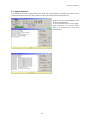
1. There is a dialogue to load/edit a Task (Task Manager). But I cannot use my bar code reader in the dialogue.
The Bar Code Reader function is applicable under the software‟s Main Menu only and with the Task Manager
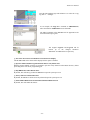
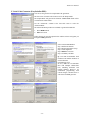
disabled. To use the Barcode Reader function, Please disable the Task Manager under: Option | System |
Check List | [x] Disable Task Manager Functions Completely
2. I cannot use '\' character to create the bar code.
You can use '/' instead and PUI will transfer it to '\'.
3. My full path filename is too long. I cannot put it in a single line for scanning.
You can put the full path filename within double quotation marks and break the bar codes into as many lines as
needed.
"Q:\Task\SO8\
SO8-150.ts9"
Bar Code software might insert <CR> at the line end.
PUI software will ignore the <CR> and concatenate these strings.
- 21 -