1
T9200 User Manual
1.0 Introduction
Thank you for choosing System General T9200 universal programmer. If you encounter any difficulties using this
programmer, please consult with the following resources for help (1) this manual (2) on-line help (3) your local
distributors.
1.1 About This Manual
This manual is served as a handy guide to help you get started quickly and acquainted with the T9200
programming system. The T9200 software contains comprehensive on-line “Help” to lead you through
operational details. We suggest that you read through this manual before using the programmer and resort to the
abundant Help resources embedded in the software in case of operating issues.
1.2 Product Description
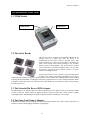
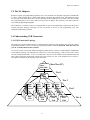
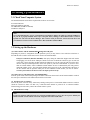
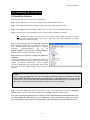
T9200 is a high speed universal device programmer designed to program various device technologies. Its modular
design allows for production as well as engineering applications. You can start up with a single module for
engineering applications. Once you are ready for mass production, up to 20 modules can be daisy-chained
through their USB interface and the engineering system can be turned into a powerful production equipment.
T9200 programmer needs to be connected to a PC for remote control operations. The devices supported on the
system include EPROM, EEPROM, Flash EPROM, Micro-controllers, CPLD, CMOS PLD, FPGA, devices with
Anti-Fuse Technologies and other devices which require custom engineering efforts.
Flexibility is the design philosophy of T9200. Since each programming module is supported by an independent
programming system, the programming operation on each module can take place synchronously as well as
asynchronously. In addition, the programming result of one module will not have any adverse effect on other
connected modules. This ensures the highest programming reliability and yields.
The versatile system also supports the STAPL (Standard Test And Programming Language) and Jam languages
for programming Logic devices. Its programmable parameters cover the next generation Green devices requiring
1.2 volt VCC. The high speed USB 2.0 interfaces saves you significant time on file downloading. To update the
system, simply download the latest S/W and/or firmware version from System General web sites.
1.3 Package Contents
When you unpack the T9200 box, you should find the followings:
(1) T9200 Base Unit
1
(2) Power Cable
1
(3) USB Cable
1
(4) System Diskettes / CD (Programming Drivers)
4/1
Option:
(1) Logic Devices Upgrade Pack: Supports PLD, CPLD, FPGA devices
-3-