1
Table of Contents
1
2
3
4
COPYRIGHT & WARRANTY INFORMATION ..................................................................................... 3
PNI CORPORATION’S TCM3 & TCM5 ................................................................................................ 4
2.1
PERFORMANCE SPECIFICATIONS ....................................................................................... 5
2.1.1 Heading Specifications ................................................................................................. 5
2.1.2 Magnetometer Specifications ....................................................................................... 5
2.1.3 Tilt Specifications .......................................................................................................... 5
2.1.4 Calibration..................................................................................................................... 5
2.1.5 Mechanical Specifications ............................................................................................ 5
2.1.6 I/O Specifications .......................................................................................................... 6
2.1.7 Power Specifications .................................................................................................... 6
2.1.8 Environmental Specifications ....................................................................................... 6
2.2
MECHANICALS ......................................................................................................................... 7
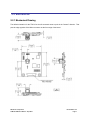
2.2.1 Mechanical Drawing ..................................................................................................... 7
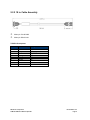
2.2.2 18 in. Cable Assembly .................................................................................................. 8
INSTALLATION OF THE TCM ............................................................................................................. 9
3.1
ELECTRICAL CONNECTIONS ................................................................................................. 9
3.2
WHERE TO INSTALL .............................................................................................................. 10
3.3
MECHANICALLY MOUNTING THE TCM ............................................................................... 11
USING THE TCM ................................................................................................................................ 13
4.1
TCM STUDIO .......................................................................................................................... 13
4.1.1 Install the TCM Studio program onto a Windows system: ......................................... 13
4.1.2 Connection Tab .......................................................................................................... 14
4.1.3 Configuration Tab ....................................................................................................... 14
4.1.4 Calibration Tab ........................................................................................................... 19
4.1.5 Test Tab...................................................................................................................... 20
4.1.6 Data Logger Tab ......................................................................................................... 21
4.1.7 System Log Tab ......................................................................................................... 21
4.2
USER CALIBRATION .............................................................................................................. 22
4.2.1 Calibration Theory ...................................................................................................... 23
4.2.2 Hard and Soft Iron Effects .......................................................................................... 23
4.2.3 Pitch and Roll ............................................................................................................. 24
4.2.4 Recommended Calibration Procedure For Taking The Minimum Number Of Sample
Points 25
4.2.5 Declination Value ........................................................................................................ 27
4.2.6 Other Limitations ........................................................................................................ 28
4.3
BINARY PROTOCOL – RS232 INTERFACE ......................................................................... 29
4.3.1 Datagram Structure .................................................................................................... 29
4.3.2 Parameter Formats..................................................................................................... 29
4.3.3 Commands & Communication Frames ...................................................................... 32
4.4
CODE EXAMPLES .................................................................................................................. 44
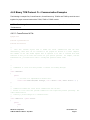
4.4.1 Binary TCM High Performance Protocol C Header File & CRC-16 Function ............ 44
4.4.2 Binary TCM Protocol C++ Communication Examples ............................................... 47
PNI Sensor Corporation
TCM3 & TCM5 User Manual- Sept 2011
Doc #1007537 r12
Page 2