1
7100 Calibration Bath
User’s Guide
66
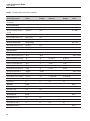
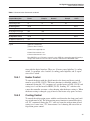
Problem
Causes and Solutions
The heater indicator LED stays
red but the temperature does not
increase
The display does not show “Cut-out” nor displays an incorrect bath
temperature, and the controller otherwise appears to operate normally. The problem may be insufficient heating, no heating at all, or
too much cooling.
• Insufficient heating may be caused by the heater power
setting being too low, especially at higher operating temperatures. Switching to the higher heater power switch
setting may solve the problem.
• Try reducing cooling capacity by increasing the cooling
temperature, switching the cooling power switch to
“LOW” or switching off the cooling altogether. Insure that
normal operating parameters are not exceeded when
adjusting cooling capacities for a given temperature.
• If the heater seems to not be receiving power at all, first
check the heater fuses. If a fuse is burned out, try replacing the fuse with a new one (of the type and rating)
and then check to see if the bath resumes normal operation. If the fuse blows again, there may be a shorted
heater.
• As a last resort, a Factory Reset Sequence may need to
be performed. See Troubleshooting Section ‘The display
flashes “Cut-out” and an incorrect process temperature’
for the instructions on how to perform the Factory Reset
Sequence. NOTE: Insure that a copy of the Report of
Test for the unit is available before performing the Factory Reset Sequence. The Report of Test is needed to
restore critical controller parameters.
• One or more burned out heaters or blown heater fuses
may also cause this problem. If the heaters seem to be
burned out, contact an Authorized Service Center (see
Section 1.3, on page 5) for assistance.
• If one or none of the above options apply contact an Authorized Service Center (see Section 1.3 on page 5) for
assistance.