1
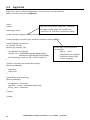
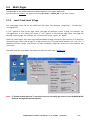
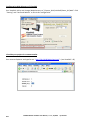
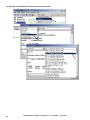
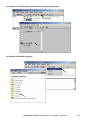
Chapter 5 Web HMI Basics Important Notice: 1. ISaGRAF WinCE ViewPAC support only High profile I-8K and I-87K I/O cards in slot 0 to 2. Please refer to the accompanying CD-ROM: \napdos\isagraf\vp-25w7-23w7\english-manu\ Datasheet files. 2. Please always set a fixed IP address to the ISaGRAF WinCE ViewPAC. (No DHCP). Recommend to use the NS-205/208 or RS-405/408 Industrial Ethernet Switch for them. Note: 1. This chapter describes the programming basics for the Web HMI. We will not focus on the HTML basics. If you want to know more about the HTML programming, the best way is to “buy a HTML related book” from the bookstore. There are a lot of books doing this job. 2. The Web HMI only supports the basic HTML tags. It doesn’t support ASP, PHP or JSP or other Page Server language. 3. Please do not use <frameset> </frameset> , <frame> </frame> in the Web HMI. 4. Note: The object name, object ID, code, variable name and function name is case sensitive. For example, refresh_data( ) and Refresh_data( ) is different. 5. There are more than ten Web HMI examples in the VP-25W7/23W7 CD-ROM. Please refer to the section 3.1. 5.1 Basic Files For The Web HMI The basic Web HMI files include 2 folders and 3 DLL files and 4 htm files as below. Folders 1 ./img/ 2 ./msg/ DLL Files 1 whmi_filter.dll 2 login.dll 3 main.dll HTM Files 1 index.htm 2 login.htm 3 menu.htm 4 main.htm (default image files - *.jpg , *.bmp , *.gif ) (default message files – wincon.js & xxerror.htm) (three DLL files) (first default page) (the Web HMI welcome page) (the page-menu page, normally on the left on the Internet Explorer) (first page when successfully login) User may put his own image files into the folder named as “user_img”. And put user-defined JavaScript file or css file into the folder named as “user_msg”. Other folder name is not acceptable by the ViewPAC Web HMI. The “index.htm” file is the default entry page of the web server. User must not modify it. The “index.htm” re-directs to the “login.htm” file in 1 to 2 seconds when someone visits the ViewPAC via the Internet Explorer. User may modify the “login.htm” , “menu.htm” and “main.htm” to fit the requirement. ISaGRAF WinCE ViewPAC User Manual , V.1.5 , 10/2014 by ICP DAS 5-1