1
9 Advanced topics
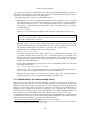
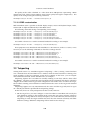
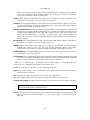
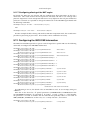
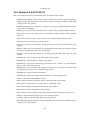
Add as many of these lines as required and make sure “instance” number is uniquely incremented. Next reload the vboxnet driver using:
add_drv vboxnet
Now plumb all the interfaces using ifconfig vboxnetX plumb (where X can be 0, 1 or 2 in this
case) and once plumbed you can then configure the interface like any other network interface.
To make your newly added interfaces’ settings persistent across reboots you will need to edit
the files /etc/netmasks, and if you are using NWAM /etc/nwam/llp and add the appropriate
entries to set the netmask and static IP for each of those interfaces. The VirtualBox installer only
updates these configuration files for the one “vboxnet0” interface it creates by default.
9.17 Configuring the VirtualBox CoreDumper on Solaris
hosts
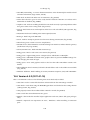
VirtualBox is capable of producing its own core files when things go wrong and for more extensive debugging. Currently this is only available on Solaris hosts.
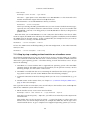
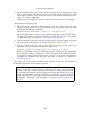
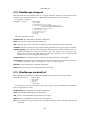
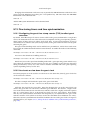
The VirtualBox CoreDumper can be enabled using the following command:
VBoxManage setextradata "VM name" VBoxInternal2/CoreDumpEnabled 1
You can specify which directory to use for core dumps with this command:
VBoxManage setextradata "VM name" VBoxInternal2/CoreDumpDir <path-to-directory>
Make sure the directory you specify is on a volume with sufficient free space and that the
VirtualBox process has sufficient permissions to write files to this directory. If you skip this
command and don’t specify any core dump directory, the current directory of the VirtualBox executable will be used (which would most likely fail when writing cores as they are protected with
root permissions). It is recommended you explicity set a core dump directory.
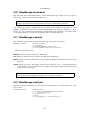
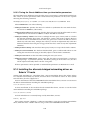
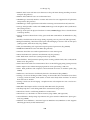
You must specify when the VirtualBox CoreDumper should be triggered. This is done using the
following commands:
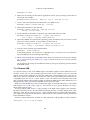
VBoxManage setextradata "VM name" VBoxInternal2/CoreDumpReplaceSystemDump 1
VBoxManage setextradata "VM name" VBoxInternal2/CoreDumpLive 1
At least one of the above two commands will have to be provided if you have enabled the
VirtualBox CoreDumper.
Setting CoreDumpReplaceSystemDump sets up the VM to override the host’s core dumping
mechanism and in the event of any crash only the VirtualBox CoreDumper would produce the
core file.
Setting CoreDumpLive sets up the VM to produce cores whenever the VM receives a SIGUSR2
signal. After producing the core file, the VM will not be terminated and will continue to run. You
can then take cores of the VM process using:
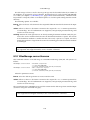
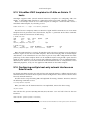
kill -s SIGUSR2 <VM-process-id>
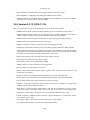
Core files produced by the VirtualBox CoreDumper are of the form core.vb.<ProcessName>.<ProcessID>,
e.g.core.vb.VBoxHeadless.11321.
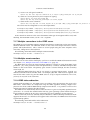
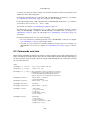
9.18 Locking down the VirtualBox manager GUI
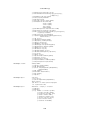
There are several advanced customization settings for locking down the VirtualBox manager, that
is, removing some features that the user should not see.
158