1
Chapter 5— Troubleshooting and Maintenance
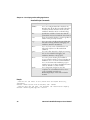
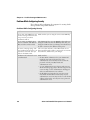
Problems While Operating the CK32 I-Safe
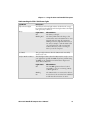
Problem
Solutions
You press the Power button to turn Make sure the backlight is on by pressing E.
on the CK32 I-Safe and nothing
Make sure you have a charged battery installed correctly.
happens.
For help, see “Charging and Installing the Battery” on
page 5.
The battery may be discharged. Replace the battery with a
spare charged battery, or charge the battery and try again.
The Battery light is blinking.
The battery is running low. Replace the battery with a
spare charged battery, or charge the battery.
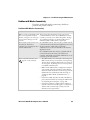
You use your stylus to tap the screen Recalibrate your touch screen. For help, see “Using the
and nothing happens.
Touch Screen” on page 14.
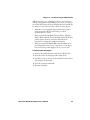
The blue Ready-to-Work indicator Try these possible solutions:
is off.
The Ready-to-Work application (such as TE 2000) has
not loaded successfully. For help, see the documentation
or online help for the application.
The CK32 I-Safe is not running a Ready-to-Work
application.
The blue Ready-to-Work indicator The Ready-to-Work application (such as TE 2000) may
is blinking.
be running, but is not connected to a host. Verify that the
application is properly configured to communicate with
the host.
The blue Ready-to-Work indicator A connection has been established, and all network
is on.
connections are active. There is nothing to troubleshoot.
CK32 I-Safe Handheld Computer User’s Manual
105