1
Dispatch 2005 User Manual
3
List of Figures
Figure 1: Logging into Dispatch 2005.................................................................................... 5
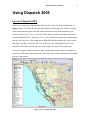
Figure 2: Layout of Dispatch 2005......................................................................................... 6
Figure 3: The toolbar buttons and their names ....................................................................... 7
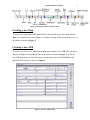
Figure 4: The New ATR window ........................................................................................... 7
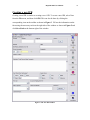
Figure 5: The New IPR window............................................................................................. 8
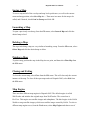
Figure 6: The Point Id window displays weather conditions, location and other information
about a specific location on the map .................................................................................... 12
Figure 7: The Bearing and Distance window ....................................................................... 13
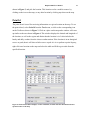
Figure 8: The Lightning Range window with start date and time and optional end date and
time ....................................................................................................................................... 14
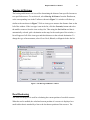
Figure 9: The Find Place/Roadname window ...................................................................... 15
Figure 10: The search window ............................................................................................. 16