1
CHAPTER 2
INSTALLING QSI FORMBUILDER
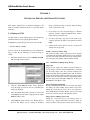
This chapter contains instructions for installing and setting
up the QSI FormBuilder software.
4.
2.1 System Requirements
FormBuilder is a 32-bit program designed to run under
Microsoft Windows 95, Windows 98 or Windows NT.
FormBuilder cannot be run under Windows 3.x.
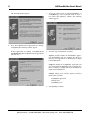
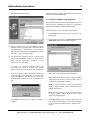
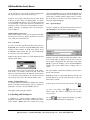
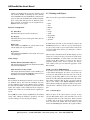
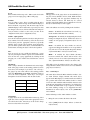
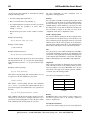
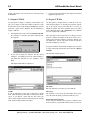
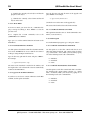
Type x:\path\k65 (in which “x:\path” represents the location of the k65.exe file) if the software
is acquired from the internet or through the software.html page from the QSI Distribution CD ROM
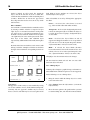
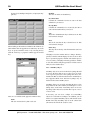
v2, otherwise go to Step 5. The following window
appears:
In Windows 95/98 you will need a minimum of 8 Mbytes of
RAM (16 Mbytes recommended). In Windows NT you will
need a minimum of 16 Mbytes of RAM. A 486 or faster
processor is recommended.
2.2 Installing FormBuilder
To install QSI FormBuilder, take the following steps:
1.
Close any Windows applications that are running.
2.
Locate the setup program in the x:\software\k65 subdirectory of the QSI Distribution CD ROM v2.
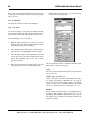
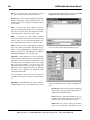
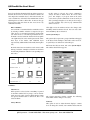
NOTE the path that is specified in the “Extract to”
window or specify a new path. This path will be needed
in Step 5.
OR
Download the most recent version of the QTERM-K65
(k65.exe) software from our website (www.qsicorp.com).
3.
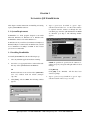
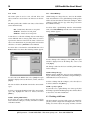
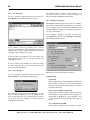
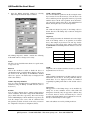
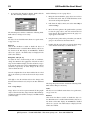
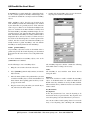
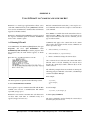
Click [Start], and select Run. The following window
appears:
Click [Extract].
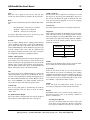
Click [OK] at the “Finished - All files have been
extracted” prompt.
5.
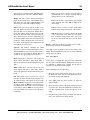
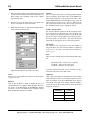
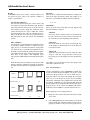
Type x:\path\setup (in which “x:\path” represents the location of the setup.exe file).
QSI Corporation • Fax 801-466-8792 • Web www.qsicorp.com • Phone 801-466-8770