1
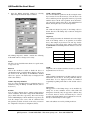
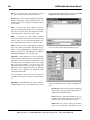
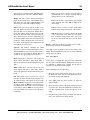
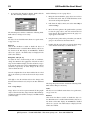
QSI FORMBUILDER FOR K65
USER'S MANUAL
REVISION 2
QSI CORPORATION
2212 South West Temple #50
Salt Lake City, Utah 84115-2648
USA
Phone 801-466-8770
Fax 801-466-8792
Email [email protected]
Web www.qsicorp.com
Manual 0055-02
21925E0 - Printed in USA
© Copyright QSI Corporation 2002
QTERM-K65, K65, QTERM, Visual Terminal Protocol and VTP are trademarks of QSI Corporation.
SOFTWARE LICENSE
BY CLICKING THE ACCEPTANCE BUTTON OR INSTALLING THE SOFTWARE, YOU ARE CONSENTING TO
BE BOUND BY AND ARE BECOMING A PARTY TO THIS SOFTWARE LICENSE AGREEMENT. THE SOFTWARE IS COPYRIGHTED AND LICENSED (NOT SOLD). IF YOU DO NOT AGREE TO ALL OF THE TERMS OF
THIS AGREEMENT, CLICK THE BUTTON THAT INDICATES YOU DO NOT ACCEPT THE TERMS AND DO NOT
INSTALL THE SOFTWARE.
This Agreement sets forth the terms and conditions of your use of the accompanying software product(s) (the "Software")
created by QSI Corporation (the "Licensor").
LICENSE GRANT. Licensor grants you a non-exclusive and non-transferable license to use the Software and accompanying
documentation ("Documentation"), subject to the limitations below.
LIMITATIONS ON USE. With respect to the Software and Documentation, you may not:
(a) modify, translate, reverse engineer, decompile, disassemble, or create derivative works based on the Software or
Documentation;
(b) sell (other than incident to a sale of the hardware for which the Software was designed), sublicense, rent, lease, grant
a security interest in, or otherwise transfer rights to the Software or Documentation; or
(c) remove or alter any trademark, logo, copyright or other proprietary notices, legends, symbols or labels in the Software or Documentation.
DISCLAIMER OF WARRANTY. THE SOFTWARE IS PROVIDED ON AN "AS IS" BASIS, WITHOUT WARRANTY
OF ANY KIND, INCLUDING WITHOUT LIMITATION THE WARRANTIES THAT THE SOFTWARE IS FREE OF
DEFECTS, MERCHANTABLE, FIT FOR A PARTICULAR PURPOSE OR NON-INFRINGING. THE ENTIRE RISK AS
TO THE QUALITY AND PERFORMANCE OF THE SOFTWARE IS BORNE BY YOU. SHOULD THE SOFTWARE
PROVE DEFECTIVE IN ANY RESPECT, YOU AND NOT LICENSOR ASSUME THE ENTIRE COST OF ANY SERVICE AND REPAIR. THIS DISCLAIMER OF WARRANTY CONSTITUTES AN ESSENTIAL PART OF THIS
AGREEMENT. NO USE OF THE SOFTWARE IS AUTHORIZED HEREUNDER EXCEPT UNDER THIS DISCLAIMER.
LICENSOR MAKES NO OTHER WARRANTIES, EXPRESS OR IMPLIED, INCLUDING BUT NOT LIMITED TO
WARRANTIES OF MERCHANTABILITY, FITNESS FOR A PARTICULAR PURPOSE, AND NONINFRINGEMENT
OF THIRD PARTIES' RIGHTS.
TITLE. Title, ownership rights, and intellectual property rights in the Software and Documentation shall remain in Licensor.
You acknowledge such ownership and intellectual property rights and will not take any action to jeopardize, limit or interfere in any manner with Licensor's ownership of or rights with respect to the Software and Documentation. The Software and
Documentation are protected by copyright and other intellectual property laws and by international treaties.
TERMINATION. This Agreement and the license granted hereunder will terminate automatically if you fail to comply with
the limitations described herein. Upon termination, you must destroy all copies of the Software and Documentation.
LIMITATION OF LIABILITY. UNDER NO CIRCUMSTANCES AND UNDER NO LEGAL THEORY, WHETHER
TORT, CONTRACT, OR OTHERWISE, SHALL LICENSOR BE LIABLE TO YOU OR ANY OTHER PERSON FOR
ANY INDIRECT, SPECIAL, INCIDENTAL, OR CONSEQUENTIAL DAMAGES OF ANY CHARACTER INCLUDING, WITHOUT LIMITATION, DAMAGES FOR LOSS OF GOODWILL, WORK STOPPAGE, COMPUTER FAILURE
OR MALFUNCTION, OR ANY AND ALL OTHER COMMERCIAL DAMAGES OR LOSSES. IN NO EVENT WILL
LICENSOR BE LIABLE FOR ANY DAMAGES IN EXCESS OF THE AMOUNT LICENSOR RECEIVED FROM YOU
FOR A LICENSE TO THE SOFTWARE, EVEN IF LICENSOR SHALL HAVE BEEN INFORMED OF THE POSSIBILITY OF SUCH DAMAGES, OR FOR ANY CLAIM BY ANY THIRD PARTY. SOME JURISDICTIONS DO NOT
ALLOW THE EXCLUSION OR LIMITATION OF INCIDENTAL OR CONSEQUENTIAL DAMAGES, SO THIS
EXCLUSION AND LIMITATION MAY NOT APPLY TO YOU.
ACCURACY OF PROGRAMMING. You are solely responsible for the accuracy of any programming created with the
Software, including the correspondence of graphic symbols to terminal buttons and the accuracy of functions and command
strings programmed into programmable buttons. Programming often results in unintended errors; these errors may cause
unanticipated results. Until you have confirmed that your programming works exactly as intended, extreme caution must be
used in using the terminal in any potentially hazardous situation, such as the control of machinery. The Licensor disclaims
all liability arising from programming created with the Software.
MISCELLANEOUS. This Agreement represents the complete agreement concerning the license granted hereunder and may
be amended only by a writing executed by both parties. If any provision of this Agreement is held to be unenforceable, such
provision shall be reformed only to the extent necessary to make it enforceable. This Agreement shall be governed by Utah
law, excluding conflict of law provisions (except to the extent applicable law, if any, provides otherwise).
U.S. GOVERNMENT END USERS. The Software is a commercial item, consisting of commercial computer software and
commercial computer software documentation. Consistent with 48 C.F.R. 227.7202-1 through 227.7202-4, all U.S. Government End Users acquire the Software with only those rights set forth herein.
FOREWORD
QSI FormBuilder is a Windows 95/98/NT based, 32-bit development tool designed to assist you in creating graphical displays for QTERM-K65 terminals.
Chapter 1
QSI FormBuilder Overview. This chapter explains the purpose of FormBuilder and describes VTP. It also
lists the terms that you should know to work with FormBuilder.
Chapter 2
Installing QSI FormBuilder. This chapter covers the installation and setup of the QSI FormBuilder software.
Chapter 3
Getting Started. This chapter outlines FormBuilder’s features and functions.
Chapter 4
Forms, Objects and Workspaces. This chapter explains in detail how to use FormBuilder to create forms,
objects and workspaces.
Chapter 5
Download, Import and Export Functions. This chapter explains how to download workspaces and forms
to the K65 terminal and how to perform various import and export functions.
Appendix A Using KTerm32 to Communicate with the K65. This appendix explains how to use KTerm32 to communicate with the K65 terminal. You can also use KTerm32 to download files and firmware upgrades to the K65
terminal.
Appendix B
VTP Commands Used with Keystrings. This appendix lists VTP commands that are commonly used in
local keystrings.
MANUAL CONVENTIONS
Within QSI FormBuilder, functions can be selected using a mouse, a keyboard shortcut or an icon from a toolbar. The following conventions are used to identify selections in this manual.
When instructed to press a specific key, it is shown in angle brackets: <Shift>
When instructed to press a key and hold it down while typing a character, the keys are shown together: <Alt>F
A button or icon is shown in square brackets: [OK]. Icons are identified by the option name on the menu rather than by
a graphic representation. For example: [text] rather than
.
When you are instructed to type a character or word, it is shown in courier bold text: quit
A variable is indicated by italics: xxxx.vtp (where xxxx is the name of the vtp file).
QSI Corporation • Fax 801-466-8792 • Web www.qsicorp.com • Phone 801-466-8770
QSI Form Builder User's Manual
QSI Corporation • Fax 801-466-8792 • Web www.qsicorp.com • Phone 801-466-8770
CONTENTS
CHAPTER 1. QSI FORMBUILDER OVERVIEW.......................................................................................................................... 1
1.1 VTP and FormBuilder.................................................................................................................................................. 1
1.2 Definitions.................................................................................................................................................................... 1
CHAPTER 2. INSTALLING QSI FORMBUILDER ........................................................................................................................ 3
2.1 System Requirements................................................................................................................................................... 3
2.2 Installing FormBuilder................................................................................................................................................. 3
2.3 Setting Communication Properties .............................................................................................................................. 5
CHAPTER 3. GETTING STARTED .............................................................................................................................................. 7
3.1 Starting/Exiting FormBuilder ...................................................................................................................................... 7
3.2 Overview of Functions................................................................................................................................................. 7
3.2.1 File Menu........................................................................................................................................................... 7
3.2.2 Edit Menu .......................................................................................................................................................... 8
3.2.3 View Menu ........................................................................................................................................................ 8
3.2.4 Objects Menu..................................................................................................................................................... 9
3.2.5 Window Menu ................................................................................................................................................... 9
3.3 Toolbar ......................................................................................................................................................................... 9
3.4 Object Palette ............................................................................................................................................................... 9
3.5 Keyboard Shortcuts.................................................................................................................................................... 10
3.6 Moving From Object to Object.................................................................................................................................. 10
3.7 Mouse Conventions ................................................................................................................................................... 10
CHAPTER 4. FORMS, WORKSPACES AND OBJECTS ............................................................................................................... 11
4.1 FormBuilder/K65 Hierarchy ...................................................................................................................................... 11
4.2 Working with the ROOT Form.................................................................................................................................. 11
4.2.1 Fonts................................................................................................................................................................. 12
4.2.2 Global Bitmaps ................................................................................................................................................ 12
4.3 Working with Forms .................................................................................................................................................. 12
4.3.1 New Form ........................................................................................................................................................ 13
4.4 Working with Workspaces......................................................................................................................................... 13
4.4.1 Open Workspace.............................................................................................................................................. 13
4.4.2 Save Workspace............................................................................................................................................... 14
4.4.3 Close Workspace ............................................................................................................................................. 14
4.4.4 Workspace Properties ...................................................................................................................................... 14
4.5 Working with Objects ................................................................................................................................................ 15
4.5.1 Selection Object............................................................................................................................................... 15
4.5.2 Form Object ..................................................................................................................................................... 16
4.5.3 Text Object ...................................................................................................................................................... 16
4.5.4 Bitmap Object .................................................................................................................................................. 18
4.5.5 Line Object ...................................................................................................................................................... 21
4.5.6 Gauge Object ................................................................................................................................................... 22
4.5.7 VT52 Object .................................................................................................................................................... 23
4.5.8 Key Pad Object ................................................................................................................................................ 25
4.5.9 TouchKey Object............................................................................................................................................. 26
4.5.10 System Object ................................................................................................................................................ 29
QSI Corporation • Fax 801-466-8792 • Web www.qsicorp.com • Phone 801-466-8770
ii
QSI Form Builder User's Manual
CHAPTER 5. DOWNLOAD, IMPORT AND EXPORT FUNCTIONS ............................................................................................. 33
5.1 Bitmap to GCM ......................................................................................................................................................... 33
5.1.1 Guidelines for Bitmap Image Design .............................................................................................................. 33
5.2 Import VTP File......................................................................................................................................................... 34
5.3 Export VTP File......................................................................................................................................................... 34
5.4 Download................................................................................................................................................................... 35
APPENDIX A. USING KTERM32 TO COMMUNICATE WITH THE K65................................................................................... 37
A.1 Running KTerm32 .................................................................................................................................................... 37
A.1.1 Send Commands to Terminal ......................................................................................................................... 37
A.1.1.1 Query Command ............................................................................................................................... 37
A.1.1.2 Error Buffer ....................................................................................................................................... 38
A.1.2 Download VTP File to Terminal.................................................................................................................... 38
A.1.3 Upgrade the Terminal’s Firmware ................................................................................................................. 38
A.1.4 Send Raw Commands to Terminal................................................................................................................. 38
A.1.5 Exit Program................................................................................................................................................... 38
A.1.6 Set RS-232 Normal Flow Control Mode........................................................................................................ 38
A.1.7 Set RS-232 Download Flow Control Mode ................................................................................................... 38
APPENDIX B. VTP COMMANDS.............................................................................................................................................. 39
B.1 Keystring Syntax....................................................................................................................................................... 39
B.2 VTP Commands Used with Keystrings .................................................................................................................... 39
B.2.1 Make a Form or Object Current...................................................................................................................... 39
B.2.2 Enable/Disable Forms, Objects ...................................................................................................................... 40
B.2.3 Add/Remove Data from Objects .................................................................................................................... 40
QSI Corporation • Fax 801-466-8792 • Web www.qsicorp.com • Phone 801-466-8770
CHAPTER 1
QSI FORMBUILDER OVERVIEW
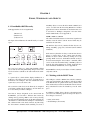
QSI FormBuilder is a Windows 95/98/NT based, 32-bit
development tool designed to assist in creating graphical
configurations for QTERM-K65 terminals.
1.1 VTP and FormBuilder
The K65 terminal uses a command oriented protocol called
Visual Terminal Protocol™ (VTP™). VTP is used to define
the information in the local memory of the terminal
(graphic forms, objects and text) as well as to control the
information shown on the display during run-time operation. Additionally, VTP is used to modify numerous system
settings such as the contrast level and speaker frequency.
FormBuilder assists the user of the K65 terminal in developing the terminal configuration (the forms and objects
stored in the local memory). FormBuilder has the following
advantages:
• minimizes the need to use VTP
• simplifies the process of creating forms and objects
• simplifies setting up/changing the display configuration
VTP commands are still required for TouchKey object definitions and for host-to-K65 communications. The VTP
commands that are required with FormBuilder are listed in
Appendix B. For a comprehensive overview of VTP, refer
to the QTERM-K65 User’s Manual.
1.2 Definitions
Object
A self-contained unit of data defined by VTP. Types of
objects include: text objects, bitmap objects, graph objects,
line objects and TouchKey objects. Each object contains a
unique set of data and properties. All objects must be associated with a form or the ROOT form.
Form
A group of associated objects. In FormBuilder, a form is
visually represented as a surface on which objects are
placed. On the K65 terminal, forms are transparent. All
objects must be associated with a form.
ROOT form
The base level form on which all other forms are created.
The ROOT level form contains all global objects. Global
objects include font objects, global bitmap objects, etc. The
ROOT form is the only form on which other forms can be
placed.
Workspace
One or more forms designed to be displayed together on the
K65 terminal. A workspace is a complete display unit. Each
workspace consists of a unique ROOT form as well as any
forms added to the workspace. A system object (display
configuration) may also be configured for each workspace.
Current form
The active form. On the K65 terminal, commands only
apply to the current form, and a form must be selected
before it is current. In FormBuilder, if multiple forms are
open, the current form is the one at the front (or top) of the
stack of forms.
Current object
The active object. On the K65 terminal, commands only
apply to the current object, and an object must be selected
before it is current. In FormBuilder, the current object is
shown in red and surrounded by sizing squares. If objects
are layered, the current object is the one that is selected or
the one located at the front (or top) of the stack of objects.
Enable/disable
Turns a form or object on or off. If a form or object is disabled, it is not displayed on the K65 terminal. A form can
be enabled or disabled, and objects within a form can be
independently enabled or disabled. If a form is disabled,
none of the objects within the form are displayed.
Form layering/transparency
Multiple forms are arranged in layers, with the top form (or
layer) being the current form. However, a form is also transparent, which means that any enabled object continues to be
displayed even if it is located on a form that is at the bottom
of the stack (provided its form is enabled).
QSI Corporation • Fax 801-466-8792 • Web www.qsicorp.com • Phone 801-466-8770
2
QSI FormBuilder User's Manual
QSI Corporation • Fax 801-466-8792 • Web www.qsicorp.com • Phone 801-466-8770
CHAPTER 2
INSTALLING QSI FORMBUILDER
This chapter contains instructions for installing and setting
up the QSI FormBuilder software.
4.
2.1 System Requirements
FormBuilder is a 32-bit program designed to run under
Microsoft Windows 95, Windows 98 or Windows NT.
FormBuilder cannot be run under Windows 3.x.
Type x:\path\k65 (in which “x:\path” represents the location of the k65.exe file) if the software
is acquired from the internet or through the software.html page from the QSI Distribution CD ROM
v2, otherwise go to Step 5. The following window
appears:
In Windows 95/98 you will need a minimum of 8 Mbytes of
RAM (16 Mbytes recommended). In Windows NT you will
need a minimum of 16 Mbytes of RAM. A 486 or faster
processor is recommended.
2.2 Installing FormBuilder
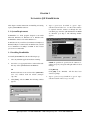
To install QSI FormBuilder, take the following steps:
1.
Close any Windows applications that are running.
2.
Locate the setup program in the x:\software\k65 subdirectory of the QSI Distribution CD ROM v2.
NOTE the path that is specified in the “Extract to”
window or specify a new path. This path will be needed
in Step 5.
OR
Download the most recent version of the QTERM-K65
(k65.exe) software from our website (www.qsicorp.com).
3.
Click [Start], and select Run. The following window
appears:
Click [Extract].
Click [OK] at the “Finished - All files have been
extracted” prompt.
5.
Type x:\path\setup (in which “x:\path” represents the location of the setup.exe file).
QSI Corporation • Fax 801-466-8792 • Web www.qsicorp.com • Phone 801-466-8770
4
QSI FormBuilder User's Manual
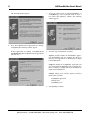
The following window appears:
6.
7.
Accept the folder shown to install FormBuilder, or
click [Browse] to select a different folder or create a
new folder. Click [Next] to continue. The following
window appears:
8.
Select the type of installation, as follows:
If no other Windows-based applications are running,
click [Next]. The following window appears.
If other applications are running, click [Cancel] and
then [Exit Setup]. Exit all Windows-based applications
and start over.
Typical: (default) Installs the FormBuilder application, FormBuilder tools and example files. Refer to
Chapter 5 and Appendix A for information on import
tools and KTerm32.
Compact: Installs the FormBuilder application but
does not install the FormBuilder tools or example files.
Refer to Chapter 5 and Appendix A for information on
import tools and KTerm32.
Custom: Allows you to select the options you want to
install. Choices include:
FormBuilder application
Example files
FormBuilder tools
9.
Select [Next] to continue.
QSI Corporation • Fax 801-466-8792 • Web www.qsicorp.com • Phone 801-466-8770
QSI FormBuilder User's Manual
The following window appears:
5
Installation is now complete. You should restart your computer before running FormBuilder.
2.3 Setting Communication Properties
Before downloading forms to the K65 terminal, you must
enter the proper communication properties so that FormBuilder can communicate with the K65 terminal.
Do the following to set up communication properties:
1.
Start FormBuilder (if necessary, refer to Section 3.1 for
instructions).
2.
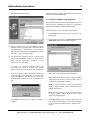
Pull down the File menu. Click Download and Communications. The following window appears:
3.
Make entries to the following fields as required:
10. Setup can add program icons for FormBuilder and any
installed tools to a program folder on the Start menu.
The default folder is “QSI Software.” You can select a
different folder from the list. Click [Next] to continue.
The files are copied to your hard drive.
11. An environment statement must be entered before
some of the FormBuilder tools can be used. To have
Setup add the environment statement to your
autoexec.bat file, click [Yes].
A message is displayed indicating that your
autoexec.bat file has been modified. The original
autoexec.bat file is renamed and the name is displayed.
If you do not want to add the environment statement to
your system file, select [No]. Then, each time before
starting FormBuilder, you will have to run the SetToolsEnvironment.bat file to set the environment variable.
Port: Click the drop-down arrow to display possible
entries, then click the name of the port that is used to
communicate with the K65 terminal.
Baud: Accept the default, or click the drop-down
arrow to display possible entries. Click the baud rate
supported by the port.
Flow: Accept the default, or click the drop-down arrow
to display possible entries. Click the flow control
option for your application.
Click [OK] in response to the “Setup is complete”
prompt.
4.
Click [Reset Port] for the changes to take affect. The
other fields on this window are used when downloading forms to the K65 terminal and are explained in section 5.4.
QSI Corporation • Fax 801-466-8792 • Web www.qsicorp.com • Phone 801-466-8770
6
QSI FormBuilder User's Manual
QSI Corporation • Fax 801-466-8792 • Web www.qsicorp.com • Phone 801-466-8770
CHAPTER 3
GETTING STARTED
This chapter outlines FormBuilder’s features and functions.
Features, such as keyboard shortcuts and the Object Palette,
are explained in depth, as are simple functions such as those
found in the Organize and Window menus. Functions that
are explained elsewhere in the manual are only described
briefly with a reference to the section in which additional
information can be found.
3.2.1 File Menu
3.1 Starting/Exiting FormBuilder
Open Workspace
Use this option to open a workspace. Refer to Section 4.4.1
for more information.
To start FormBuilder, click Windows [Start] button, then
click Programs, and select QSI Software. Click FormBuilder to start the program. After the program loads, the
main window appears, as shown below.
New Form
Select this option to create a new form. The new form is displayed on the screen at the top of the current stack of forms
and becomes the current form. Refer to Section 4.3.1 for
more information.
Save Workspace
Use this option to save a workspace. Refer to Section 4.4.2
for more information.
Close Workspace
Use this option to close a workspace so another workspace
can be opened. Refer to Section 4.4.3 for more information.
Edit GCM
Use this option to make and save changes to a GCM file
that is saved to disk.
Bitmap to GCM
Use this option to convert a bitmap, Targa or animation file
to a GCM file (the type of graphic file used in VTP). For
more information, refer to Section 5.1.
To exit FormBuilder, click File, and select Exit. You can
also click [X] located in the top right corner of the FormBuilder main window.
3.2 Overview of Functions
FormBuilder functions are arranged on menus following
standard Windows conventions. The following sections list
the functions by menu in the order they appear on the menu.
Import VTP File
Use this option to import a VTP file into FormBuilder. The
export and import functions can be used to copy a form
from one workspace to another. For more information, refer
to Section 5.2.
Export VTP File
Use this option to create a VTP file of the current form or
workspace. The export and import functions can be used to
copy a form from one workspace to another. For more information, refer to Section 5.3.
QSI Corporation • Fax 801-466-8792 • Web www.qsicorp.com • Phone 801-466-8770
8
QSI FormBuilder User's Manual
Download and Communications
Select this option to:
1.
Download the current workspace or form to the K65
terminal. Refer to Section 5.4 for more information.
2.
Enter or edit communications properties, which must
be set up before downloading a file to the K65 terminal. Refer to Section 2.3 for more information.
Properties, Workspace Properties
Use this option to enter or edit workspace properties. Workspace properties can be different for each workspace. Refer
to Section 4.4.4 for more information.
Exit
Use this option to exit FormBuilder.
3.2.2 Edit Menu
Cut
Use in combination with Paste. This option removes the
currently selected object and saves it to the clipboard.
Copy
Use in combination with Paste. This option makes a copy of
the currently selected object and saves it to the clipboard.
Paste
Use in combination with cut or copy. This option places the
cut or copied object on the selected form. If a copied object
is pasted on the same form from which it was copied, the
copy is placed on top of the original. Click and drag the
object to move it. Copied objects are automatically renamed
to prevent overwriting the original.
Delete
Select this option to delete the selected object.
3.2.3 View Menu
Toolbar
Select Toolbar to display or hide the Toolbar in the main
window. A checkmark indicates that the Toolbar is displayed. The Toolbar is displayed just below the Menu Bar
and contains commonly used functions, each represented by
an icon. Move the mouse pointer over an icon, and a message shows its function. For more information, refer to
Section 3.3.
Status Bar
Select Status Bar to display or hide the Status Bar in the
main window. A checkmark indicates that the Status Bar is
displayed. The Status Bar is displayed at the bottom of the
FormBuilder window. When an object is selected, the Status Bar shows its position within the stack of objects on the
current form (e.g., “object 1 of 4”).
Grid Lines
Select Grid Lines to display or hide the grid lines on the
current form. A checkmark indicates that the grid lines are
displayed. Grid lines are superimposed on the surface of
forms to assist you in positioning objects.
Object Palette
Select Object Palette to display or hide the Object Palette.
The Object Palette contains an icon for each object type, for
a “new form” and for the “select” cursor. A checkmark indicates that the Object Palette is displayed. For more information, refer to Section 3.4.
Fonts
Select this option to view, add or delete fonts. Fonts reside
on the ROOT form of each workspace. Section 4.2.1 for
more information.
Global Bitmaps
Select this option to view, add or delete bitmap images,
which reside on the ROOT form of each workspace. Refer
to Section 4.2.2 for more information.
View Root Form
Select this option to view, define or edit global TouchKey
objects and other global objects. Global TouchKeys reside
on the ROOT form of each workspace. Refer to Section 4.2
for more information.
Zoom In
Select this option to enlarge the view of a form or portion of
a form. There are four levels of zoom. If necessary, use the
scroll bars to adjust the portion of the form displayed. Use
Zoom Out to reduce the display. The zoom functions can
also be accessed from the Toolbar.
Zoom Out
Select this option to enlarge the view of a form or portion of
a form. There are four levels of zoom. If necessary, use the
scroll bars to move the portion of the form displayed. Use
Zoom In to increase the display. The zoom functions can
also be accessed from the Toolbar.
QSI Corporation • Fax 801-466-8792 • Web www.qsicorp.com • Phone 801-466-8770
QSI FormBuilder User's Manual
9
Refresh
Updates current form or workspace.
Minimize All
Select this option to minimize all forms.
3.2.4 Objects Menu
Close All
Select this option to close all forms. If a form has not been
saved, you are prompted to save the form before it is closed.
New Object
Use this option to pull down the New Object menu, which is
used to create new objects. Objects are explained in detail in
Section 4.5.
Object Properties
Use this option to open the properties window for the currently selected object. If no object is selected, the properties
window for the currently selected form is opened.
System Object
Use this option to define or edit the attributes for the system
object. The system object contains property settings that are
global in nature and apply to all objects in the workspace.
Refer to Section 4.5.10 for more information.
(Open forms)
All opened forms are listed at the bottom of the menu with a
checkmark next to the current form. To make a different
form current, click it or type its number.
3.3 Toolbar
The Toolbar, located just below the Menu Bar, contains several commonly used functions represented by icons. Click
an icon to select the function. The Toolbar is shown below.
Raise
This option raises the selected object one layer in the stack.
Move the mouse pointer over an icon to display its function.
Lower
This option lowers the selected object one layer in the stack.
The box on the right side of the Toolbar is used to change
the magnification, or zoom level, of the current form. Click
the drop-down arrow to select a zoom level (2 is the
default).
Bring to Front
This option moves the selected object to the top or front of
the stack of objects.
Send to Back
This option moves the selected object to the back or bottom
of the stack of objects.
3.2.5 Window Menu
Cascade
Use this option to arrange several forms so they overlap
vertically and to the right. The top edge and one side of each
form are visible.
Tile Horizontally
Use this option to view several forms in reduced size
arranged in numerical order from left to right.
Tile Vertically
Select this option to view several forms in reduced size
arranged in numerical order from top to bottom.
Select Toolbar from the View menu to display or hide the
Toolbar in the main window. A checkmark indicates that the
Toolbar is displayed.
3.4 Object Palette
The Object Palette allows you to select an object type by
clicking on an icon (rather than selecting it from the Objects
menu). The Object Palette also includes icons to create a
new form and to select an object. Click an icon to select an
object type to place a new object on the form. Once an
object type is selected, FormBuilder remains in that mode
until another function is selected. The Object Palette is
shown below.
Move the mouse pointer over an icon to display its function.
QSI Corporation • Fax 801-466-8792 • Web www.qsicorp.com • Phone 801-466-8770
10
QSI FormBuilder User's Manual
Select Object Palette from the View menu to display/hide
the Object Palette. A checkmark indicates that the Object
Palette is displayed.
3.7 Mouse Conventions
You can move the Object Palette to any location on the
screen by clicking and holding on the Title Bar and dragging it. It will remain in the new location until it is moved.
•
•
•
•
•
3.5 Keyboard Shortcuts
Keyboard shortcuts are provided for all menus and all functions. The shortcut character is underlined in the menu or
option name.
To use a keyboard shortcut to pull down a menu, press and
hold <Alt> while typing the underlined character in the
menu name.
When a menu is pulled down, select a function by typing
the underlined letter in the option name.
Click the left mouse button to do the following:
pull down a menu
select a function on a menu
select an icon
select a form
select an object within a form
NOTE:
Be sure the select object (section 4.5) has been selected to
activate these mouse functions.
To move an object, place the mouse pointer on the object,
click the left mouse button and hold it down, drag the object
to the desired location and release the mouse button.
3.6 Moving From Object to Object
To move a window or the Object Palette, place the mouse
pointer on the Title Bar of the window, click the left mouse
button and hold it down, drag the window to the desired
location and release the mouse button.
Press <Tab> to move from one object to the next in a form.
To access the previous object, press <Shift><Tab>.
After an object has been selected, you can click the right
mouse button to display a short list of options, as follows:
NOTE: Properties window
If a properties window is open but not selected, when you
press <Tab>, the properties window changes to match the
newly selected object. If the properties window is selected,
<Tab> moves the cursor downward through the boxes in
the properties window while <Shift><Tab> will move the
cursor upwards through the boxes.
•
•
•
•
•
•
Cut
Copy
Paste
Delete
Object Properties
Disable
If you double-click a selected object or form, the properties
window is displayed.
QSI Corporation • Fax 801-466-8792 • Web www.qsicorp.com • Phone 801-466-8770
CHAPTER 4
FORMS, WORKSPACES AND OBJECTS
4.1 FormBuilder/K65 Hierarchy
VTP supports three levels of organization:
1) Root Level
2) Form Level
3) Object Level
The figure below illustrates the VTP hierarchy of a workspace:
TouchKey object to execute the Select Form command, or it
can be executed from the host using KTerm32 or another
application. For more information on the Start Form, refer
to section 4.4.4, “Workspace Properties”. For more information on KTerm32, refer to Appendix A.
NOTE: enable vs. current
The enabled or disabled status of a form is not dependent on
whether or not the form is current. Several forms may be
enabled at the same time.
The third tier (object level) contains all other objects: text,
bitmap, TouchKey, gauge, line, and VT52 (VT52 terminal
emulation).
In the same way that there is always a current form, there is
always a current object on the current form. In FormBuilder, an object is made current by clicking on it or by
pressing <Tab> to select it. On the K65 terminal, an object
is made current using the “Select Object” command, which
can be executed at the terminal using a TouchKey object or
from the host using KTerm32 or another application. For
more information on KTerm32, refer to Appendix A.
The root level exists as a form named ROOT. Global
objects such as fonts and global bitmap images reside at the
root level and are available to all other forms in the workspace.
In FormBuilder, a newly created object or form is automatically made current.
4.2 Working with the ROOT Form
A “system object,” which defines display attributes for a
workspace, also resides at the root level. A system object is
defined for each workspace. For more information on the
system object, refer to Section 4.5.10.
The second tier (form level) of the hierarchy is comprised
of all forms contained in the workspace. Several forms can
be created and layered in the workspace.
One form is always designated as the current form. In
FormBuilder, you can make a different form current by
clicking on it, by pressing <Tab> to select it or by selecting
the form from the Window menu. On the K65 terminal, the
“Start Form” is current when the workspace is downloaded,
but a different form can be made current at any time using
the “Select Form” command. At the terminal, you can use a
All workspaces contain a ROOT form, which is automatically created and added to the workspace. All objects added
to the ROOT form are global and are always enabled. The
most common objects added to the ROOT form are TouchKeys, which then become the default keys for the workspace.
In addition to adding objects directly to the ROOT form,
you can use the following options to add special objects to
the workspace’s root level.
• Fonts (View menu)
• Global bitmaps (View menu)
QSI Corporation • Fax 801-466-8792 • Web www.qsicorp.com • Phone 801-466-8770
12
QSI FormBuilder User's Manual
4.2.1 Fonts
4.2.2 Global Bitmaps
The Fonts option is used to view, add and delete font
objects. Fonts are used to draw text characters on the display.
Global bitmaps are images that are stored on the ROOT
form. You will want to create global bitmaps for images that
will be used on more than one form in the workspace. When
a bitmap is global, only one copy of the image is stored in
the terminal’s memory.
The K65 provides three built-in text fonts, as listed below
(names shown in bold):
DF – (default font) characters are 5x7 pixels
5x11Font – characters are 5x11 pixels
8x16Font – characters are 8x16 pixels
To add or delete a global bitmap from the current ROOT
form, select Global Bitmaps from the View menu. The following window appears:
A font object is a collection of bitmap objects. Fonts always
reside on ROOT and are always global. Fonts are used to
represent the characters entered in the “Data” field of text
objects. For information on generating fonts and font data
structures, refer to the QTERM-K65 User’s Manual.
To add or delete a font from the current ROOT form, select
Fonts from the View menu. The following window appears:
To add a bitmap to the workspace, click [Add]. The Open
window is displayed. Locate the bitmap file, select it, and
click [Open].
The bitmap is added to the list of available global bitmaps
for the workspace.
To add a font to the ROOT form, select [Add]. The Open
window is displayed. Locate the font file, click it, and select
[Open].
The font is added to the ROOT form for the current workspace.
To delete a font from the ROOT form of the current workspace only, highlight the font to be deleted, and select
[Delete].
NOTE: deleting built-in fonts
If you delete any of the 3 built-in text fonts, they will be
deleted from the workspace, but they will still be available
on the K65 terminal.
NOTE: bitmap file type
Bitmaps must be GCM files. You can convert standard bitmap or animation images to GCM files using the Bitmap to
GCM function (refer to Section 5.1)
To delete a bitmap from the workspace, select the object to
be deleted, and then click [Delete].
NOTE: specify as global
If you want to use a global bitmap on a form, specify that
the bitmap is global in the Bitmap Properties window. Refer
to Section 4.5.4 for more information.
4.3 Working with Forms
All objects must be associated with a form. A terminal display may contain a single form or multiple forms, each containing one or more objects. In a group of forms, each form
QSI Corporation • Fax 801-466-8792 • Web www.qsicorp.com • Phone 801-466-8770
QSI FormBuilder User's Manual
can be described as a layer in the graphical configuration.
The top (front) layer is the current (active) layer.
Forms are saved, opened and closed as part of the current
workspace. Forms cannot exist independently of a workspace in FormBuilder. However, it is possible to download
or export/import a single form. For more information on
workspaces, refer to Section 4.4. For information on downloading, exporting or importing forms and workspaces,
refer to Chapter 5.
13
cally, global TouchKey objects are added to the ROOT form
and are available as the default keys for the workspace. The
system object contains terminal settings such as contrast,
key click, and so on. At the root level, the workspace contains fonts and global bitmaps.
4.4.1 Open Workspace
To open a workspace, pull down the File menu, and select
Open Workspace. The following window appears:
NOTE: making a form active
Click a form to make it active. Use the options in the Window menu, if necessary, to display all forms or to select an
active form (refer to Section 3.2.5).
4.3.1 New Form
To create a new form, pull down the File menu and select
New Form. You can also use the [new form] button on the
Toolbar or Object Palette. A blank form appears in the
FormBuilder main window. The new form automatically
becomes part of the open workspace.
Double-click in the new form to access the Form Properties
window, shown below.
To name the form, type the new form name in the “Name”
field. VTP is case sensitive. This means that when form
names are entered in keystrings or KTerm32, or when forms
are accessed by a host application, the characters must be
typed exactly as they were entered in the “Name” field.
NOTE: terminal display area
A rectangle marked by a dashed line identifies the viewable
portion of the K65 terminal display. The area outside the
dashed line can only be used for TouchKey objects.
Click [X] to exit the properties window.
4.4 Working with Workspaces
A workspace is a group of forms combined to make a
graphical configuration for the K65 terminal. Each workspace contains a ROOT form and a system object. Typi-
Workspace files have a VTW extension. All workspace files
in the current folder are displayed. Click a file to select it,
and its name is displayed in the “File name” field. Click
[Open] to open the workspace in the main FormBuilder
window. You can also double-click a workspace name to
open it.
The Open window contains the following tools (located at
the top of the window):
Look in: To look in a drive/folder different from the one
currently displayed, click the drop-down arrow. Select the
desired drive or folder.
To move up one level in the directory structure, click
.
To create a new folder, click
, then type the new
folder’s name. The folder is inserted into the currently
selected folder.
Use the
icons to display files/folders as a simple
list (first button) or with detail (second button).
QSI Corporation • Fax 801-466-8792 • Web www.qsicorp.com • Phone 801-466-8770
14
QSI FormBuilder User's Manual
4.4.2 Save Workspace
To save a workspace, pull down the File menu, and select
Save Workspace. The following window appears:
Select [No] if you have already saved the workspace or if
you do not want to save the it, and the workspace is
removed from the FormBuilder main window.
4.4.4 Workspace Properties
The Workspace Properties options are used to set configuration parameters for the K65 terminal that relate to the workspace. In addition, there is a switch to turn animation on and
off in FormBuilder. A unique set of workspace properties is
saved for each workspace.
To set workspace properties, pull down the File menu,
select Properties, and then select Workspace Properties.
The following window appears:
If the workspace has been previously saved, its name
appears in the “File name” field. Click [Save] to save the
workspace again. You are asked if you want to overwrite the
existing file. Select [Yes] to save the file.
If you are saving a new workspace, type a name in the “File
name” field (you do not have to type the extension), and
click [Save] to save it.
If you are creating a new workspace by saving an existing
one with a different name, type the new name in the “File
name” field, and click [Save].
4.4.3 Close Workspace
Make entries to the following fields as required:
To close a workspace, pull down the File menu, and select
Close Workspace. The following prompt appears:
Terminal Setup:
Start Form:
Indicate which form you want initially loaded when the
K65 terminal is powered on. Click the drop-down
arrow for a list of the forms in the workspace, and then
click the desired form.
Select [Yes] if you have not saved the workspace, and the
Save As window is displayed to save the workspace. You
may also be prompted to save any forms that have not been
saved. After saving, the workspace is removed from the
FormBuilder main window.
Erase current terminal configuration:
If this option is enabled, any data currently stored in the
K65 terminal are erased when the current workspace is
downloaded. If disabled, the current workspace data
are appended to the existing data rather than replacing
them.
Save configuration to ROM:
If this option is enabled, when a workspace is down-
QSI Corporation • Fax 801-466-8792 • Web www.qsicorp.com • Phone 801-466-8770
QSI FormBuilder User's Manual
loaded, it is automatically saved to the terminal’s read
only memory (ROM), overwriting any data currently
stored in ROM. Data stored in ROM are retained when
power is turned off. If disabled, the downloaded workspace is only valid while power is on. When the terminal is powered off and back on, the original data in
ROM becomes active again.
Hardware Configuration:
Use Touch Keys:
This allows the option to use the touchscreen.
Use Keypad:
This allows the user to select this option if they have an
external keypad.
Display Size:
This configures FormBuilder to generate forms to the
current display size of your terminal.
Keypad Size:
This configures FormBuilder to the current size of your
external keypad.
Visual Settings:
Simulate Timed and Animated Objects:
This switch enables or disables the animation and flash
functions in FormBuilder.
Make Touch Screen Keys Visible:
This switch determines whether or not TouchKeys are
graphically represented in FormBuilder. If not selected,
TouchKeys are invisible in FormBuilder.
Resolution:
The resolution determines how often the screen is redrawn
for animated objects. The better the resolution, the more
real the animation appears. The number in the resolution
box represents how many clock pulses occur before the next
update. For example, if the resolution is 10, the computer’s
internal clock counts to ten each time before it updates the
screen.
Select [OK] to save the changes or [Cancel] to exit without
saving. After editing the workspace properties, you must
save the workspace to save the property settings.
15
4.5 Working with Objects
There are ten object types defined in FormBuilder:
•
•
•
•
•
•
•
•
•
•
Select
Form
Text
Bitmap
Line
Gauge
VT52
Keypad Key
Touch Key
Systems
In VTP, forms and fonts are also described as objects. In
FormBuilder, however, a form is a layer on which objects
are placed, and a font is a special object that resides at the
root level. Unlike other objects, you cannot place a form or
a font on a form.
When an object is downloaded to the K65 display, its color
scheme is reversed. If an object is black on a white background in FormBuilder, it will be white on a black background on the K65 terminal. A switch in the object’s
properties window can be used to “inverse” the object’s
color scheme so that you can control its appearance on the
K65 terminal.
NOTE: lost objects (IMPORTANT)
It is possible to move an object outside the viewable area of
a form. When this happens, the object can no longer be
seen, but it is still attached to the form. You can access the
lost object by pressing <Tab> to select each object on the
form one at a time. Watch the Status Bar for the object numbers. When it indicates that an object is selected, but the
object is not visible, select Object Properties from the
Objects menu to display the properties window. Type in different X and Y coordinates for the object to make it viewable.
4.5.1 Selection Object
When an object in the object menu is selected, it stays
selected until another object is selected. This is for ease in
creating more than one of the same object. When you want
to double click on an object to pull up the properties window, you cannot just double click on it unless you first
choose the Selection option from the object palate. If this is
QSI Corporation • Fax 801-466-8792 • Web www.qsicorp.com • Phone 801-466-8770
16
QSI FormBuilder User's Manual
not selected you will just be making more of the object that
is currently selected. This is also true if you want to drag an
object to move it.
5.
Double-click the new text object to open the Text Properties window, as shown below.
4.5.2 Form Object
The form object adds a new form to the workspace.
4.5.3 Text Object
A text object displays a text message on the K65 terminal.
The text may be displayed with or without a border. Text is
typed into the “Data” field of the Text Properties window.
Do the following to create a text object:
1.
Bring the form in which the text object is to reside to
the front of the stack. You can enable Grid Lines on the
View menu to help with text alignment.
2.
Select [text] from the Object Palette (or pull down the
Objects menu, select New Object, then select Text).
3.
Move the mouse pointer to the position where you want
to start the text box, and click and hold the left mouse
button. The beginning point for the text rectangle
appears on the form.
4.
Drag the mouse pointer to the position where you want
the rectangle to end, and release the mouse button.
The Text Properties window contains the following fields.
Make entries or changes as necessary.
Name:
The object is saved with the name shown. Accept the name
or type a new one.
NOTE: upper case/lower case
VTP is case sensitive. This means that when object names
are entered in keystrings or KTerm32, the case must be
typed exactly as it was entered in the “Name” field. For this
reason, you will want to establish guidelines for naming
objects (e.g., always lower case; always upper case, etc.).
Enabled:
Click to enable or disable the object. A checkmark means it
is enabled. When disabled, objects do not appear on the
K65 display. In FormBuilder, disabled objects are “grayed.”
An enabled object is displayed on the K65 terminal if the
form is also enabled.
QSI Corporation • Fax 801-466-8792 • Web www.qsicorp.com • Phone 801-466-8770
QSI FormBuilder User's Manual
Data:
Enter the text to appear in the text box. The text may
include any characters that are defined in the selected font.
Font:
There are three built-in fonts provided with the K65 terminal:
DF (default font) – characters are 5x7 pixels
5x11Font – characters are 5x11 pixels
8x16Font – characters are 8x16 pixels
If you have added other fonts (refer to Section 4.2.1), they
will also be listed. Select the desired font.
Position:
You can adjust a bitmap object’s starting position using X
and Y coordinates. The X and Y range for the 240x128 display is 0-239 and 0-127, respectively. The X and Y range
for the 320x240 display is 0-319 and 0-239, respectively. To
write the changes to the screen, click in a different field.
The position you define is relative to the value you enter in
the “Alignment” field (also see Alignment, below).
NOTE: adjust position
You can also adjust the position of an object using the arrow
keys or mouse. To use the arrow keys, select the object to be
moved, and then press the appropriate arrow key repeatedly
until the object is in the correct position. To use the mouse,
place the mouse pointer on the object, click and hold the left
button, and drag the object to the desired position.
Size:
You can specify an exact width and height for a text box by
entering the number of pixels for each dimension. You can
also size a box graphically by clicking and dragging one of
the markers that surround the selected box. However, if you
have selected Autosize, you cannot manually change the
size of the box. Refer to the Autosize options, below.
Autosize All:
You can select this option to automatically size both the
width and height of the text object to fit the text in the
“Data” field.
Set Width Autosize Height:
Select this option to automatically size only the height of
the text object. Set the width in the “Size” field, above.
17
NOTE: autowrap
If text does not fit on a single line, it will wrap to a second
line, and so on. Text wraps at word boundaries. The size of
the text box determines the point at which the line will
wrap. You can prevent wrapping (or force it) by changing
the width of the text box.
Vertical Text:
Select this option to orient the text vertically on the form.
Alignment:
These settings determine the horizontal and vertical alignment of the object relative to the starting position (see Position). For example, if you choose Horizontal “Left,” the text
will extend to the right of the starting position; “Middle”
centers the text at the starting position. Select the desired
alignment, as follows:
Horizontal
Vertical
Left*
Top*
Middle
Middle
Right
Bottom
*defaults
NOTE:
If user tabs to the alignment boxes, he/she can use the arrow
keys to change the selection instead of the mouse.
Text Justify:
If there is more than one line of text or if the text box is
longer than the text (and is not autosized), these settings
determine the horizontal and vertical alignment of the text
within the text box. For example, if you choose Horizontal
“Left,” the lines of text are aligned along the left edge of the
box; “Middle” centers the lines in the text box.
NOTE:
If user tabs to the text justify boxes, he/she can use the
arrow keys to change the selection instead of the mouse.
Border:
FormBuilder allows you to define a border around a text
box based on preset values or by entering a number to
define a custom border.
Selecting Preset Borders:
You can create borders using one or more of the eight
check boxes located below the “Border” field. Each
box represents a thin line. If no boxes are checked, no
QSI Corporation • Fax 801-466-8792 • Web www.qsicorp.com • Phone 801-466-8770
18
QSI FormBuilder User's Manual
border is defined. To add a single line around the
object, click in the first box. To create a double line,
click in the first and third box. Click in adjoining boxes
to make a thicker line. To increase the gap between
lines, skip more than one box. You can use any combination of lines.
flash, blink or inverse attributes are selected, the object
automatically becomes opaque.
Turn each attribute on or off by clicking in the appropriate
checkbox.
Inverse – If selected, the color scheme is reversed
(e.g., black on white rather than white on black).
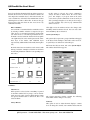
Enter a Number:
You can define a customized border around the text box
by entering a number. A border is composed of up to
eight “layers” or concentric boxes that lie on the perimeter of the text area. A decimal representation of an 8bit mask is used to define the border. The least significant (right-most) bit of the mask represents the innermost layer of the border, with additional layers
represented by additional bits in the mask (from right to
left).
Transparent – If selected, the background pixels in the
text box are transparent (objects “behind” the object are
revealed). If not selected (opaque), background objects
are not visible.
Flash – If selected, the object flashes on and off
(appears and disappears from the screen at a predefined
rate). The rate is set in the System Properties window,
“System Timer Rate” field (see Section 4.5.10).
Decimal values between 0 and 255 can be entered, with
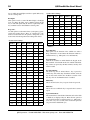
0 being “no border.” Examples of borders are shown in
the figure below with their corresponding decimal values.
Click [X] to close the window and save the changes.
Border
Bitmask
00000001
00000011
00001111
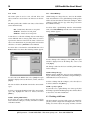
1
3
15
Decimal Value
The Text function remains selected. You can create additional text objects if desired.
4.5.4 Bitmap Object
A bitmap object displays a graphical image on the K65 terminal. Multi-frame animation sequences are also supported.
Border
Bitmask
Blink – If selected, the object blinks (alternates
between the normal color scheme and the inverse color
scheme). The rate is set in the System Properties window, “System Timer Rate” field (see Section 4.5.10).
00000101
00001011
00001101
5
11
13
Decimal Value
Appearance:
The appearance of the text object can be modified by setting
one or more attributes: inverse, flash, blink and transparent.
Generally, only one appearance attribute may be selected;
however, inverse and flash may be selected together. If the
Do the following to create a bitmap object:
1.
Bring the form in which the bitmap object is to reside
to the front of the stack.
2.
Select [bitmap] from the Object Palette (or from the
Objects menu).
3.
Move the mouse pointer to the position where you want
to start the bitmap box, and click the left mouse button.
QSI Corporation • Fax 801-466-8792 • Web www.qsicorp.com • Phone 801-466-8770
QSI FormBuilder User's Manual
4.
Open the Bitmap Properties window by selecting
Object Properties from the Objects window.
19
NOTE: adjust position
You can also adjust the position of an object using the arrow
keys or mouse. To use the arrow keys, select the object to be
moved, and then press the appropriate arrow key repeatedly
until the object is in the correct position. To use the mouse,
place the mouse pointer on the object, click and hold the left
button, and drag the object to the desired position.
Size:
The width and height (in pixels) of the bitmap object is
shown. The size of the bitmap object cannot be changed in
FormBuilder.
Alignment:
These settings determine the horizontal and vertical alignment of the bitmap relative to its position (see Position
above). For example, if you choose “left” and “top,” the bitmap’s top left corner will be at the starting position. Click
the Horizontal and Vertical pull-down menus to select the
alignment.
Horizontal
The Bitmap Properties window contains the following
fields. Make entries or changes as necessary.
Name:
The object is saved with the name shown. Accept the name,
or type a new one.
Enabled:
Click in the checkbox to enable or disable the object. A
checkmark means it is enabled. When disabled, objects are
not shown on the K65 display. In FormBuilder, disabled
objects are “grayed.” An enabled object is displayed if the
form is also enabled.
NOTE: importing GCM files
You can convert standard bitmap or animation images to
GCM files using the Bitmap to GCM function (refer to
Section 5.1).
Position:
You can adjust a bitmap object’s starting position using X
and Y coordinates. The X and Y range for the 240x128 display is 0-239 and 0-127, respectively. The X and Y range
for the 320x240 display is 0-319 and 0-239, respectively. To
write the changes to the screen, click in a different field.
The position you define is relative to the value you enter in
the “Alignment” field (also see Alignment, below).
Vertical
Left*
Top*
Middle
Middle
Right
Bottom
*defaults
NOTE:
Alignment can be adjusted with the arrow keys when the
alignment boxes are selected.
Frame:
(Only available if Animation is off) This setting is used for
multi-frame objects that are not being animated. Indicate
which frame is to be displayed. Frames are numbered
sequentially beginning with frame 0. The default value is
“0.”
Appearance:
The appearance of the bitmap image can be modified by
setting one or more attributes: inverse, flash, blink and
transparent. Generally, only one appearance attribute may
be selected; however, inverse and flash may be selected
together. If the flash, blink or inverse attributes are selected,
the object automatically becomes opaque.
Turn each attribute on or off by clicking in the box.
QSI Corporation • Fax 801-466-8792 • Web www.qsicorp.com • Phone 801-466-8770
20
QSI FormBuilder User's Manual
Inverse – If selected, the color scheme is reversed
(e.g., black on white rather than white on black).
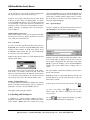
ing to the bitmap format. When you click on the Edit
GCM button, the following window appears:
Transparent – If selected, the background pixels in the
bitmap are transparent (objects “behind” the object are
revealed). If not selected (opaque), background objects
are not visible.
Flash – If selected, the object flashes on and off,
(appears and disappears from the screen at a predefined
rate). The rate is set in the System Properties window,
“System Timer Rate” field (see Section 4.5.10).
Blink – If selected, the object blinks (alternates
between the normal color scheme and the inverse color
scheme). The rate is set in the System Properties window, “System Timer Rate” field (see Section 4.5.10).
Global – If you are using a global bitmap, click in the
box to turn “global” on. Click the drop-down arrow to
display a list of global bitmaps, and double-click the
bitmap you want to use. For information on adding or
deleting global bitmaps, refer to Section 4.2.2.
Select your file and the following window appears:
Animation – Turn animation on or off by clicking in
the box on the left. When turned on, a field opens to the
right. Enter a value in the field to control the rate that
the bitmap will cycle through its frames. One equals
0.01 second. For example, if you enter “50,” each
frame will be displayed for 0.5 seconds. The frames are
displayed in order beginning with frame 0. When the
last frame has been displayed, the animation begins
again with the first frame.
To stop animation, click in the box to remove the
checkmark. You may also want to reset the frame to
“0.”
Edit GCM – Edit GCM allows the user to change an
existing GCM or create a new GCM without convert-
A list and explanation of each window and buttons follow:
Num Frames. This box is used only for animation
objects. The user can specify how many frames are
required for the animation object.
Frame. This box contains the number of the current frame and the little arrows beside it making it
possible to move easily from frame to frame.
Width. This box is used to change the width in
pixels of the GCM object. This number ranges
QSI Corporation • Fax 801-466-8792 • Web www.qsicorp.com • Phone 801-466-8770
QSI FormBuilder User's Manual
21
Copy. Copy is used to copy the selected portion of
the GCM and place it on the clipboard without
clearing that area of the current frame.
from 0-319 for a terminal with a 320x240 display
and from 0-239 for a unit with a 240x128 display.
Height. This box is used to change the height to
pixels of the GCM object. This number ranges
from 0-239 for a unit with a 320x240 display and
from 0-127 for a unit with a 240x128 display.
Offset. This box is used only in creating a new
font. The number in this box corresponds to the
first letter that you are using in the ASCII character set. For example, if the font that you were making were to start with A and you weren’t using any
other characters before it in the ASCII character
set then the number in the offset field would be the
decimal 65. Then to make the font, each consecutive frame would represent the ASCII character
following the one just created.
Selection. The window containing the GCM
object has a colored rectangle bordering the object.
When Selection is selected, the box can be sized to
encompass any area within the bitmap. This area
can then be cut, copied, and pasted as desired.
Paste. Paste is used to paste whatever has been put
in the clipboard from either Cut or Copy on the
current frame.
Cancel. Cancel is used to exit the GCM editor
without saving changes made to the current form.
OK. OK is used to save changes made to the GCM
to the current form. Note: There are some quick
keys not shown on the window. The + and - keys
can be used to zoom in and out to view the frame
better.
Browse – This browse button is used the same way that a
browse button would be used in Windows.
Click [X] to close the window and save the changes. The
Bitmap function remains selected. You can create additional
bitmap objects if desired.
4.5.5 Line Object
Black. When this is selected a click of the left
mouse button will make a pixel black, while a
click of the right mouse button will make the pixel
white.
White. When this is selected a click of the left
mouse button will make a pixel white, while a
click of the right mouse button will make the pixel
black.
Cut. This option is used to remove the selected
portion of the frame from the frame and place it in
the clipboard. Note: This option can be used with
Black and White to paint the screen entirely black
or entirely white. If Black is selected and you
press Cut with the entire frame selected, the frame
is left entirely white. If White is selected and you
press Cut with the entire frame selected, the frame
is left black.
A line object is a straight line (one pixel wide) connecting
any two points on the K65 display. Multiple line objects can
be combined to simulate more complex objects such as
polygons, screen borders and line graphs.
Do the following to create a line object:
1.
Bring the form in which the line object is to reside to
the front of the stack. You can enable Grid Lines on the
View menu to help with alignment.
2.
Select [line] from the Object Palette (or from the
Objects menu)
3.
Move the mouse pointer to the position where you want
to start the line, and click and hold the left mouse button. The beginning point for the line appears on the
form.
4.
Drag the mouse pointer to the point where you want the
line to end, and release the mouse button.
QSI Corporation • Fax 801-466-8792 • Web www.qsicorp.com • Phone 801-466-8770
22
5.
QSI FormBuilder User's Manual
To open the Line Properties window, double-click the
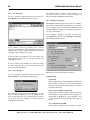
line. The following window is displayed:
Do the following to create a gauge object:
1.
Bring the form in which the gauge object is to reside to
the front of the stack. You can enable Grid Lines on the
View menu to help with alignment.
2.
Pull down the Objects menu, and select New Object
and then Gauge.
3.
Move the mouse pointer to the position where you want
to start the gauge object, and click and hold the left
mouse button. The beginning point for the gauge rectangle appears on the form.
4.
Drag the mouse pointer to the point where you want the
gauge to end, and release the mouse button.
5.
Double-click the gauge object to open the Gauge Properties window for the object, as shown below.
The Line Properties window contains the following fields.
Make entries or changes as necessary.
Name:
The object is saved with the name shown. Accept the name,
or type a new one.
Enabled:
Click in the checkbox to enable or disable the object. A
checkmark means it is enabled. When disabled, objects are
not shown on the K65 display. In FormBuilder, disabled
objects are “grayed.” An enabled object is displayed if the
form is also enabled.
Endpoint 1 and 2 (X, Y):
To adjust the line’s location using X and Y coordinates,
change the number in the appropriate field. The X and Y
range for the 240x128 display is 0-239 and 0-127, respectively. The X and Y range for the 320x240 display is 0-319
and 0-239, respectively. To write changes to the screen,
click in a different field.
Once the endpoints have been chosen and the line is a fixed
object, the arrow keys can be used to move the object on the
form.
Click [X] to close the window and save the changes. The
Line function remains selected, and you can draw additional
lines.
The Gauge Properties window contains the following fields.
Make entries/changes as necessary.
4.5.6 Gauge Object
Gauge objects are used to represent numerical data graphically as a bar. The data may range from 0 to 100, with 0 representing an empty bar (hollow rectangle) and 100 a full bar
(solid rectangle).
Name:
The object is saved with the name shown. Accept the name,
or type a new one.
Enabled:
Click in the checkbox to enable or disable the object. A
checkmark means it is enabled. When disabled, objects are
not shown on the K65 display. In FormBuilder, disabled
objects are “grayed.” An enabled object is displayed if the
form is also enabled.
QSI Corporation • Fax 801-466-8792 • Web www.qsicorp.com • Phone 801-466-8770
QSI FormBuilder User's Manual
Level:
Enter a number in the range of 0 – 100 to set the level of the
gauge. Zero is an empty gauge; 100 is a full gauge.
Position:
You can adjust a gauge object’s position using X and Y
coordinates. The X and Y range for the 240x128 display is
0-239 and 0-127, respectively. The X and Y range for the
320x240 display is 0-319 and 0-239, respectively. To write
the changes to the screen, click in a different field. The position you define is relative to the value you enter in the
“Alignment” field (also see Alignment, below).
23
Appearance:
The appearance of the gauge object can be modified by setting one or more attributes: inverse, flash, blink and transparent. Generally, only one appearance attribute may be
selected; however, inverse and flash may be selected
together. If the flash, blink or inverse attributes are selected,
the object automatically becomes opaque.
Turn each attribute on or off by clicking in the checkbox.
Inverse – If enabled, the color scheme is reversed (e.g.,
black on white rather than white on black).
Transparent – If enabled, the background pixels in the
bitmap are transparent (objects “behind” the object are
visible). If off (opaque), background objects are not
visible.
NOTE: adjust position
You can also adjust the position of an object using the arrow
keys or mouse. To use the arrow keys, select the object to be
moved, then press the appropriate arrow key repeatedly
until the object is in the correct position. To use the mouse,
place the mouse pointer on the object, click and hold the left
mouse button, and drag the object to the desired position.
Flash – If enabled, the object flashes on and off,
(appears and disappears from the screen at a predefined
rate). The rate is set in the System Properties window,
“System Timer Rate” field (see Section 4.5.10).
Size:
You can specify an exact width and height for a gauge
object by entering the number of pixels for each dimension.
You can also size a gauge graphically by clicking on and
dragging one of the markers that surround the selected
gauge.
Alignment:
These settings determine the horizontal and vertical alignment of the gauge relative to the starting position (see Position, above). For example, if you choose “left” and “top,”
the gauge’s top left corner will be at the starting position.
Click the Horizontal and Vertical pull-down menus to
select the desired alignment. Arrow keys can navigate
through the selections or mouse click on desired value.
Horizontal
Vertical
Left*
Top*
Middle
Middle
Right
Bottom
*defaults
Orientation:
A gauge object can be set to fill from the bottom, top, left or
right side of the rectangle. Click in the appropriate box to
select the desired value. Arrow keys can be used to change
between values in the selected box.
Blink – If enabled, the object blinks (alternates
between a normal color scheme and an inverse color
scheme). The rate is set in the System Properties window, “System Timer Rate” field (see Section 4.5.10).
Click [X] to close the window and save the changes. The
Gauge function remains selected. You can create additional
gauge objects if desired.
4.5.7 VT52 Object
The VT52 object allows the K65 terminal to emulate a classic VT52 character display terminal. The VT52 object
appears on the K65 display as a window with a user-defined
size, position and border. This window defines a virtual
screen for VT52 emulation. When enabled, characters sent
from the host (through the serial interface) are displayed in
the window. Standard VT52 escape sequences for moving
the cursor, tabbing, erasing, etc. are supported. For more
information on VT52 objects, refer to the QTERM-K65
User’s Manual.
Do the following to add a VT52 window to a form:
1.
Bring the correct form to the front of the stack.
2.
Select [VT52] from the Object Palette (or from the
Objects menu).
QSI Corporation • Fax 801-466-8792 • Web www.qsicorp.com • Phone 801-466-8770
24
QSI FormBuilder User's Manual
3.
Move the mouse pointer to the position where you want
to start the VT52 window, and click and hold the left
mouse button. The beginning point for the window
appears on the form.
4.
Drag the mouse to the point where you want the window to end, and release the mouse button.
5.
Double-click the object to open the VT52 Object Properties window, as shown below.
Position:
You can adjust a VT52 object’s starting position using X
and Y coordinates. The X and Y range for the 240x128 display is 0-239 and 0-127, respectively. The X and Y range
for the 320x240 display is 0-319 and 0-239, respectively. To
write the changes to the screen, click in a different field.
The position you define is relative to the value you enter in
the “Alignment” field (also see Alignment, below).
NOTE: adjust position
You can also adjust the position of an object using the arrow
keys or mouse. To use the arrow keys, select the object to be
moved, and press the appropriate arrow key repeatedly until
the object is in the correct position. To use the mouse, place
the mouse pointer on the object, click and hold the left
mouse button, and drag the object to the desired position.
Size (Char):
The window’s size is measured in rows and columns of
characters. In the “W” field, enter the number of columns in
each row (e.g., 28). In the “H” field, enter the number of
rows (e.g., 7).
Font:
There are three built-in fonts provided with the K65 terminal:
DF (default font) – characters are 5x7 pixels
5x11Font – characters are 5x11 pixels
8x16Font – characters are 8x16 pixels
Make entries/changes to the fields as necessary.
Name:
The object is saved with the name shown. Accept the name
or type a new one.
Enabled:
Click in the checkbox to enable or disable the object. A
checkmark means it is enabled. When disabled, objects do
not appear on the K65 display. In FormBuilder, disabled
objects are “grayed.” An enabled object is displayed on the
K65 terminal if the form is also enabled.
If you have added other fonts (refer to Section 4.2.1), they
will also be listed. Select the desired font.
Alignment:
These settings determine the horizontal and vertical alignment of the object relative to the starting position (see Position). For example, if you choose Horizontal “Left,” the text
will extend to the right of the starting position; “Middle”
centers the text at the starting position. Select the desired
alignment, as follows:
Horizontal
Vertical
Left*
Top*
Middle
Middle
Right
Bottom
*defaults
QSI Corporation • Fax 801-466-8792 • Web www.qsicorp.com • Phone 801-466-8770
QSI FormBuilder User's Manual
25
Border:
FormBuilder allows you to define a border around a text
box based on preset values or by entering a number to
define a custom border.
Selecting Preset Borders:
You can create borders using one or more of the eight
check boxes located below the Border field. Each box
represents a thin line. If no boxes are checked, no border is defined. To add a single line around the object,
click in the first box. To create a double line, click in
the first and third box. Click in adjoining boxes to
make a thicker line. To increase the gap between lines,
skip more than one box. You can use any combination
of lines.
Tab Stops:
Tabs are set by column increments. Enter the column positions for tab stops separated by colons. For example, to set
tabs at five, ten and fifteen columns, enter the following:
5:10:15
VT52 Mode:
Select any or all of the modes that you want supported by
the VT52 window, as follows:
Auto Line:
If selected, when a carriage return is received from the
host, the cursor moves to the next line. If not selected,
the cursor moves to the beginning of the same line.
Enter a Number:
You can define a customized border around the text box
by entering a number. A border is composed of up to
eight “layers” or concentric boxes that lie on the perimeter of the text area. A decimal representation of an 8bit mask is used to define the border. The least significant (right-most) bit of the mask represents the innermost layer of the border, with additional layers
represented by additional bits in the mask (from right to
left).
Auto Wrap:
If selected, when the cursor moves past the right edge
of the window, it automatically moves to the first position of the next line.
Decimal values between 0 and 255 can be entered, with
0 being “no border.” Examples of borders are shown in
the figure below with their corresponding decimal values.
Click [X] to close the window and save the changes. The
VT52 object remains selected.
Border
Bitmask
00000001
00000011
00001111
1
3
15
00000101
00001011
00001101
5
11
13
Decimal Value
Border
Bitmask
Decimal Value
Auto Scroll:
(With auto wrap selected) If selected, when the cursor
wraps to a new line, all previous lines scroll up one
line. If not selected, the display does not automatically
scroll.
4.5.8 Key Pad Object
Certain configurations of the QTERM-K65 terminal may
include an external keypad in addition to or in place of the
touchscreen. Keypad objects are used to define the keystring that will be sent to the host through the serial port
when a key on the keypad is pressed. Local keystrings
which issue commands to the terminal itself (as if the host
had sent the commands) are also supported. Both local and
host keystrings may be defined for the same Keypad object.
Keypad objects on the current and ROOT form behave
identically to the TouchKeys as described in Section 4.5.9.
Do the following to select a Keypad object:
1.
Bring the correct form to the front of the stack or make
a new form.
2.
Select [Keypad] from the Object Pallette (or from the
Objects menu). The following window will appear displaying the number of keys on your keypad (refer to
QSI Corporation • Fax 801-466-8792 • Web www.qsicorp.com • Phone 801-466-8770
26
QSI FormBuilder User's Manual
Section 4.4.4, Workspace Properties, to input your keypad size):
Enabled:
The user can enable or disenable key.
Key Down Data:
Contains the commands executed or sent to the host
when the key is released.
Key Up Data:
Contains the commands to be executed by the unit or
sent to the host when the key is released.
Col:
This is the column that the key is defined to be in. This
field cannot be changed.
Row:
This is the row that the key is defined to be in. This
field cannot be changed.
When looking at this window, Column 0 is the leftmost column and Row 0 is the uppermost row. When any one of the
keys are pressed with the mouse or by selecting the key
with the arrow keys, a properties window appears for that
key.
Delete Key:
This key deletes the key and all information stored for
that key.
Click [X] to close the window and save changes. The Keypad-object window remains displayed. You can select other
keys to open their properties window and start this process
over on each key. Click [X] on the Keypad-object window
to close this window. They Keypad object remains selected
until you select another object.
4.5.9 TouchKey Object
TouchKey objects are used to define the keystring that will
be sent to the host when an area of the screen or touchactive legend is pressed. Local keystrings that issue commands to the K65 (as if the host had sent the commands) are
also supported. Both local and host keystrings may be
defined for the same TouchKey object.
TouchKey objects are created by assigning the object a size
and position (in the same manner you would place a text or
bitmap object on the form). A Touchkey object can execute
keystrings (either host or local) with either a press event or
a release event.
There are seven fields for the properties window above.
Name:
The user can name the key that is selected.
If necessary, you can create a unique set of TouchKey
objects for each form in a workspace. In addition, you can
define a set of global TouchKey objects, which reside on the
ROOT form. Only TouchKey objects on the current form
(the form at the front of the stack) are active.
QSI Corporation • Fax 801-466-8792 • Web www.qsicorp.com • Phone 801-466-8770
QSI FormBuilder User's Manual
In FormBuilder, a rectangle marked by a dashed line identifies the viewable portion of the K65 terminal display. The
area outside the dashed line can only be used for TouchKey
objects.
27
5.
Double-click the TouchKey object to open the TouchKey Properties window, as shown below.
While TouchKeys can be placed in any location on the
form, TouchKeys outside the terminal display area (marked
by the dashed line) are generally used for “fixed” functions
such as to go to a home screen or adjust the backlight. Templates are available for the K65 terminal to identify fixed
function TouchKeys. TouchKeys within the display area are
generally used for “soft” functions that change from form to
form. Soft function TouchKeys are usually combined with a
displayable object, such as a text object, to define an area of
the touch screen that will produce a certain response when
touched. For these reasons, fixed function TouchKeys are
usually defined as global TouchKeys, and soft function
TouchKeys are usually defined as form TouchKeys.
NOTE: global TouchKeys
Any TouchKey object that resides on the ROOT form is
global and provides the default keystring. Use the ROOT
Form option on the View menu to create/edit global TouchKeys.
For more information on TouchKey objects, refer to the
QTERM-K65 User’s Manual.
Do the following to create a TouchKey object:
1.
Bring the correct form to the front of the stack.
2.
Select [TouchKey] from the Object Palette (or from the
Objects menu).
3.
Move the mouse pointer to the position where you want
to start the TouchKey object, and click and hold the left
mouse button. The beginning point for the key rectangle appears on the form.
4.
Drag the mouse to the point where you want the key to
end, and release the mouse button.
The TouchKey Properties window contains the following
fields. Make entries or changes as necessary.
Name:
The TouchKey is saved with the name shown. Do not
change the name.
Enabled:
Click in the checkbox to enable or disable the TouchKey
object. A checkmark means it is enabled. If disabled, the
ROOT form’s key definition is used by the K65 terminal.
When enabled, the key definition entered is used when the
form is current.
Key Down Data:
Key Up Data:
In the “Key Down Data” box, enter the keystring to be
issued when the key is pressed. In the “Key Up Data” box
enter the keystring to be issued when the key is released.
You can enter either a host keystring (data to be sent to the
host), a local keystring (data containing VTP commands
QSI Corporation • Fax 801-466-8792 • Web www.qsicorp.com • Phone 801-466-8770
28
QSI FormBuilder User's Manual
executed by the K65 terminal) or both. Enter keystrings
using the following syntax:
For more information on VTP commands, refer to
Appendix A and Appendix B.
• A local keystring must begin with \L
Position:
You can adjust a TouchKey’s starting position using X and
Y coordinates. The X and Y range for the 240x128 display
is 0-239 and 0-127, respectively. The X and Y range for the
320x240 display is 0-319 and 0-239, respectively. To write
the changes to the screen, click in a different field. The position you define is relative to the value you enter in the
“Alignment” field (also see Alignment, below).
• Place a semicolon after each command: Q;
• If a command includes a parameter or name, separate the
command from the parameter or name with a
comma: f,Form1;
• Do not insert spaces before or after commas or semicolons.
Example, host keystring:
Hello World! How are you?
Example, local keystring:
NOTE: adjust position
You can also adjust the position of an object using the arrow
keys or mouse. To use the arrow keys, select the object to be
moved, and then press the appropriate arrow key repeatedly
until the object is in the correct position. To use the mouse,
place the mouse pointer on the object, click and hold the left
mouse button, and drag the object to the desired position.
\LVTPcommand;
Example, both host and local:
Hello World;\LVTPcommand;
The host keystring must appear before the local keystring.
All characters before the “\L” are part of the host keystring,
while all characters after the “\L” are part of the local keystring.
Examples of three keystrings:
key #1 was pressed;
This defines a host keystring that sends the phrase “key #1
was pressed” to the host when the key is pressed.
\LsB;f,form1;
This defines a local keystring with the VTP commands
sB;f,form1; executed by the terminal when the key is
pressed. In response, the terminal issues a beep and selects
the form.
Size:
You can specify an exact width and height for a TouchKey
by entering the number of pixels for each dimension. You
can also size a box graphically by clicking and dragging one
of the markers that surround the selected box. The minimum recommended size for a TouchKey is 20 x 20 pixels.
Alignment:
These settings determine the horizontal and vertical alignment of the object relative to the starting position (see Position). For example, if you choose Horizontal “Left,” the text
will extend to the right of the starting position; “Middle”
centers the text at the starting position.
Select the desired alignment, as follows:
Horizontal
Vertical
Left*
Top*
Middle
Middle
Right
Bottom
*defaults
key #1 was pressed\LsB;f,form1;
This combines both the host keystring and the local keystring from the previous two examples. When the key is
pressed, the host keystring phrase is sent to the host, and the
VTP commands in the local keystring are executed.
Border:
FormBuilder allows you to define a border around a text
box based on preset values or by entering a number to
define a custom border.
Selecting Preset Borders:
You can create borders using one or more of the eight check
QSI Corporation • Fax 801-466-8792 • Web www.qsicorp.com • Phone 801-466-8770
QSI FormBuilder User's Manual
29
boxes located below the Border field. Each box represents a
thin line. If no boxes are checked, no border is defined. To
add a single line around the object, click in the first box. To
create a double line, click in the first and third box. Click in
adjoining boxes to make a thicker line. To increase the gap
between lines, skip more than one box. You can use any
combination of lines.
If this option is selected, the release command is
always executed no matter where the release takes
place. For example, if you press down on the touch
screen, the key-down command is executed, and if you
slide your finger along the screen and you are no longer
over the touchkey object, the key-up command will
still be executed.
Enter a Number:
You can define a customized border around the text box
by entering a number. A border is composed of up to
eight “layers” or concentric boxes that lie on the perimeter of the text area. A decimal representation of an 8bit mask is used to define the border. The least significant (right-most) bit of the mask represents the innermost layer of the border, with additional layers
represented by additional bits in the mask (from right to
left).
Click [X] to close the window and save the changes. The
TouchKey function remains selected. You can create additional TouchKey objects if desired.
Decimal values between 0 and 255 can be entered, with
0 being “no border.” Examples of borders are shown in
the following illustration with their corresponding decimal values.
4.5.10 System Object
The system object represents a group of attributes that apply
to all objects in the workspace and resides at the root level.
A system object is defined for each workspace.
Pull down the Objects menu, and select System Object.
The window shown below appears.
Border
Bitmask
00000001
00000011
00001111
1
3
15
00000101
00001011
00001101
5
11
13
Decimal Value
Border
Bitmask
Decimal Value
Attributes:
Auto Inverse:
If this option is selected, when a TouchKey is pressed
on the K65 terminal, the key image color is momentarily inversed, giving visual feedback that the button
was pressed. If this feature is turned off, there is no
visual feedback.
Always Release:
The System Properties window contains the following
fields. Make entries/changes as necessary.
Contrast:
This option is used to adjust the K65 display’s contrast
level. To change the contrast, enter a number between 0 and
QSI Corporation • Fax 801-466-8792 • Web www.qsicorp.com • Phone 801-466-8770
30
QSI FormBuilder User's Manual
255, in which 0 equals lightest and 255 equals darkest. Try
148 as a starting value.
Speaker Note Settings
Number
Oct.
Note
Number
Oct.
Note
Backlight:
This option is used to control the K65 display’s backlight
level. To change the light, enter a number between 0 and
255, in which 0 equals fully lit and 255 equals fully dark.
Try a number between 0 and 100 for a starting value.
22
3
A#
54
6
F#
23
3
B
55
6
G
24
4
*C
56
6
G#
25
4
C#
57
6
A
Beep Note:
Use this option to set the musical note (or frequency) generated by the speaker when a “Beep” or “Speaker On” command is issued. Enter the integer that corresponds to the
desired note from the Speaker Note Settings table below.
26
4
D
58
6
A#
27
4
D#
59
6
B
28
4
E
60
7
C
29
4
F
61
7
C#
Speaker Note Settings
30
4
F#
62
7
D
4
G
63
7
D#
Number
Oct.
0
2
1
Note
Number
Oct.
Note
31
D
32
4
G#
*Middle C
2
D
33
4
A
2
2
D
34
4
A#
3
2
D#
35
4
B
4
2
E
36
5
C
5
2
F
37
5
C#
6
2
F#
38
5
D
7
2
G
39
5
D#
8
2
G#
40
5
E
9
2
A
41
5
F
10
2
A#
42
5
F#
11
2
B
43
5
G
12
3
C
44
5
G#
13
3
C#
45
5
A
14
3
D
46
5
A#
15
3
D#
47
5
B
16
3
E
48
6
C
17
3
F
49
6
C#
18
3
F#
50
6
D
19
3
G
51
6
D#
20
3
G#
52
6
E
21
3
A
53
6
F
Beep Duration:
This option sets the duration of the audible note when a
Beep command is executed. Enter the duration in 0.01 second increments (e.g., 200 equals a 2 second duration).
Keypad Enable:
Click in the checkbox to enable/disable the keypad on the
K65 terminal. A checkmark means it is enabled. If disabled,
key actions are ignored by the K65 terminal, and key click
will not sound.
Key Click Enable:
The short beep that is emitted when a key is pressed is
called a key click. This entry determines whether or not the
key click is heard. Click in the checkbox to enable or disable key click. A checkmark means it is enabled.
RPT Delay:
This is the time before a key is repeated after it is pressed.
RPT Rate:
This is the rate at which the key is repeated after is starts to
repeat.
System Timer Rate:
The internal timer controls timed functions such as the flash
or blink rate of displayed objects. Enter the time period of
one clock tick in 0.01 second increments (e.g., 200 equals a
clock tick every two seconds). Each clock tick represents
one period of the flash/blink cycle.
QSI Corporation • Fax 801-466-8792 • Web www.qsicorp.com • Phone 801-466-8770
QSI FormBuilder User's Manual
31
XON/XOFF Flow Control Enable:
This attribute turns XON/XOFF flow control on and off.
Click in the checkbox to enable or disable flow control. A
checkmark means that it is enabled.
NOTE: saving autoexec string
When you create a new autoexec string, be sure to save it to
the terminal’s ROM, or the old autoexec string will be used
rather than the new one.
System Autoexec String:
The autoexec string contains VTP commands that are executed when the terminal is turned on or reset. The autoexec
string can also be changed from the host if required. Refer
to Appendix B for a list of valid VTP commands.
Select [OK] to save the changes or [Cancel] to exit without
saving. After making changes to the system object, be sure
to save the workspace.
QSI Corporation • Fax 801-466-8792 • Web www.qsicorp.com • Phone 801-466-8770
32
QSI FormBuilder User's Manual
QSI Corporation • Fax 801-466-8792 • Web www.qsicorp.com • Phone 801-466-8770
QSI FormBuilder User's Manual
33
CHAPTER 5
DOWNLOAD, IMPORT AND EXPORT FUNCTIONS
image, add only one image to the list. Only one image
can be converted at a time.
This chapter explains how to download workspaces and
forms to the K65 terminal and how to export and import
VTP files.
5.
If you want to save the converted image to a different
directory, click the “Output GCM File Name” browse
button and specify the directory.
6.
To convert the image, type the new file name in the
“Output” field (the extension is not required) and click
[OK].
7.
All files in the “Files to Process” list are converted and
added to the file specified.
5.1 Bitmap to GCM
Use this option to convert bitmap images to the proprietary
GCM file format used on QSI graphical terminals.
FormBuilder’s import function can convert any to GCM.
• Windows Bitmap (*.BMP)
You can convert one standard bitmap or one animated bitmap at a time. Do the following to convert an image to
GCM:
1.
Pull down the File menu, and select Bitmap to GCM.
The following window appears.
NOTE: “Character Offset” field
The “Character Offset” field is only used if you are creating
a font. Enter the beginning ASCII value to be used with the
new font. The characters in the font will be assigned numbers consecutively beginning with the number entered.
5.1.1 Guidelines for Bitmap Image Design
Image Size
Images do not change size during conversion. However,
because images cannot be sized in FormBuilder, you should
size the source image to the size you want it displayed on
the K65 terminal. The largest bitmap image that can be fully
displayed on the K65 terminal is 240 x 128 pixels. Larger
images can be used, but they will not be fully displayed. Do
not size images larger than 400 x 400 pixels. It will cause
FormBuilder or the K65 to crash.
2.
Click the “Input BMP File Name” browse button to
locate the image you want to convert. A standard Open
window is displayed.
3.
Select the bitmap image that you want to convert, and
click [Open]. The file name is displayed in the “Input
BMP File Name” field.
4.
Click [Add] to add the image to the “Bitmap Files to
Process” list. Unless you are creating an animated
Two-Color Display Limitation
Because QSI graphical terminals are two-color only (black
and white), the source bitmap images must be two-color.
During the conversion, the source art is color reduced to
black (RGB=0,0,0) and white (RGB= 255,255,255) using
the nearest color for each pixel. No dithering is done.
Images Inversed During Conversion
During the conversion process, the bitmap image is
inversed (e.g., changed from black on white to white on
black). For this reason you may want to inverse the image
QSI Corporation • Fax 801-466-8792 • Web www.qsicorp.com • Phone 801-466-8770
34
QSI FormBuilder User's Manual
before converting it. You can also inverse the image using
FormBuilder.
3.
5.2 Import VTP File
5.3 Export VTP File
Use this option to import a workspace from another computer or to import a form from another workspace. Only
files that have been exported using FormBuilder’s “Export
VTP File” option can be imported. Do the following to
import a VTP file.
Use this option to compile and save a VTP file of the currently loaded workspace or currently selected form, depending on the option selected. The VTP file is saved to an
ASCII text format and can be modified using a text editor
such as Notepad. Refer to the QTERM-K65 User’s Manual
for a list of valid VTP commands.
1.
Pull down the File menu, and select Import VTP File.
If a workspace is currently opened, the following window appears.
Locate and select the VTP file to be imported, and click
[Open] to import the file.
The export option can be used to move a workspace or form
from one computer to another. It can also be used to save a
form separate from the workspace (using the “Export Current Form Only” option). The form can then be imported
into other workspaces as needed.
To export a VTP file, first load the workspace that you want
to export. Then pull down the File menu and select Export
VTP File.
2.
If you want to import the VTP file into the current
workspace, select [No]. To close the current workspace
and import the VTP file as a new workspace, select
[Yes].
The following window appears:
The Import VTP window is displayed.
File Name
Enter the name that you want to give the VTP file.
NOTE:
If you are importing a frame only, it must have a unique
name (different from any form name currently in the workspace). If you import a form with the same name, the
objects on the imported form are transferred to the existing
form, but the imported form is not added.
Directories
The VTP file is saved to the specified folder. If necessary,
select the folder in which you want the VTP file saved.
Export Current Form Only
To save only the currently selected form as a VTP file, click
in the checkbox. A checkmark indicates that it is selected.
QSI Corporation • Fax 801-466-8792 • Web www.qsicorp.com • Phone 801-466-8770
QSI FormBuilder User's Manual
35
This option is useful if you want to copy a form into another
workspace.
Transmit:
Sends the commands in the Send field to the terminal.
Select [OK] to create the file.
Communications Window:
Show data received from the terminal to FormBuilder.
5.4 Download
The Download option is used to compile the current workspace or form as a VTP file and then download it to the K65
terminal.
NOTE: display configuration
The entries in the Workspace Properties and System Proper
ties windows control what will happen when the VTP file is
downloaded to the K65 terminal. Refer to Section 4.4.4 and
Section 4.5.10 for more information.
To download the current workspace or form to the K65 terminal, pull down the File menu and select Download and
Communications. The following window appears:
Erase Current Configuration:
Erases the ROM of the terminal.
Save Configuration to ROM:
Saves the workspace to the terminal’s ROM.
Download Current Form Only:
Downloads the current form without the rest of the
workspace.
Port:
Comm port.
Baud:
Rate of transfer.
Flow:
Flow control.
Reset Port:
When any changes to the communication properties are
made, the port needs to be reset to save changes.
Below is a brief description of the fields and buttons on this
window:
Send:
Type commands into this field and transmit them to the
terminal with the transmit button.
Download:
Downloads the current workspace to the terminal.
Close:
Closes the Download and Communications window.
NOTE: communications setup
If you have not already entered your communications setup
in the Comm Properties section of this window, you must
enter it before downloading a workspace or form. Refer to
Section 2.3 for more information.
QSI Corporation • Fax 801-466-8792 • Web www.qsicorp.com • Phone 801-466-8770
36
QSI FormBuilder User's Manual
QSI Corporation • Fax 801-466-8792 • Web www.qsicorp.com • Phone 801-466-8770
APPENDIX A
USING KTERM32 TO COMMUNICATE WITH THE K65
KTerm32 is a console-type application that allows you to
send VTP commands directly to the QTERM-K65 terminal.
You can also use KTerm32 to download files and firmware
upgrades to the K65 terminal.
KTerm32 is installed with FormBuilder provided you used
the “Typical” installation option or included “FormBuilder
Tools” in the “Custom” option.
A.1 Running KTerm32
To start KTerm32, click Windows [Start] button, then open
Programs, and select QSI FormBuilder. Click
KTERM32 (Comm Terminal) to start the program. After
the program loads, the main window appears, as shown
below.
End each command with a semicolon (;). You can place several commands on the same line, but place a semicolon after
each command.
Press <Enter> to send the data on the current line to the terminal. Pressing <Enter> also creates a line break. If you
forget to add a semicolon at the end of a command, you can
type it on the next line.
Commands only apply to the current form or the current
object on the current form. For this reason, commands can
involve up to three steps:
1.
Select a form (f,formname;).
2.
Select an object (a,objectname;).
3.
Enter a command to change the form or object.
Once a form is selected, it becomes the current form until a
different form is selected. Similarly, the selected object
becomes the current object until a different object on the
form is selected.
The following examples show two methods of entering the
following group of commands: select form1, select Bitmap2
on form1 and disable Bitmap2.
First example:
The menu options are explained in the following sections.
A.1.1 Send Commands to Terminal
f,form1;
a,Bitmap2;
d;
Select option 1 to open a communications link with the K65
terminal. Once selected, a communications link remains
open until you type quit.
Second example:
KTerm32 is case sensitive. You must enter each character in
an object name, form name or command exactly as it
appears (in upper or lower case).
A.1.1.1 Query Command
f,form1;a,Bitmap2;d;
The Query command is used to identify the current object
and form. Query has two levels:
QSI Corporation • Fax 801-466-8792 • Web www.qsicorp.com • Phone 801-466-8770
38
QSI FormBuilder User's Manual
q; identifies the currently selected object and lists the
properties of the object.
Q; identifies the currently selected form and lists all
objects on the form.
Type the directory path and file name of the upgrade and
press <Enter>. For example:
c:\qsiform\xxxxx.bin
(in which xxxxx is the name of the upgrade file)
A.1.1.2 Error Buffer
The status of the download is tracked in the window.
If an error occurred, you can use the sE; command to display a message describing it. Press <Enter> to view the
previous error.
For a complete list of VTP commands, refer to the
QTERM-K65 User’s Manual
A.1.4 Send Raw Commands to Terminal
This option functions the same as “Send Commands to Terminal” (see Section A.1.1).
A.1.5 Exit Program
Type quit to exit the terminal function and return to the
Main Menu.
To exit the KTerm32 program, type X and press <Enter>.
A.1.2 Download VTP File to Terminal
A.1.6 Set RS-232 Normal Flow Control Mode
Use this option to download a VTP file to the K65 terminal.
You can use FormBuilder to create a VTP file for a form or
workspace using the Export VTP function.
Use this option to set the flow control mode that is used
other than during download. The current setting is shown
(e.g., current mode = none). Make your selection by typing
one of the following letters at the command line:
Type the directory path and file name and press <Enter>.
For example:
c:\qsiform\work1.vtp
The status of the download is tracked in the window, and
the length of the code is shown. The cursor is automatically
returned to the Main Menu.
A.1.3 Upgrade the Terminal’s Firmware
If you have received a new version of firmware for the K65
terminal, use this option to install it.
H = Hardware
X = Xon/Xoff
N = None
A.1.7 Set RS-232 Download Flow Control Mode
Use this option to set the flow control mode that is used during download. The current setting is shown (e.g., current
mode = Xon/Xoff). Make your selection by typing one of
the following letters at the command line:
H = Hardware
X = Xon/Xoff
N = None
QSI Corporation • Fax 801-466-8792 • Web www.qsicorp.com • Phone 801-466-8770
QSI FormBuilder User's Manual
39
APPENDIX B
VTP COMMANDS
This appendix lists VTP commands that are commonly used
in local keystrings. Local keystrings contain VTP commands to be executed by the K65 terminal when the specified key is pressed. Local keystrings can be used alone or in
combination with host keystrings.
• Make a form or object current.
• Enable/disable forms or objects.
• Add/remove data from objects.
B.1 Keystring Syntax
NOTE: upper case/lower case
VTP is case sensitive, which means that form and object
names, as well as command names, must be entered with
the proper case. Always enter form names and object names
as they appear in FormBuilder.
Keystrings are entered using the following syntax:
A local keystring must begin with \L
Place a semicolon after each command: Q;
If a command includes a parameter or name, separate
the command from the parameter or name with a
comma: f,Form1;
Do not insert spaces before or after commas or semicolons.
Example, host keystring:
bD,Hello World! How are you?;
Example, local keystring:
\LVTPcommand;
Example, both host and local:
B.2.1 Make a Form or Object Current
Select Form
A command applies only to the current form. For this reason, the first step in entering most keystrings is to select the
appropriate form. Once a form is selected, it remains the
current form until a different form is selected. To select a
form, type:
f,xxxx;
in which xxxx is the name of the form.
Select Object
Before you can issue a command to a specific object, you
must first select the form on which the object resides, and
then select the object. Once an object is selected, it remains
the current object until a different object is selected. To
select an object, type:
a,xxxx;
bD,Hello World!;\LVTPcommand;
The host keystring must appear before the local keystring.
All characters before the “\L” are part of the host keystring,
while all characters after the “\L” are part of the local keystring.
B.2 VTP Commands Used with Keystrings
There are three types of VTP commands commonly used in
keystrings:
in which xxxx is the name of the object.
Select Previous Form
This command changes the current form to the previously
selected one. The “#” parameter (optional) allows you to
move back through the previously selected forms by the
specified number. To move back one or more forms, type:
f,!BACK#;
in which # is the number of forms to go back.
QSI Corporation • Fax 801-466-8792 • Web www.qsicorp.com • Phone 801-466-8770
40
QSI FormBuilder User's Manual
B.2.2 Enable/Disable Forms, Objects
B.2.3 Add/Remove Data from Objects
Disable Form
This command is used to disable the current form. Once disabled, all objects associated with the form are also disabled.
To disable a form, type:
Add Text Data
This command is used to add data to the end of the current
text object. To add data to a text object, type:
bM,A,xxxx;
g;
Enable Form
This command is used to enable the current form. Once
enabled, all objects associated with the form are also
enabled. To enable a form, type:
h;
Disable Object
Use this command to disable the current object on the current form. Once disabled, the object remains inactive (not
visible) until it is once again enabled. To disable an object,
type:
Replace Text Data
???
Remove Text Data
This command is used to remove data from the end of the
current text object. It defines the text to be removed in number of characters. To remove data, type:
bM,R,#;
in which # is the number of characters to be removed from
the end of the text object.
d;
Enable Object
Use this command to enable the current object on the current form. Once enabled, the object remains active (displayed) until it is disabled. To enable an object, type:
e;
in which xxxx are the data to be added to the current
object.
Change Gauge Level
For gauge objects, this command sets the fill level of the
rectangle based on the percentage specified. To change the
fill level of a gauge rectangle, type:
bL,#;
in which # = a percentage of fill from 0 to 100.
QSI Corporation • Fax 801-466-8792 • Web www.qsicorp.com • Phone 801-466-8770