1
MY ACCOUNT
User Guide
Viewing the ACTIVE BUYER
ACCOUNTS Section
1
Accessing MY ACCOUNT/DASHBOARD
SUMMARY
3
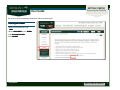
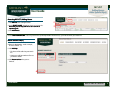
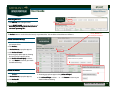
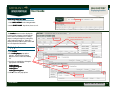
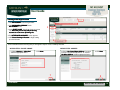
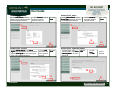
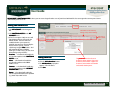
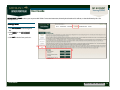
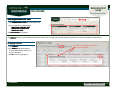
1. Click MY ACCOUNT on the Navigation Bar.
2. Click DASHBOARD SUMMARY on the
MY ACCOUNT menu.
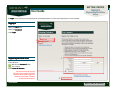
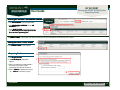
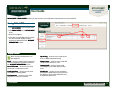
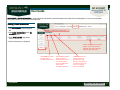
3. In the SELECT A SALE drop-down, choose a
current sale. Note that you can only add
buyer accounts to a current or upcoming
sale.
2
4
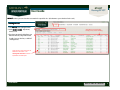
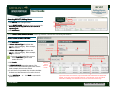
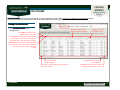
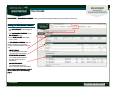
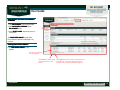
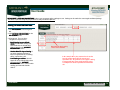
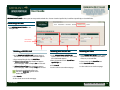
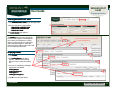
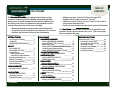
The ACTIVE BUYER ACCOUNTS section shows
information about your active buyer accounts
for the sale selected. Buyer Accounts are
different names that you can use to purchase
horses.
All buyer accounts with sales activity within
the past 3 years will be displayed.
Viewing the ACTIVE BUYER ACCOUNTS
Section
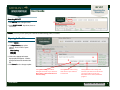
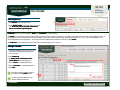
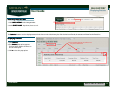
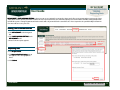
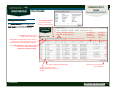
4. The ACTIVE BUYER ACCOUNTS
section appears.
Ver20140905
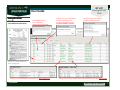
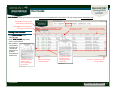
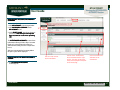
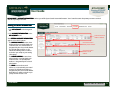
Click on a buyer account
name to edit details.
Click this link to view summary
names associated with the buyer
account. Summary names are the
entity names displayed to the public
on the results page.
Click on this link to view
statement for the
selected sale.
Back to TABLE OF CONTENTS
17