1
4.7 Record Management
V6822-T0 series IP cameras support storage with SD card. In the Record
Management interface, you can set the recording parameters, replay and
download the recorded videos.
4.7.1 Record Settings
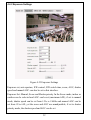
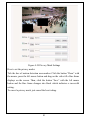
Figure 4-37 Record Settings
Recording video type: Select the type of videos to record, major stream or
minor stream.
SD card when full: Overwrite or Stop. Overwrite means newly recorded
videos automatically overwrite the previous videos when the SD card is full;
Stop means recording stops when the SD card is full.
Recording mode: Event triggered, Always, Close. If Event Triggered is
selected, the event triggered can be Network disconnection or alarm. If
Network disconnection is selected, recordings are automatically triggered
during the period of network breaking; if Alarm is selected, also with SD card
47