1
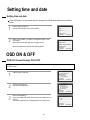
Setting time and date
Setting time and date
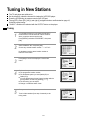
Press [VCR] button on the remote control to change into VCR Mode and follow the procedure
below.
1
Call the player's "SETUP",
choose "VCR SETUP", then "CLOCK SET".
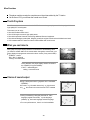
CLOCK SET
TIME - - : - DATE - - / - - /- - - 0-9:SETUP (HOUR)
</>:CORRECT
SETUP:END
2
Move to the position you want to change and type in the
new values.
Wait a few seconds after typing a one-digit number.
CLOCK SET
TIME 06:05
DATE 13/07/2003(SUN)
Store with [OK] button and exit with [SETUP] button.
0-9:SETUP (HOUR)
</>:CORRECT
OK:CONFIRM
SETUP:END
OSD ON & OFF
OSD (On Screen Display) ON & OFF
This player is set to "OSD (On Screen Display) ON" mode before shipping and you can change it
to OFF mode.
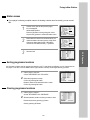
1
SETUP
Call the player’s "SETUP".
TIMER PROGRAM
PR PRESET
VCR SETUP
TAPE CONTROL
PR+/-:SELECT
OK:CONFIRM
2
Choose "VCR SETUP".
And press the [OK] button.
VCR SETUP
CLOCK SET
LANGUAGE SET
RF OUTPUT SET
OSD ON/OFF
PR+/-:SELECT
OK:CONFIRM
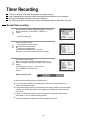
3
SETUP:END
Select "OSD ON/OFF".
If you want OSD OFF mode, select it and press [OK] button to
confirm.
Then OSD characters are not displayed in the normal picture.
OSD ON/OFF
ON
OFF
PR+/-:SELECT
OK:CONFIRM
18
SETUP:END
SETUP:END