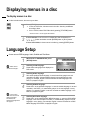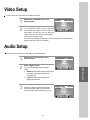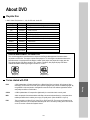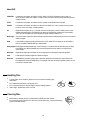
1
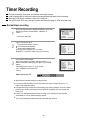
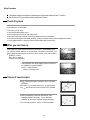
Timer Recording
Timer Review - changing and erasing
1
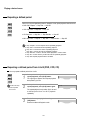
Call the player's "SETUP",
choose "TIMER PROGRAM".
TIMER PROGRAM
PR
03
01
-------
START
21:20
18:10
-- : --- : --- : --- : --- : --- : --
PR+/-:SELECT
OK:CONFIRM
2
27
DATE
19/07
18/07
-- / --- / --- / --- / --- / --- / --
SETUP:END
TIMER PROGRAM (ONCE)
PR
03
START TIME
21:20
END TIME
22:20
START DATE
19/07(SAT)
TAPE SPEED
SP
0 :ERASE
</>:CORRECT
SETUP:END
VCR Operation
Select the programming to change or erase.
If you want to erase this programming press
button [0], confirm with OK.
If you wish to make changes:
Move to the position you want to change using the
[< , >] buttons.
Change the settings using the [PR +/-] or
[number] buttons.
If all settings are ok, press [< or >], until you see
"OK: CONFIRM" in the bottom line.
Confirm changes with [OK]. Exit the menus.
END
22:20
20:30
-- : --- : --- : --- : --- : --- : --