1
Performing the Weber Test
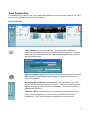
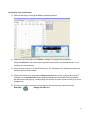
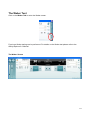
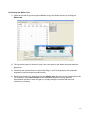
1) Open the AC440 Plug-in through AuditBase and go the Weber screen by clicking the
Weber tab.
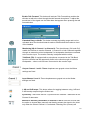
2) The input and output for channel1 and 2 are not preset for the Weber test and therefore
grayed out
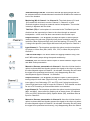
3) Use either the arrow buttons on the AC440 Plug-in, the PC keyboard or the dedicated
keyboard to set the frequency and intensity
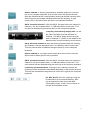
4) Present the stimulus by either touching the Stimuli area with the mouse, pressing S on the
PC keyboard, or the touch switch on the dedicated keyboard. During stimulus
presentation the Stimuli area will light up, visually letting the clinician that the bone
conductor is vibrating.
17