1
Image size 6
Keypad buttons 21
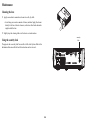
Maintenance 46
Menus 24
Offset 6
Positioning 6
Registering 4
Reset 31
Safety considerations 3
Security lock 46
Setting up 6
Shutting down 11
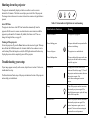
Status Indicator Panel 11
Troubleshooting problems 11
Select 21
Source 21
Up/Down/Left/Right arrows 21
Keystone, adjusting 9
L
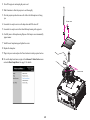
Lamp hours, resetting 48
Laptop video port activation 8
LEDs 11
M
Maintaining the projector 46
Menu usage 24
O
Optimizing images 22
Optimizing video 23
Overscan 26, 27, 28, 29, 30
R
Registering your projector 4
Remote control 19
Auto Image 19
Blank 19
Custom 19
Mute 19
Presets 19
Resize 19
Source 19
Volume 19
Resetting the projector 31
P
PC 26
Force Wide 26
PC Screen Saver 26
Phase 26
Tracking 26
Positioning the projector 6
Power connector 7
Power cord 7
Presentation features 22
Projection distance 6
Projector
Connector panel 5
Customization 23
S
Security lock 46
Service 31
Service Code 31
Settings menu 27
50