1
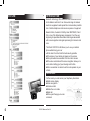
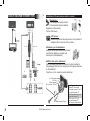
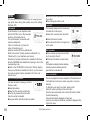
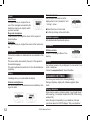
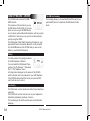
EN PAIR DEVICE AND FIRST USE During the initial charging, it is necessary to pair your mobile phone with the hands-free kit. Activate Bluetooth on your mobile Search for peripheral devices: For more information, refer to the booklet on your telephone ( Pairing section ) WARNING Or visit www.parrot.biz Some telephones useBluetooth in a Home / Support / Download particular manner. Verify in the “Preferences” / “Advanced Pref. “ / “Pair menu if the model of your Once it is detected, “Parrot Telephone” telephone is listed there. Then select CK3100” is displayed on your the option in the menu. mobile phone SAP Enter the link code 1234 and valiIf you want to utilise the Sim Access Profile service on date. “Pairing underway” is displayed on your telephone, please refer to the GSM section of the the CK3100 booklet “Pairing complete” is displayed on the screen, once pairing is successful. The CK3100 then connects to your mobile phone. Once it is connected, the Bluetooth logo is displayed on the screen (except for mobile phones fitted with the Headset profile). For certain types refer to the page 12 “pair a telephpne” With certain mobile phones, the name of your mobile, the battery level and the network are displayed on the screen. The menus are accessible from then on and the hands-free kit announces their name. From then you are connected to the hands-free kit and can use it for communicating. Call: Access your mobile phone’s phonbook. Receive a call: Press the green button of the hands-free kit to pick up the mobile phone. Hang up: Press the red button of the CK3100. Messaging: You have the option of accessing the functions of your messaging from the hands-free kit. Click on the scroll button while communicating. A menu appears and allows you to select a character then validate it. Return to the communication screen by selecting the arrow. Repeat function: Press the green key of the hands-free kit for several seconds to call the last number dialled. Communication volume: Adjust the communication volume by turning the scroll button. User’s guide