1
Reizen Mouse Electronic
Magnifier Wired Version for TV
(#807234)
REIZEN, Inc.
P.O BOX 3312
Farmingdale, NY 11735
www.ReizenUSA.com
User’s Manual
-6-
-1-
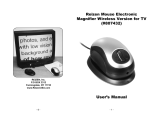
Congratulations on your purchase of the Reizen Mouse Electronic
Magnifier. This magnifier was designed to enable those with low vision
to read comfortably and easily. By simply rolling the mouse magnifier
over newspapers, magazines or other reading material, you’ll be able to
view text magnified on your TV screen.
With adjustable 2x to 32x magnification, variable viewing modes and an
Image Lock (Freeze Frame) feature, you’ll have the flexibility and
functionality you need to make reading easier than ever.
Important Safety Precautions
To keep the unit in good condition and to ensure safe usage, please
refer to the following guidelines:
• Read the instructions in this user’s guide before starting to use the unit.
• Do not attempt to repair the unit or open its case. This product
contains no user serviceable parts.
One Year Manufacturer's Limited Warranty
WARRANTY TERMS:
1. This unit is covered for one year from the date of purchase for
manufacturer's defects only.
2. The following are not covered:
A) damage due to improper handling or use
B) normal wear and tear
C) accessories: power transformers, cords, etc.
3. If repairs are needed after the warranty period expires or in case of
improper use or handling of the item, the customer will be
responsible for paying the appropriate parts and labor costs.
4. In case repair is necessary in the future, please record the date of
purchase below for your own records:
Date of Purchase:
• Keep the unit away from wet areas, rain, and other sources of liquids
or high humidity. Do not submerge the unit.
• Always operate the unit in a place where the temperature is between
10° and 40° C (50° and 104° F).
• Always store where the temperature is between -20° and 65° C
(-4° and 149° F).
• Always use the unit on a stable, level, hard surface such as a desk
or table.
• Never force connectors into the unit’s ports. All appropriate connectors
should fit easily into the ports. If the connector does not fit, turn it
around, and try again.
• Use only the power cable that came with your unit. Other adapters
may damage the magnifier.
• When cleaning the unit, make sure it is unplugged. To clean it, lightly
dampen a soft, clean cloth with water or mild detergent.
• Do not bend or twist the cable excessively.
• Do not leave the power cable or product cable where someone might
trip over it.
-2-
-5-
Mouse Magnifier Button Functions:
What’s in the Box?
1. "M": Mode selection button (Full Color - Black on White - White on
Black - High Contrast)
• Reizen Mouse Electronic Magnifier w/Video Output cable and plug
2. "+": Zoom in
• AC Power Adapter
• Drawstring Carry/Storage Pouch
3. "-": Zoom out
• User's Manual
4. "*": Image Lock (Freeze Frame)
5. Camera On/Off Switch
Main Features of Mouse Electronic Magnifier:
Installing & Using the Mouse Electronic Magnifier (Wired Version for TV):
• 8 adjustable magnification levels (2x-32x) to accommodate varying
user needs
1. Plug the Video Output (yellow plug) into your TV’s Video In jack
2. Plug the AC power cord into a standard electrical outlet
3. Slide the switch on the mouse to "On" and you’re ready to go!
4. Just place the Mouse on top of the reading material and view it
magnified on your TV screen. Gently slide the mouse across the
page as you read.
5. Use the "Plus" and "Minus" keys to adjust the magnifying power
(2x to 32x)
6. Use "M" to choose Color, Black on White, White on Black or High
Contrast mode
• Multiple viewing modes: full color, black on white, white on black,
high contrast
• Built-in LED lighting system allows for operation in different
lighting environments
• Ergonomically designed and easy to use
• Image Lock/Freeze Frame: Freeze images on screen for
extended viewing
Freeze/UnFreeze
Button
Zoom Button
ON/OFF Button
7. Use "*" Image Lock button to ‘freeze’ an image for extended
viewing/reading
Technical Specifications:
Item
Description
Display Resolution
Multiple Options
Display Mode
Full Color, B/W, W/B, High Contrast
Image Sensor
CMOS, VGA resolution
Power Output
5V DC; 250ma (Max)
Weight
100 grams adapter excluded
Dimensions: Mouse
5" x 2.75" x 2.50"
Magnification Range:
32 times depending on display
screen size
-4-
Mode Button
Power In
Video Out
A/C Adapter
-3-