1
AJA Up/Down/Cross Mini-Converter
Using DIP Switches to Control the UDC
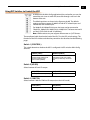
In addition to the Mini-Config application discussed earlier, you can also
control the unit via an 8-switch DIP, accessible through a cut-out in the
bottom of the unit.
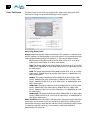
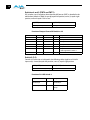
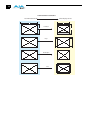
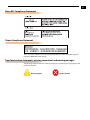
The default positions are shown in the figure on the left. The default
settings result in an output of 1080i59.94 with NTSC related inputs and
1080i50 with PAL related inputs.
For 1080p23.98/1080psf23.98 inputs, the input can be converted to
720p23.98, 1080p23.98, 1080i59.94, or 1080p59.94. The latter two would
use the 3:2 DIP switch to add 3:2 pulldown.
1 "pSF" formats.
Note: HDMI monitors may not support all frame rates or
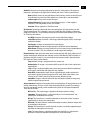
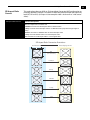
The compliance label, found on the back of the UDC, lists the DIP switch settings. The
functions of the DIP switches and what they control are also described on the following
pages.
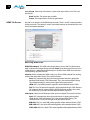
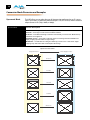
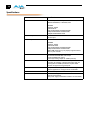
Switch 1 (CONTROL)
This switch determines whether the UDC is configured via DIP switch or Mini-Config
software.
:
LOCAL (LEFT)
REMOTE (RIGHT)
When in “Local” mode, the
remaining DIP switches will
support a subset of the
user controls (default).
When in the “Remote” mode, the
normal Mini-Config non-volatile
registers (as last set), control the
unit.
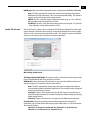
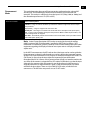
Switch 2 (HD SD)
Selects between HD and SD output.
:
HD (LEFT)
SD (RIGHT)
HD Output is selected (default).
SD Output is selected .
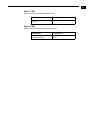
Switch 3 (1080 720)
Selects between 1080 and 720 line HD output (must be in HD mode).
:
1080 (LEFT)
720 (RIGHT)
1080 output is selected (default).
720 output is selected.
17