1
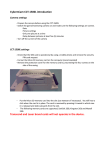
3. Installation Step 1: Install GPRS Antenna Connect the GPRS Antenna to the unit. Fasten the connection by turning the screw in the bottom. Please do not swing round the antenna itself. Step 2: Install SIM Card (1) Unscrew and remove the back cover of the device. Push the holder top upward to loose it. (2) Insert the SIM card by sliding it into the card holder slot, with the chip module facing to the connectors on PCB, as shown in the picture. (3) Flip down the holder top. Push the holder top leftward, and let it snap in completely. Step 3: Connect GPS Antenna GPS antenna is used to receive satellite signals in the sky. It should be positioned at a place where it will have an unobstructed view of the sky, such as the metallic windshield. If your car is with metallic windshield, please cut a hole on the windshield above the place where you put the GPS antenna, so that the antenna can receive the GPS signals. Step 4: Connect to the power source, and turn on the unit Step 5: Check if GPS can works properly ※ Method:When GPS has got position fix, the GPS LED will turn from constant glow to “blinking light”. Check if the GPS LED has turned to “blinking light”. 2