1
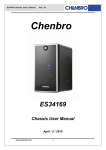
ES340 Chassis
User’s Manual
Chenbro
ES340
Chassis
User Manual
www.chenbro.com
1
ES340 Chassis
User’s Manual
Copyright
Copyright © 2007 Chenbro Micom Co., Ltd.. All rights reserved.
Unless otherwise indicated, all materials in this manual are copyrighted by Chenbro Micom
Co., Ltd.. All rights reserved. No part of this manual, either text or image may be used for any
purpose other than internal use within purchasing company. Therefore, reproduction,
modification in any form or by any means, electronic, mechanical or otherwise, for reasons
other than internal use, is strictly prohibited without prior written permission.
Chenbro Micom Co., Ltd. reserves the right to make improvement and modification to the
products indicated in this manual at any time. Specifications are therefore subject to change
without prior notice.
Information provided in this manual is intended to be accurate and reliable. However,
Chenbro Micom Co., Ltd., assumes no responsibility for its use, nor for any infringements upon
the rights of third parties, which may result from its use.
Technical Support
Chenbro works hard to offer our customers maximum performance from our chassis.
But in case you have any problem with our product you can find supports from the
following resources.
Web Support
Detail information of our products is in our website. You can find technical updates, installation
guides, FAQs, Technical specifications and more. Our web address is: www.chenbro.com.
Email Support
You can also fill out the technical support form at our Technical Support page.
issue inquiries will be sent directly to our support professionals.
You technical
Phone Support
You can also contact Chenbro HQ or branch office for immediate support; contact
Information is as following:
Chenbro HQ
Tel: 886-2-8226-5500
Fax: 886-2-8226-5423
Chenbro Europe B.V.
Tel: 31-40-295-2045
Fax: 31-40-295-2044
Chenbro Beijing
Tel: 86-10-8274-3036~ 39
Fax: 8610-8274-3035
Chenbro Micom (USA) Inc.
Tel: 1-909-947-3200
Fax : 1-909-947-4300
Preliminary Edition Aug 2007
www.chenbro.com
2
ES340 Chassis
User’s Manual
Content
Packing list ……………………………………….…………………………4
Features …………………………………………..……………………………6
Technical specification ………………………..………………………........6
Opening the chassis …………………………..…………………………….7
Installing devices ……………………………..……………………………10
…...………………...……………………….........10
Installing Slim-CDROM ……...……………..……………………………10
Installing 3.5” Hot-swap hard drive …...…...……………………………..11
Installing card reader ……..……………………………………………….12
Installing Mini-ITX M/B
………………………..……………………………..13
Installing riser card ………………………..…………………………….14
Installing 2.5” internal hard drive ………….……………………………..14
Installing heatsink
Connecting devices ………………………..……….……………………15
Connecting SATA2 HDD …...……………...………………………..........15
Connecting the power …...………………...……………………..............15
Connecting front panel I/O and LEDs ..…...…………………...….........16
Power adaptor and backplane ….…..……….……..…….………………18
Power Adaptor Specification …………….….….………………………....18
Power Distribution Board ……….……….….….………………………....19
SATA2 Hot-swap Backplane ……………..….….………………………....20
www.chenbro.com
3
ES340 Chassis
User’s Manual
Packing List
ES340 chassis
SATA2/SAS
Shield USB 2.0
SATA 7-pin Cable,
Backplane (2)
Cables (1)
260mm (2)
Power Distribution
Hot-swap HDD
Slim-CDROM
SATA 7-pin Cable,
Board (1)
Carrier (4)
Carrier (1)
360mm (2)
Split Power Cable,
Split Power Cable,
Split Power Cable,
Type-II (1)
Type-II (1)
Type-II (1)
70mm fans (2)
Intrusion Switch (1)
Power adaptor kit
120W Power Adaptor (1)
www.chenbro.com
Power Cord (1)
4
ES340 Chassis
User’s Manual
Accessory pack
Screw Pack for
Slim ODD Adaptor
MB (1)
(1)
Power Cable, Big 4P
Screw Pack for
Active Heatsink for
PCI Add-on Card
to Small 4P (1)
HDD (1)
AMD/Intel LV CPU (1)
Bracket (1)
Cable Tie (1)
Front Bezel Key (1)
Optional Kits
There are optional kits for different purposes, please contact our sales for more
information and availability.
PCI 32-bit Riser Card (1)
www.chenbro.com
4-in-1 Card
Reader (1)
5
ES340 Chassis
User’s Manual
Features
Silver-gray powder coating combined with simple lining
Ideal for high storage capacity (Hot-swap HDDs) with RAID-5 functionality
Available for multi-media platform
9.5 liters small form factor with Mini-ITX M/B
Removable M/B carrier for excellent thermal performance & easy cabling
External adapter reduces noise level
Optional remote control & riser card
Technical Specifications
Model Name
◆ES340
M/B Form Factor
◆Mini-ITX, Mini-DTX
Dimension (DxWxH)
◆260mm x140mm x260mm
Drive Bay
◆Hot-swap: 3.5" x 4
PSU
◆Form Factor: External Adapter
Indicator
◆Power, HDD Activity, 2 x LAN, Fault
Front Control
◆Power, Reset, 2 x USB 2.0
Front Access
◆2 x USB 2.0,
Security
◆Kensington Lock Supported, Padlock Loop
Cooling Fan
◆Front: 60mm (Optional)
Slot Opening
◆1 x Low Profile (Optional)
Material
◆SECC
Plastic Material Type
◆ABS-HB
Sheet Metal Thickness
◆0.8mm
Net Weight
◆4.5 Kgs
Gross Weight
◆7.0 Kgs
Backplane
◆SATA2/SAS
Container Info.
◆Internal: 2.5" x 1
◆Slim ODD: 1
◆SD/Mini-SD/MMC/MS Card Reader (Optional)
◆Single Packing
◆Bulk Packing + Pallet
www.chenbro.com
◆10.24" x 5.51" x 10.24"
6
◆Rear: 2 x 70mm
20'
40'
40'H
560
1160
1305
X
X
X
ES340 Chassis
User’s Manual
Opening the Chassis
Overview
Side Panel w/Venting
Slim CD-ROM Carrier
Main Cable Through Hole
w/Rubber pad
Front Bezel
(w/Key Lock)
Intrusion
Switch
USB & Front
Control Cables
Motherboard Cage
Front
Card Reader (Option)
-- Support MS,SD,Mini-SD,MMC
Slim CD-ROM Cover
USB 2.0 ports x2
Front Control Display:
Power Status LED (Blue)
HDD Access LED (Amber)
LAN#1 Activities LED (Green)
LAN#2 Activities LED (Green)
Global Failure LED (Red)
4x 3.5” HDD Carrier
IR Receiver Lens
Front Control Switches:
Power On Switch
System Reset
Alarm Mute
Back
Kensington
Pad Lock
Rear 70mm fans (x2)
Side Panel Screws
Power Adaptor Input
I/O Gasket
(Provided by M/B)
www.chenbro.com
7
ES340 Chassis
User’s Manual
To open the chassis for assembly of internal parts, users need to:
Remove the side panel
Remove the front bezel
To remove the side panel:
1
2
■ Release the side panel thumb screw on the rear
■ Push and slide the side panel toward rear to open the
chassis
To remove the front bezel:
1
2
■ Lift up the latch along the side to detach the bezel
■ Detach the bezel from Slim ODD side gently
3
4
■ Angle the latch until it is 15 degree away from the
chassis
■ gently pull the bezel to make it detach
www.chenbro.com
8
ES340 Chassis
User’s Manual
To remove the M/B cage:
1
2
■ Release the secure screws on the M/B cage
■ Release the two screws around the rear fans
3
4
■ Remove the motherboard cage
■ Disconnect the extension fan cables
5
6
■ Detach the motherboard cage with System Cables
(SATA, Power, Fan cables) through the cable routing hole
■ Finish detaching the M/B cage and make sure all the
connection on backplane and PDB are still tight before
assembly back the M/B cage
www.chenbro.com
9
ES340 Chassis
User’s Manual
Installing Devices:
There are other optional devices for ES340, including:
Mini-ITX or Mini-DTX
Slim Optical Drive
Standard SATA2 Hard Drive
4-in-1 Mini Card Reader (Optional)
Dedicated Universal Heatsink for AMD/Intel CPU
Installing Mini-ITX or Mini-DTX M/B:
1
2
■ Attach the motherboard I/O gasket (provided by M/B)
■ Attach screws to fix the motherboard.
Installing Slim Optical Drive:
Before install the slim CD-ROM, the front bezel must be removed. And the slim CD-ROM
carrier should be apart from the chassis.
1
2
■ Assemble the Slim CD-ROM adapter with attached
screws to the Slim CD-ROM
■ Make sure the Slim CD-ROM is fully seated with
holder clip on the side.
www.chenbro.com
10
ES340 Chassis
User’s Manual
3
4
■ Slide in the assembled CD-ROM into the chassis
■ Make sure the holder latch is secured when fully
seated
Installing 3.5” SATA2 Hard Drive:
1
2
■ Remove the HDD Carrier from the chassis and place
the SATA2 HDD into it.
■ Attach the HDD screws on both sides
3
4
■ Slide in the assembled HDD into the chassis, suggest
install by the ID definition on the front panel (No need to
remove the front bezel)
■ Make sure the carrier is fully seated
www.chenbro.com
11
ES340 Chassis
User’s Manual
Installing Card Reader (optional):
1
2
■ Detached the front screw of Card Reader holder
■ Pull out the Card Reader holder
3
4
■ Remove the seal on the holder and make sure the
sockets is right to the opening
■ Attach screws to fix the Card Reader
5
6
■ Connect the short end of USB split cable to Card
Reader with
■ Install the assembled Card Reader back to the
chassis with attach screw
www.chenbro.com
12
ES340 Chassis
User’s Manual
Installing Dedicated AMD/Intel Heatsink:
The Chenbro heatsink for ES340 is designed specifically to support Intel and AMD
desktop LV (Low Voltage) CPU in universally. Note the CPU power rating should not
over 65W as maximum.
1
2
■ Attach the heatsink retainer on to M/B before install
M/B into the chassis (Note: AMD M/B are preinstalled
it)
■ After installing CPU with heat spread, gently clip the
heatsink with metal clipper in one end.
3
4
■ Secure the heatsink clipper in other end
■ Connect the heatsink fan to the M/B
www.chenbro.com
13
ES340 Chassis
User’s Manual
Installing Riser Card (optional):
1
2
■ The PCI card mounting bracket must be detach and
use special one for mounting, (Ex. PCI RAID card)
■ Connect the cables before install.
3
4
■ Gently install the PCI card with riser into the slot.
(Please pay attention to the cable arrangement)
■ Attach screws on the rear side to secure the PCI card
Installing 2.5” HDD:
1
2
■ Place the 2.5” HDD underneath the Slim ODD
■ Fix the 2.5” HDD with attached screws
Note: (1) To install 2.5” HDD, the M/B cage is required to disassemble.
(2) IDE cable adaptor is required to connect 2.5" IDE HDD to the M/B.
www.chenbro.com
14
ES340 Chassis
User’s Manual
Connecting Devices:
ES340 is pre-installed with several cables inside as factory default, which
includes:
SATA2 cable for Hot-swap hard drive
Power cable for M/B
Front panel I/O cables
USB 2.0 cable
4-in-1 card reader (optional)
To connect SATA2 Hot-swap hard drive:
1
2
■ Check the bundled cable with number tag
■ Connect the SATA cables to the M/B properly
Note: If there is not enough SATA ports from M/B, users can either remove or keep the
bundled P3/P4 SATA cable.
To connect the power:
1
2
■ The DC harness comes with 20+4 pin as main
connection for different M/B requirement.
■ Install and secure the DC harness cable to the M/B
properly
www.chenbro.com
15
ES340 Chassis
User’s Manual
To connect front panel I/O and LEDs:
a. USB 2.0 cable connection
1
■ Front USB cable should be connected to on-board USB
header properly depends on different M/B.
b. Front display cable connection
1
2
■ The display fan-out cable with different connection for:
Power on, HDD, LAN, FAIL and the front switch
■ Connect to the M/B according to the M/B pin header
definition properly.
c. Card reader cable connection (optional)
1
■ After installing the assembled Card Reader, the
shorter USB cable should be connected to the M/B
www.chenbro.com
16
ES340 Chassis
User’s Manual
d. Slim ODD cable connection (optional)
1
2
■ Use power split cable in accessory pack for conversion
of DC harness, small 4P is connected to the Slim ODD
adaptor board
■ Use either standard IDE cable from 3rd party M/B, or
use optional cable from Chenbro to connect to the Slim
ODD adaptor board
e. Cable management
1
2
■ Due to limited space inside the chassis, make sure all
cable are connected properly and use the cable tie
through the bridge land on side wall
■ Tie up the cable so the cables are fixed in certain
space.
www.chenbro.com
17
ES340 Chassis
User’s Manual
Power Adaptor and Backplane
Power Adaptor Specification:
For electrical specification:
Input Characteristics
Output Characteristics
Item
Spec
Item
Spec
Rated Input Voltage
100V / 240V
Output Raged Voltage
19V
Input Voltage Range
90VAC to 264VAC
Output Current
6.32A
Input Frequency Range
47Hz to 63Hz
Output Voltage Setting
18.05V~19.95V
Efficiency
86%
In regards of the protection characteristics, this power adaptor will act as power
shut-down automatically base on:
Over Current Protection
Over Voltage Protection
Over Temperature Protection
For the environment operation:
Temperature: 0 ~ 40 degC @ Operating and -20 ~ +80 @ Storage
Humidity: 20% ~ 80% @ Operating and 10% ~ 90% @ Storage
MTBF: > 100,000 hrs
Mechanical characteristics:
Dimension: 167mm * 65mm * 37mm
Input AC socket type:
Output DC cable length: 14#AWG, L=1.8m
www.chenbro.com
18
ES340 Chassis
User’s Manual
Power Distribution Board:
The PDB (Power Distribution Board) inside the ES340 is a specific DC to DC adaptor,
which only provides the converting from DC19V to multiple voltages include +5V, +3.3V
and +12V for all the devices and boards usage scale up to 180W Power Adaptor. As the
rd
warning message on the back side, any improper 3 party Power Adaptor may cause
damage to the PDB or internal components.
6Pin
20Pin
4Pin
Connection of DC harness:
1
2
■ When doing the PDB maintenance, please make sure
the cables are plugged properly
■ The single ATX 20-pin connector should be connected
to PDB, another side with split 20+4 pin are for M/B.
Note: Do not plug the DC cable in reverse direction, it will cause serious system and
power adaptor damage
Connect the backplane cables:
1
2
P4
P3
P2
P1
■ Connect the Big-4P power to the backplane
■ The SATA cables (tagged P1~P4) are strongly
recommended to connect following the port orders
indicated as picture.
www.chenbro.com
19
ES340 Chassis
User’s Manual
2-port SATA2 Backplane Introduction:
ES340 is integrated with two SATA2 backplanes to support four 3.5” HDD hot-swap
feature. With dedicate backplane bracket assembled, users can directly attach the HDD
on the tray and plug into the HDD slot.
Hardware Specification:
Host Interface
SATA 7-pin compatible
HDD Interface
SAS (22+7), SATA2 compatible
Hot-Swap
Yes, allows user to on line replace Hard Disk Drive
Cooling
Five Fan connectors
1.
SATA2 * 2 ( to host )
2.
SAS (22+7) *2 ( for HDD ),
3.
Standard 4P Power connector * 1 for +5V, +12V from
Connectors
power supply
4.
PIN HEADE 4x2 PIN * 1
5.
PIN HEADE 3x2 PIN * 1
6.
CONN HEADER 2 PIN * 1
Dimension
232(L) x 27.4(W) x 1.6(H) mm
Material
FR4
Backplane Connectors
4 layer
CN2
CN4
CN3
Rear View
CN23
CN13
FAN4
FAN2
FAN3
FAN1
B1
CN22
Front View
www.chenbro.com
20
CN1
FAN5
CN12
ES340 Chassis
User’s Manual
(1) [CN12/CN22] : Connect “22+7”pin SAS connector to HDD
(2) [CN13/CN23] : SATA connector to Host
(3) [FAN1 / FAN2 / FAN3 / FAN4 / FAN5] : Fan connectors
(4) [CN1] : Power Connectors
(5) [CN2] : PIN HEADE 4x2 PIN * 1
(6) [CN3] : PIN HEADE 3x2 PIN * 1
CLIP SHORTING (SHORT)
(7) [CN4] : CONN HEADER 2 PIN * 1
Pin Assignment
[CN2] 2.54 Pin Header
FAN SPEED CLOCK
Pin
Def.
Pin
Def.
1
JF1 FAN1 CLOCK
2
JF5 FAN5 CLOCK
3
JF2 FAN2 CLOCK
4
5V
5
JF3 FAN3 CLOCK
6
GND
7
JF4 FAN4 CLOCK
8
KEY PIN
CN2- 2.54 Pin Header
[CN3] 2.54 Pin Header
HDD ACCESS LED
Pin
1
Def.
Pin
HDD1 ACCESS SIGNAL
Def.
2
HDD1 ACCESS LED
(LOW ACTIVE)
3
HDD2 ACCESS SIGNAL
(LOW ACTIVE)
4
HDD2 ACCESS LED
(LOW ACTIVE)
5
NC
CN3- 2.54 Pin Header
(LOW ACTIVE)
6
KEY PIN
NORMAL
PIN 1 / PIN 2 SHORT
PIN 3 / PIN 4 SHORT
[CN4] 2.54 Pin Header
HDD FAIL LED
Pin
Def.
1
HDD1 FAIL LED (LOW ACTIVE)
2
HDD2 FAIL LED (LOW ACTIVE)
www.chenbro.com
CN4-2.54 Pin Header
21