1
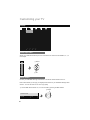
Enjoy movies/music from your iPod
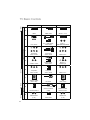
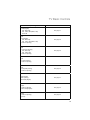
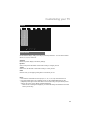
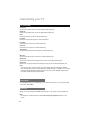
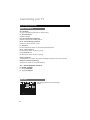
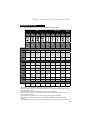
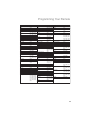
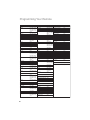
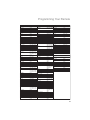
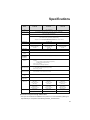
Compatible iPod Types
* If your iPod is not listed in this chart, it is incompatible with this television.
iPod
iPod nano
iPod
mini
4G
Photo/
Color
5G
(Video)
Classic
Touch
1G
2G
3G
1G
2G
20GB
40GB
20GB
30GB
40GB
60GB
30GB
60GB
80GB
80GB
160GB
8GB
16GB
32GB
1GB
2GB
4GB
2GB
4GB
8GB
4GB
8GB
4GB
6GB
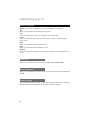
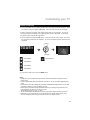
TV Control Mode
Music
Play
✔
✔
✔
✔
✔
✔
✔
✔
✔
Music
Shuffle
Play
✔
✔
✔
✔
✔
✔
✔
✔
✔
✔
✔
✔ (1)
✔ (1)
✔ (1) (2)
✔ (3)
✔ (3)
✔ (2) (4)
✔
✔
✔ (2)
✔ (3)
✔ (3)
✔ (2) (4)
✔ (3)
✔ (3)
✔ (3)
✔ (3)
(5)
✔ (3)
✔ (6)
✔ (6)
✔ (6)
✔ (2) (6)
✔ (6)
✔ (6)
✔ (6)
✔ (6)
20GB – A
30GB – A
30GB – A
80GB – A
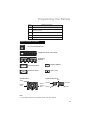
E
B
C
D
A
Video
Play
✔
Pod Control Mode
Music
Play
✔ (1)
✔ (1)
Video
Play
Podcasts
✔
✔
Video
Podcasts
Photo
Slide
Show
✔ (1)
✔ (1)
✔ (1)
✔ (1)
✔ (3)
✔
✔
✔
✔
Game
Setting
✔ (6)
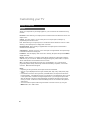
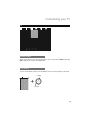
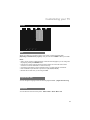
Dock adapter type (7)
20GB – A
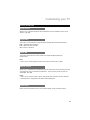
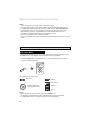
1 The registration of “On-The-Go” can be done by using the iPod.
2 Due to the nature of iPod Touch, lock/unlock, Main menu, and the selection of Music/Video has to be
done using the iPod Touch.
3 For Video/Photo output, it is necessary to have the TV out on beforehand.
4 Due to the nature of iPod Touch, in the case of video output, the selection of TV output has to be
done using the iPod Touch.
5 To control iPod Touch Photoviewer, it can be done only by using the the iPod Touch.
6 Some setups will require the selection by using the iPod. (Especially those that require wheel
control).
7 If your iPod listed is not required to use a Dock Adapter, you do not need to use any Dock Adapters.
43