1
Recording
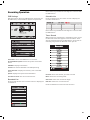
EPG Recording
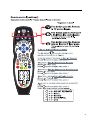
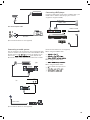
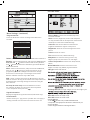
Record and Time shift function buttons
Display the programme guide by pressing the GUIDE button
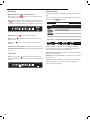
When you press the
Rec button the navigation menu
will display on screen.
Note: Display and exit the navigation menu by pressing
button. While you are recording you can press the
the
play button and watch what has already been recorded.
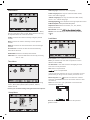
Select a programme to record by navigating through the
buttons.
EPG with the
0000:21:40
12:00-18:00 This is BBC Parliament
18:00-00:00 This is BBC Parliament
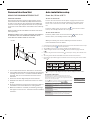
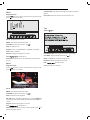
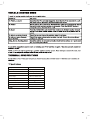
Recording: Press
Pause: Press
pause live TV.
Stop: Press
process.
to start instant recording
to activate the time shift function and
to stop the recording or the time shift
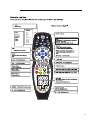
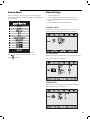
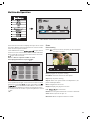
Remote Control button SD1: Displays the recorded List
Remote Control button A: Displays the Recording Schedule List
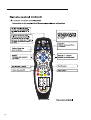
Record: Press the RED button to display the recorder
menu and set the timer record. When the programme
starts it will be recorded to the USB device.
Time shift
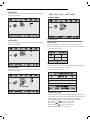
Display: Press the GREEN button to display the information of the programme
When you press the Pause/Play button the picture
will be paused and the navigation menu will displayed on
screen
[-00:01:21/00:10:00]
S
22
Schedule: Press YELLOW button to display the recording
Schedule List
Remind: Press BLUE button to display the remind menu.
Once the programme starts the TV will automatically
switch to this programme.