1
Case 2:13-cv-00193 Document 798-2 Filed in TXSD on 11/20/14 Page 17 of 54
LIONS 5.4.1 User Manual
inquiries. Use the TAB, ENTER, or click with the mouse to place our cursor next to the record you want.
Press F3 or double click to access the record.
Note: If your LIONS security permissions do not allow you to access a particular form, the box next to the
form label; e.g., Agency, will be grey. Access to the Close Case screen is also available from the Civil
Case Summary Screen.
4.2. General Update
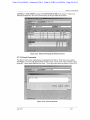
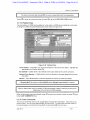
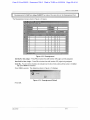
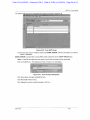
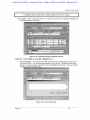
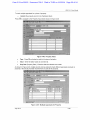
From the Civil pull-down menu click on Update or press the letter U. From the next pull-down menu click
on General Update, or press the letter G. See Figure 4-2.
irHfiELJ
| CM CRST» reports VicM FRC Documents Inquyy Adrrtn Window Hefc
open ease (Long form)
opsn case (SI wrt fo;m)
II. lin | lO'MlljJlSl
Resbrct rna'ier/case
Immediate deviation
Update court :
ssBSiiifJi
Figure 4-2: Civil General Update Menu Options
Note: To access forms through the General Update menu, click on the desired record or enter the
underlined letter. For example, if you want to access the Event record press E.
4.3. Initial Court Filing or Transferring to another Court
When updating a civil action from Not in Court to Court, or when transferring a civil action from one court
to another, the existing Court History record must be closed and a new Court History record added. In
addition, the Relief record may need to be modified. Alternatively, the Court Participant record can be
closed, but it has no overall effect on the case.
4.3.1. Court History
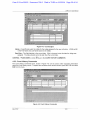
Select Update Court (History) from the Civil Update submenu or the Civil Case Summary screen. Enter
the USAOID number, and then press F8.
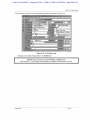
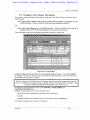
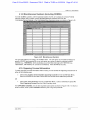
The Court History screen for the requested case opens as shown in Figure 4-3.
July 2012
3-10