1
Case 2:13-cv-00193 Document 798-2 Filed in TXSD on 11/20/14 Page 3 of 54
L I O N S 5.4.1 User M a n u a l
ag: LIONS - CIVIL OPEN IIIM. - [i vnperel.lB]
Action
Edit
Record
I ijMiuir i in,. I..11.
ir.nitm .
i,
nusiriLss
El
l\i>r- |
loilt1: !li
ir
< tmifii.t Miirni;: \iuhn ' milh
Aiiifl
<l'Y.
[ f i n ,(iy
oc.T
2(11)/
III.
'
Motu. [A/
lip: 'llllKII.
skip
| ~
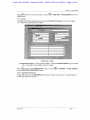
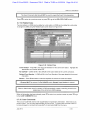
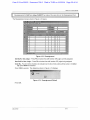
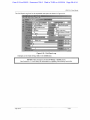
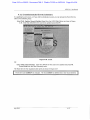
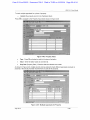
Figure 3-22: Business Participant
Name/Role - LIONS moves this information into the Business screen from the Participant
screen.
Type - Press F9 and select the business type code. The code should further describe the
nature of the business.
EIN - Enter the Employer Identification Number of the business or organization.
Contact Name - Enter the name of the point of contact for the business or organization.
Address/Phone Information - Enter the business address and telephone numbers.
I ymi
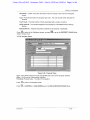
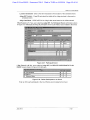
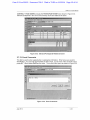
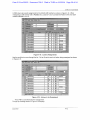
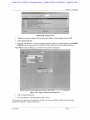
Press .11,1 to return to Participant screen, or press l£LJ or CONTROL + PAGE DOWN to go to the
DOING BUSINESS AS screen shown in Figure 3-23.
July 2012
3-10